> ## Documentation Index
> Fetch the complete documentation index at: https://www.courier.com/docs/llms.txt
> Use this file to discover all available pages before exploring further.
# RudderStack
> Integrate Courier with RudderStack to send event data into Courier for triggering automations, and send Courier notification events back to RudderStack for analysis.
Courier's RudderStack integration lets you send event data from a variety of event sources to Courier. You can also configure RudderStack as a source inside the Courier workspace by adding your write key and data plane URL, allowing Courier events to be sent to RudderStack.
## RudderStack to Courier
RudderStack supports Courier as a destination. Once you configure the Courier destination inside RudderStack, you can connect one or more sources and events will start flowing into Courier.
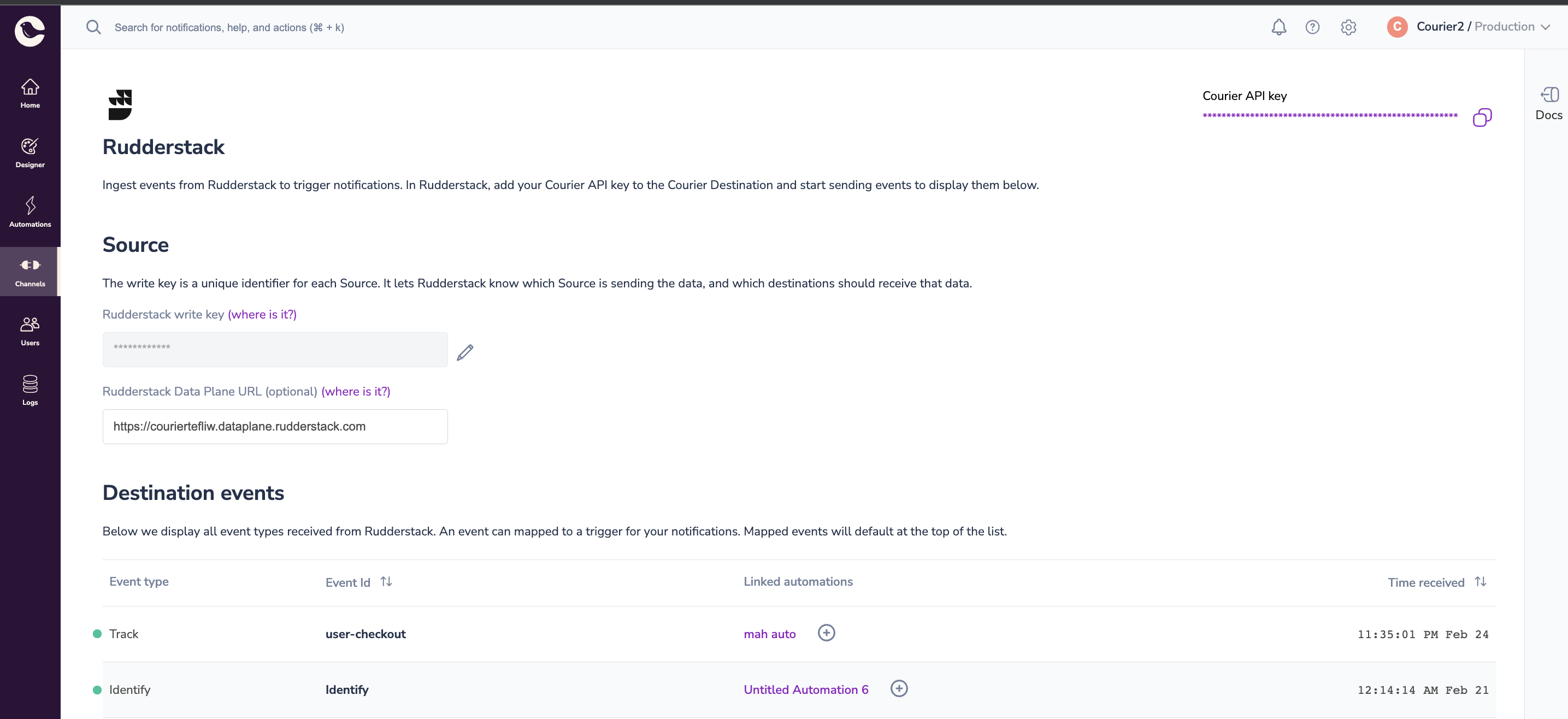
Events flowing in from RudderStack into Courier are visible on the RudderStack integration page inside Courier Studio, where you can map them to trigger notification workflows. For instance, you can trigger an automation that welcomes a new user if an `identify` event flows in from RudderStack.
**Supported RudderStack Events:**
* Group
* Identify
* Track
### Configuration
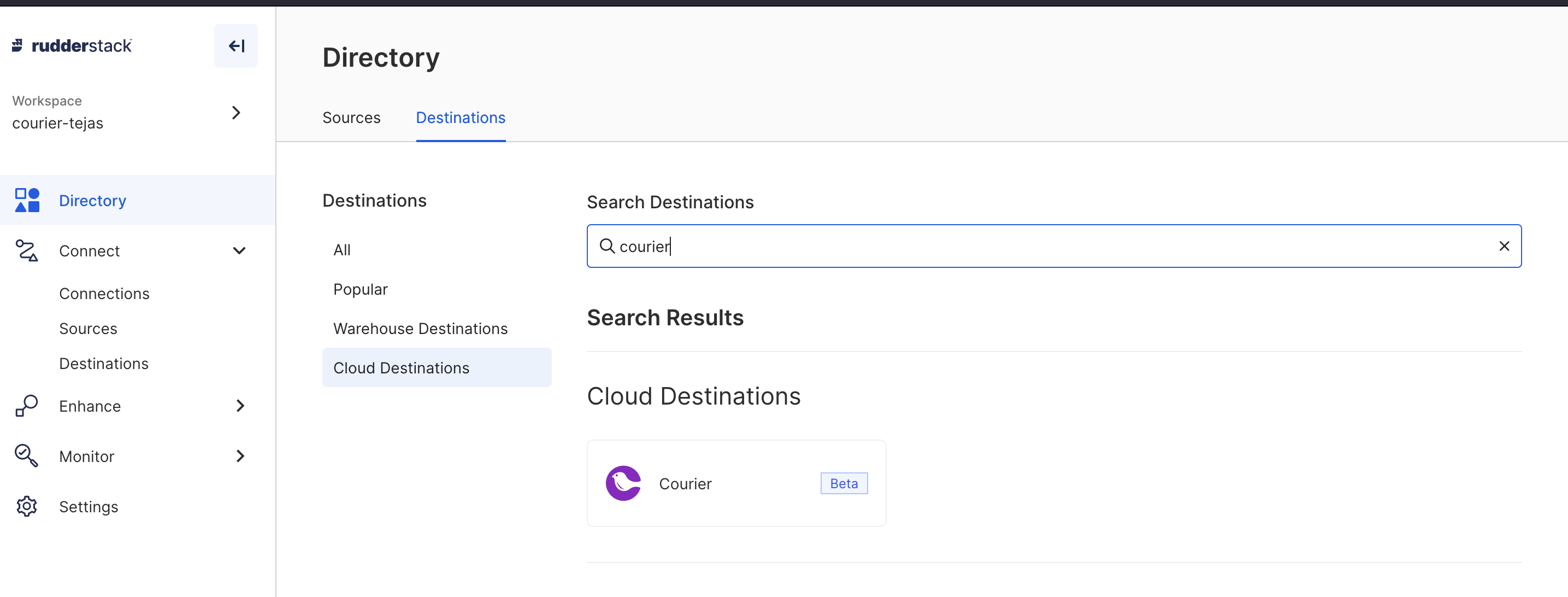
Go to RudderStack destination and search for Courier.
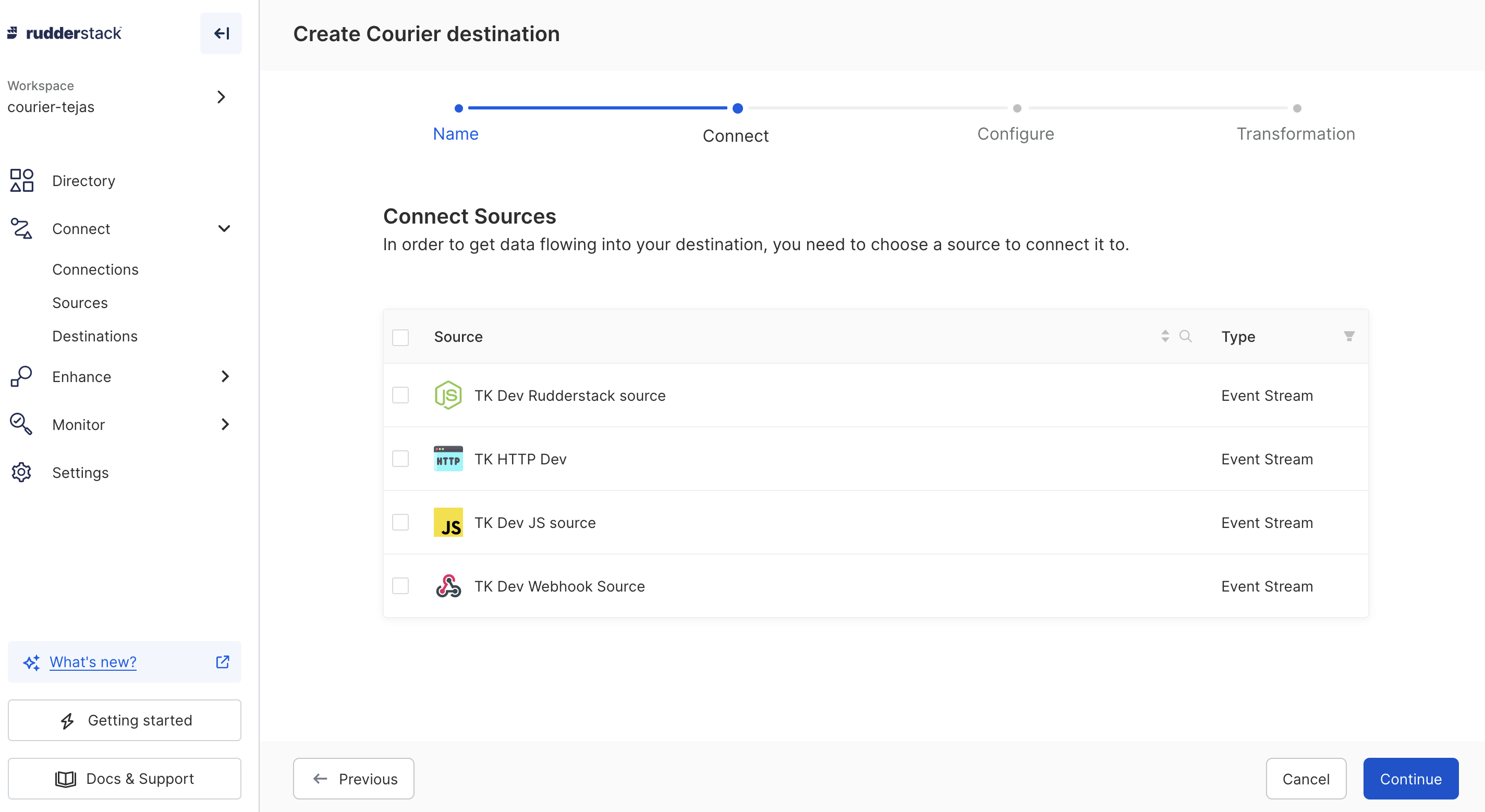
 Connect one or more sources
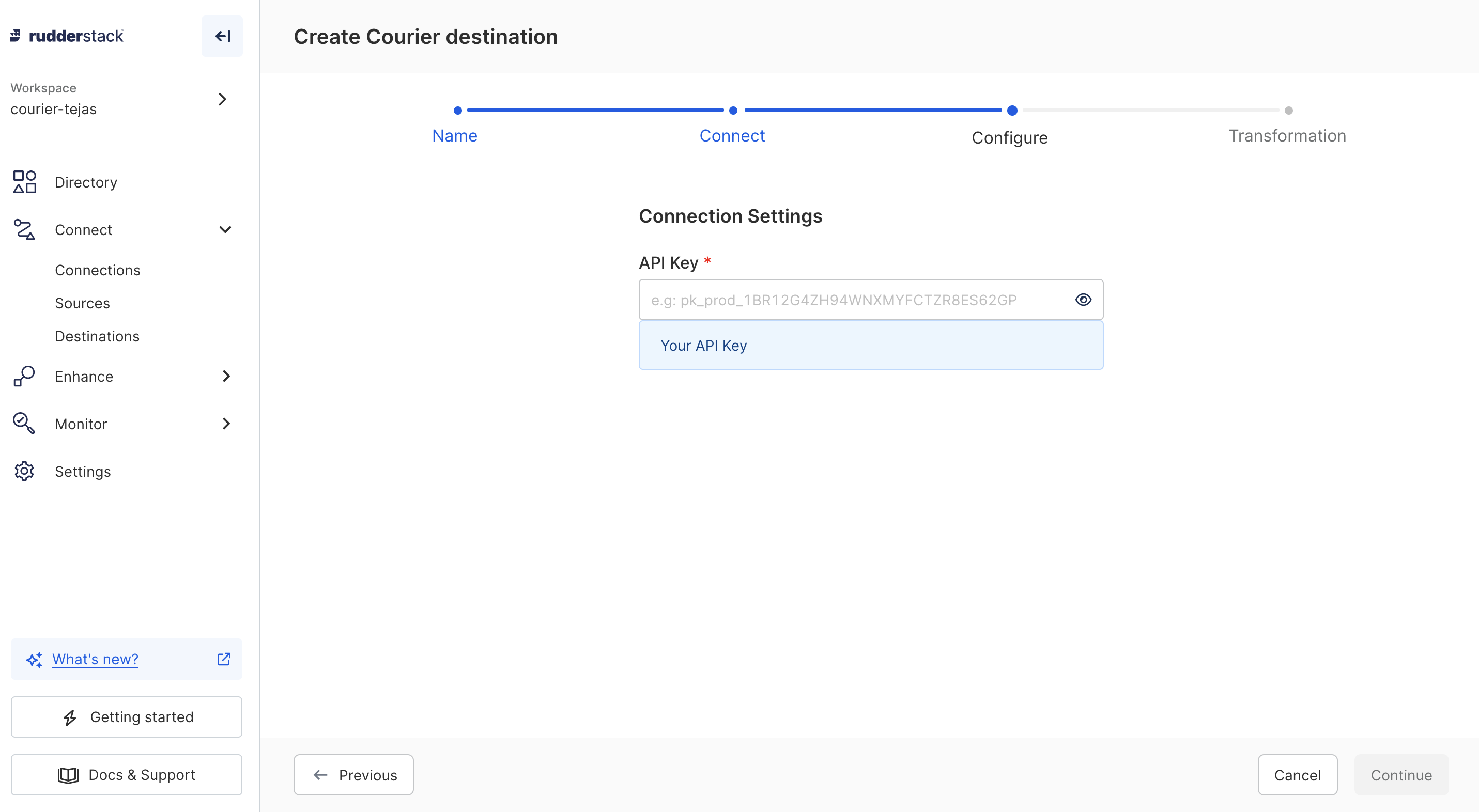
 Add Courier API Key
 ### Event Trigger
You can trigger events either via the sources you connected or by directly calling RudderStack endpoints.
Courier destination supports `group`, `identify` and `track` events, which appear on the Courier RudderStack integration page inside Courier Studio UI.
Check the [RudderStack Node SDK documentation](https://www.rudderstack.com/docs/sources/event-streams/sdks/rudderstack-node-sdk/#sending-events) to learn more about sending events to your RudderStack instance.
Once events start flowing in from RudderStack into Courier, they appear on the RudderStack integration page in Courier Studio.
### Event Trigger
You can trigger events either via the sources you connected or by directly calling RudderStack endpoints.
Courier destination supports `group`, `identify` and `track` events, which appear on the Courier RudderStack integration page inside Courier Studio UI.
Check the [RudderStack Node SDK documentation](https://www.rudderstack.com/docs/sources/event-streams/sdks/rudderstack-node-sdk/#sending-events) to learn more about sending events to your RudderStack instance.
Once events start flowing in from RudderStack into Courier, they appear on the RudderStack integration page in Courier Studio.
 ### Supported Events
#### Identify
RudderStack identify events create or update the user profile in Courier. The `userId` is used as the user identifier and `traits` are mapped to user profile attributes.
#### Track
RudderStack track events can trigger an automation or supply an inline automations payload. The `properties` in the payload are used for mapping to Courier.
#### Group
RudderStack group events can create an account or trigger an automation. The `groupId` is used as Account ID and `userId` (or `anonymousId` if userId is not present) is used as the User Identifier.
### Event Mapping
Received RudderStack events can be mapped to an existing automation, or a new automation can be initialized where the event is set as a trigger.
Click on the plus (+) icon under link automations and map the event to an existing automation template, or create a new automation template.
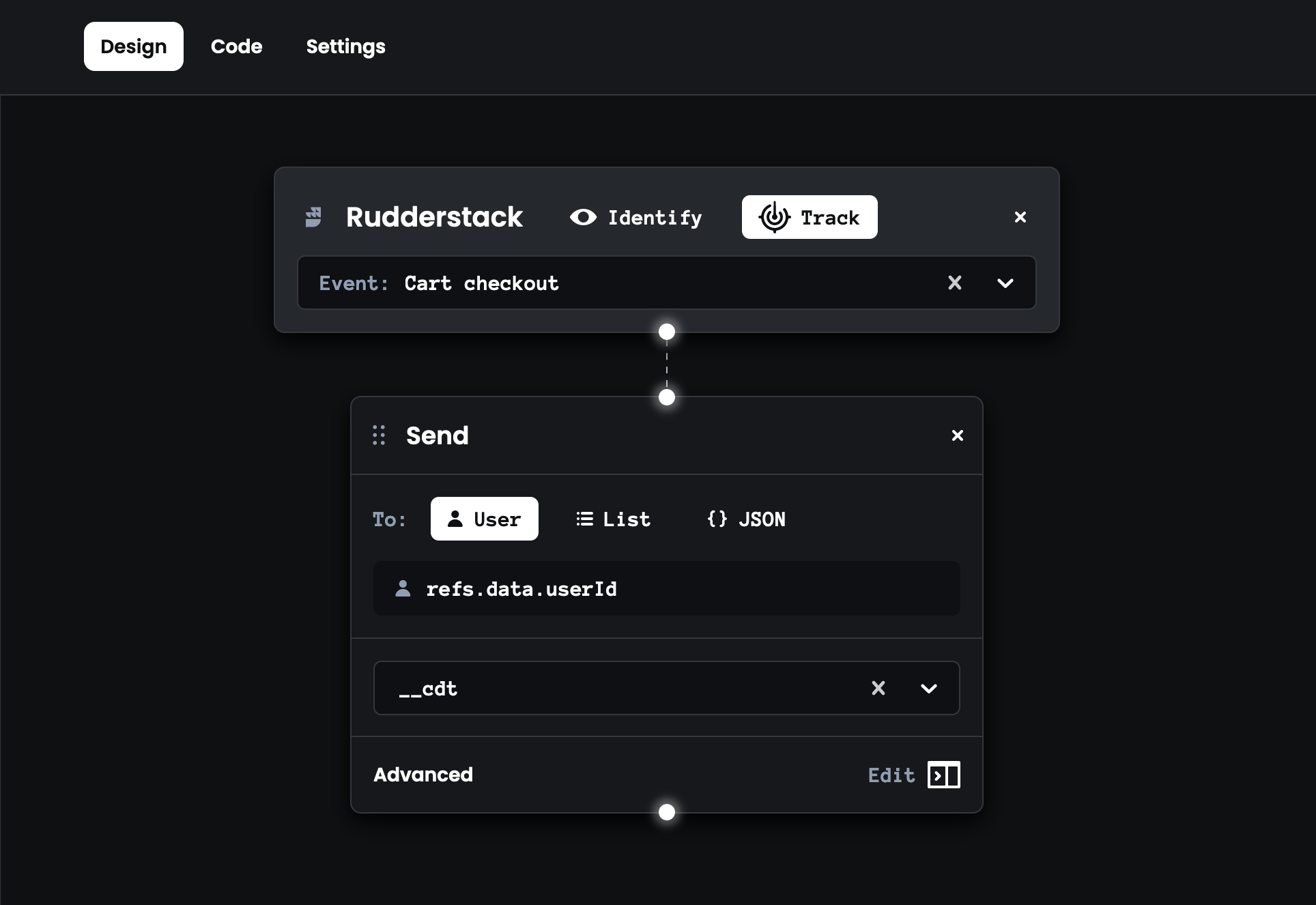
Properties should be scoped by the `courier.automation` object. For instance, if you want to map userId to refs, your request to RudderStack would look like this:
```json Rudderstack Courier Automation Property Example theme={null}
{
"event": "user-checkout",
"type": "track",
"properties": {
"courier": {
"automation": {
"data": {
"userId": "my-user"
}
}
}
}
}
```
Mapped automation would look like this:
### Supported Events
#### Identify
RudderStack identify events create or update the user profile in Courier. The `userId` is used as the user identifier and `traits` are mapped to user profile attributes.
#### Track
RudderStack track events can trigger an automation or supply an inline automations payload. The `properties` in the payload are used for mapping to Courier.
#### Group
RudderStack group events can create an account or trigger an automation. The `groupId` is used as Account ID and `userId` (or `anonymousId` if userId is not present) is used as the User Identifier.
### Event Mapping
Received RudderStack events can be mapped to an existing automation, or a new automation can be initialized where the event is set as a trigger.
Click on the plus (+) icon under link automations and map the event to an existing automation template, or create a new automation template.
Properties should be scoped by the `courier.automation` object. For instance, if you want to map userId to refs, your request to RudderStack would look like this:
```json Rudderstack Courier Automation Property Example theme={null}
{
"event": "user-checkout",
"type": "track",
"properties": {
"courier": {
"automation": {
"data": {
"userId": "my-user"
}
}
}
}
}
```
Mapped automation would look like this:
 [Learn more about Courier Automations >](/tutorials/automations/how-to-automate-message-sequences)
***
## Courier to RudderStack
Courier generates events during workflow execution (for instance, a "message sent" event when a message is delivered). These events can be sent outbound to RudderStack, which can further unlock other use cases and wire up other destinations inside RudderStack.
### Configuration
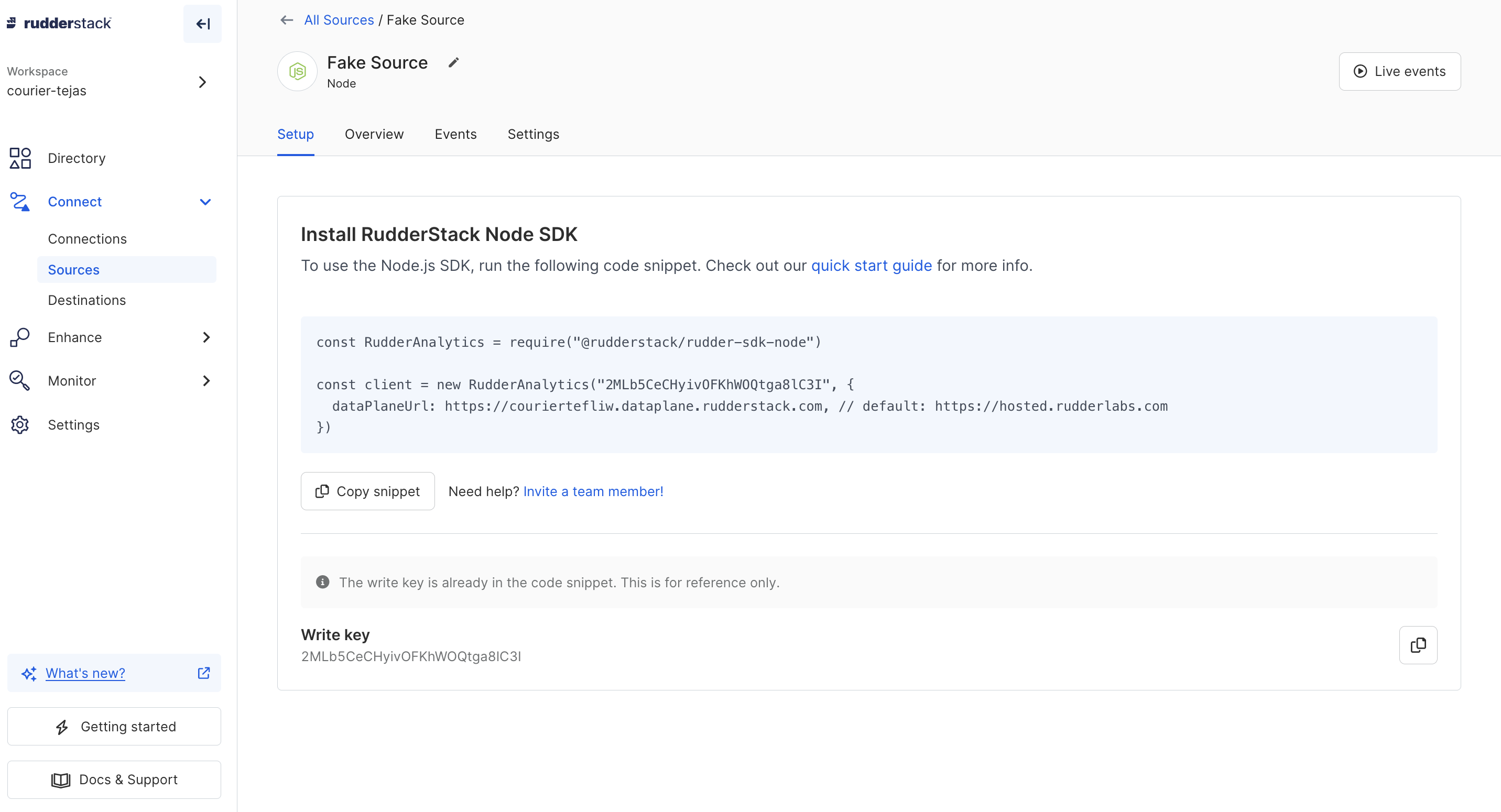
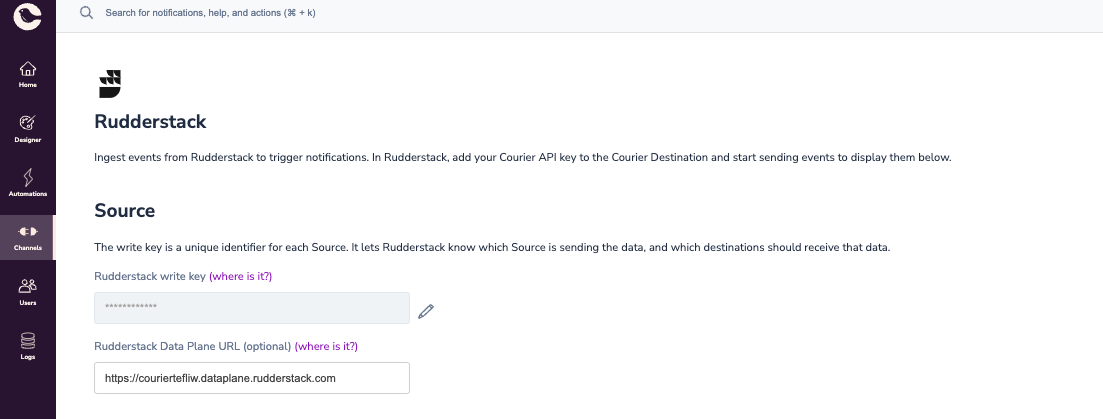
Add a source in RudderStack that will receive events from Courier (for example, a Node.js source). Once the source is created, copy the write key and data plane URL to the Courier RudderStack integration page.
[Learn more about Courier Automations >](/tutorials/automations/how-to-automate-message-sequences)
***
## Courier to RudderStack
Courier generates events during workflow execution (for instance, a "message sent" event when a message is delivered). These events can be sent outbound to RudderStack, which can further unlock other use cases and wire up other destinations inside RudderStack.
### Configuration
Add a source in RudderStack that will receive events from Courier (for example, a Node.js source). Once the source is created, copy the write key and data plane URL to the Courier RudderStack integration page.
 ### Event Sourcing
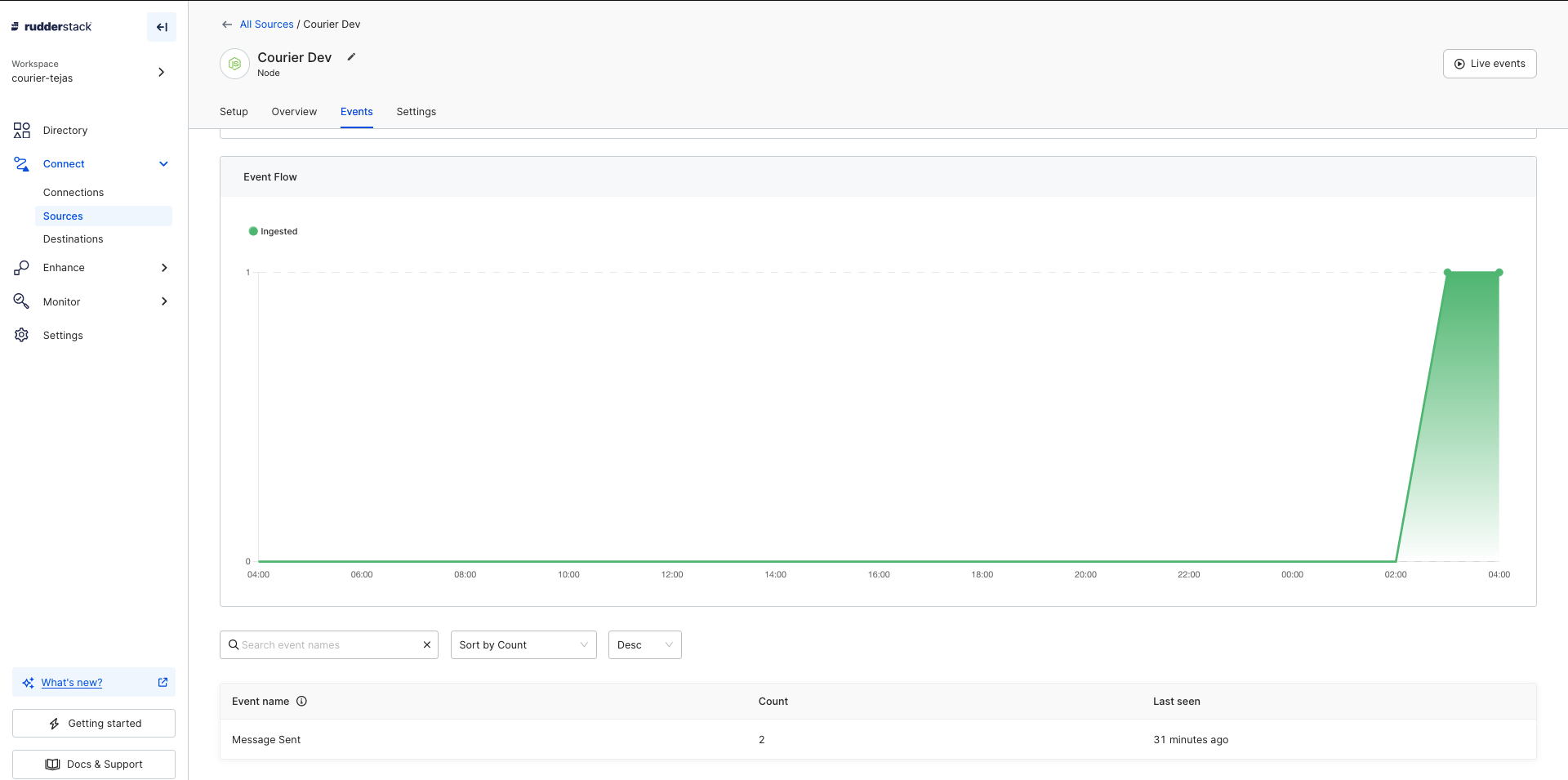
Courier will start sending generated events (like Message Sent) to your RudderStack instance. These should show up on your RudderStack source page.
### Event Sourcing
Courier will start sending generated events (like Message Sent) to your RudderStack instance. These should show up on your RudderStack source page.
 ***
## Example Use Cases
* User sync from RudderStack to Courier
* Welcoming new users based on sign-up tracking
* Nudging users to upgrade to a paid tier based on usage tracking
***
## Example Use Cases
* User sync from RudderStack to Courier
* Welcoming new users based on sign-up tracking
* Nudging users to upgrade to a paid tier based on usage tracking