> ## Documentation Index
> Fetch the complete documentation index at: https://www.courier.com/docs/llms.txt
> Use this file to discover all available pages before exploring further.
# New Relic
> Set up Courier’s New Relic integration to forward delivery metrics and logs, customize ingestion endpoints, and visualize notification performance with a downloadable New Relic dashboard.
## Setup
* Create a New Relic account if you don't have one.
* Retrieve your [License key](https://one.newrelic.com/api-keys) for your account.
* Login to Courier and navigate to the Channels page.
* Click on New Relic channel and enter the License key from step 2 in the API Key field.
## New Relic Metrics Endpoint
You can optionally specify a [Metrics Endpoint](https://docs.newrelic.com/docs/data-apis/ingest-apis/metric-api/report-metrics-metric-api/#api-endpoint) for your New Relic integration. If no endpoint is provided, the United States (US) endpoint is used.
## New Relic Logs Endpoint
You can optionally specify a [Logs Endpoint](https://docs.newrelic.com/docs/logs/log-api/introduction-log-api/#endpoint) for your New Relic integration. If no endpoint is provided, the United States (US) endpoint is used.
## Dashboard
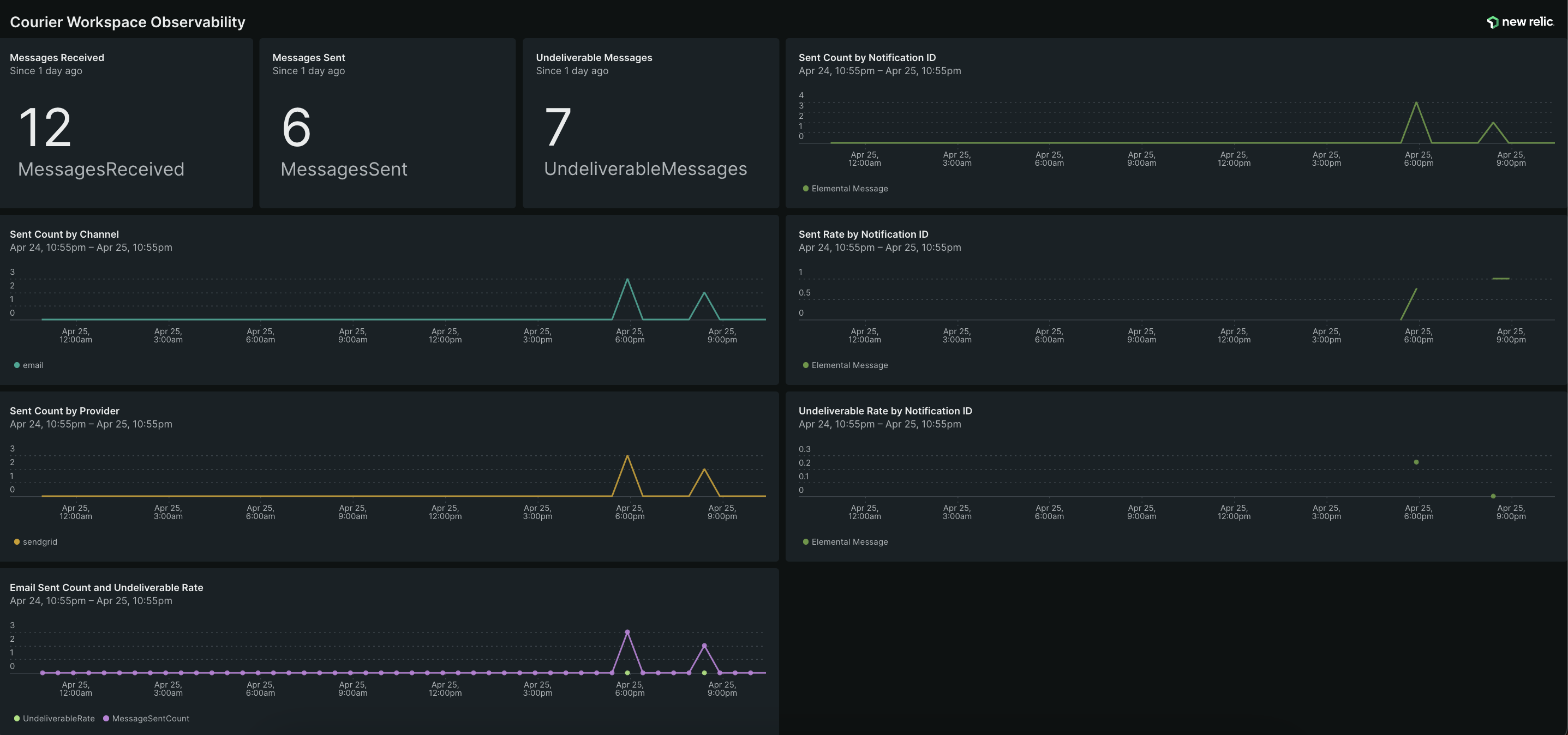
Download the Courier New Relic Dashboard using the link below to easily monitor Courier within New Relic.
[Download Dashboard JSON](https://github.com/trycourier/shareable/blob/main/courier-new-relic-dashboard.json)
## Dashboard Preview