> ## Documentation Index
> Fetch the complete documentation index at: https://www.courier.com/docs/llms.txt
> Use this file to discover all available pages before exploring further.
# AWS SNS
> Learn how to send push, SMS, and email notifications using Courier with AWS SNS, including setup, profile requirements, and support for override credentials.
## Setup
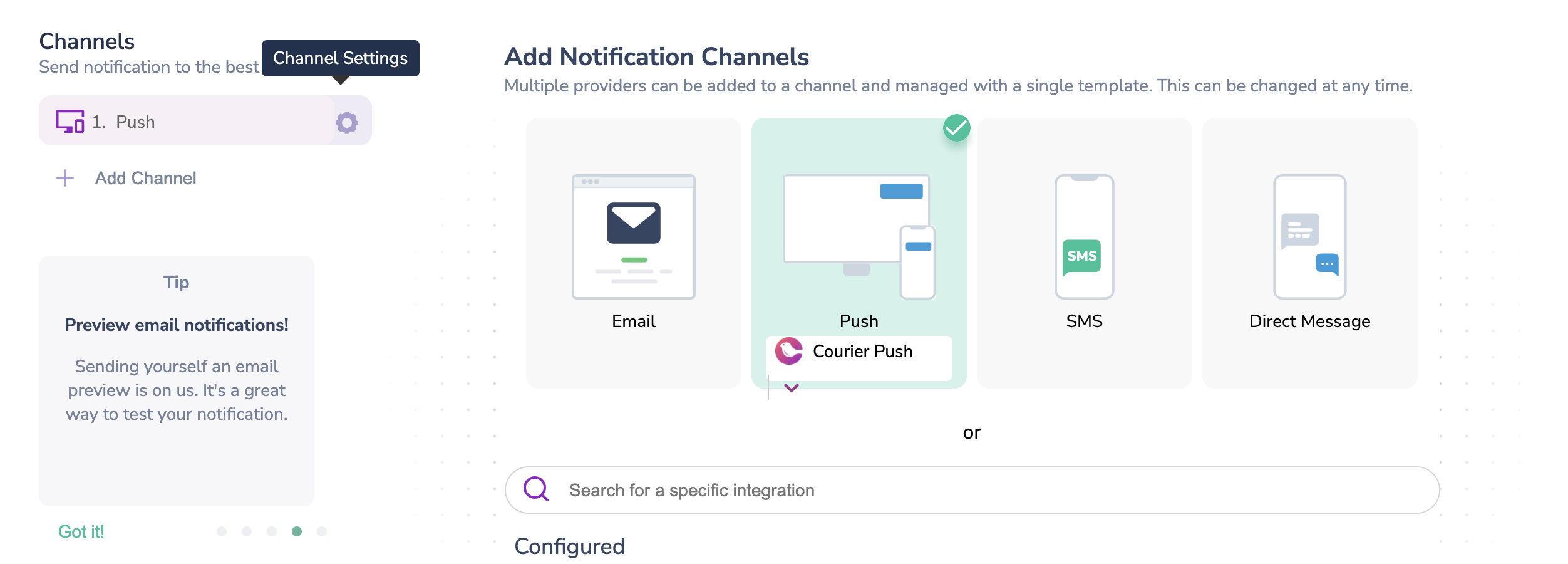
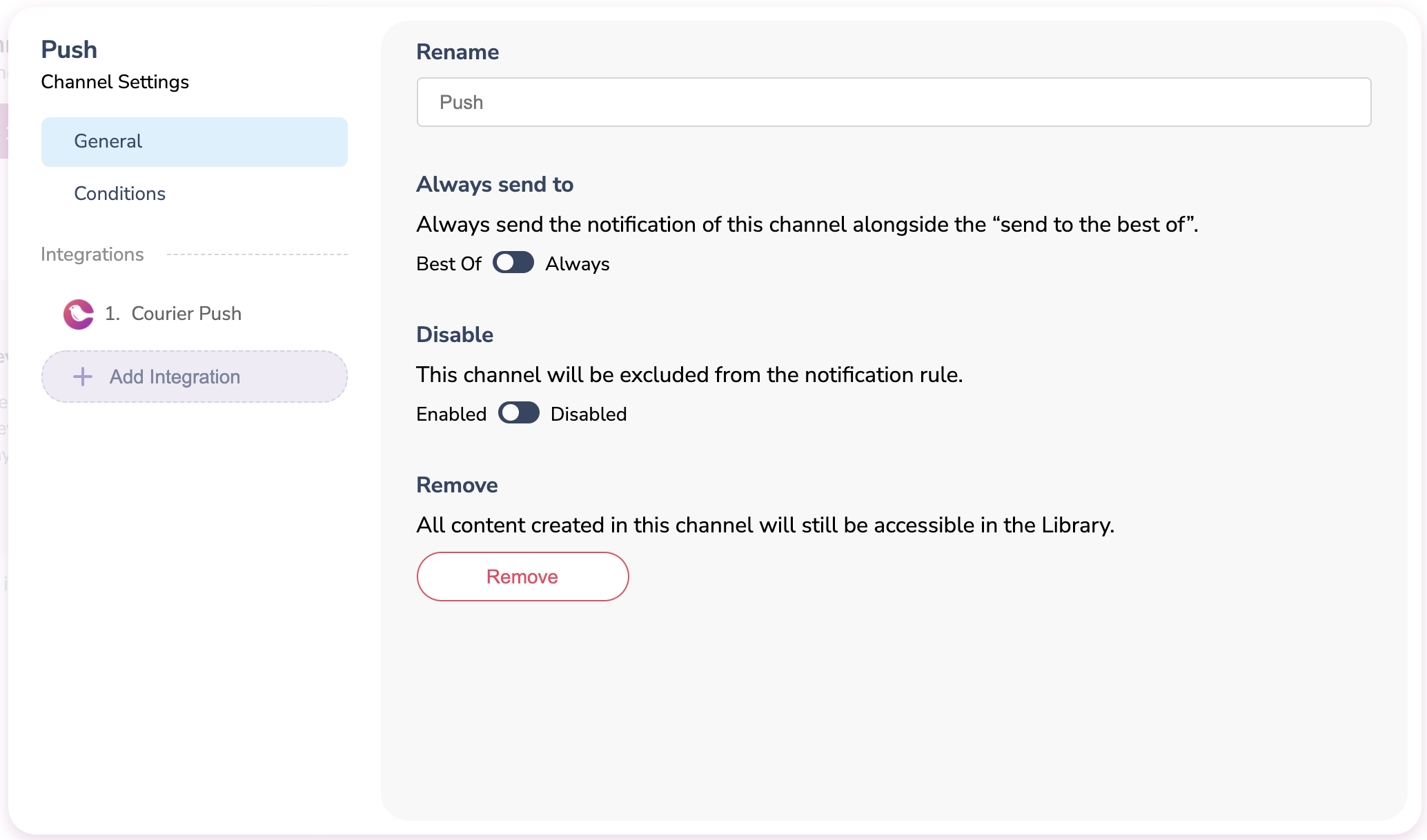
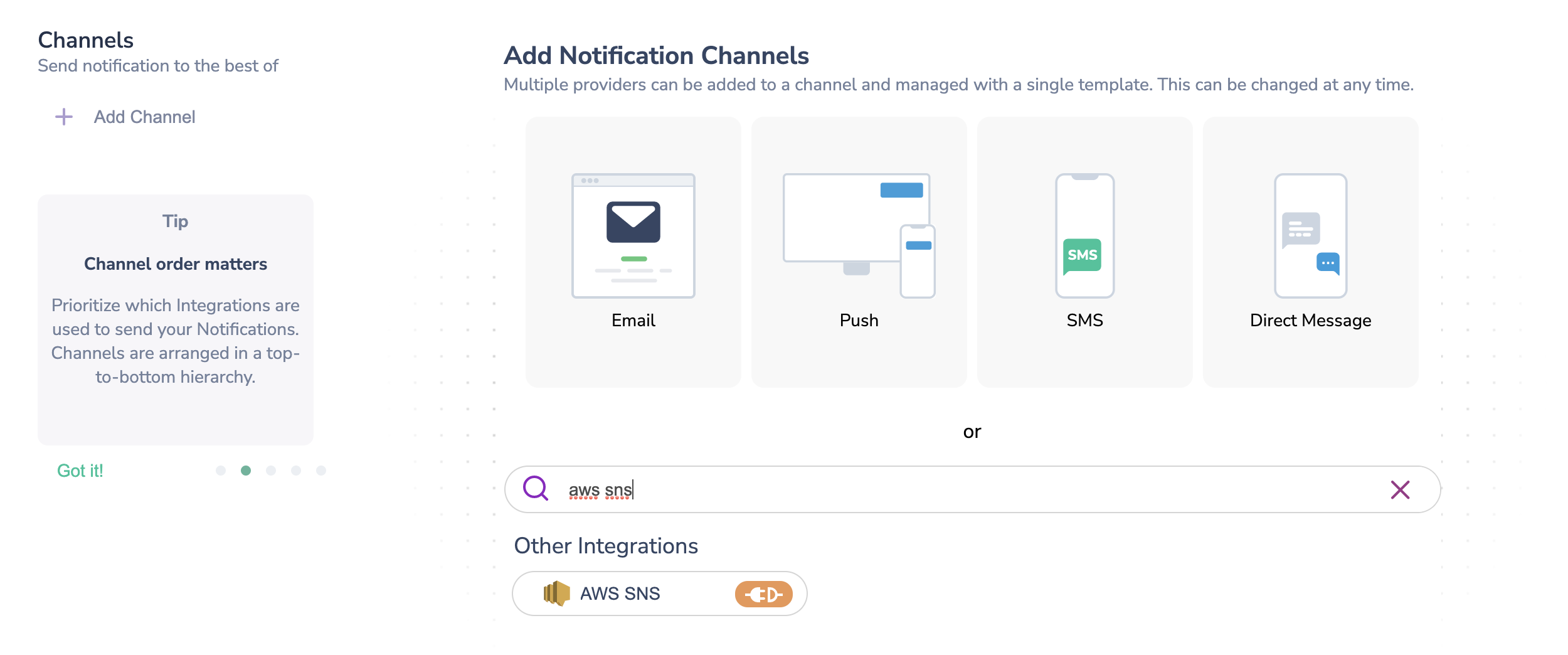
The AWS SNS provider is listed as a Push integration but can handle push, SMS, and email notifications. To add it to your workflow in the designer, follow one of these paths:
1. **Add AWS SNS as a channel provider:** Click "Add Channel" and select the Push channel. A Push option will be added to the left menu under "Channels". Hover over this and click on the Settings icon that will appear. In the pop-up, navigate to "+ Add Integration" and search for AWS SNS.
 2. **Add AWS SNS as a provider:** Click "Add Channel" and use the search bar to find "AWS SNS"
 ## Profile Requirements
### Push
To deliver a message to a mobile device over SNS, Courier must be provided either the Topic ARN, that the device is subscribed to, or the Target ARN that the device is subscribed to. If using a Target ARN, then this value should be included in the recipient profile as `target_arn`.
```json theme={null}
{
"message": {
"to": {
"target_arn": "your:target:arn"
}
}
}
```
If no `target_arn` is provided in the recipient profile then the Topic ARN will be used from the Courier configuration.
Either the Target ARN or the Topic ARN should be provided, not both.
### SMS
To deliver a message to a recipient over AWS SNS, Courier must be provided the recipient's phone number. This value should be included in the recipient profile as `phone_number`.
```json theme={null}
{
"message": {
"to": {
"phone_number": "+12345678901"
}
}
}
```
## Overrides
You can override the Access Key ID, Secret Access Key, and region via the `config` override. See all [SNS publish properties](https://docs.aws.amazon.com/AWSJavaScriptSDK/latest/AWS/SNS.html#publish-property).
```json theme={null}
{
"message": {
"template": "NOTIFICATION_TEMPLATE_ID",
"to": {},
"providers": {
"aws-sns": {
"override": {
"config": {
"accessKeyId": "RUNTIME_ACCESS_KEY_ID",
"secretAccessKey": "RUNTIME_SECRET_ACCESS_KEY",
"region": "eu-west-1"
}
}
}
}
}
}
```
## Profile Requirements
### Push
To deliver a message to a mobile device over SNS, Courier must be provided either the Topic ARN, that the device is subscribed to, or the Target ARN that the device is subscribed to. If using a Target ARN, then this value should be included in the recipient profile as `target_arn`.
```json theme={null}
{
"message": {
"to": {
"target_arn": "your:target:arn"
}
}
}
```
If no `target_arn` is provided in the recipient profile then the Topic ARN will be used from the Courier configuration.
Either the Target ARN or the Topic ARN should be provided, not both.
### SMS
To deliver a message to a recipient over AWS SNS, Courier must be provided the recipient's phone number. This value should be included in the recipient profile as `phone_number`.
```json theme={null}
{
"message": {
"to": {
"phone_number": "+12345678901"
}
}
}
```
## Overrides
You can override the Access Key ID, Secret Access Key, and region via the `config` override. See all [SNS publish properties](https://docs.aws.amazon.com/AWSJavaScriptSDK/latest/AWS/SNS.html#publish-property).
```json theme={null}
{
"message": {
"template": "NOTIFICATION_TEMPLATE_ID",
"to": {},
"providers": {
"aws-sns": {
"override": {
"config": {
"accessKeyId": "RUNTIME_ACCESS_KEY_ID",
"secretAccessKey": "RUNTIME_SECRET_ACCESS_KEY",
"region": "eu-west-1"
}
}
}
}
}
}
```