> ## Documentation Index
> Fetch the complete documentation index at: https://www.courier.com/docs/llms.txt
> Use this file to discover all available pages before exploring further.
# MessageMedia
> Learn how to integrate MessageMedia with Courier to send SMS messages by including a valid phone_number in the recipient profile and routing notifications through MessageMedia's API.
## Setup
In the [MessageMedia console](https://hub.messagemedia.com/api-settings):
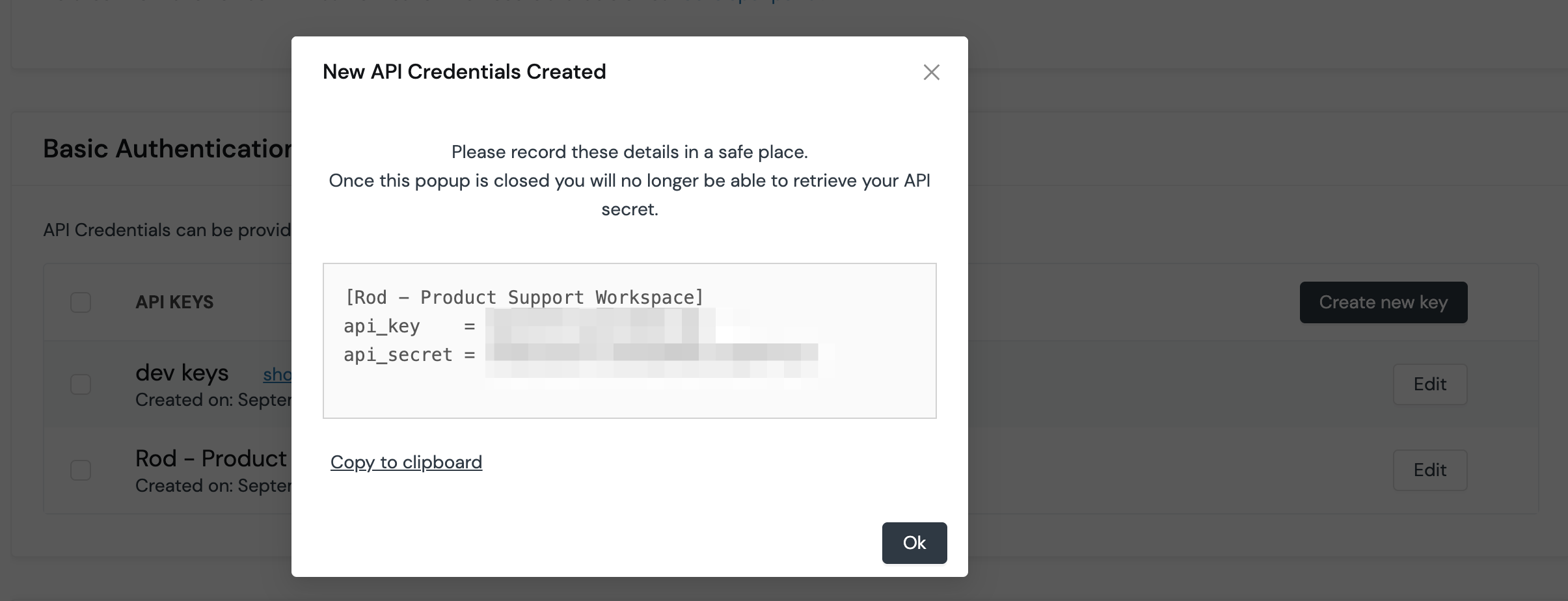
1. Create a new API key.
2. Copy the API key and secret (make sure you save the `api_secret` as you will not be able to see it again).
In Courier, navigate to the [MessageMedia Integration](https://app.courier.com/integrations/catalog/messagemedia) page, paste your credentials, and click "Save."
 ## Profile Requirements
To deliver a message to a recipient via MessageMedia, Courier must be provided the recipient's SMS-compatible telephone number. This value should be included in the recipient profile as `phone_number`.
```json theme={null}
{
"message": {
"to": {
"phone_number": "+12025550156"
}
}
}
```
## Overrides
Overrides can be used to change the request body, config, and headers that Courier uses to send a message through MessageMedia. You can override the `apiKey`, `apiSecret`, `isHmacEnabled`, and `url` via `config`, and any of the [SendMessages](https://messagemedia.github.io/documentation/#operation/SendMessages) body fields via `body`.
```json theme={null}
{
"message": {
"template": "NOTIFICATION_TEMPLATE_ID",
"to": {
"phone_number": "+12345678901"
},
"providers": {
"messagemedia": {
"override": {
"body": {
"source_number": "+15555555555"
},
"config": {
"apiKey": "",
"apiSecret": ""
}
}
}
}
}
}
```
## Delivery Tracking
After integrating MessageMedia into Courier, you will have access to a unique webhook URL that you can integrate with [MessageMedia webhooks](https://support.messagemedia.com/hc/en-us/articles/4413634024463-Webhooks) to receive delivery updates that sync to Courier's Message Logs.
To configure webhooks, navigate to the [MessageMedia integration](https://app.courier.com/integrations) in Courier and copy the unique webhook URL.
With the webhook URL in hand, follow these steps in the [MessageMedia console](https://hub.messagemedia.com/api-settings):
1. Select "New Webhook".
2. Paste Courier's webhook URL.
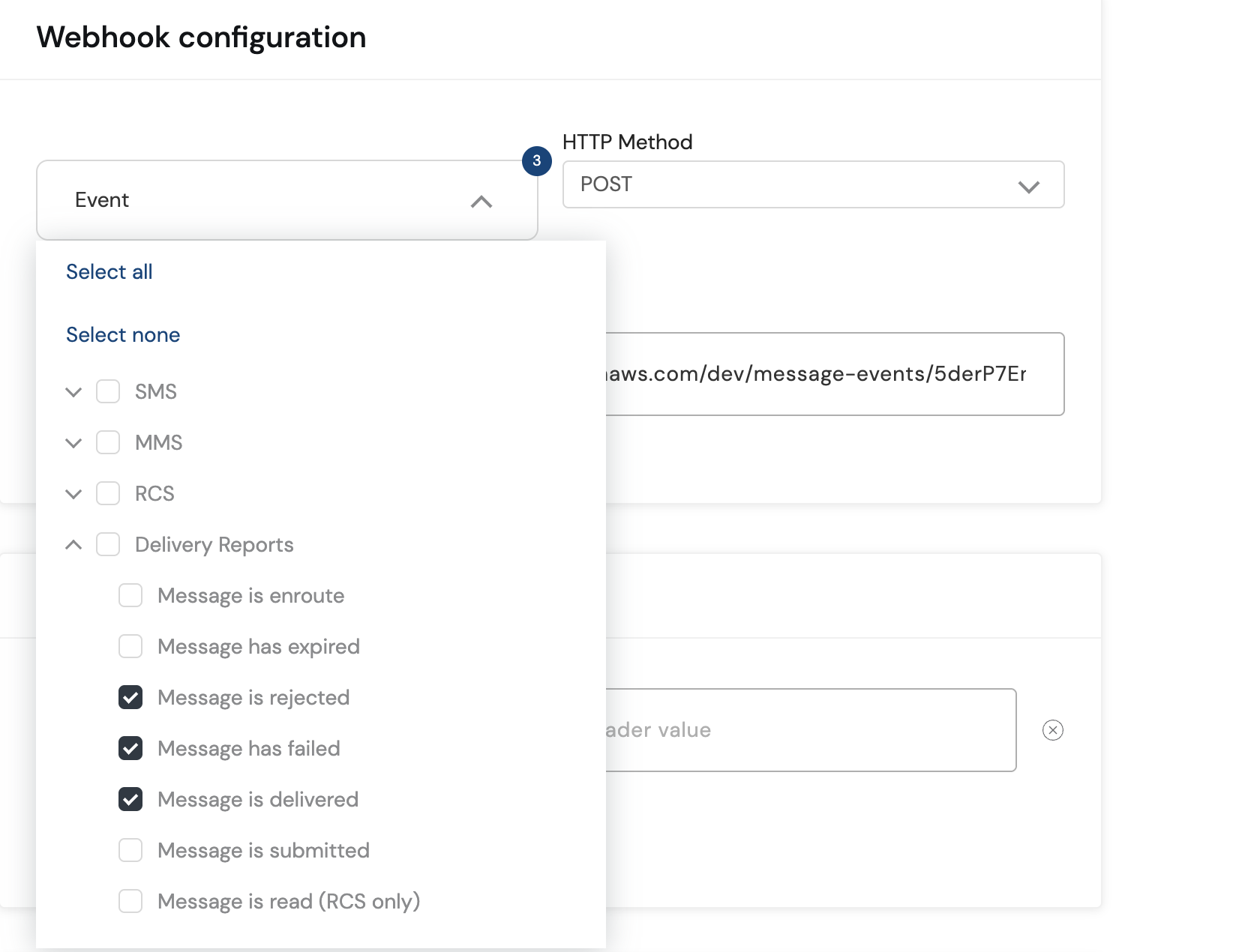
3. Under "Event", select "Message is rejected", "Message has failed", and "Message is delivered" under Delivery reports.
## Profile Requirements
To deliver a message to a recipient via MessageMedia, Courier must be provided the recipient's SMS-compatible telephone number. This value should be included in the recipient profile as `phone_number`.
```json theme={null}
{
"message": {
"to": {
"phone_number": "+12025550156"
}
}
}
```
## Overrides
Overrides can be used to change the request body, config, and headers that Courier uses to send a message through MessageMedia. You can override the `apiKey`, `apiSecret`, `isHmacEnabled`, and `url` via `config`, and any of the [SendMessages](https://messagemedia.github.io/documentation/#operation/SendMessages) body fields via `body`.
```json theme={null}
{
"message": {
"template": "NOTIFICATION_TEMPLATE_ID",
"to": {
"phone_number": "+12345678901"
},
"providers": {
"messagemedia": {
"override": {
"body": {
"source_number": "+15555555555"
},
"config": {
"apiKey": "",
"apiSecret": ""
}
}
}
}
}
}
```
## Delivery Tracking
After integrating MessageMedia into Courier, you will have access to a unique webhook URL that you can integrate with [MessageMedia webhooks](https://support.messagemedia.com/hc/en-us/articles/4413634024463-Webhooks) to receive delivery updates that sync to Courier's Message Logs.
To configure webhooks, navigate to the [MessageMedia integration](https://app.courier.com/integrations) in Courier and copy the unique webhook URL.
With the webhook URL in hand, follow these steps in the [MessageMedia console](https://hub.messagemedia.com/api-settings):
1. Select "New Webhook".
2. Paste Courier's webhook URL.
3. Under "Event", select "Message is rejected", "Message has failed", and "Message is delivered" under Delivery reports.
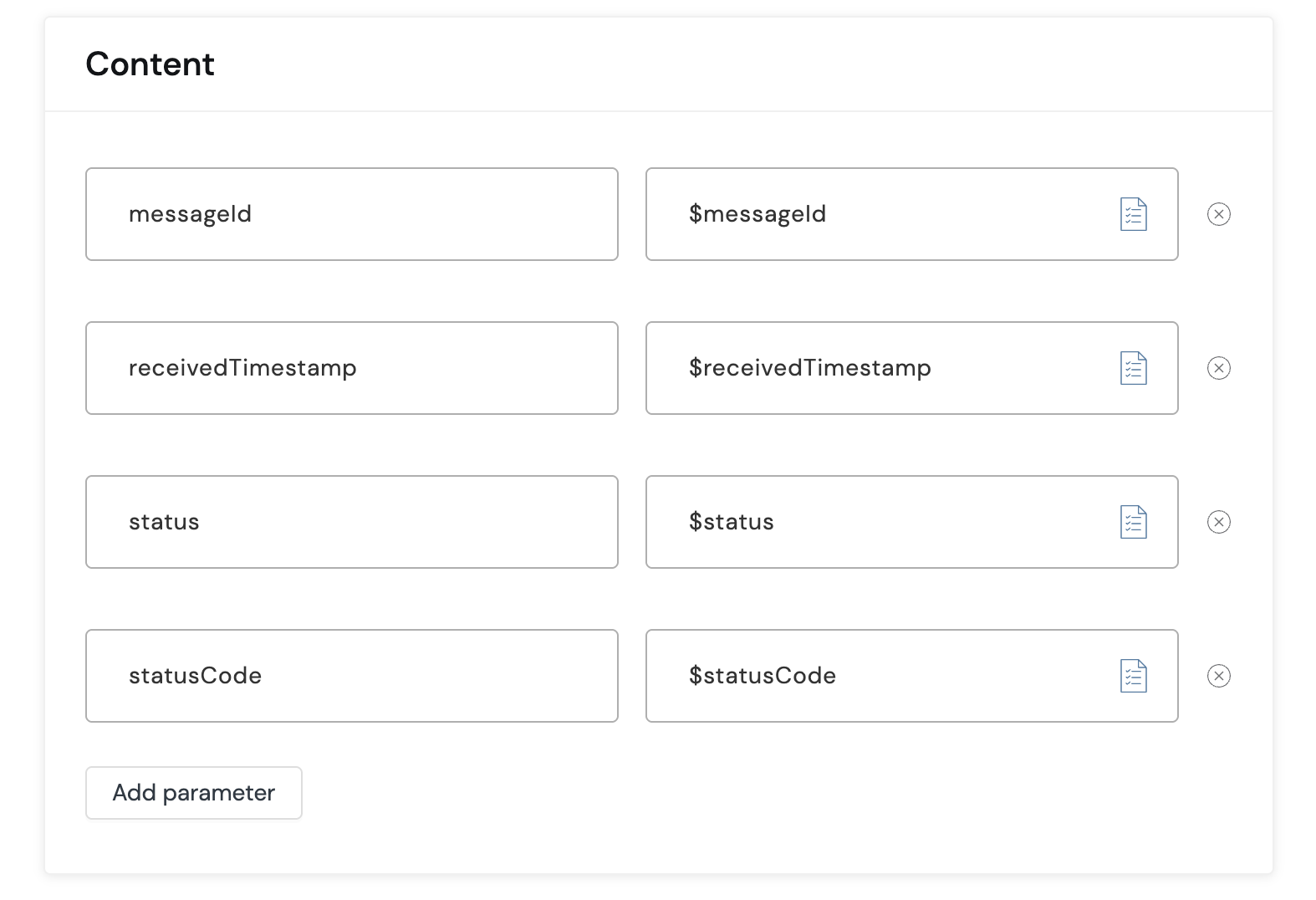
 4. Under "Content", map the content to be passed in the request to Courier's webhook endpoint.
Only `messageId`, `receivedTimestamp`, `status`, and `statusCode` are supported.
4. Under "Content", map the content to be passed in the request to Courier's webhook endpoint.
Only `messageId`, `receivedTimestamp`, `status`, and `statusCode` are supported.
 Courier will now receive delivery updates visible in the message logs.
