> ## Documentation Index
> Fetch the complete documentation index at: https://www.courier.com/docs/llms.txt
> Use this file to discover all available pages before exploring further.
# Template Analytics
> Courier Analytics provides template-level insights—tracking send volume, delivery rates, opens, clicks, and errors—filtered by channel, provider, and date range.
We currently support template-level analytics that lets you gain insights on Send volume and Channel performances.
## Analytics Overview
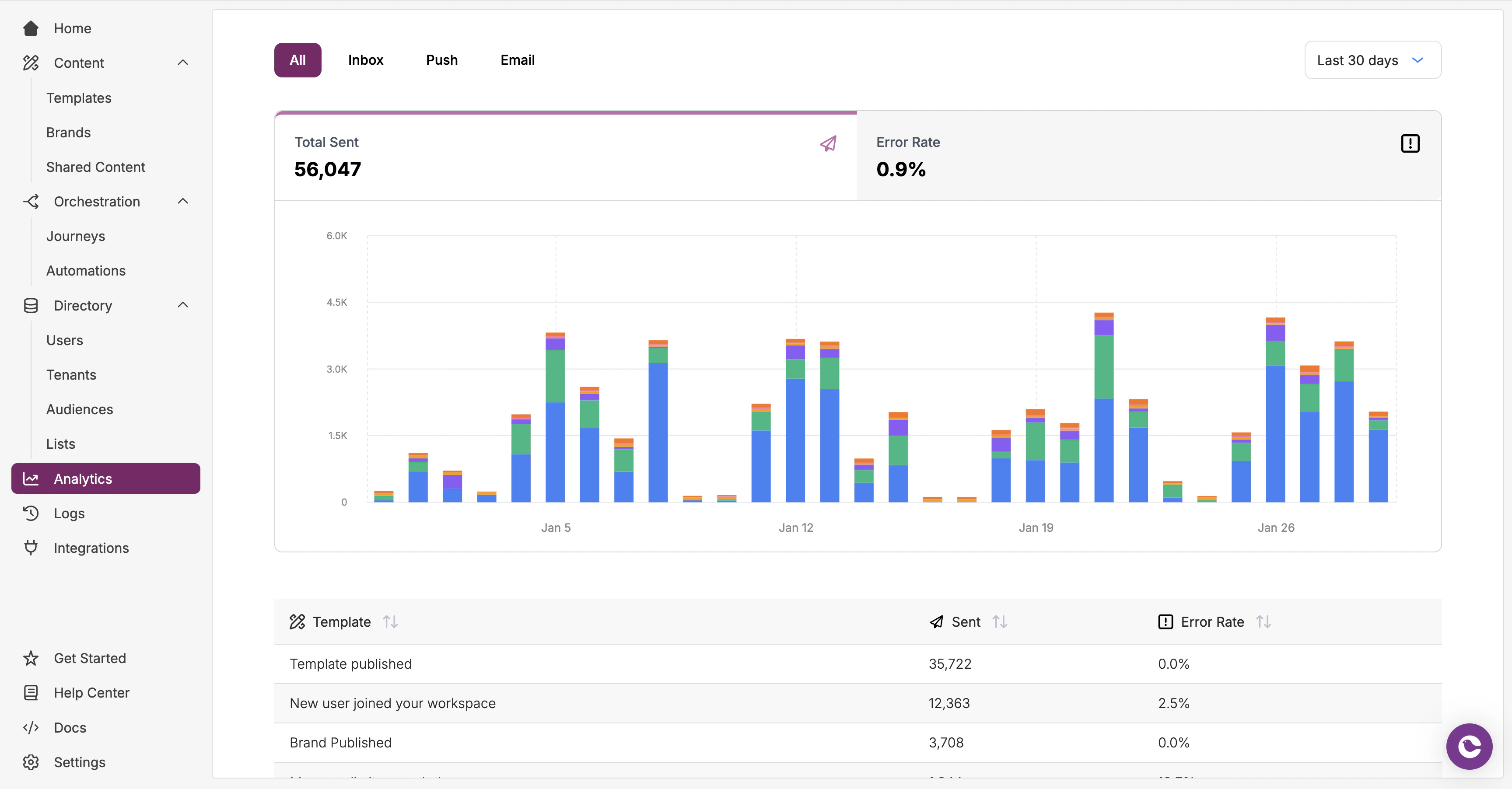
The [Analytics tab](https://app.courier.com/analytics) provides an overview of metrics for individual templates, enabling you to track how a notification template performs across different channels and over selected time periods. You can adjust the analytics time window (last 7, 30, or 90 days) to better analyze trends over different periods.
The main analytics page provides two key visualizations:
* **Send volume chart** - Visualizes how notification send volume has evolved over time
* **Template performance table** - Shows total sends and error rates for each template in the selected time period
 ### Template Metrics
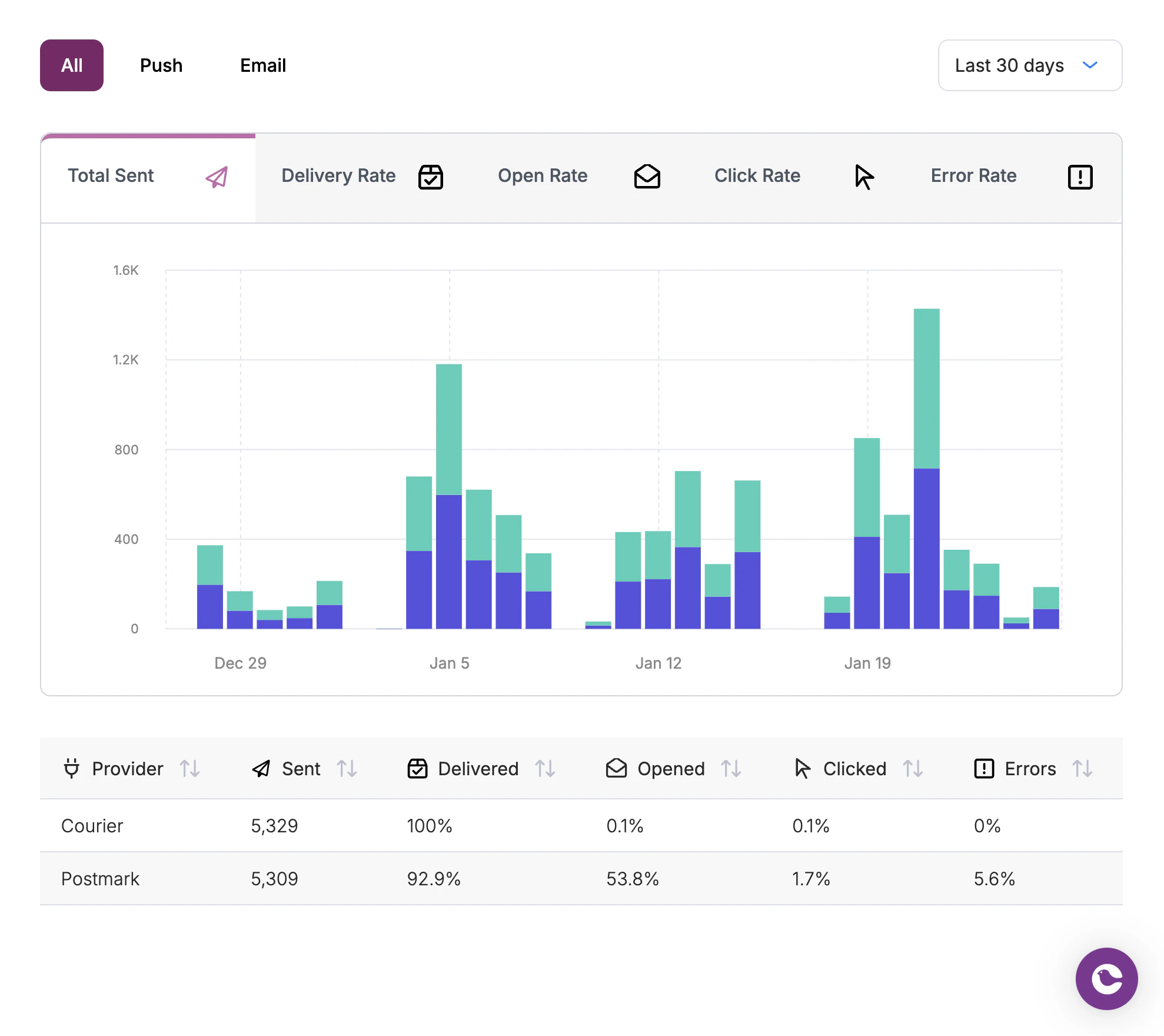
You can drill into individual templates to view channel-specific performance metrics, including delivery, open, and click rates where available. This lets you compare how different channels perform for a particular notification type.
### Template Metrics
You can drill into individual templates to view channel-specific performance metrics, including delivery, open, and click rates where available. This lets you compare how different channels perform for a particular notification type.
 ### Delivered Events
Some email providers like [SendGrid](/external-integrations/email/sendgrid) offer granularity for their API keys, and will need [further customization](https://sendgrid.com/en-us/blog/introducing-api-key-permissions) so that `delivered` events can be sent to Courier.
For Courier to receive `delivered` events from SendGrid, your [API key permissions](https://sendgrid.com/en-us/blog/introducing-api-key-permissions) must include `email activity` and `inbound parse`.
### Delivered Events
Some email providers like [SendGrid](/external-integrations/email/sendgrid) offer granularity for their API keys, and will need [further customization](https://sendgrid.com/en-us/blog/introducing-api-key-permissions) so that `delivered` events can be sent to Courier.
For Courier to receive `delivered` events from SendGrid, your [API key permissions](https://sendgrid.com/en-us/blog/introducing-api-key-permissions) must include `email activity` and `inbound parse`.