> ## Documentation Index
> Fetch the complete documentation index at: https://www.courier.com/docs/llms.txt
> Use this file to discover all available pages before exploring further.
# Fetch Data
> Courier's Fetch Data step can fetch and write via HTTP requests through an automation workflow. It allows fetching data, merging run context, and making POST requests.
The Fetch-Data automation step can be used to make GET and POST HTTP calls from an automation workflow. The data fetched will be automatically merged into the automation's run context unless the merge strategy is explicitly defined.
Please note that requests are required to be made in `https`
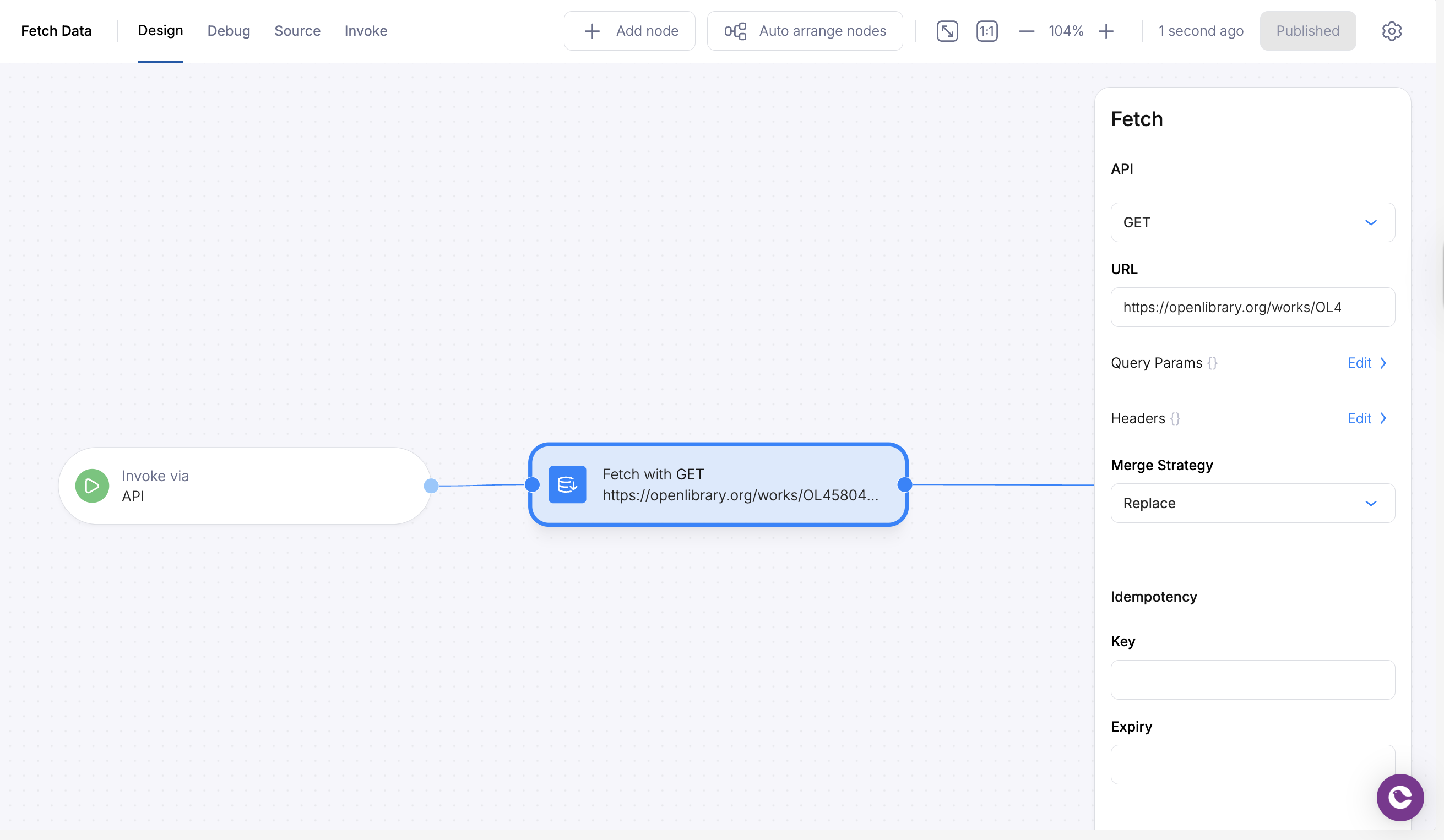
To start a fetch-data step, add it to your automation canvas and configure your request URL.
 ## Merge Strategy
Incoming payloads must be shaped as `objects`. Arrays are not supported.
The merge strategy gives users an option on how they want the data to be populated.
* `replace`
* overwrite all properties in the Automation Cache with the http response. Removes all properties in the Automation Cache that do not exist in the http response.
* `soft-merge`
* only overwrite properties in the Automation Cache with the http response properties that do not yet exist in the Automation Cache.
* `overwrite`
* overwrite all properties in the Automation Cache with the properties from the http response.
* `none`
* do not make any changes to the Automation Cache if the Automation Cache already exists and has data. Otherwise initialize the Automation Cache.
## Authentication Patterns
The Fetch Data step supports various authentication methods for securing your HTTP requests. Here are the most common patterns:
### 1. Bearer Token Authentication
Use static bearer tokens for simple authentication:
```json theme={null}
{
"type": "fetch",
"url": "https://api.example.com/data",
"method": "get",
"headers": {
"Authorization": "Bearer YOUR_TOKEN_HERE"
}
}
```
### 2. Dynamic Bearer Token (from context)
Reference bearer tokens from your automation context:
```json theme={null}
{
"type": "fetch",
"url": "https://api.example.com/data",
"method": "get",
"headers": {
"Authorization": {
"$ref": "data.bearer_token"
}
}
}
```
### 3. Basic Authentication
Use HTTP Basic Authentication with base64-encoded credentials:
```json theme={null}
{
"type": "fetch",
"url": "https://api.example.com/data",
"method": "get",
"headers": {
"Authorization": "Basic dXNlcjpwYXNzd29yZA=="
}
}
```
### 4. API Key Authentication
Use custom API key headers:
```json theme={null}
{
"type": "fetch",
"url": "https://api.example.com/data",
"method": "get",
"headers": {
"X-API-Key": {
"$ref": "data.api_key"
}
}
}
```
### 5. Custom Headers with Multiple Auth Elements
Combine multiple authentication elements:
```json theme={null}
{
"type": "fetch",
"url": "https://api.example.com/data",
"method": "post",
"headers": {
"Authorization": {
"$ref": "data.auth_token"
},
"X-Client-ID": {
"$ref": "profile.client_id"
},
"Content-Type": "application/json"
}
}
```
### 6. JavaScript Interpolation (V2 Automation)
Use JavaScript expressions for dynamic values:
```json theme={null}
{
"type": "fetch",
"url": "https://api.example.com/data",
"method": "get",
"headers": {
"Authorization": "${`Bearer ${data.access_token}`}",
"X-Timestamp": "${Date.now()}"
}
}
```
## Security Features
### URL Validation
Courier automatically validates URLs for security. Invalid URLs will cause the step to be skipped with an "Invalid URL" status.
### Request Timeout
All fetch requests have a fixed 10-second timeout to prevent hanging requests. Requests that exceed this timeout will automatically fail with proper error handling.
### Error Handling
Failed requests are automatically logged and tracked. The automation will continue processing subsequent steps unless explicitly configured otherwise.
## Best Practices
1. **Store sensitive tokens in run context data** rather than hardcoding them in your automation configuration
2. **Use step references** for authentication flows that require token refresh
3. **Implement proper error handling** in subsequent steps to handle authentication failures
4. **Validate URLs** when possible for security
5. **Use appropriate merge strategies** to avoid overwriting important context data
6. **Test authentication flows** thoroughly in your automation development environment
## Accessing the Fetched Run Context
Once data is fetched, it will be populated in the data payload for subsequent steps to reference.
## Merge Strategy
Incoming payloads must be shaped as `objects`. Arrays are not supported.
The merge strategy gives users an option on how they want the data to be populated.
* `replace`
* overwrite all properties in the Automation Cache with the http response. Removes all properties in the Automation Cache that do not exist in the http response.
* `soft-merge`
* only overwrite properties in the Automation Cache with the http response properties that do not yet exist in the Automation Cache.
* `overwrite`
* overwrite all properties in the Automation Cache with the properties from the http response.
* `none`
* do not make any changes to the Automation Cache if the Automation Cache already exists and has data. Otherwise initialize the Automation Cache.
## Authentication Patterns
The Fetch Data step supports various authentication methods for securing your HTTP requests. Here are the most common patterns:
### 1. Bearer Token Authentication
Use static bearer tokens for simple authentication:
```json theme={null}
{
"type": "fetch",
"url": "https://api.example.com/data",
"method": "get",
"headers": {
"Authorization": "Bearer YOUR_TOKEN_HERE"
}
}
```
### 2. Dynamic Bearer Token (from context)
Reference bearer tokens from your automation context:
```json theme={null}
{
"type": "fetch",
"url": "https://api.example.com/data",
"method": "get",
"headers": {
"Authorization": {
"$ref": "data.bearer_token"
}
}
}
```
### 3. Basic Authentication
Use HTTP Basic Authentication with base64-encoded credentials:
```json theme={null}
{
"type": "fetch",
"url": "https://api.example.com/data",
"method": "get",
"headers": {
"Authorization": "Basic dXNlcjpwYXNzd29yZA=="
}
}
```
### 4. API Key Authentication
Use custom API key headers:
```json theme={null}
{
"type": "fetch",
"url": "https://api.example.com/data",
"method": "get",
"headers": {
"X-API-Key": {
"$ref": "data.api_key"
}
}
}
```
### 5. Custom Headers with Multiple Auth Elements
Combine multiple authentication elements:
```json theme={null}
{
"type": "fetch",
"url": "https://api.example.com/data",
"method": "post",
"headers": {
"Authorization": {
"$ref": "data.auth_token"
},
"X-Client-ID": {
"$ref": "profile.client_id"
},
"Content-Type": "application/json"
}
}
```
### 6. JavaScript Interpolation (V2 Automation)
Use JavaScript expressions for dynamic values:
```json theme={null}
{
"type": "fetch",
"url": "https://api.example.com/data",
"method": "get",
"headers": {
"Authorization": "${`Bearer ${data.access_token}`}",
"X-Timestamp": "${Date.now()}"
}
}
```
## Security Features
### URL Validation
Courier automatically validates URLs for security. Invalid URLs will cause the step to be skipped with an "Invalid URL" status.
### Request Timeout
All fetch requests have a fixed 10-second timeout to prevent hanging requests. Requests that exceed this timeout will automatically fail with proper error handling.
### Error Handling
Failed requests are automatically logged and tracked. The automation will continue processing subsequent steps unless explicitly configured otherwise.
## Best Practices
1. **Store sensitive tokens in run context data** rather than hardcoding them in your automation configuration
2. **Use step references** for authentication flows that require token refresh
3. **Implement proper error handling** in subsequent steps to handle authentication failures
4. **Validate URLs** when possible for security
5. **Use appropriate merge strategies** to avoid overwriting important context data
6. **Test authentication flows** thoroughly in your automation development environment
## Accessing the Fetched Run Context
Once data is fetched, it will be populated in the data payload for subsequent steps to reference.
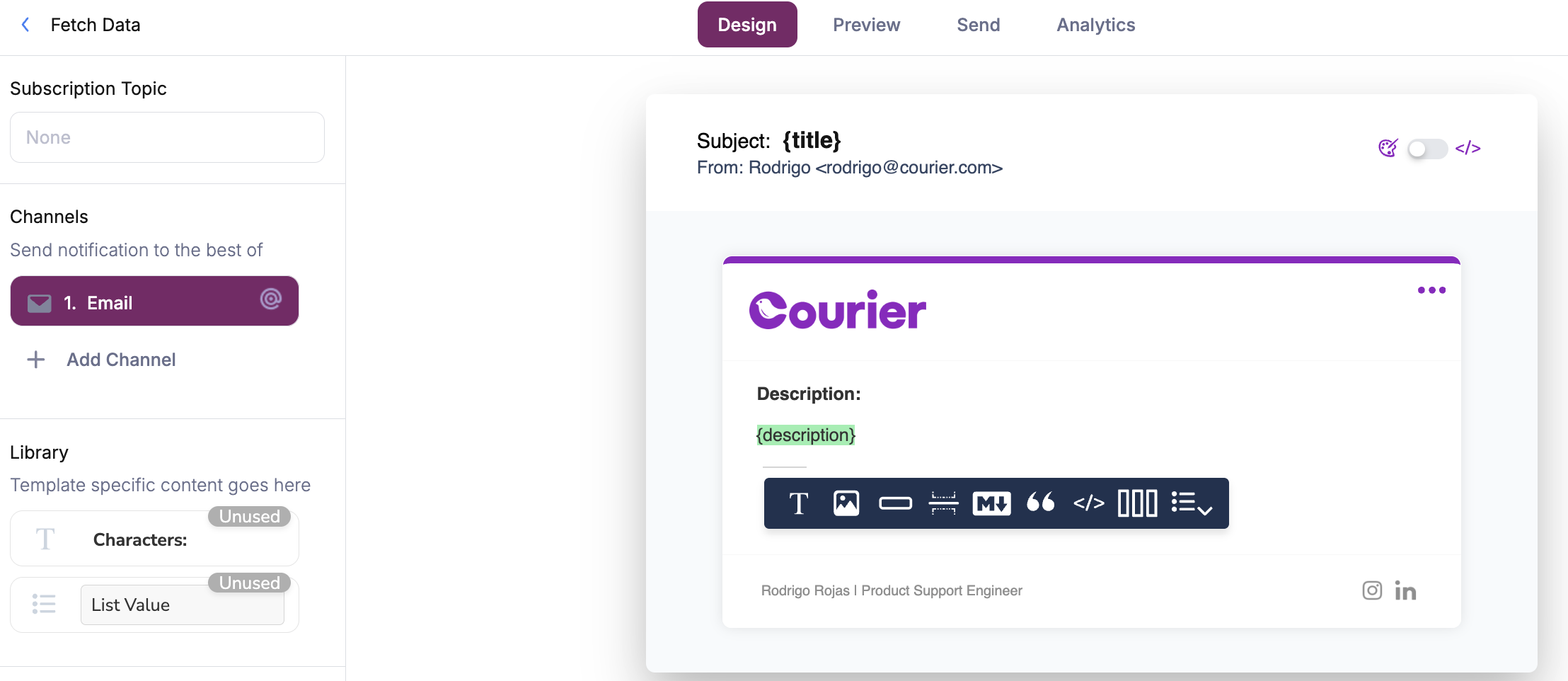 The incoming data payload can be seen in the automation logs run context.
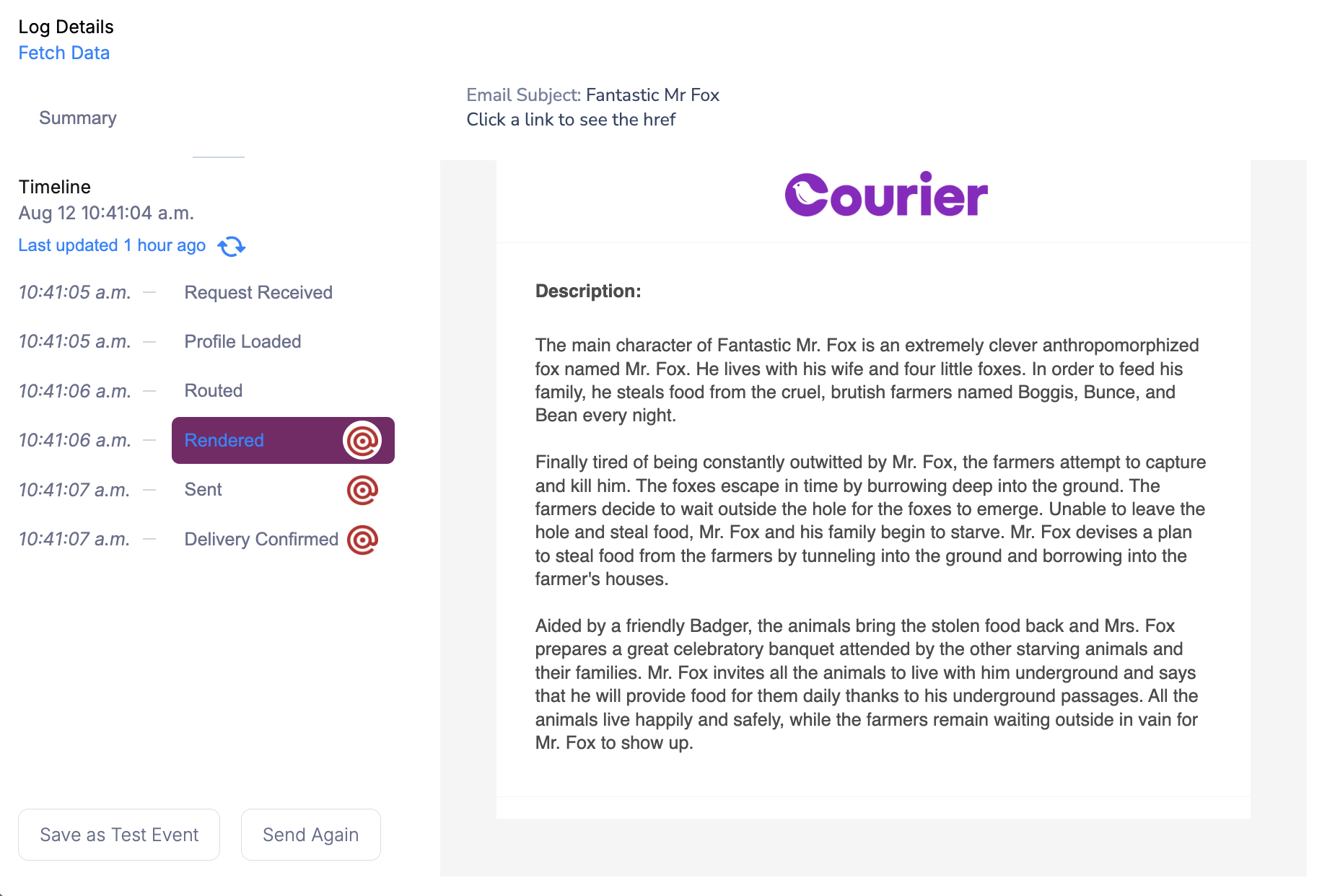
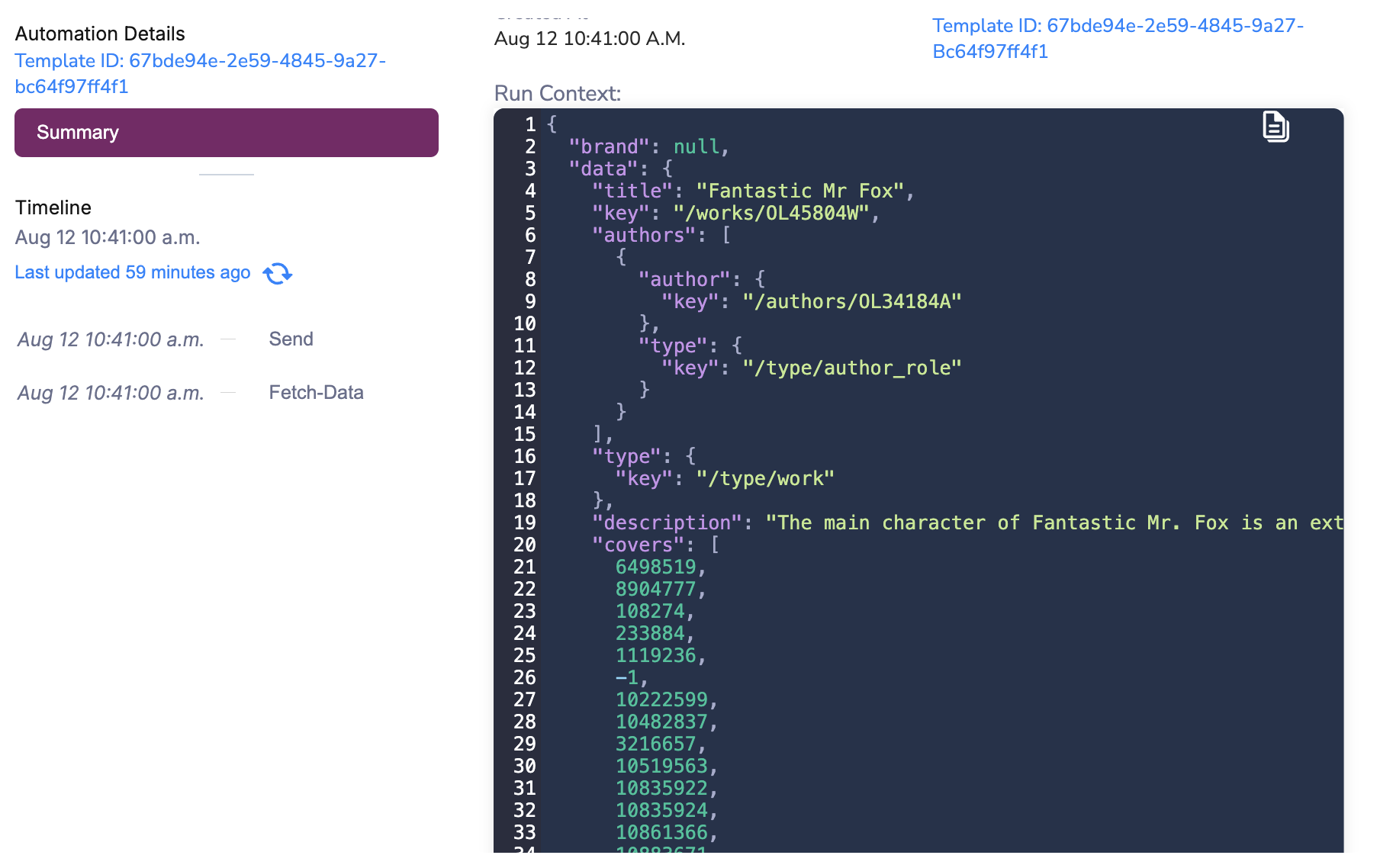 The final rendered result references the data that was fetched in the automation workflow run.