> ## Documentation Index
> Fetch the complete documentation index at: https://www.courier.com/docs/llms.txt
> Use this file to discover all available pages before exploring further.
# GET Profile
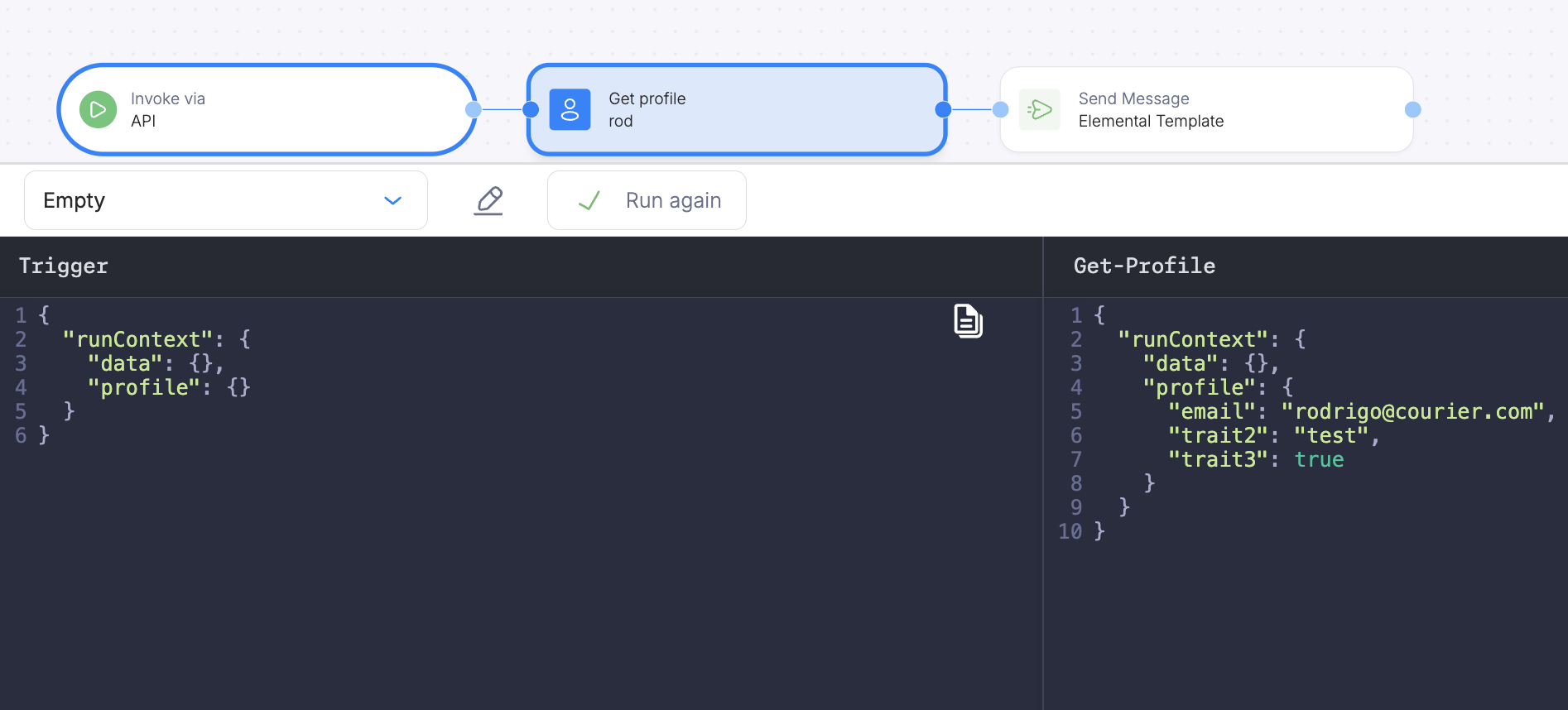
> The GET Profile node fetches a user's profile using a user_id from the run context (including template expressions such as ${recipient} for Audience or Schedule triggers) and attaches it to the automation context as refs.profile.
## Overview
The GET Profile node fetches a user's Courier profile and attaches it to the automation run context. After this node runs, profile data is available via `refs.profile` in subsequent steps.
Set the user ID to a dynamic value from the data object, such as `refs.data.user_id`.
### When You Need This Step
Not all trigger types automatically load the user's stored profile into the automation context. Use a GET Profile step when your workflow relies on profile fields (for example, in [If/Switch conditions](/platform/automations/control-flow) or template personalization) and the automation is started by one of these triggers:
| Trigger | Profile auto-loaded? | GET Profile needed? |
| -------------------------------------------------------- | -------------------- | ------------------- |
| API invoke (`/automations` or `/journeys`) | Yes | No |
| Segment | Yes | No |
| [Audience match](/platform/automations/audience-trigger) | No | Yes |
| Schedule | No | Yes |
Place the GET Profile node early in your workflow, before any step that reads profile data.
**Template expressions in step fields:** Many automation fields accept values wrapped in `` `${...}` `` so you can reference the run context (for example `recipient` or fields under `refs`). See [Accessing Dynamic Data](/platform/automations/dynamic) for how this works across steps.
**Audience and Schedule triggers:** The user id for the run is on `recipient`, not in `data`. In the GET Profile **User ID** field, use `` `${recipient}` `` so this step loads the profile for the user that triggered the run.
 ### Ad Hoc Usage
Use the `get-profile` step in an [ad hoc automation](/platform/automations/steps) to load a user's profile before sending:
```json theme={null}
{
"automation": {
"steps": [
{
"action": "get-profile",
"user_id": "user_123",
"merge_strategy": "none"
},
{
"action": "send",
"template": "order-update",
"recipient": "user_123"
}
]
}
}
```
### Merge Strategy
After the `get-profile` step, the user's stored profile fields (email, phone, custom attributes) are available in the automation context. The `merge_strategy` field controls how fetched data combines with existing context data (defaults to `soft-merge`):
| Strategy | Behavior |
| ------------ | ----------------------------------------------------------------------------------- |
| `soft-merge` | Merge fetched fields into existing context; existing fields are preserved (default) |
| `replace` | Replace the entire context path with fetched data |
| `overwrite` | Overwrite all properties from fetched data |
| `none` | Do not modify context if the path already has data |
See [Fetch Data](/platform/automations/fetch-data) for more on merge strategies.
### Ad Hoc Usage
Use the `get-profile` step in an [ad hoc automation](/platform/automations/steps) to load a user's profile before sending:
```json theme={null}
{
"automation": {
"steps": [
{
"action": "get-profile",
"user_id": "user_123",
"merge_strategy": "none"
},
{
"action": "send",
"template": "order-update",
"recipient": "user_123"
}
]
}
}
```
### Merge Strategy
After the `get-profile` step, the user's stored profile fields (email, phone, custom attributes) are available in the automation context. The `merge_strategy` field controls how fetched data combines with existing context data (defaults to `soft-merge`):
| Strategy | Behavior |
| ------------ | ----------------------------------------------------------------------------------- |
| `soft-merge` | Merge fetched fields into existing context; existing fields are preserved (default) |
| `replace` | Replace the entire context path with fetched data |
| `overwrite` | Overwrite all properties from fetched data |
| `none` | Do not modify context if the path already has data |
See [Fetch Data](/platform/automations/fetch-data) for more on merge strategies.