> ## Documentation Index
> Fetch the complete documentation index at: https://www.courier.com/docs/llms.txt
> Use this file to discover all available pages before exploring further.
# Scheduling
> Courier Automations support scheduled triggers via one-time, recurring, or cron-based scheduling. Set schedules in UTC-0, accounting for a 12-minute delay, without needing external API calls.
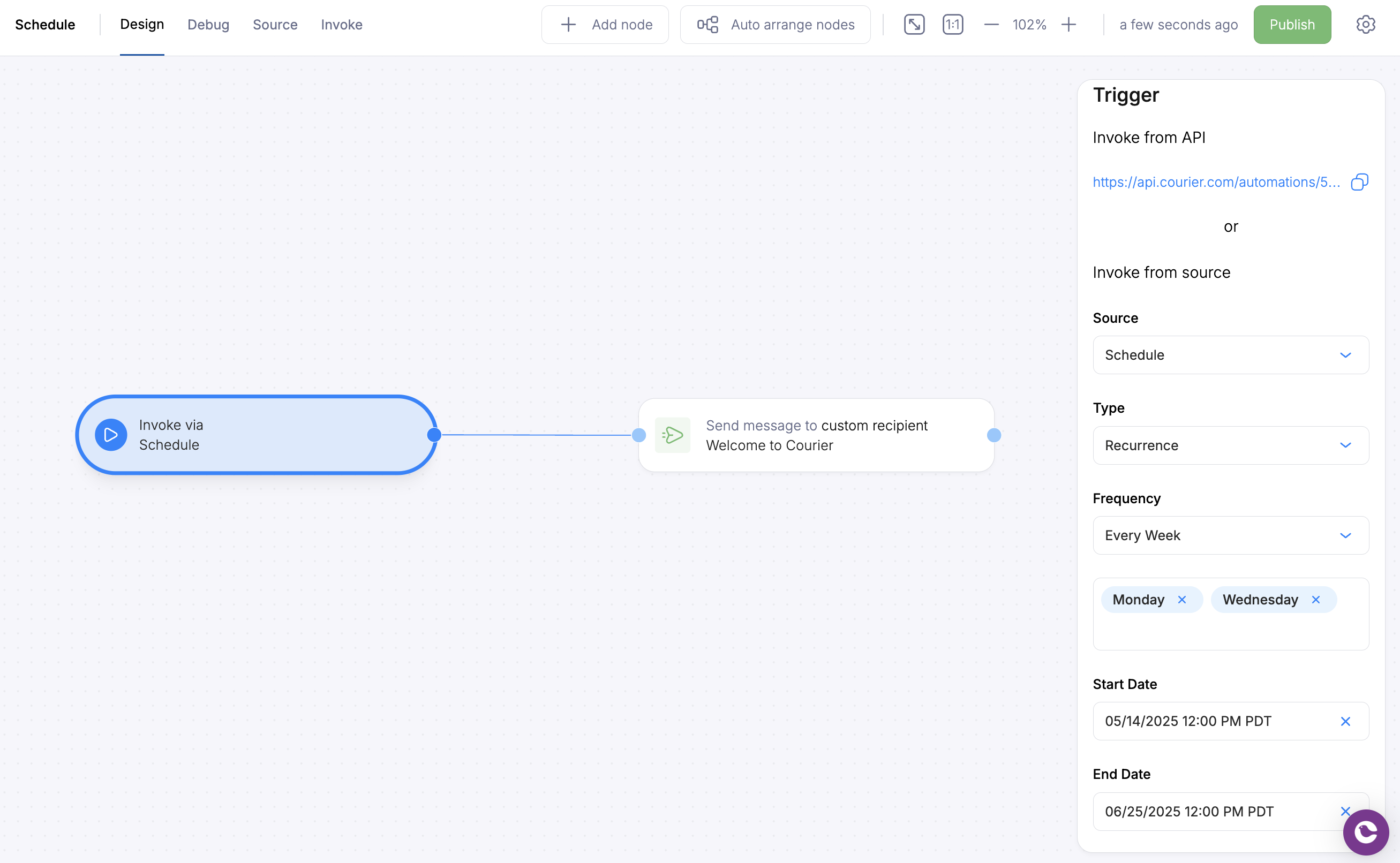
* **One-time:** Set the specific time and date to invoke the automation.
* **Recurrence:** Identify a repeat schedule for the automation to be invoked. This is similar to scheduling a repeat event in a calendar application.
* **Cron:** Similar to Recurrence but with more specificity using [crontab expressions](https://crontab.guru/).
Because scheduling is a part of Automations, it can be used across channels (eg. email, SMS, chat, in-app inbox, push) and providers (eg. Twilio, Sendgrid, email SMTP, Slack, MS Teams, WeChat).
## Setup Scheduling
To setup a scheduled automation, drag over the Schedule trigger from the triggers section onto the canvas. Publishing an automation template is sufficient to allow the trigger to invoke the automation on the provided schedule. You do not need to make a separate API call to invoke.
The date picker uses your browser's timezone by default. You can change it using the timezone dropdown. After configuration, the displayed date remains relative to your browser timezone.
The schedule trigger is accurate to within \~12 minutes of the selected time.
 ## Related Resources
Build workflows visually
Trigger automations from Segment events
## Related Resources
Build workflows visually
Trigger automations from Segment events