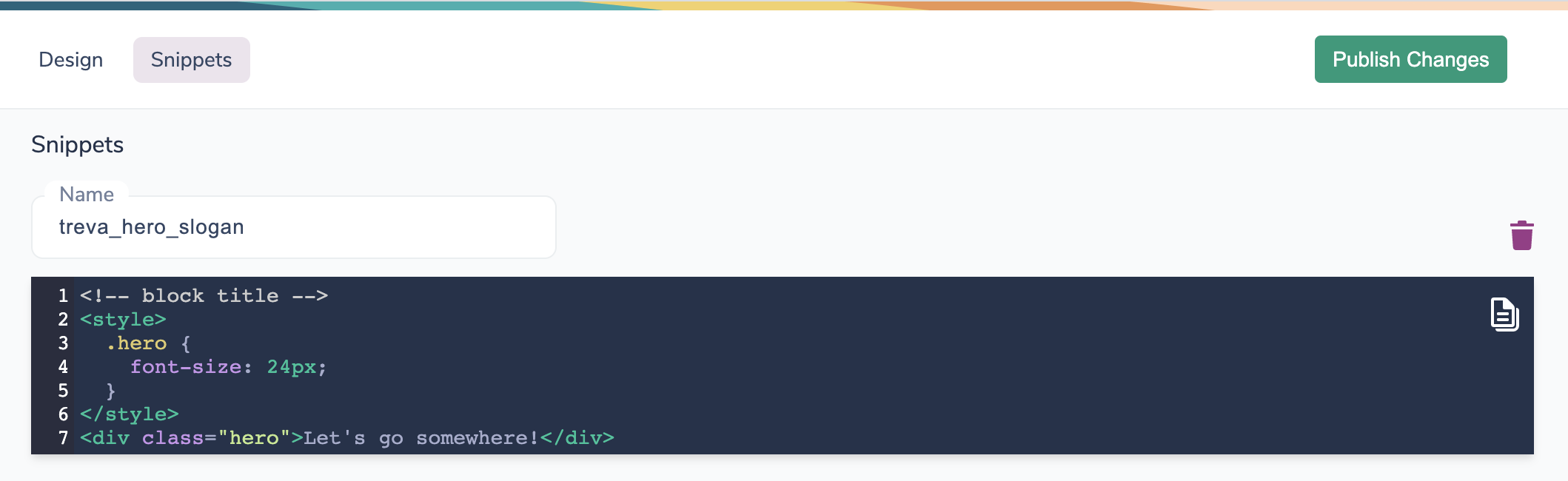
 ## Creating a Brand Snippet
To create a Snippet:
1. Navigate to the **Brands** tab in Courier
2. Select the brand you want to add the snippet to
3. Click the **Snippets** tab
4. Click **Add Snippet**
5. Give your snippet a name (this is how you'll reference it in templates)
6. Add your Handlebars content
## Using Brand Snippets in Templates
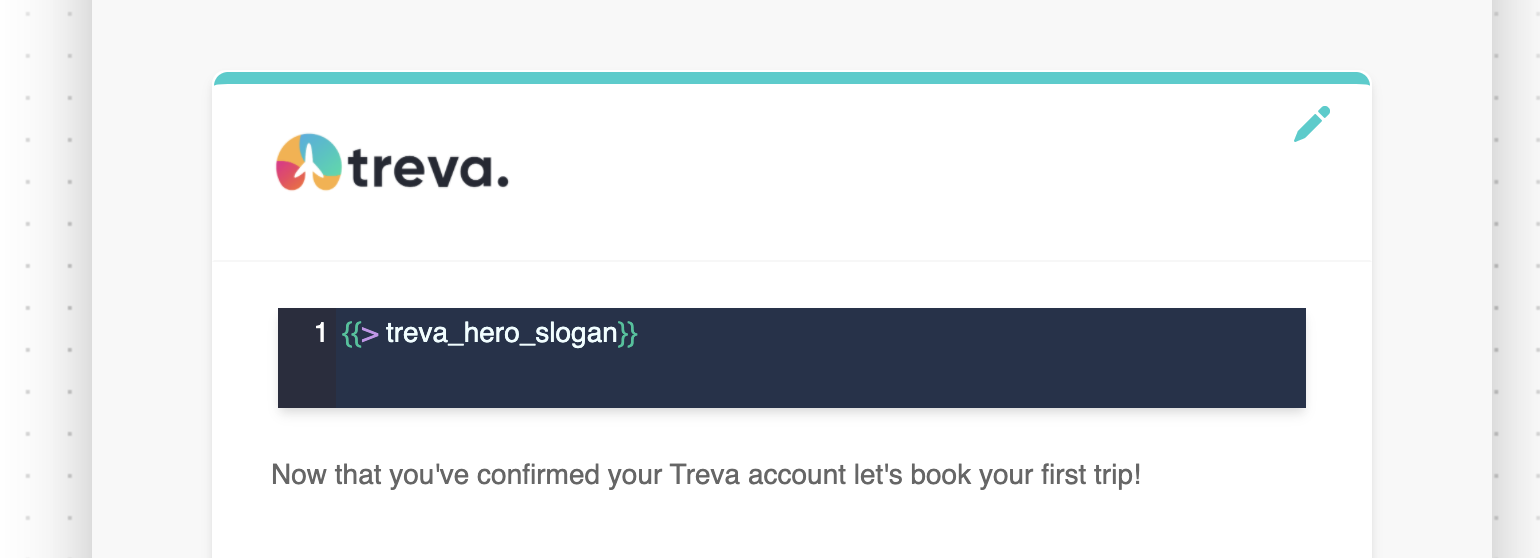
Reference snippets in a **Template Block** using Handlebars partial syntax:
```handlebars theme={null}
{{>snippet_name}}
```
For example, if you created a snippet named `legal_footer`:
```handlebars theme={null}
{{>legal_footer}}
```
## Creating a Brand Snippet
To create a Snippet:
1. Navigate to the **Brands** tab in Courier
2. Select the brand you want to add the snippet to
3. Click the **Snippets** tab
4. Click **Add Snippet**
5. Give your snippet a name (this is how you'll reference it in templates)
6. Add your Handlebars content
## Using Brand Snippets in Templates
Reference snippets in a **Template Block** using Handlebars partial syntax:
```handlebars theme={null}
{{>snippet_name}}
```
For example, if you created a snippet named `legal_footer`:
```handlebars theme={null}
{{>legal_footer}}
```
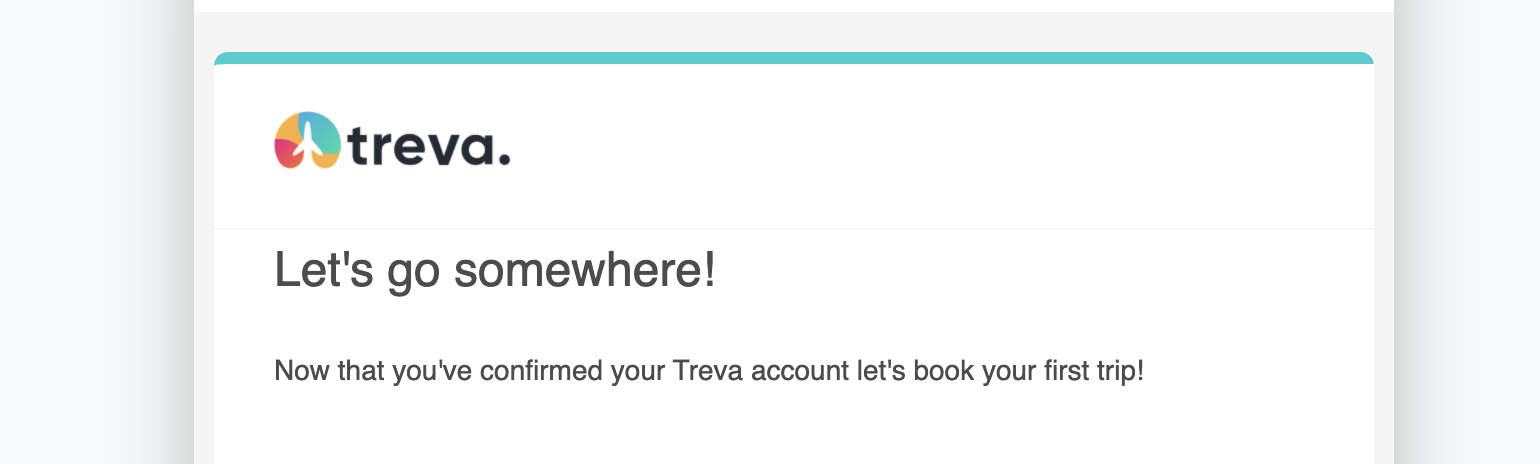
 Using the notification preview allows you to see the snippet rendered:
 ## Customizing Snippets with Variables
Snippets can include variables that get populated from data passed in the Send API call. Use standard Handlebars variable syntax within your snippet:
```handlebars theme={null}
## Customizing Snippets with Variables
Snippets can include variables that get populated from data passed in the Send API call. Use standard Handlebars variable syntax within your snippet:
```handlebars theme={null}
Thanks for being a customer since {{profile.member_since}}!
Your current plan: {{data.plan_name}}
``` Variables in snippets have access to the same data context as the rest of your template, including `profile`, `data`, and `brand` variables.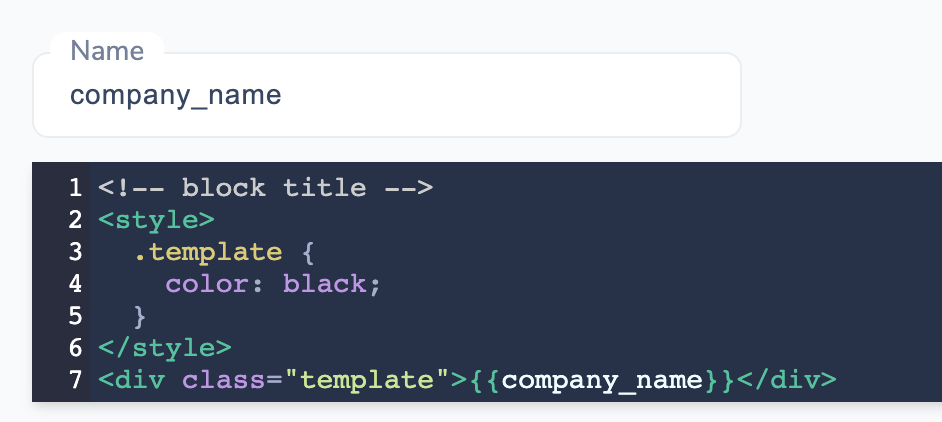 ## Snippet Inheritance from the Default Brand
Custom brands **extend** the default brand's snippets. This means:
* Snippets defined in the default brand are automatically available in all custom brands
* If a custom brand defines a snippet with the same name, it overrides the default brand's snippet
* Custom brands can have their own additional snippets alongside inherited ones
**Example**:
* Default brand has snippets: `footer`, `social_links`, `legal_text`
* Custom brand "Acme" has snippet: `footer` (custom version)
* When using Acme brand: `footer` uses Acme's version, `social_links` and `legal_text` use the default brand's versions
This inheritance model lets you:
* Define common snippets once in the default brand
* Override specific snippets per brand when needed
* Avoid duplicating content across brands
## Related Resources
## Snippet Inheritance from the Default Brand
Custom brands **extend** the default brand's snippets. This means:
* Snippets defined in the default brand are automatically available in all custom brands
* If a custom brand defines a snippet with the same name, it overrides the default brand's snippet
* Custom brands can have their own additional snippets alongside inherited ones
**Example**:
* Default brand has snippets: `footer`, `social_links`, `legal_text`
* Custom brand "Acme" has snippet: `footer` (custom version)
* When using Acme brand: `footer` uses Acme's version, `social_links` and `legal_text` use the default brand's versions
This inheritance model lets you:
* Define common snippets once in the default brand
* Override specific snippets per brand when needed
* Avoid duplicating content across brands
## Related Resources