> ## Documentation Index
> Fetch the complete documentation index at: https://www.courier.com/docs/llms.txt
> Use this file to discover all available pages before exploring further.
# What are Brands?
> Courier Brands define the visual appearance of your notifications. Customize logos, colors, headers, footers, and templates to ensure consistent styling across all channels.
## Overview
Brands in Courier define the visual appearance of your notifications. A brand includes your logo, colors, headers, footers, and custom styling that automatically apply to templates using that brand. Brands ensure visual consistency across all notifications without manually styling each template.
## When to Use Brands
* **Multi-tenant SaaS (White-labeling)**: Send notifications on behalf of your customers with their branding. Each customer gets their own brand with logo, colors, and styling.
* **Multiple Product Lines**: Maintain distinct visual identities for different products or services within your organization.
* **Regional or Market Variations**: Customize branding for different geographic regions or market segments while keeping template logic consistent.
* **A/B Testing Brand Styles**: Test different visual treatments by creating brand variants and comparing delivery metrics.
***
## Getting Started
### The Default Brand
Every workspace has a default brand that cannot be deleted. Customizing it is important because:
* Every email notification uses the Default Brand unless you manually disable Brands in template settings
* If you enable brands on a notification, the Default Brand is the fallback when no brand is specified in the Send API call
The default brand can be customized and renamed like any other brand.
 ### Creating a New Brand
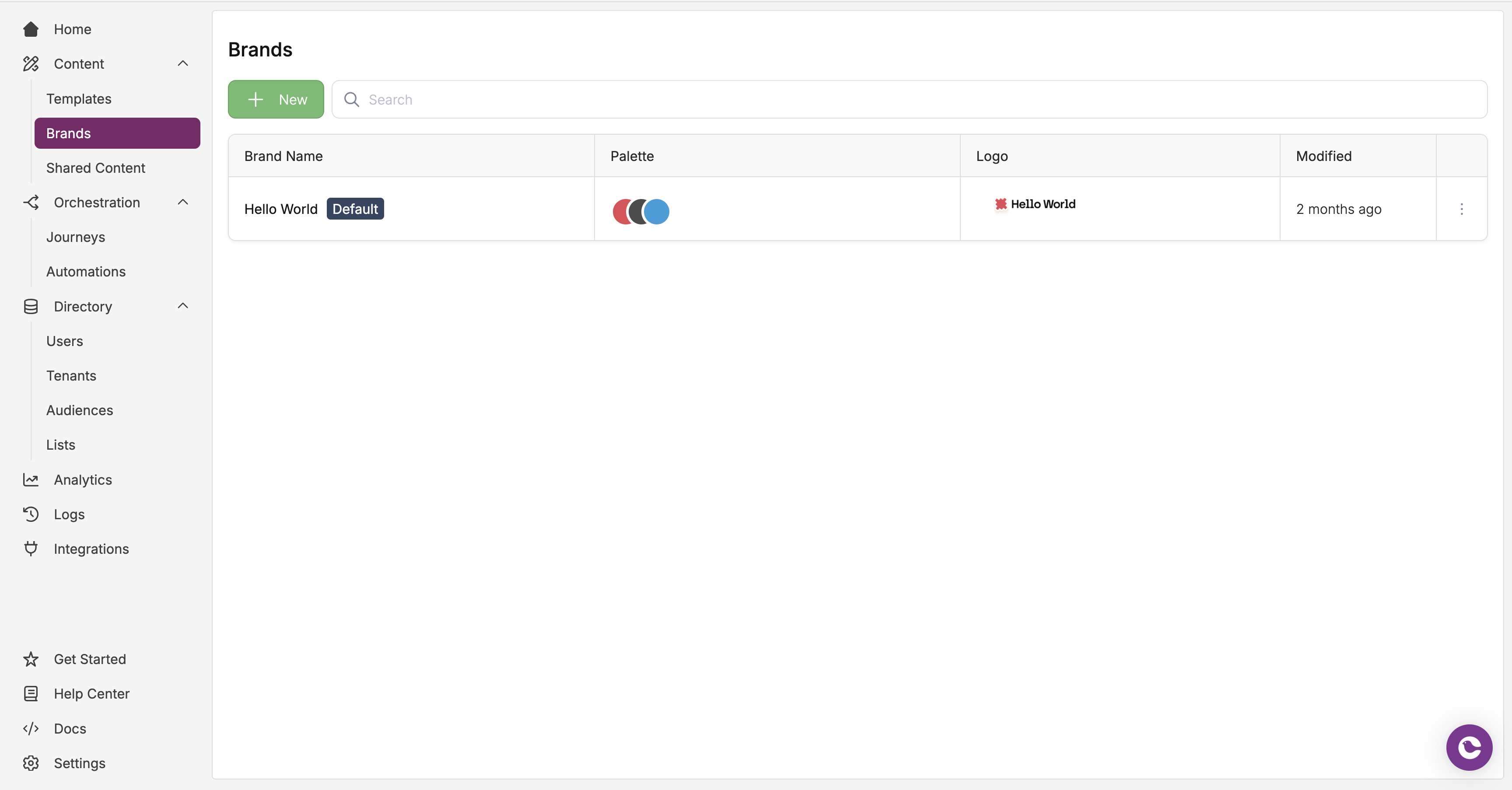
1. In the sidebar, open the **Content** dropdown and select **Brands**
2. Click the **+ New** button to create a new brand
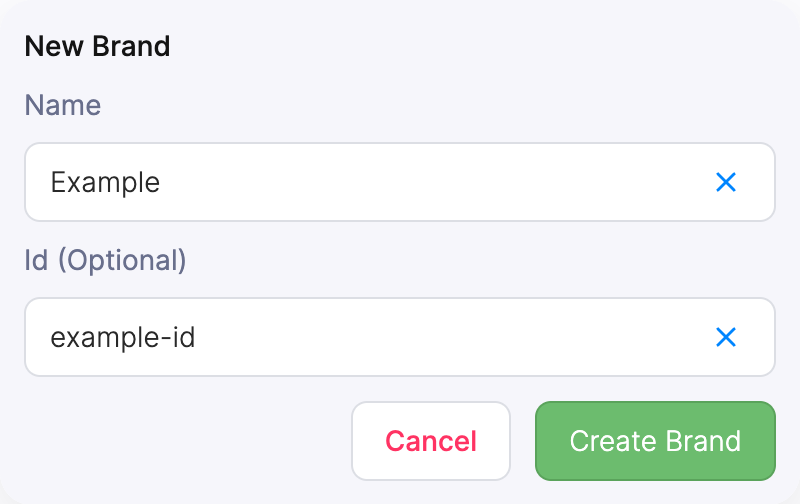
3. Enter a **name** for your brand (e.g., "Acme Client", "Northern EMEA")
4. Optionally set a `brand_id` for easier API reference
### Creating a New Brand
1. In the sidebar, open the **Content** dropdown and select **Brands**
2. Click the **+ New** button to create a new brand
3. Enter a **name** for your brand (e.g., "Acme Client", "Northern EMEA")
4. Optionally set a `brand_id` for easier API reference
 ### Setting a Custom Brand as Default
To set a custom brand as your default, open the brand settings and click **Set As Default**.
***
## Sending Branded Notifications
To send a branded email:
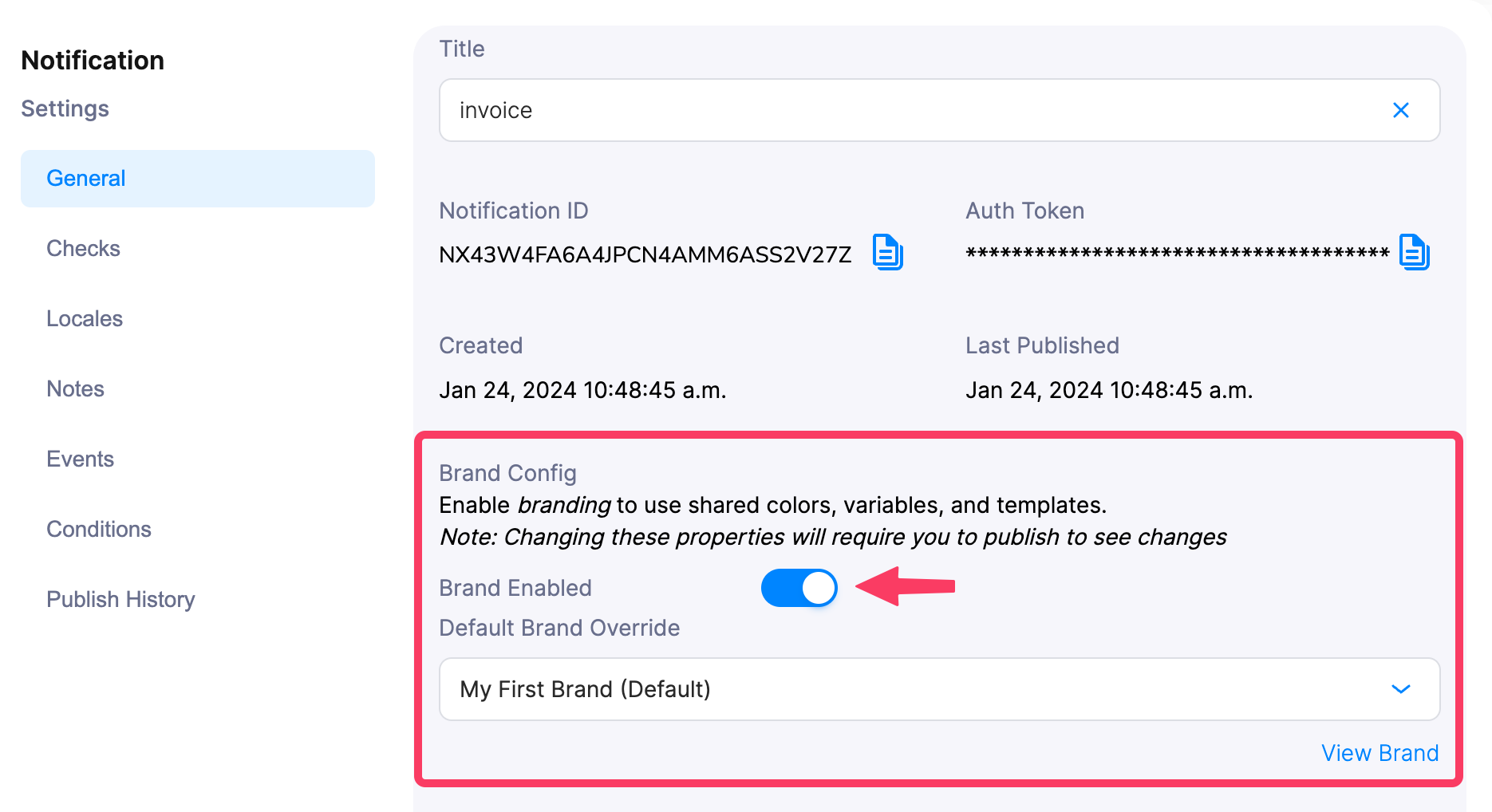
1. Enable **Brand** in the template's settings
2. *(Optional)* Include a Brand ID in the [Send API call](/api-reference/send/send-a-message). If omitted, Courier uses the Default Brand.
### Setting a Custom Brand as Default
To set a custom brand as your default, open the brand settings and click **Set As Default**.
***
## Sending Branded Notifications
To send a branded email:
1. Enable **Brand** in the template's settings
2. *(Optional)* Include a Brand ID in the [Send API call](/api-reference/send/send-a-message). If omitted, Courier uses the Default Brand.
 ***
## Brands API
Brands are fully API-enabled. Create, update, and delete brands programmatically using the [Brands API](/api-reference/brands/list-brands).
***
## Next Steps
Customize logos, colors, headers, footers, and templates
Create reusable Handlebars components across brands
Style Courier blocks with custom CSS
Send emails from your own domain
***
## Brands API
Brands are fully API-enabled. Create, update, and delete brands programmatically using the [Brands API](/api-reference/brands/list-brands).
***
## Next Steps
Customize logos, colors, headers, footers, and templates
Create reusable Handlebars components across brands
Style Courier blocks with custom CSS
Send emails from your own domain