> ## Documentation Index
> Fetch the complete documentation index at: https://www.courier.com/docs/llms.txt
> Use this file to discover all available pages before exploring further.
# Quote
> Quote Blocks in Courier emphasize key text with distinct formatting per channel—indentation for email and Slack, quotes for SMS. Ideal for highlighting citations or testimonials. Supports conditional visibility.
Quote Blocks highlight important text or citations in your notifications. They're useful for emphasizing key points, displaying testimonials, or citing sources.
## Working with Quote Blocks
### Adding a Quote Block
1. In the Courier designer, click the "+" icon to add a new block
2. Select "Quote" from the block options
3. Enter the text you want to appear in the quote
### Cross-Channel Behaviors
Quote Blocks adapt their appearance based on the delivery channel:
#### Email
Creates an indented quote block with distinctive styling.
 #### Slack
Text is indented and italicized to match Slack's quote formatting.
#### Slack
Text is indented and italicized to match Slack's quote formatting.
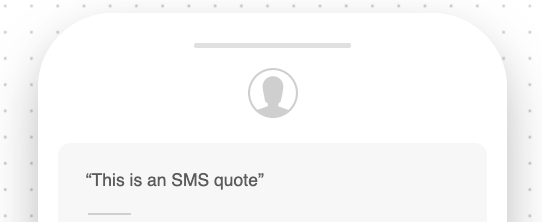
 #### SMS / Direct Message
Automatically wraps the text in quotation marks.
#### SMS / Direct Message
Automatically wraps the text in quotation marks.
 ## Conditional Rendering
Like with any content block, Quote Blocks can be hidden using a [conditions filter](/platform/content/template-settings/send-conditions#for-content-blocks).
Adding, reordering, and filtering blocks
Rich text with inline conditions and formatting
## Conditional Rendering
Like with any content block, Quote Blocks can be hidden using a [conditions filter](/platform/content/template-settings/send-conditions#for-content-blocks).
Adding, reordering, and filtering blocks
Rich text with inline conditions and formatting