> ## Documentation Index
> Fetch the complete documentation index at: https://www.courier.com/docs/llms.txt
> Use this file to discover all available pages before exploring further.
# Routing Strategies
> Create reusable routing strategies that define channel priority, fallback logic, and provider configuration. Manage them in Design Studio or through the REST API.
Routing strategies determine how notifications are delivered across channels. Each strategy has a name, a routing method (`single` or `all`), an ordered list of channels, and optional provider configuration per channel. Templates reference a strategy by its `strategy_id` (`rs_` prefix), so updating one strategy changes delivery behavior for every template that uses it.
## Managing Routing Strategies in Design Studio
Design Studio routing is in Beta. In Classic Designer, routing is configured separately for each template.
### Selecting a Routing Strategy
Click the routing dropdown in the template editor toolbar to select or create routing strategies.
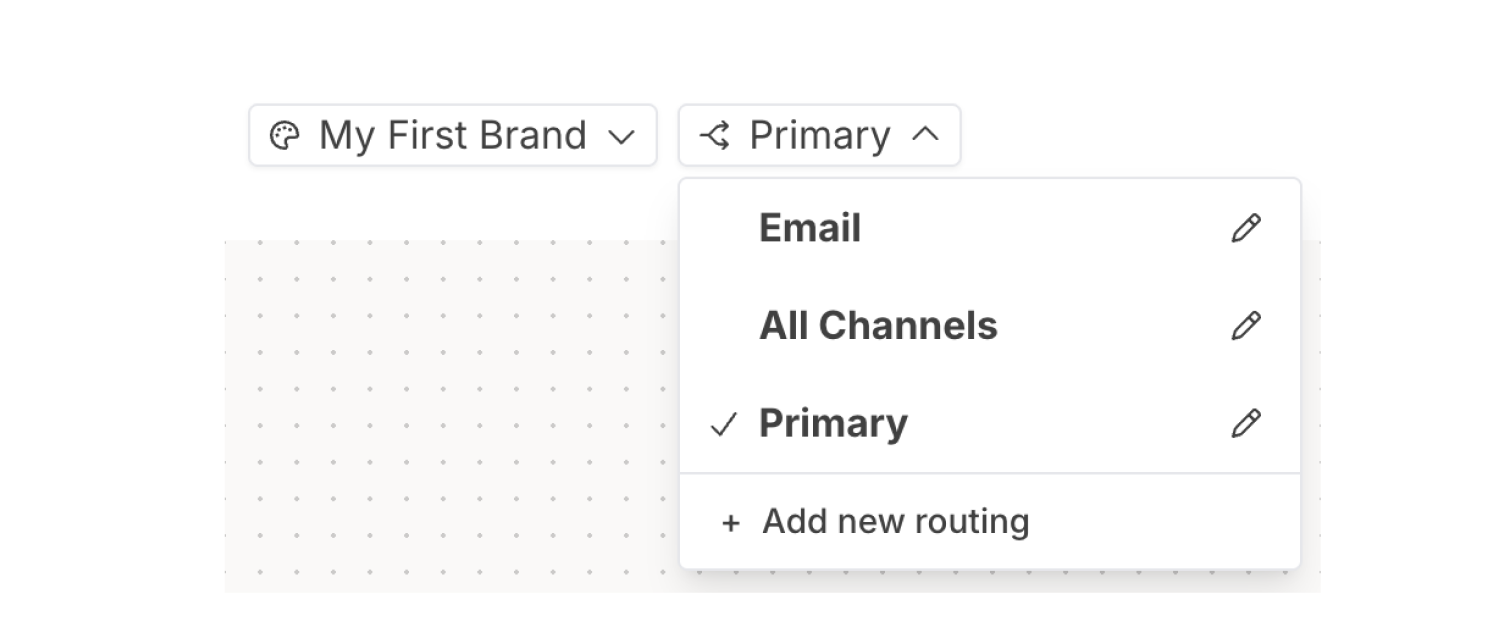 From this dropdown you can:
* Select an existing routing strategy
* Click the pencil icon to edit a strategy
* Click **+ Add new routing** to create a new strategy
Routing strategies are saved independently as reusable templates. Full documentation can be found [here](/platform/content/routing).
## What's Next
Building notification content in Design Studio
Manage templates programmatically
How Courier selects delivery channels
Full endpoint schemas and SDK examples
From this dropdown you can:
* Select an existing routing strategy
* Click the pencil icon to edit a strategy
* Click **+ Add new routing** to create a new strategy
Routing strategies are saved independently as reusable templates. Full documentation can be found [here](/platform/content/routing).
## What's Next
Building notification content in Design Studio
Manage templates programmatically
How Courier selects delivery channels
Full endpoint schemas and SDK examples