> ## Documentation Index
> Fetch the complete documentation index at: https://www.courier.com/docs/llms.txt
> Use this file to discover all available pages before exploring further.
# Get Started with Courier Inbox
> Add real-time in-app notifications to web, iOS, and Android apps
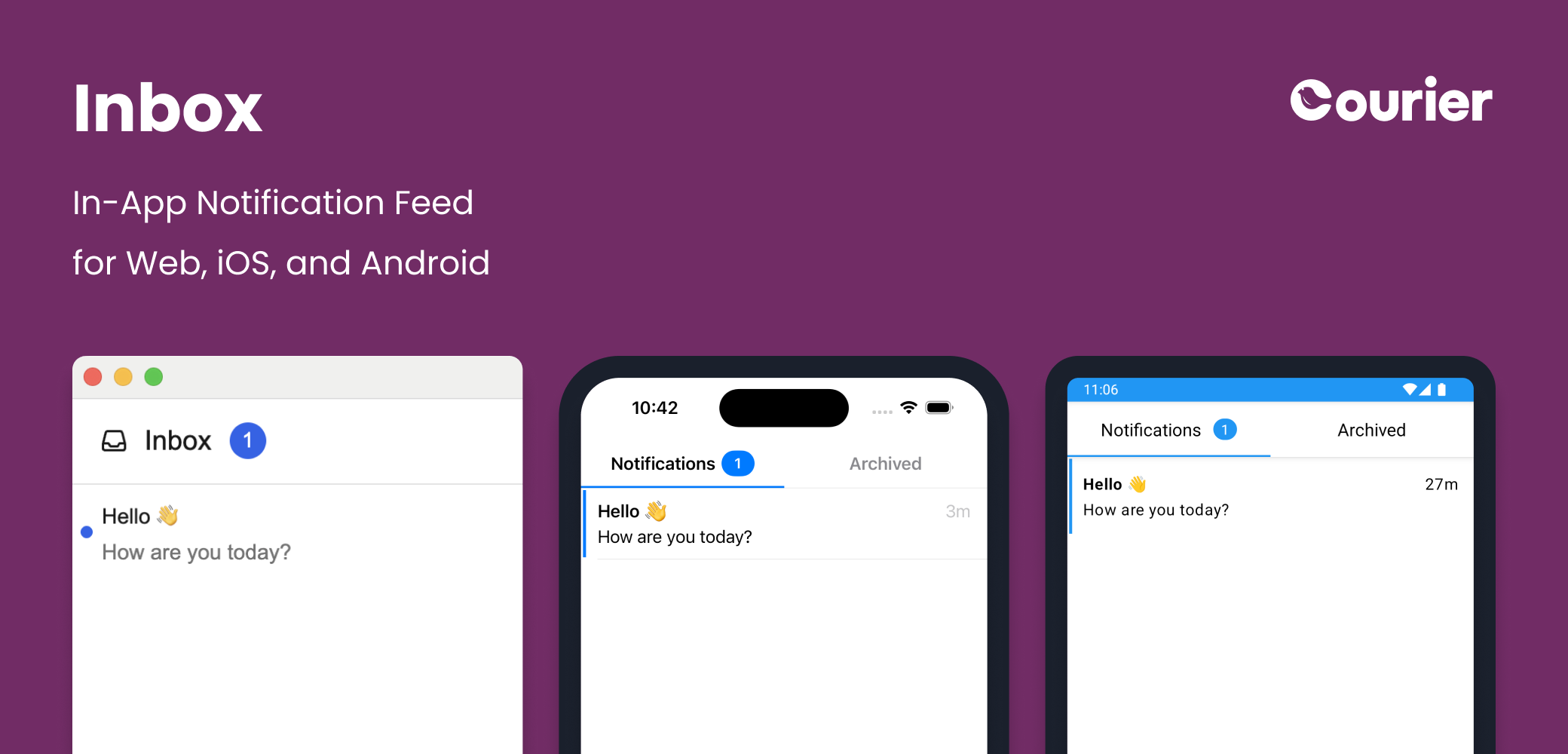 Courier Inbox SDKs are available for web and mobile to embed a fully customizable notification center into your app with just a few lines of code.
Want to see Inbox in action before writing any code? Try the [interactive Inbox demo](https://www.courier.com/inbox-demo).
```jsx React highlight={4,8,12} theme={null}
import { useCourier, CourierInbox } from "@trycourier/courier-react";
export default function App() {
const courier = useCourier();
useEffect(() => {
// Authenticate the user
courier.shared.signIn({ userId, jwt });
}, []);
// Add the Inbox component
return ;
}
```
```html Web Components highlight={4,7,10} theme={null}
```
```swift iOS highlight={7-10,20} theme={null}
import Courier_iOS
// Authentication.swift
func signInCourierInbox() async {
Task {
// Authenticate the user
await Courier.shared.signIn(
userId: userId,
accessToken: jwt
)
}
}
// ViewController.swift
class ViewController: UIViewController {
override func viewDidLoad() {
super.viewDidLoad()
// Add the Inbox view
view.addSubview(CourierInbox())
}
}
```
```kotlin Android highlight={2,5,9-12,21,24} theme={null}
// MainActivity.kt
class MainActivity : CourierActivity() {
override fun onCreate(savedInstanceState: Bundle?) {
super.onCreate(savedInstanceState)
Courier.initialize(this)
lifecycleScope.launch {
// Authenticate the user
Courier.shared.signIn(
userId = userId,
accessToken = jwt,
)
}
}
}
// MyInboxActivity.kt
class MyInboxActivity : ComponentActivity() {
override fun onCreate(savedInstanceState: Bundle?) {
super.onCreate(savedInstanceState)
setContent {
// Add the Inbox @Composable
CourierInbox()
}
}
}
```
```dart Flutter highlight={14-17,23} theme={null}
import 'package:courier_flutter/courier_flutter.dart';
import 'package:courier_flutter/ui/inbox/courier_inbox.dart';
class MyInbox extends StatefulWidget {
const MyInbox({super.key});
@override
State createState() => _MyInboxState();
}
class _MyInboxState extends State {
@override initState() {
// Authenticate the user
await Courier.shared.signIn(
accessToken: token,
userId: userId
)
}
@override
Widget build(BuildContext context) {
// Add the inbox widget
return Scaffold(body: CourierInbox())
}
}
```
```jsx React Native highlight={6-9,13} theme={null}
import { Courier, CourierInboxView } from "@trycourier/courier-react-native";
const MyInbox = () => {
useEffect(() => {
// Authenticate the user
await Courier.shared.signIn({
accessToken: jwt,
userId: userId,
});
});
// Add the Inbox component
return
}
```
See complete working examples of Courier Inbox in our [React Inbox sample app](https://github.com/trycourier/courier-samples/tree/main/web/react/inbox) and [Vanilla JS Inbox sample app](https://github.com/trycourier/courier-samples/tree/main/web/vanilla/inbox).
Integrate an Inbox SDK:
React 17 and 18+
Any JS framework
Expo and RN
iOS and Android
Swift and SwiftUI
Kotlin and Compose
**New**: v8 of the [Courier React SDK](/sdk-libraries/courier-react-web) and v1 of the [new Courier Inbox Web Components SDK](/sdk-libraries/courier-ui-inbox-web) have recently been released.
We recommend new integrations use these SDKs and existing apps migrate. Check out the
[Courier React v8 migration guide](/sdk-libraries/courier-react-v8-migration-guide) for more
information and links to documentation for earlier versions of the SDKs.
### A modern UI - that's completely customizable
Courier Inbox SDKs provide a clean, modern UI out of the box with the option to fully integrate into your existing web
or mobile design.
Match your branding and theme the built-in UI, or supply your own views and components for complete
customization while taking advantage of the SDKs' message management. For integrations that require it,
the Inbox SDKs also expose low-level APIs you can build on.
### Real-time delivery
Inbox messages are delivered across devices in real-time across web and mobile.
Message states -- whether a message is read, opened, archived, etc. -- are automatically synced
so your users are always up to date, wherever they're logged in.
### Cross-channel integration
Inbox can be configured to work alongside other messaging channels, including email, SMS, and push notifications.
For example, when a notification is sent to both **inbox** and **email** channels opening the email will mark
the corresponding Inbox notification read. Learn more about
[cross-channel syncing](#cross-channel-integration) and how to toggle this feature on/off.
## FAQ
Inbox SDKs are available for [React](/sdk-libraries/courier-react-web), [Web Components](/sdk-libraries/courier-ui-inbox-web), [React Native](/sdk-libraries/react-native), [Flutter](/sdk-libraries/flutter), [iOS](/sdk-libraries/ios), and [Android](/sdk-libraries/android). Web Components work with any framework (Vue, Angular, Svelte, vanilla JS).
Yes. All Inbox SDKs support theming to match your brand colors and typography. You can also supply your own components for complete control over rendering while still using the SDK's message management (read state, pagination, real-time updates). See the SDK docs for your platform for theming and custom renderer options.
Message states (read, opened, archived) are synced in real time across all devices where a user is signed in. If a user reads a notification on mobile, it updates on web immediately. When cross-channel syncing is enabled, opening an email notification also marks the corresponding Inbox message as read.
Inbox requires a JWT token generated by your backend using your Courier API key. Your backend creates the token with the user's ID, then passes it to the client SDK via `signIn({ userId, jwt })`. See [Inbox Authentication](/platform/inbox/authentication) for implementation details.
Yes. Add `inbox` alongside other channels (email, push, SMS) in your message's routing configuration. Courier delivers to each channel according to your [channel priority](/platform/sending/channel-priority) rules. When cross-channel syncing is enabled, interactions on one channel (like opening an email) update the Inbox message state automatically.
## Next Steps
Setup auth for Inbox and integrate an SDK
Start sending Inbox notifications
Courier Inbox SDKs are available for web and mobile to embed a fully customizable notification center into your app with just a few lines of code.
Want to see Inbox in action before writing any code? Try the [interactive Inbox demo](https://www.courier.com/inbox-demo).
```jsx React highlight={4,8,12} theme={null}
import { useCourier, CourierInbox } from "@trycourier/courier-react";
export default function App() {
const courier = useCourier();
useEffect(() => {
// Authenticate the user
courier.shared.signIn({ userId, jwt });
}, []);
// Add the Inbox component
return ;
}
```
```html Web Components highlight={4,7,10} theme={null}
```
```swift iOS highlight={7-10,20} theme={null}
import Courier_iOS
// Authentication.swift
func signInCourierInbox() async {
Task {
// Authenticate the user
await Courier.shared.signIn(
userId: userId,
accessToken: jwt
)
}
}
// ViewController.swift
class ViewController: UIViewController {
override func viewDidLoad() {
super.viewDidLoad()
// Add the Inbox view
view.addSubview(CourierInbox())
}
}
```
```kotlin Android highlight={2,5,9-12,21,24} theme={null}
// MainActivity.kt
class MainActivity : CourierActivity() {
override fun onCreate(savedInstanceState: Bundle?) {
super.onCreate(savedInstanceState)
Courier.initialize(this)
lifecycleScope.launch {
// Authenticate the user
Courier.shared.signIn(
userId = userId,
accessToken = jwt,
)
}
}
}
// MyInboxActivity.kt
class MyInboxActivity : ComponentActivity() {
override fun onCreate(savedInstanceState: Bundle?) {
super.onCreate(savedInstanceState)
setContent {
// Add the Inbox @Composable
CourierInbox()
}
}
}
```
```dart Flutter highlight={14-17,23} theme={null}
import 'package:courier_flutter/courier_flutter.dart';
import 'package:courier_flutter/ui/inbox/courier_inbox.dart';
class MyInbox extends StatefulWidget {
const MyInbox({super.key});
@override
State createState() => _MyInboxState();
}
class _MyInboxState extends State {
@override initState() {
// Authenticate the user
await Courier.shared.signIn(
accessToken: token,
userId: userId
)
}
@override
Widget build(BuildContext context) {
// Add the inbox widget
return Scaffold(body: CourierInbox())
}
}
```
```jsx React Native highlight={6-9,13} theme={null}
import { Courier, CourierInboxView } from "@trycourier/courier-react-native";
const MyInbox = () => {
useEffect(() => {
// Authenticate the user
await Courier.shared.signIn({
accessToken: jwt,
userId: userId,
});
});
// Add the Inbox component
return
}
```
See complete working examples of Courier Inbox in our [React Inbox sample app](https://github.com/trycourier/courier-samples/tree/main/web/react/inbox) and [Vanilla JS Inbox sample app](https://github.com/trycourier/courier-samples/tree/main/web/vanilla/inbox).
Integrate an Inbox SDK:
React 17 and 18+
Any JS framework
Expo and RN
iOS and Android
Swift and SwiftUI
Kotlin and Compose
**New**: v8 of the [Courier React SDK](/sdk-libraries/courier-react-web) and v1 of the [new Courier Inbox Web Components SDK](/sdk-libraries/courier-ui-inbox-web) have recently been released.
We recommend new integrations use these SDKs and existing apps migrate. Check out the
[Courier React v8 migration guide](/sdk-libraries/courier-react-v8-migration-guide) for more
information and links to documentation for earlier versions of the SDKs.
### A modern UI - that's completely customizable
Courier Inbox SDKs provide a clean, modern UI out of the box with the option to fully integrate into your existing web
or mobile design.
Match your branding and theme the built-in UI, or supply your own views and components for complete
customization while taking advantage of the SDKs' message management. For integrations that require it,
the Inbox SDKs also expose low-level APIs you can build on.
### Real-time delivery
Inbox messages are delivered across devices in real-time across web and mobile.
Message states -- whether a message is read, opened, archived, etc. -- are automatically synced
so your users are always up to date, wherever they're logged in.
### Cross-channel integration
Inbox can be configured to work alongside other messaging channels, including email, SMS, and push notifications.
For example, when a notification is sent to both **inbox** and **email** channels opening the email will mark
the corresponding Inbox notification read. Learn more about
[cross-channel syncing](#cross-channel-integration) and how to toggle this feature on/off.
## FAQ
Inbox SDKs are available for [React](/sdk-libraries/courier-react-web), [Web Components](/sdk-libraries/courier-ui-inbox-web), [React Native](/sdk-libraries/react-native), [Flutter](/sdk-libraries/flutter), [iOS](/sdk-libraries/ios), and [Android](/sdk-libraries/android). Web Components work with any framework (Vue, Angular, Svelte, vanilla JS).
Yes. All Inbox SDKs support theming to match your brand colors and typography. You can also supply your own components for complete control over rendering while still using the SDK's message management (read state, pagination, real-time updates). See the SDK docs for your platform for theming and custom renderer options.
Message states (read, opened, archived) are synced in real time across all devices where a user is signed in. If a user reads a notification on mobile, it updates on web immediately. When cross-channel syncing is enabled, opening an email notification also marks the corresponding Inbox message as read.
Inbox requires a JWT token generated by your backend using your Courier API key. Your backend creates the token with the user's ID, then passes it to the client SDK via `signIn({ userId, jwt })`. See [Inbox Authentication](/platform/inbox/authentication) for implementation details.
Yes. Add `inbox` alongside other channels (email, push, SMS) in your message's routing configuration. Courier delivers to each channel according to your [channel priority](/platform/sending/channel-priority) rules. When cross-channel syncing is enabled, interactions on one channel (like opening an email) update the Inbox message state automatically.
## Next Steps
Setup auth for Inbox and integrate an SDK
Start sending Inbox notifications