> ## Documentation Index
> Fetch the complete documentation index at: https://www.courier.com/docs/llms.txt
> Use this file to discover all available pages before exploring further.
# Notify with Toasts
> Toasts are small, dismissable pop-up notifications for Inbox messages
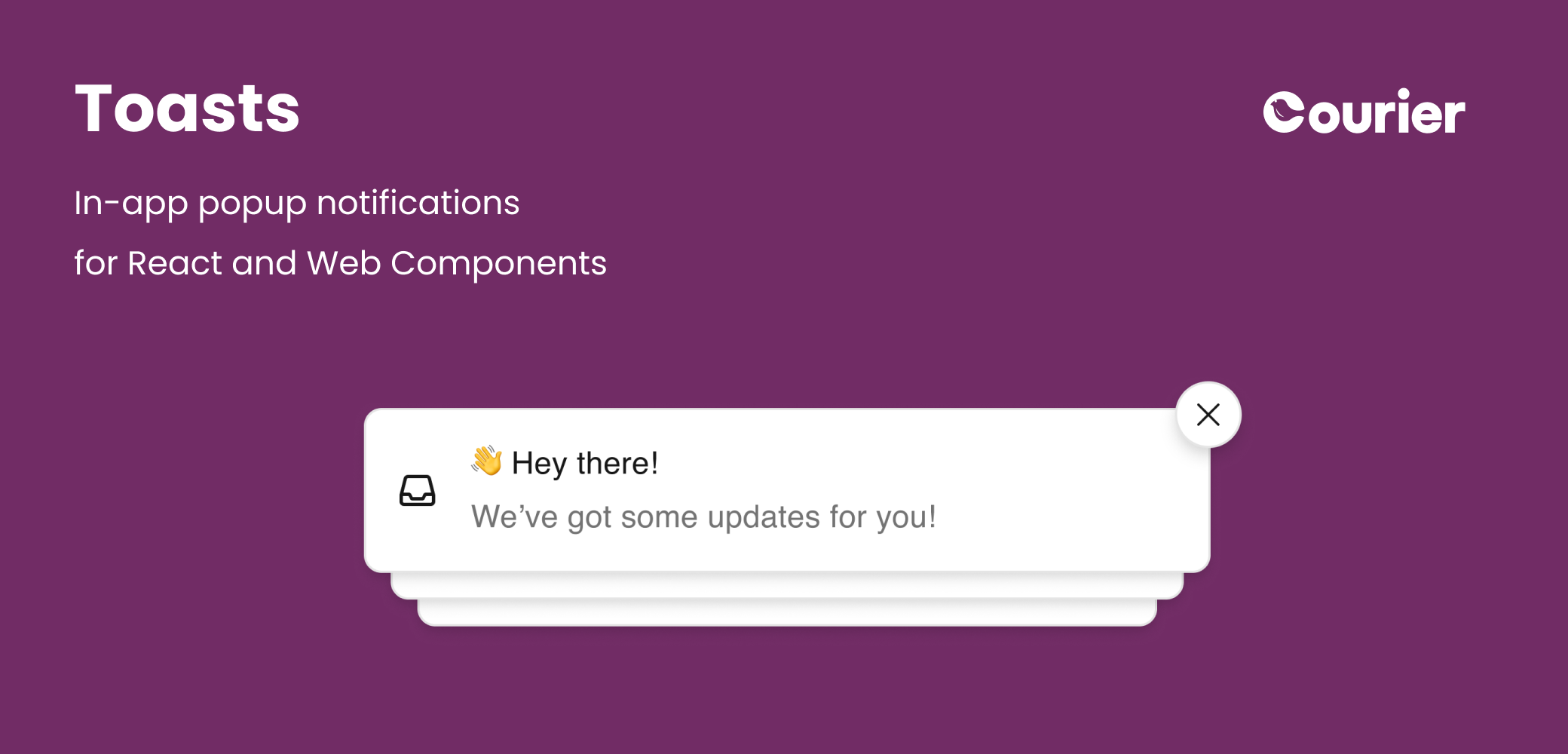 Courier toasts are available for JavaScript and React applications to embed
popup notifications with just a few lines of code.
```jsx React theme={null}
import { useCourier, CourierToast } from "@trycourier/courier-react";
export default function App() {
const courier = useCourier();
useEffect(() => {
// Authenticate the user
courier.shared.signIn({ userId, jwt });
}, []);
// Add the Toast component
return ;
}
```
```html Web Components theme={null}
```
**Sample Apps**: See complete working examples in our [React Toast sample app](https://github.com/trycourier/courier-samples/tree/main/web/react/toast), [Vanilla JS Toast sample app](https://github.com/trycourier/courier-samples/tree/main/web/vanilla/toast).
Check out documentation for each of the toast SDKs:
* [React](/sdk-libraries/courier-react-web)
* [Web Components](/sdk-libraries/courier-ui-inbox-web#toast-web-components)
For iOS, Android, and other mobile toast-style notifications, consider using Courier's
[push integrations](/external-integrations/push/intro-to-push).
**New**: v8 of the [Courier React SDK](/sdk-libraries/courier-react-web) and v1 of the [new Courier Web Components SDK](/sdk-libraries/courier-ui-inbox-web) have recently been released.
We recommend new integrations use these SDKs and existing apps migrate. Check out the
[Courier React v8 migration guide](/sdk-libraries/courier-react-v8-migration-guide) for more
information and links to documentation for earlier versions of the SDKs.
### Powered by Courier Inbox
Toasts are powered by the same feed of messages delivered to [Courier Inbox](/platform/inbox/inbox-overview).
Use Courier Inbox to provide a persistent notification center
and toasts to quickly bring attention to an alert, no matter
where a user is in your app. See the integration docs for
[React](/sdk-libraries/courier-react-web) or
[Web Components](/sdk-libraries/courier-ui-inbox-web#toast-web-components) for more
information on using the two notification components.
### A modern UI - that's completely customizable
Toasts come out of the box with a clean, modern UI including
subtle animations and intelligent stacking. The Courier SDKs
enable theming, partial, and full customization to match your
brand and product requirements while still taking advantage of
the underlying components and message management where possible.
For integrations that require it, the SDKs also expose low-level
APIs you can build on.
### Real-time delivery and syncing
Notifications are inherently time-sensitive, and toasts are
delivered in real-time across devices. Since toast messages
are Inbox messages, the SDKs also enable real-time state syncing -- the ability to mark a toast and its message read, opened, archived,
etc. -- and have that state reflected across platforms and components.
## Next Steps
Setup auth for toasts and integrate an SDK
Start sending notifications
Courier toasts are available for JavaScript and React applications to embed
popup notifications with just a few lines of code.
```jsx React theme={null}
import { useCourier, CourierToast } from "@trycourier/courier-react";
export default function App() {
const courier = useCourier();
useEffect(() => {
// Authenticate the user
courier.shared.signIn({ userId, jwt });
}, []);
// Add the Toast component
return ;
}
```
```html Web Components theme={null}
```
**Sample Apps**: See complete working examples in our [React Toast sample app](https://github.com/trycourier/courier-samples/tree/main/web/react/toast), [Vanilla JS Toast sample app](https://github.com/trycourier/courier-samples/tree/main/web/vanilla/toast).
Check out documentation for each of the toast SDKs:
* [React](/sdk-libraries/courier-react-web)
* [Web Components](/sdk-libraries/courier-ui-inbox-web#toast-web-components)
For iOS, Android, and other mobile toast-style notifications, consider using Courier's
[push integrations](/external-integrations/push/intro-to-push).
**New**: v8 of the [Courier React SDK](/sdk-libraries/courier-react-web) and v1 of the [new Courier Web Components SDK](/sdk-libraries/courier-ui-inbox-web) have recently been released.
We recommend new integrations use these SDKs and existing apps migrate. Check out the
[Courier React v8 migration guide](/sdk-libraries/courier-react-v8-migration-guide) for more
information and links to documentation for earlier versions of the SDKs.
### Powered by Courier Inbox
Toasts are powered by the same feed of messages delivered to [Courier Inbox](/platform/inbox/inbox-overview).
Use Courier Inbox to provide a persistent notification center
and toasts to quickly bring attention to an alert, no matter
where a user is in your app. See the integration docs for
[React](/sdk-libraries/courier-react-web) or
[Web Components](/sdk-libraries/courier-ui-inbox-web#toast-web-components) for more
information on using the two notification components.
### A modern UI - that's completely customizable
Toasts come out of the box with a clean, modern UI including
subtle animations and intelligent stacking. The Courier SDKs
enable theming, partial, and full customization to match your
brand and product requirements while still taking advantage of
the underlying components and message management where possible.
For integrations that require it, the SDKs also expose low-level
APIs you can build on.
### Real-time delivery and syncing
Notifications are inherently time-sensitive, and toasts are
delivered in real-time across devices. Since toast messages
are Inbox messages, the SDKs also enable real-time state syncing -- the ability to mark a toast and its message read, opened, archived,
etc. -- and have that state reflected across platforms and components.
## Next Steps
Setup auth for toasts and integrate an SDK
Start sending notifications