> ## Documentation Index
> Fetch the complete documentation index at: https://www.courier.com/docs/llms.txt
> Use this file to discover all available pages before exploring further.
# Organize Messages with Tabs
> Create tabbed views so users can quickly find the messages that matter.
In **Courier Inbox**, **tabs** are the primary way to organize and filter **in-app notifications**.
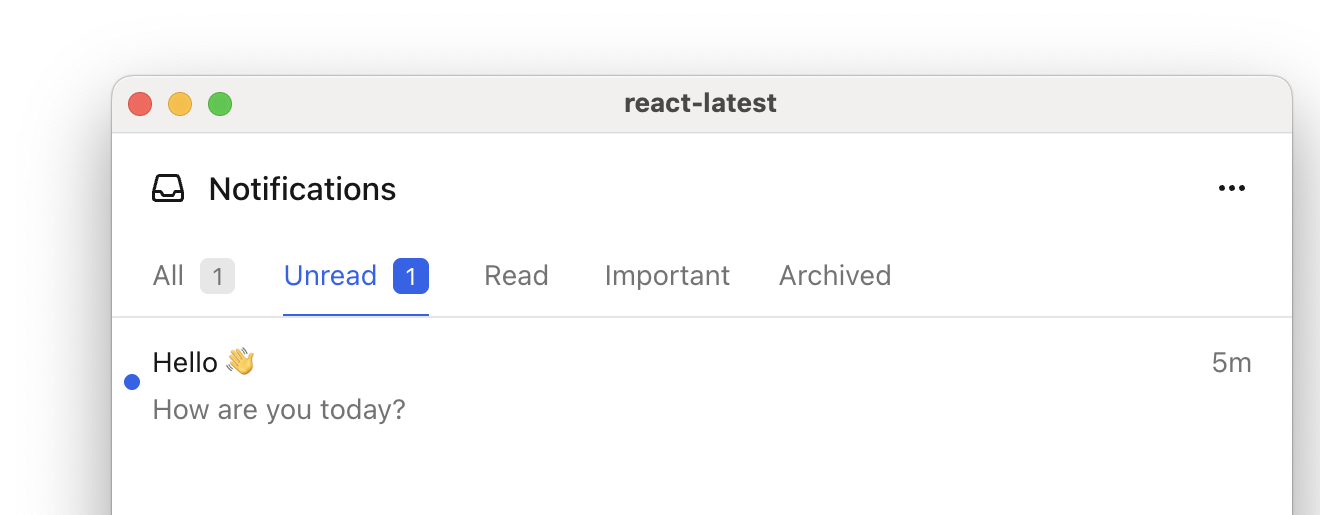 A **tab** is a filtered view of notifications. Tabs apply a `filter` object to determine which notifications appear in the list.
Each tab can filter notifications using a `filter` object. You can use one or more of the following filters:
* `tags` to show specific notification types. These are defined by you.
* `status` to filter by read/unread
* `archived` to include archived notifications
* A **feed** is a top-level container in the inbox header that groups related tabs together.
Most apps only need **one feed** (so the feed selector is hidden), but you can define **multiple feeds** if you want separate top-level categories of notifications.
You can learn more about tabs and feeds in our [Inbox documentation](/sdk-libraries/courier-react-web#tabs-and-feeds).
## Example
Define tabs inside a `feeds` array. Each tab has a `datasetId` (unique identifier), `title` (display name), and `filter` object.
```jsx React theme={null}
```
```html Web Components theme={null}
```
Tags are set when you send a message using `metadata.tags`:
```json theme={null}
{
"message": {
"to": { "user_id": "user_123" },
"template": "order-shipped",
"metadata": {
"tags": ["order"]
}
}
}
```
## Related Resources
Set up Courier Inbox in your app
Full tabs and feeds reference for React
A **tab** is a filtered view of notifications. Tabs apply a `filter` object to determine which notifications appear in the list.
Each tab can filter notifications using a `filter` object. You can use one or more of the following filters:
* `tags` to show specific notification types. These are defined by you.
* `status` to filter by read/unread
* `archived` to include archived notifications
* A **feed** is a top-level container in the inbox header that groups related tabs together.
Most apps only need **one feed** (so the feed selector is hidden), but you can define **multiple feeds** if you want separate top-level categories of notifications.
You can learn more about tabs and feeds in our [Inbox documentation](/sdk-libraries/courier-react-web#tabs-and-feeds).
## Example
Define tabs inside a `feeds` array. Each tab has a `datasetId` (unique identifier), `title` (display name), and `filter` object.
```jsx React theme={null}
```
```html Web Components theme={null}
```
Tags are set when you send a message using `metadata.tags`:
```json theme={null}
{
"message": {
"to": { "user_id": "user_123" },
"template": "order-shipped",
"metadata": {
"tags": ["order"]
}
}
}
```
## Related Resources
Set up Courier Inbox in your app
Full tabs and feeds reference for React