> ## Documentation Index
> Fetch the complete documentation index at: https://www.courier.com/docs/llms.txt
> Use this file to discover all available pages before exploring further.
# Delay
> Pause journey execution for a fixed duration or until a specific time before continuing to the next node.
Delay nodes pause the journey before continuing to the next node. Use delays to space out messages, wait for users to take action, or schedule follow-ups.
 ## Configuration
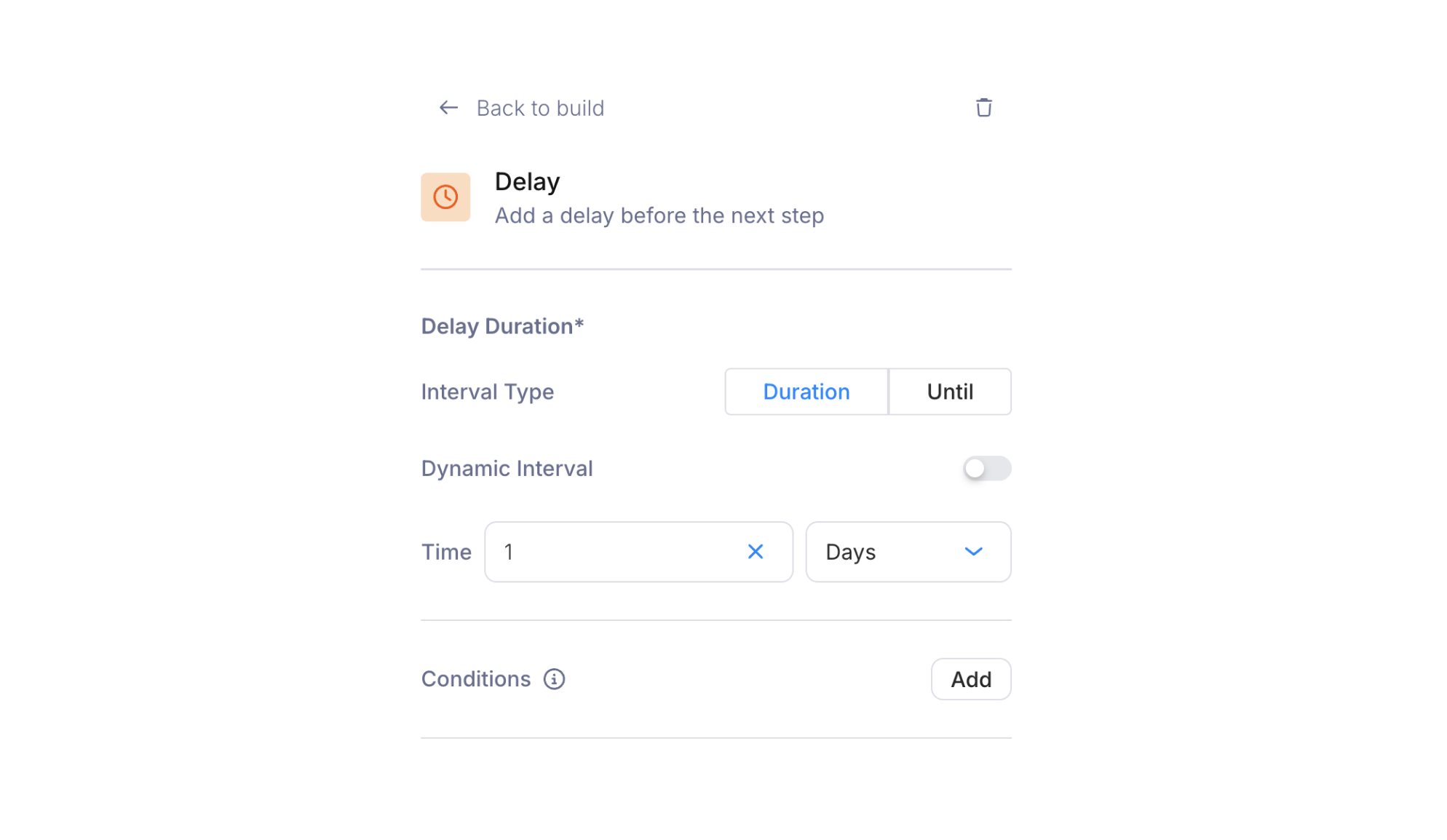
### Interval Type
Toggle between two modes:
* **Duration** — Wait for a relative period of time. Set a numeric value and a unit: Minutes, Hours, Days, or Months. The delay is relative to when the run reaches the node, not when the journey was invoked.
* **Until** — Wait until a specific date and time. A date-time picker lets you select the exact moment. Useful for holding messages until a launch date or a scheduled window.
### Dynamic Interval
Enable the **Dynamic Interval** toggle to set the delay value from a field in the journey context instead of a hardcoded value. When enabled, the time picker is replaced by a field selector where you choose a trigger schema field, profile field, or fetch response field.
This lets your application control the delay at runtime. For example, a trigger schema field called `follow_up_delay` could contain an ISO 8601 duration like `PT2H` (2 hours), or an `until` field could contain a datetime string.
### Conditions
Like other nodes, delay nodes support optional [conditions](/platform/journeys/nodes/branch). If the conditions are not met when the run reaches the delay, the node is skipped.
## Common Patterns
**Onboarding sequences**: Send a welcome email immediately, then delay 24 hours before checking whether the user completed setup.
**Reminder chains**: Delay 3 days after an initial notification, then check delivery status or user action before sending a follow-up.
**Scheduled delivery**: Use the "Until" interval type to hold a message until a launch date or event start time.
Delays are often paired with [branch nodes](/platform/journeys/nodes/branch) to check whether a user took an action during the wait period. For example: delay 24 hours, then branch on whether the user completed onboarding.
## Run Inspection
In [Run Inspection](/platform/journeys/run-inspection), click a delay node to see its step details: the delay length (as an ISO 8601 duration like `P1D`), the `expectedDelayValue` (the exact datetime the delay will release), and the started/completed timestamps. While the pause is active, the status shows "Waiting." Once the delay expires, it transitions to "Processed" and the run continues.
## Configuration
### Interval Type
Toggle between two modes:
* **Duration** — Wait for a relative period of time. Set a numeric value and a unit: Minutes, Hours, Days, or Months. The delay is relative to when the run reaches the node, not when the journey was invoked.
* **Until** — Wait until a specific date and time. A date-time picker lets you select the exact moment. Useful for holding messages until a launch date or a scheduled window.
### Dynamic Interval
Enable the **Dynamic Interval** toggle to set the delay value from a field in the journey context instead of a hardcoded value. When enabled, the time picker is replaced by a field selector where you choose a trigger schema field, profile field, or fetch response field.
This lets your application control the delay at runtime. For example, a trigger schema field called `follow_up_delay` could contain an ISO 8601 duration like `PT2H` (2 hours), or an `until` field could contain a datetime string.
### Conditions
Like other nodes, delay nodes support optional [conditions](/platform/journeys/nodes/branch). If the conditions are not met when the run reaches the delay, the node is skipped.
## Common Patterns
**Onboarding sequences**: Send a welcome email immediately, then delay 24 hours before checking whether the user completed setup.
**Reminder chains**: Delay 3 days after an initial notification, then check delivery status or user action before sending a follow-up.
**Scheduled delivery**: Use the "Until" interval type to hold a message until a launch date or event start time.
Delays are often paired with [branch nodes](/platform/journeys/nodes/branch) to check whether a user took an action during the wait period. For example: delay 24 hours, then branch on whether the user completed onboarding.
## Run Inspection
In [Run Inspection](/platform/journeys/run-inspection), click a delay node to see its step details: the delay length (as an ISO 8601 duration like `P1D`), the `expectedDelayValue` (the exact datetime the delay will release), and the started/completed timestamps. While the pause is active, the status shows "Waiting." Once the delay expires, it transitions to "Processed" and the run continues.
 ## What's Next
Split execution based on conditions
Call external APIs during execution
Tutorial: delays, branching, and data enrichment
Debug delayed runs and timing issues
## What's Next
Split execution based on conditions
Call external APIs during execution
Tutorial: delays, branching, and data enrichment
Debug delayed runs and timing issues