> ## Documentation Index
> Fetch the complete documentation index at: https://www.courier.com/docs/llms.txt
> Use this file to discover all available pages before exploring further.
# Preferences Editor
> Configure subscription topics, preference sections, and channel settings to give users control over their notification experience.
## Overview
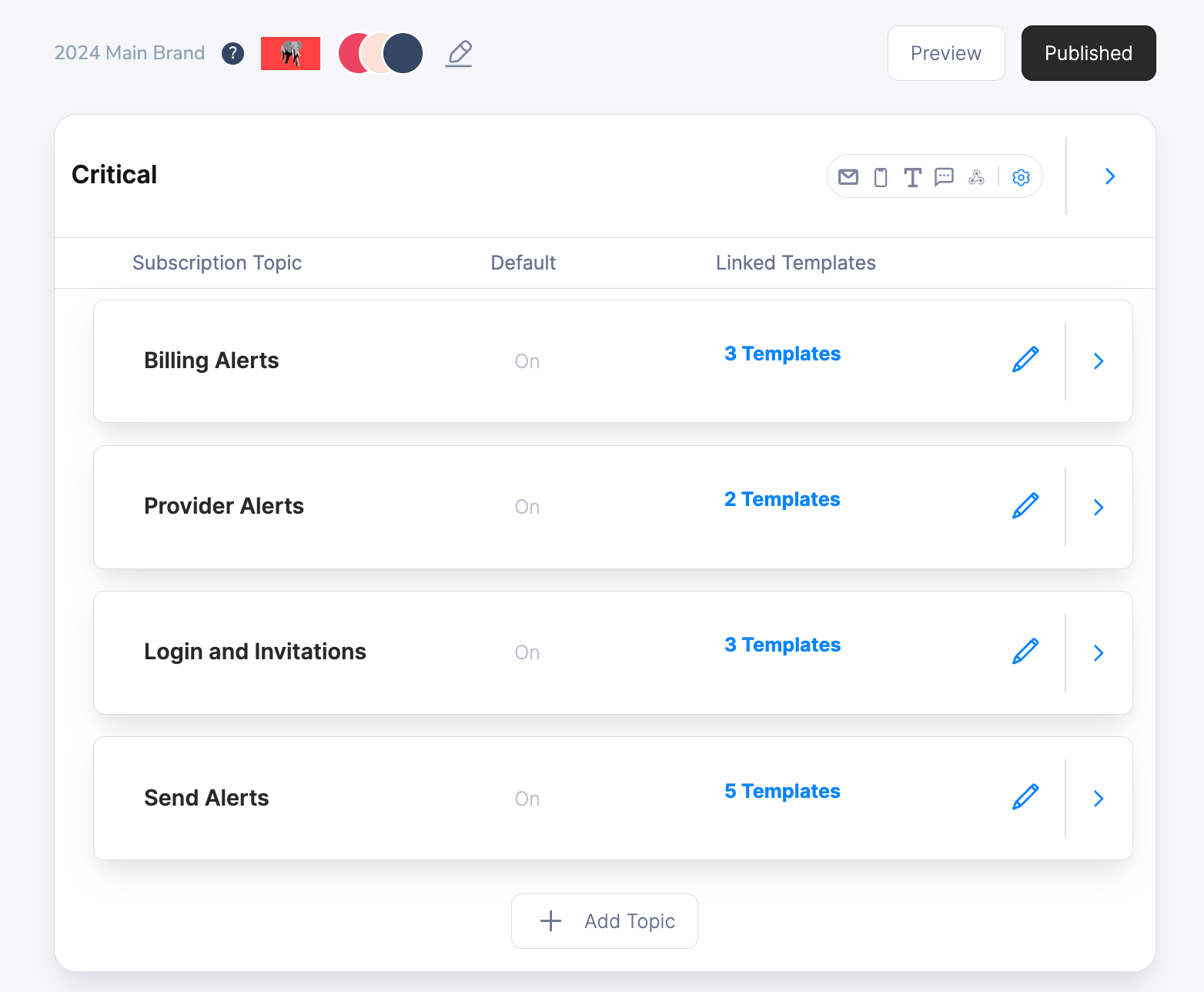
The Preferences Editor is your central configuration hub for building user-controlled notification experiences. Create subscription topics that users can opt in/out of, organize them into logical sections, and configure channel-specific delivery options. The editor provides a visual interface for setting up preference hierarchies that respect user choice while maintaining your notification strategy.
 ## Key Features
* **Subscription Topics** - Create notification categories users can control independently (marketing, security, product updates)
* **Preference Sections** - Group related topics together with shared channel and delivery settings
* **Channel Customization** - Let users choose preferred delivery channels for each topic or section
* **Default State Management** - Configure whether topics start opted-in, opted-out, or required
* **Channel Aliasing** - Customize how channel names appear to match your brand voice
* **Template Mapping** - Connect notification templates to subscription topics for automatic preference enforcement
## Core Components
### Subscription Topics
**Subscription Topics** are notification categories that users can control independently. Each topic represents a logical grouping of related notifications that users might want to receive or skip.
## Key Features
* **Subscription Topics** - Create notification categories users can control independently (marketing, security, product updates)
* **Preference Sections** - Group related topics together with shared channel and delivery settings
* **Channel Customization** - Let users choose preferred delivery channels for each topic or section
* **Default State Management** - Configure whether topics start opted-in, opted-out, or required
* **Channel Aliasing** - Customize how channel names appear to match your brand voice
* **Template Mapping** - Connect notification templates to subscription topics for automatic preference enforcement
## Core Components
### Subscription Topics
**Subscription Topics** are notification categories that users can control independently. Each topic represents a logical grouping of related notifications that users might want to receive or skip.
 #### Topic Configuration
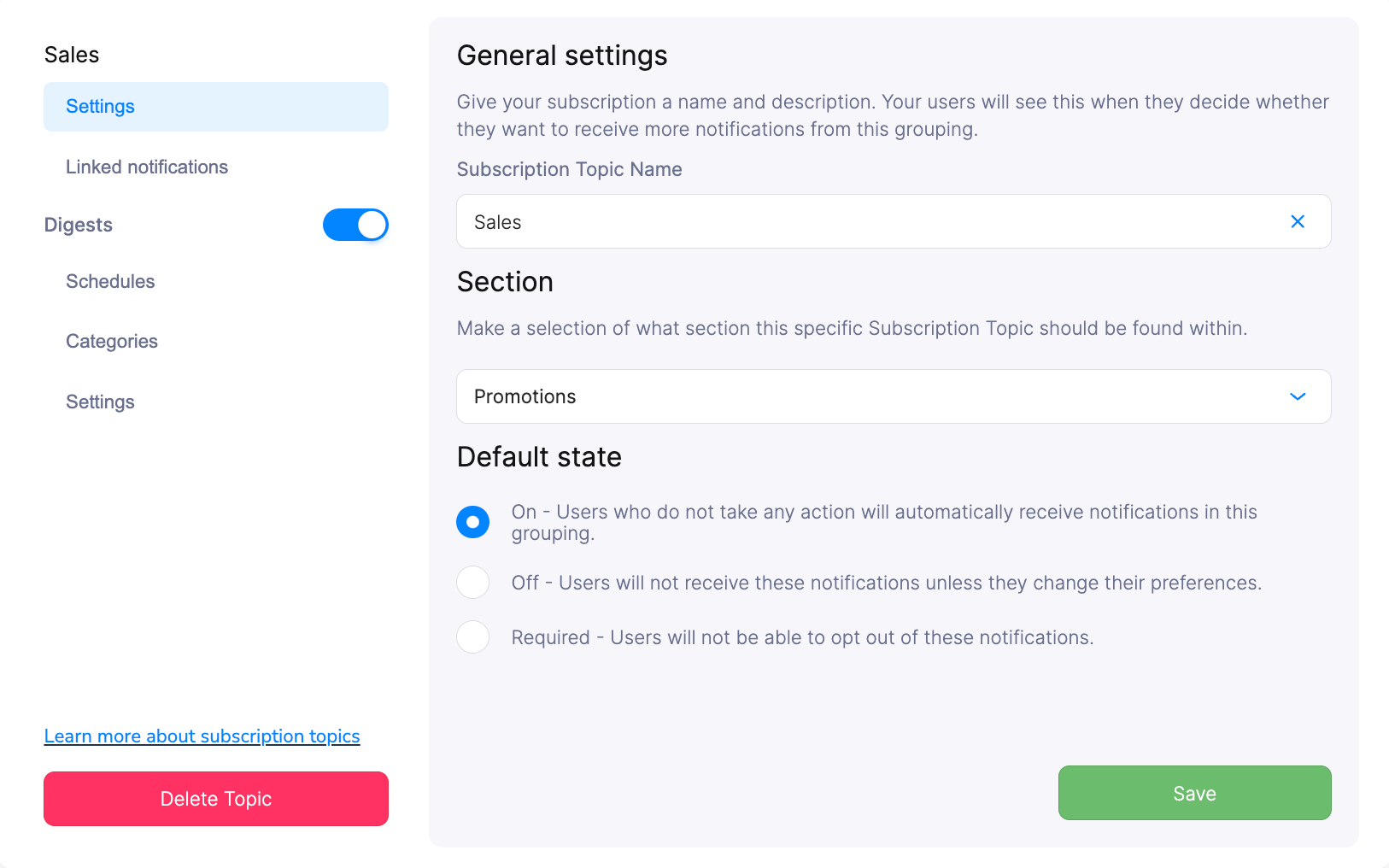
Configure essential topic properties:
* **Name** - User-facing label for the notification category
* **Section** - Which preference section contains this topic
* **Default State** - Whether users start opted-in, opted-out, or cannot opt-out
#### Default States
Control how users initially interact with each topic:
* **On** - Users automatically receive these notifications unless they opt out
* **Off** - Users must explicitly opt in to receive these notifications
* **Required** - Users cannot opt out of these critical notifications
**Required topics and unsubscribe links**: If a topic is set to Required, unsubscribe links (`{$.urls.unsubscribe}` / `{{var "urls.unsubscribe"}}`) still render and the confirmation page still loads, but the opt-out silently has no effect; the user remains subscribed. If you use Required topics, avoid including unsubscribe links in those templates to prevent a confusing experience.
**Template Mapping**: Each notification template can only be mapped to a single subscription topic for clear preference enforcement.
#### Topic Data
**Availability**: Topic Data is available for Enterprise customers. Contact [Courier Support](mailto:support@courier.com) for access or [Request a Demo](https://www.courier.com/request-demo) to learn more about how Courier could help you.
For a subscription topic, you can provide arbitrary metadata to our API, which allows you to make custom preferences pages. Use cases include:
* Filter subscription topics by metadata
* Create custom logic for controlling preferences
* Maintain custom topic descriptions
### Preference Sections
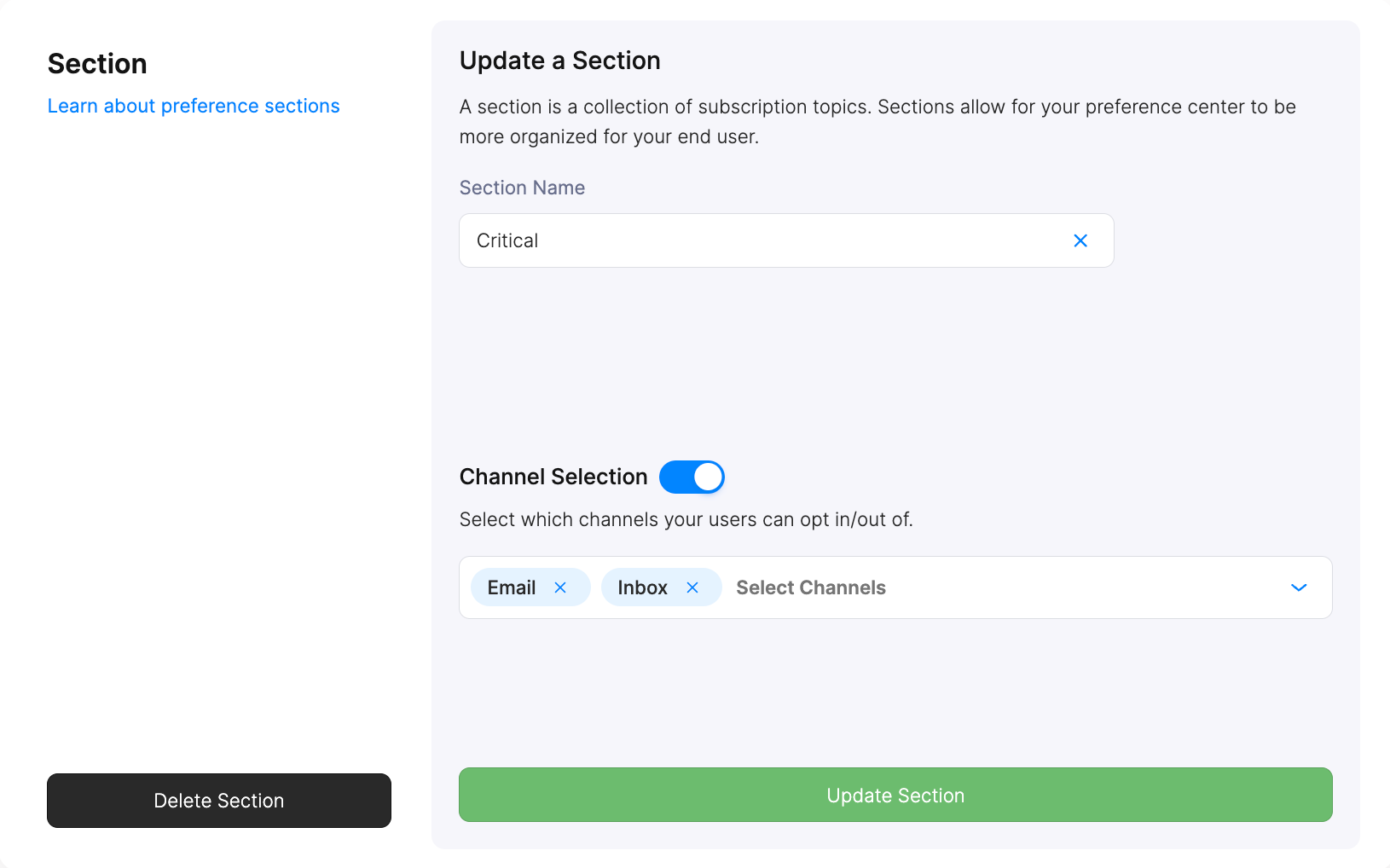
**Preference Sections** group related subscription topics together and define shared delivery channel options. Sections provide organizational structure and determine which channels users can customize for grouped topics.
#### Topic Configuration
Configure essential topic properties:
* **Name** - User-facing label for the notification category
* **Section** - Which preference section contains this topic
* **Default State** - Whether users start opted-in, opted-out, or cannot opt-out
#### Default States
Control how users initially interact with each topic:
* **On** - Users automatically receive these notifications unless they opt out
* **Off** - Users must explicitly opt in to receive these notifications
* **Required** - Users cannot opt out of these critical notifications
**Required topics and unsubscribe links**: If a topic is set to Required, unsubscribe links (`{$.urls.unsubscribe}` / `{{var "urls.unsubscribe"}}`) still render and the confirmation page still loads, but the opt-out silently has no effect; the user remains subscribed. If you use Required topics, avoid including unsubscribe links in those templates to prevent a confusing experience.
**Template Mapping**: Each notification template can only be mapped to a single subscription topic for clear preference enforcement.
#### Topic Data
**Availability**: Topic Data is available for Enterprise customers. Contact [Courier Support](mailto:support@courier.com) for access or [Request a Demo](https://www.courier.com/request-demo) to learn more about how Courier could help you.
For a subscription topic, you can provide arbitrary metadata to our API, which allows you to make custom preferences pages. Use cases include:
* Filter subscription topics by metadata
* Create custom logic for controlling preferences
* Maintain custom topic descriptions
### Preference Sections
**Preference Sections** group related subscription topics together and define shared delivery channel options. Sections provide organizational structure and determine which channels users can customize for grouped topics.
 #### Channel Selection
**Availability**: Delivery Channel Selection is available for Enterprise customers. Contact [Courier Support](mailto:support@courier.com) for access or [Request a Demo](https://www.courier.com/request-demo) to learn more about how Courier could help you.
Enable users to choose their preferred delivery channels for notifications within each section. When enabled, users can select from available channels (email, SMS, push, chat) based on your configuration. In the API, channel values use the `custom_routing` enum: `direct_message`, `email`, `inbox`, `push`, `sms`, `webhook`. The UI may show friendlier labels (e.g. "chat" for inbox or direct message).
#### Channel Selection
**Availability**: Delivery Channel Selection is available for Enterprise customers. Contact [Courier Support](mailto:support@courier.com) for access or [Request a Demo](https://www.courier.com/request-demo) to learn more about how Courier could help you.
Enable users to choose their preferred delivery channels for notifications within each section. When enabled, users can select from available channels (email, SMS, push, chat) based on your configuration. In the API, channel values use the `custom_routing` enum: `direct_message`, `email`, `inbox`, `push`, `sms`, `webhook`. The UI may show friendlier labels (e.g. "chat" for inbox or direct message).
 #### Custom Routing API
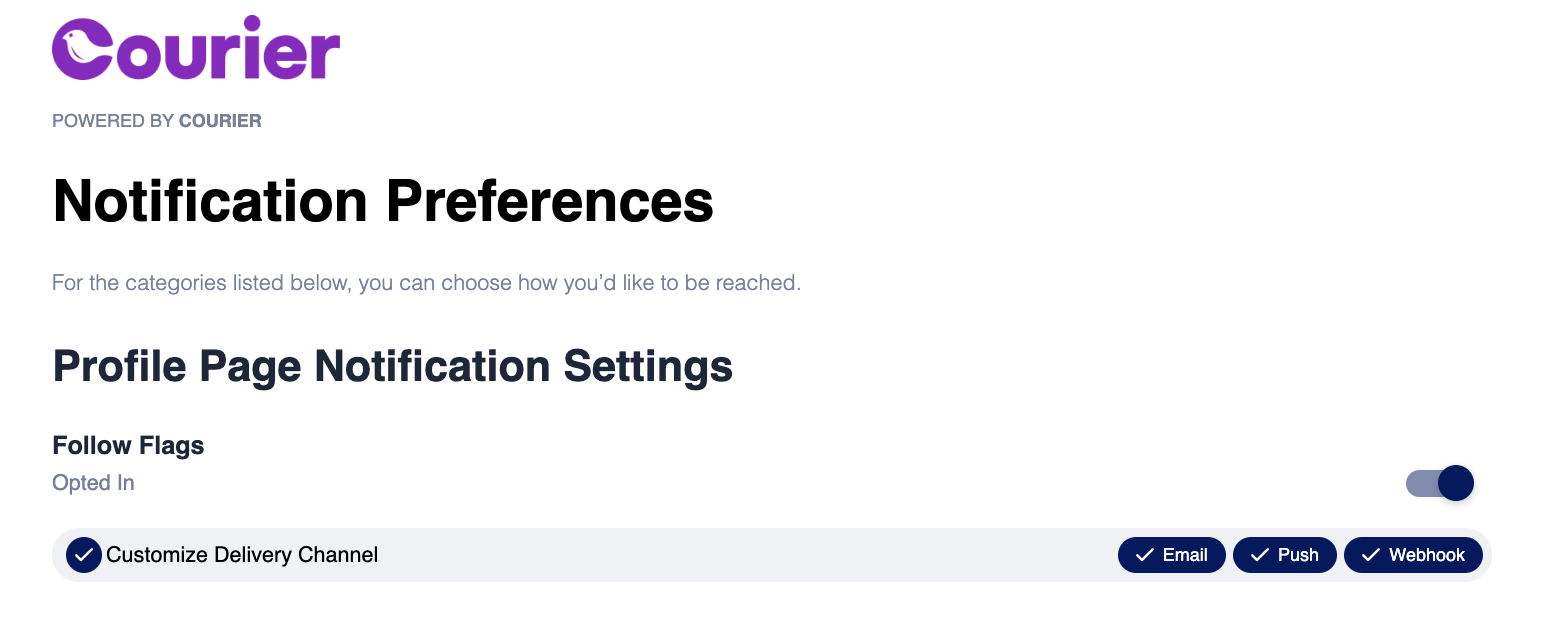
When users customize their delivery channels, their preferences are reflected in the `custom_routing` array when calling the user preferences API:
**Important**: Channel Delivery Customization must be enabled for the `custom_routing` array to populate in API responses. If your workspace plan does not support it, the API returns `402 Payment Required` when you send `custom_routing` in an update.
```json theme={null}
{
"topic": {
"custom_routing": [
"email",
"push",
"webhook"
],
"has_custom_routing": true,
"default_status": "OPTED_IN",
"section_id": "5p8ROfompcN6Sg_2WR92A",
"section_name": "Notifications",
"status": "OPTED_IN",
"topic_id": "FPPGTQRQTRM8TSPZGZAY9296WB37",
"topic_name": "Product Updates"
}
}
```
#### Unsubscribe Headers
When users opt-out of a subscription topic, Courier can automatically include an `List-Unsubscribe` header in outgoing emails that maps to the connected topic. This allows users to manage their preferences directly from their email client or other channels that support this standard.
Enabling unsubscribe headers requires email-provider-level configurations. For example, [Mailgun offers unsubscribe headers](https://help.mailgun.com/hc/en-us/articles/203306610-Unsubscribe-Handling-Links#01HNZH48NP73S3Q0KVR9B40SV5) in their email configuration settings. Courier will include these in outgoing emails when enabled.
### Channel Customization
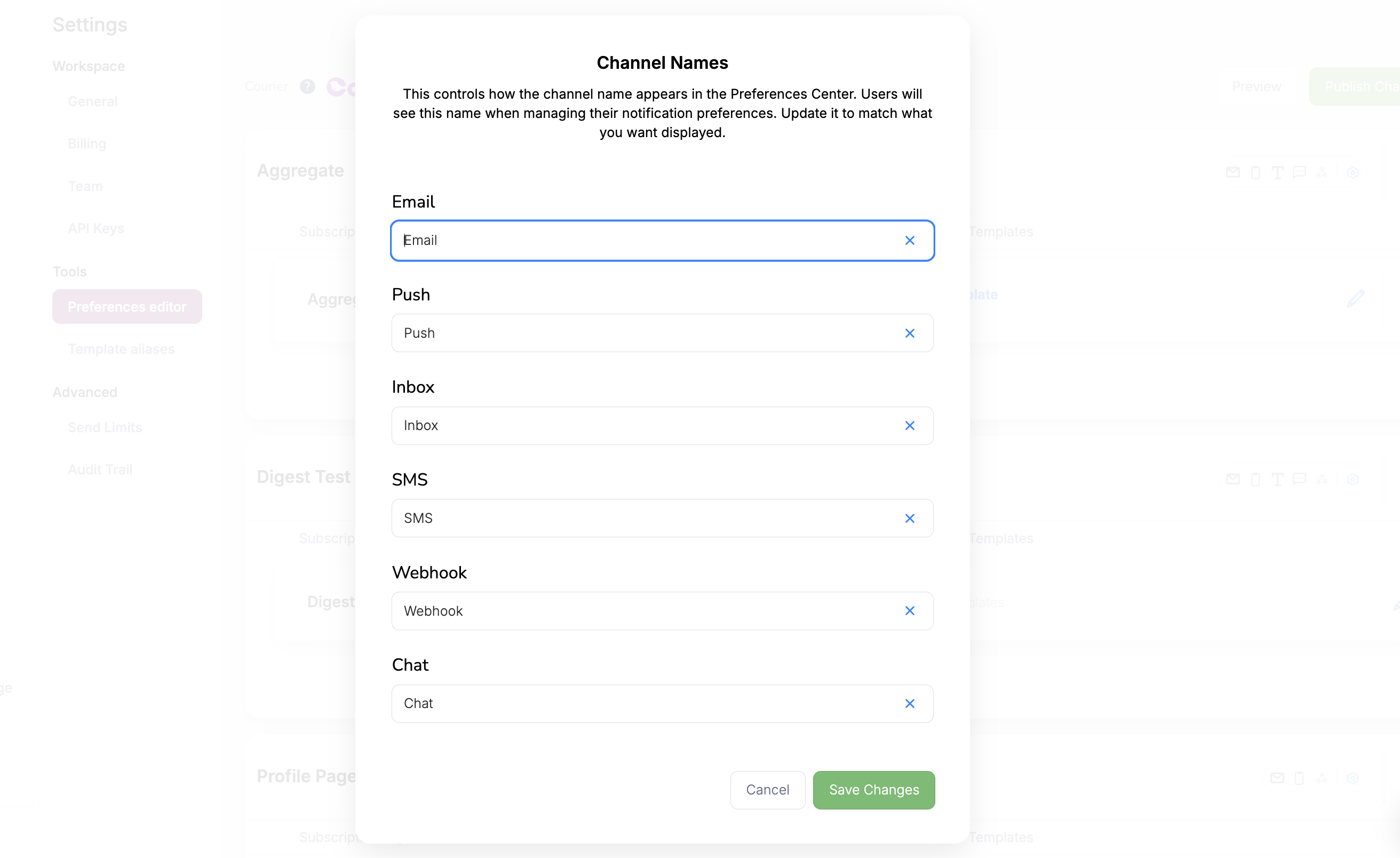
#### Channel Aliases
Customize how notification channels appear to users to match your brand voice and terminology. Instead of generic labels like "Email" or "SMS", use terms that resonate with your audience like "Newsletter" or "Text Alerts".
#### Custom Routing API
When users customize their delivery channels, their preferences are reflected in the `custom_routing` array when calling the user preferences API:
**Important**: Channel Delivery Customization must be enabled for the `custom_routing` array to populate in API responses. If your workspace plan does not support it, the API returns `402 Payment Required` when you send `custom_routing` in an update.
```json theme={null}
{
"topic": {
"custom_routing": [
"email",
"push",
"webhook"
],
"has_custom_routing": true,
"default_status": "OPTED_IN",
"section_id": "5p8ROfompcN6Sg_2WR92A",
"section_name": "Notifications",
"status": "OPTED_IN",
"topic_id": "FPPGTQRQTRM8TSPZGZAY9296WB37",
"topic_name": "Product Updates"
}
}
```
#### Unsubscribe Headers
When users opt-out of a subscription topic, Courier can automatically include an `List-Unsubscribe` header in outgoing emails that maps to the connected topic. This allows users to manage their preferences directly from their email client or other channels that support this standard.
Enabling unsubscribe headers requires email-provider-level configurations. For example, [Mailgun offers unsubscribe headers](https://help.mailgun.com/hc/en-us/articles/203306610-Unsubscribe-Handling-Links#01HNZH48NP73S3Q0KVR9B40SV5) in their email configuration settings. Courier will include these in outgoing emails when enabled.
### Channel Customization
#### Channel Aliases
Customize how notification channels appear to users to match your brand voice and terminology. Instead of generic labels like "Email" or "SMS", use terms that resonate with your audience like "Newsletter" or "Text Alerts".
 Channel aliasing helps create a cohesive user experience where preference options feel integrated with your application's language and design system.
## Template Integration
Connect your notification templates to subscription topics through three different approaches:
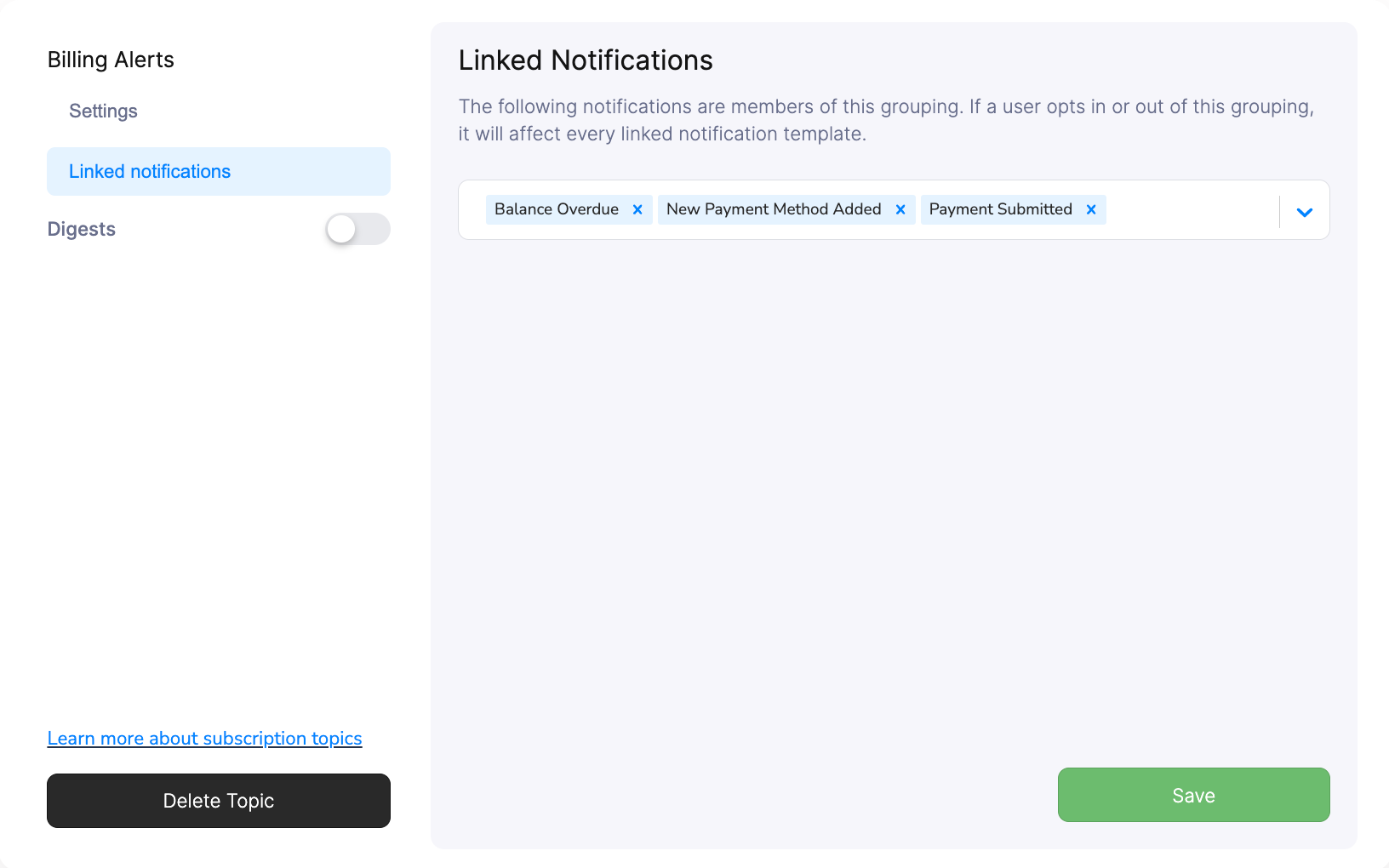
### Configure in Topic Settings
Select notification templates directly within subscription topic configuration to establish the preference relationship.
Channel aliasing helps create a cohesive user experience where preference options feel integrated with your application's language and design system.
## Template Integration
Connect your notification templates to subscription topics through three different approaches:
### Configure in Topic Settings
Select notification templates directly within subscription topic configuration to establish the preference relationship.
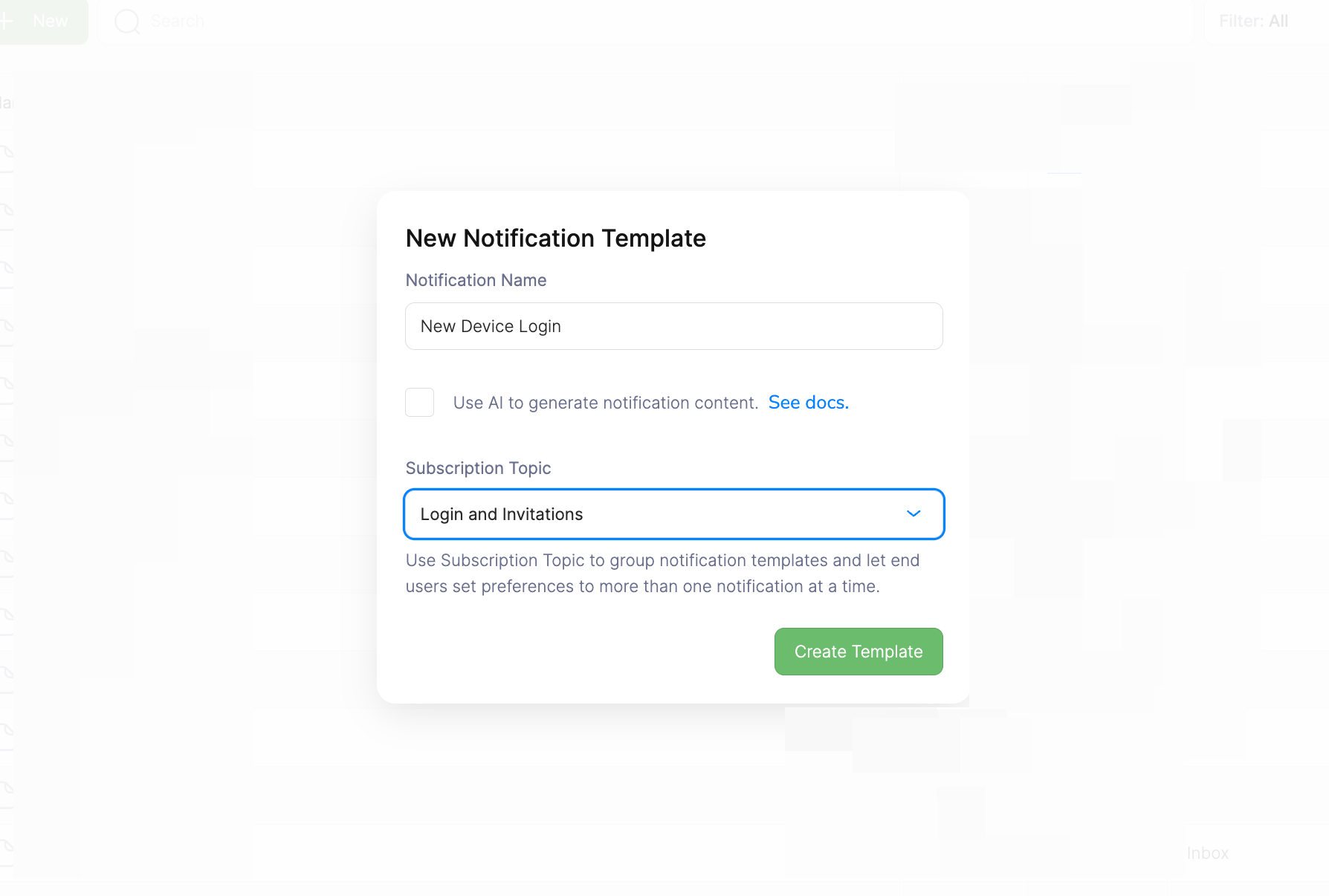
 ### Set During Template Creation
Choose a subscription topic when [creating new notification templates](/platform/content/template-designer/template-designer-overview) to automatically establish the preference mapping.
### Set During Template Creation
Choose a subscription topic when [creating new notification templates](/platform/content/template-designer/template-designer-overview) to automatically establish the preference mapping.
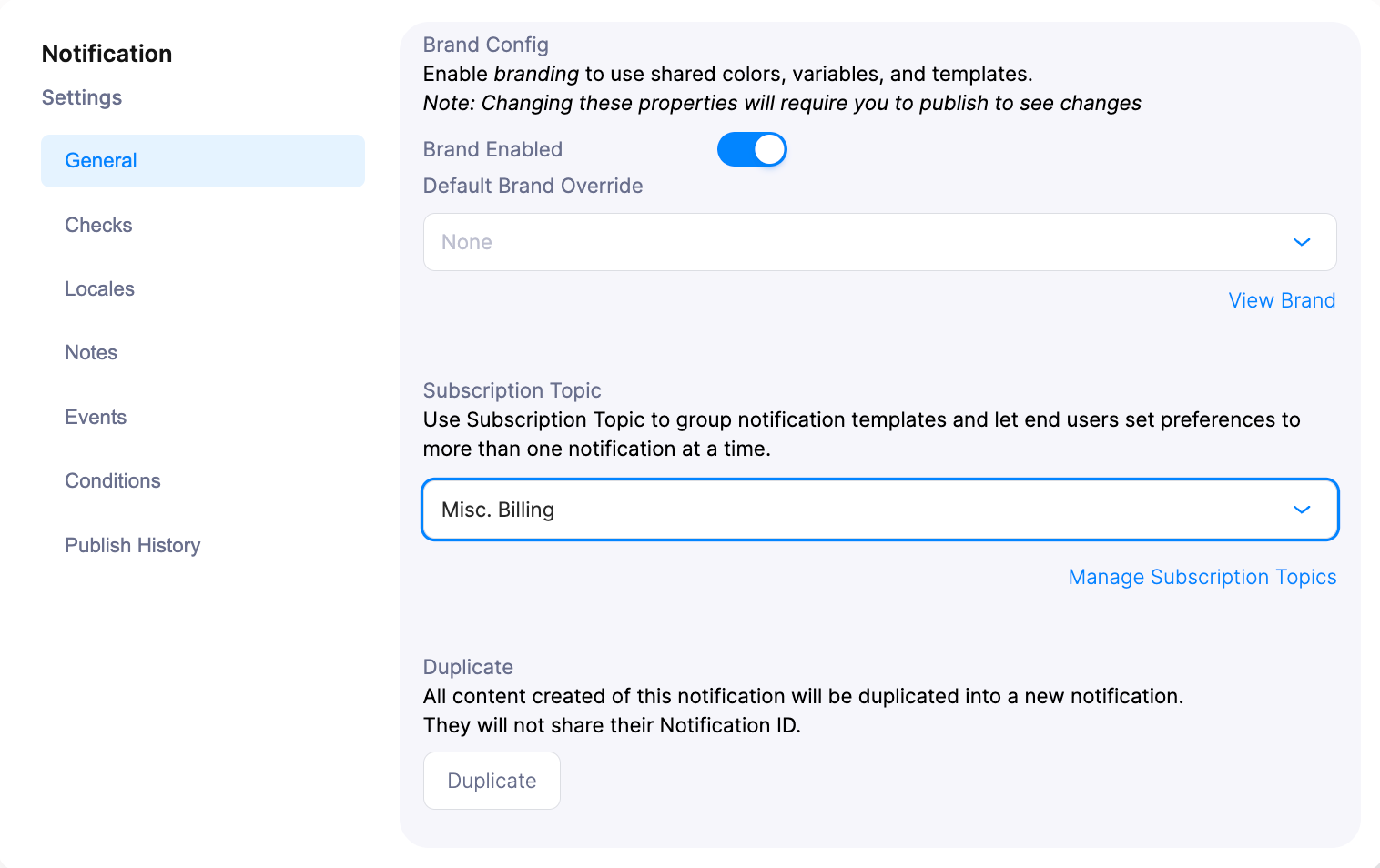
 ### Update in Template Designer
Modify subscription topic assignments within the Template Designer to adjust preference enforcement for existing templates.
### Update in Template Designer
Modify subscription topic assignments within the Template Designer to adjust preference enforcement for existing templates.
 **Best Practice**: Establish subscription topics before creating templates to streamline your preference management workflow.
## Publishing Changes
Changes you make in the Preferences Editor are saved as a **draft** and are not visible to users until you publish. Click the **Publish** button in the editor to push your changes live.
If you update topics, sections, or template mappings and don't publish, the hosted preference page and embedded components will continue showing the previous published configuration. This applies to both the hosted page and React `PreferencesV4` component.
You can preview draft preferences before publishing by passing `draft={true}` to the `PreferencesV4` component, or by querying `draftPreferencePage` via the GraphQL API.
## Next Steps
Deploy turnkey hosted pages for user preference management
Integrate preference components directly into your application
Programmatically manage user preferences and custom routing
Create notification templates with preference integration
**Best Practice**: Establish subscription topics before creating templates to streamline your preference management workflow.
## Publishing Changes
Changes you make in the Preferences Editor are saved as a **draft** and are not visible to users until you publish. Click the **Publish** button in the editor to push your changes live.
If you update topics, sections, or template mappings and don't publish, the hosted preference page and embedded components will continue showing the previous published configuration. This applies to both the hosted page and React `PreferencesV4` component.
You can preview draft preferences before publishing by passing `draft={true}` to the `PreferencesV4` component, or by querying `draftPreferencePage` via the GraphQL API.
## Next Steps
Deploy turnkey hosted pages for user preference management
Integrate preference components directly into your application
Programmatically manage user preferences and custom routing
Create notification templates with preference integration