> ## Documentation Index
> Fetch the complete documentation index at: https://www.courier.com/docs/llms.txt
> Use this file to discover all available pages before exploring further.
# Channel Settings
> Channel Settings let you configure delivery rules, priorities, and integrations per channel—enabling conditional logic, advanced email options, and precise control over notification behavior.
## Overview
Channel Settings provide granular control over how each notification channel behaves. You can configure delivery rules, set conditions for when channels should send, and manage provider integrations—all from a centralized interface within each template.
## Key Configuration Areas
Channel Settings are organized into three main sections:
* **General**: Basic channel behavior, naming, and send logic
* **Conditions**: Rules that determine when a channel should or shouldn't send
* **Integrations**: Provider configuration and send priority settings
## Opening the Channel Settings
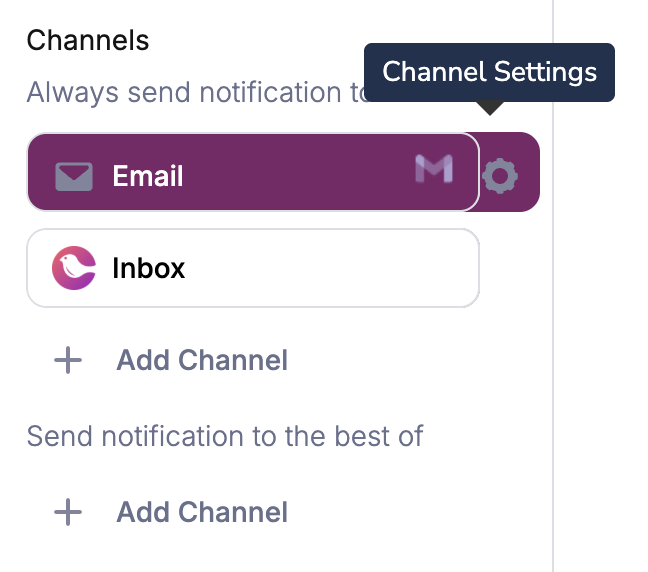
To view the Channel Settings, open the Template in the designer list, then click the settings icon next to the channel's name.
 ## General Settings
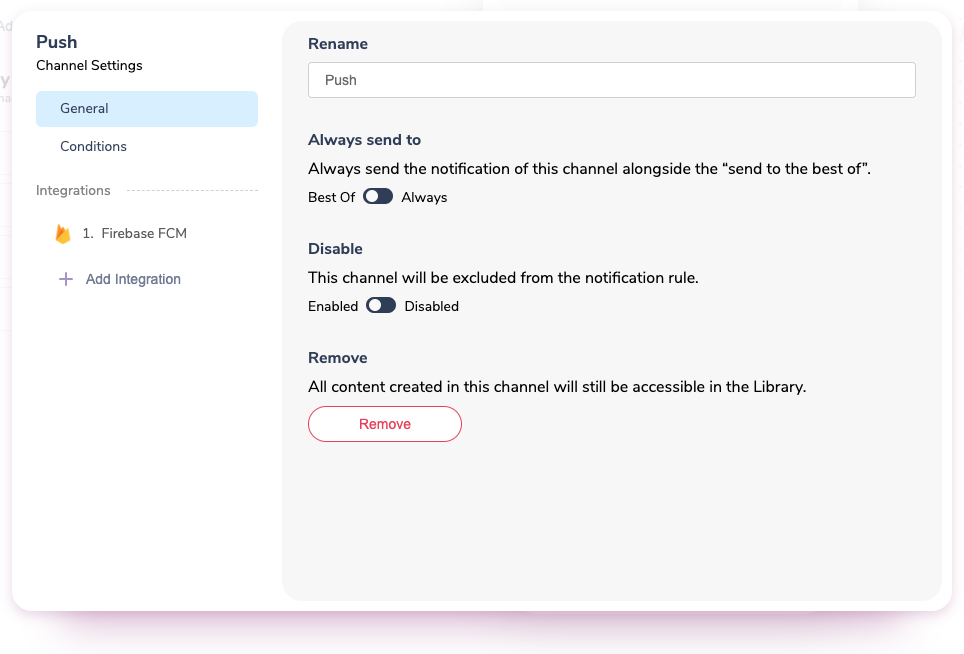 ### Always Send To
This setting controls how the channel behaves in relation to other channels:
* **"Best Of"**: The channel only sends if higher-priority channels fail. This is ideal for fallback scenarios (e.g., SMS as backup when email fails).
* **"Always"**: The channel sends to every recipient regardless of other channels' success. Use this when you want guaranteed delivery through multiple channels (e.g., both email and push for important notifications).
The "Best Of" setting works with the [channel priority hierarchy](/platform/sending/channel-priority) to create configurable fallback logic. Higher-priority channels attempt delivery first.
### Disable
* When set to Disabled, the Channel will not send under any conditions and will be skipped in the "Best of" Channel send hierarchy.
### Email-Specific Settings
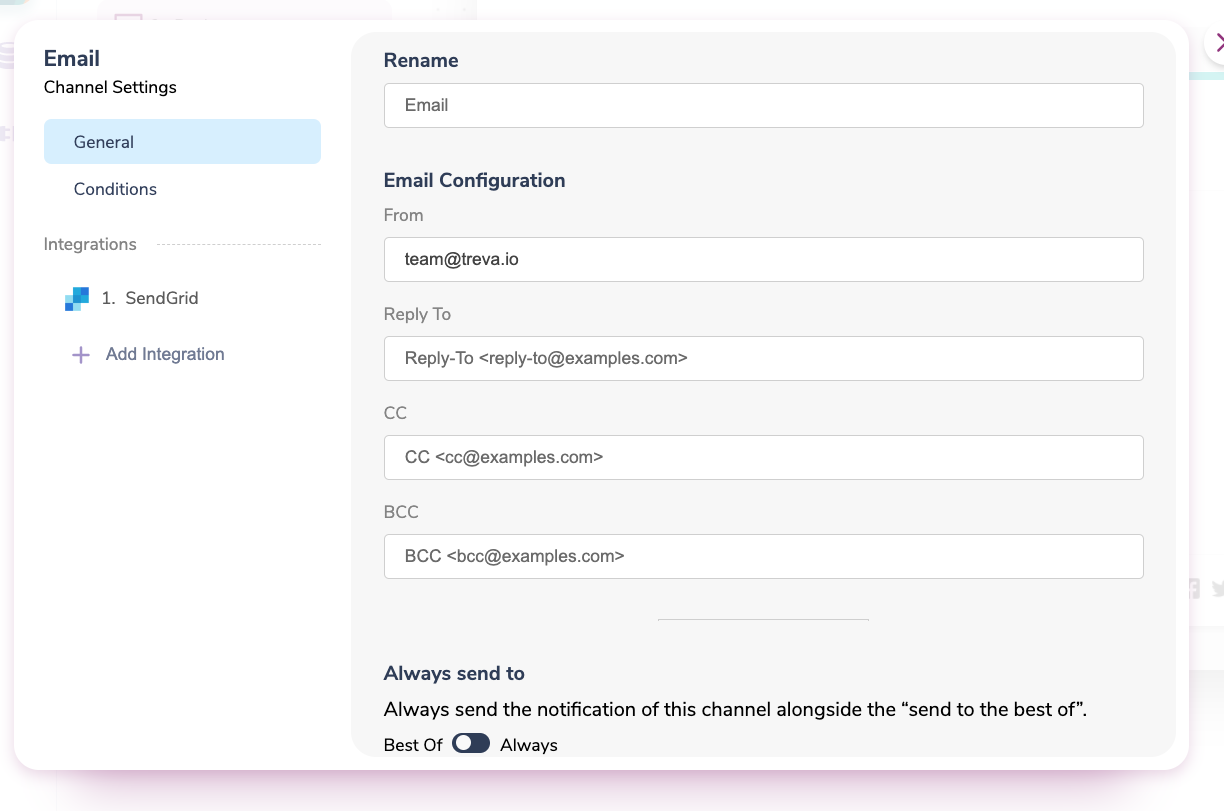
Email channels include additional configuration options for sender information and recipients:
* **From address**: Set the sender email address and display name using the format `"FirstName LastName "`
* **Reply-To address**: Specify where replies should be directed
* **CC/BCC addresses**: Add additional recipients using [replacement variables](/platform/content/variables/inserting-variables) for dynamic values
For full email address configuration guidance (provider defaults, override hierarchy, and formatting), see [Customizing Email Address Fields](/platform/content/template-settings/email-fields).
### Always Send To
This setting controls how the channel behaves in relation to other channels:
* **"Best Of"**: The channel only sends if higher-priority channels fail. This is ideal for fallback scenarios (e.g., SMS as backup when email fails).
* **"Always"**: The channel sends to every recipient regardless of other channels' success. Use this when you want guaranteed delivery through multiple channels (e.g., both email and push for important notifications).
The "Best Of" setting works with the [channel priority hierarchy](/platform/sending/channel-priority) to create configurable fallback logic. Higher-priority channels attempt delivery first.
### Disable
* When set to Disabled, the Channel will not send under any conditions and will be skipped in the "Best of" Channel send hierarchy.
### Email-Specific Settings
Email channels include additional configuration options for sender information and recipients:
* **From address**: Set the sender email address and display name using the format `"FirstName LastName "`
* **Reply-To address**: Specify where replies should be directed
* **CC/BCC addresses**: Add additional recipients using [replacement variables](/platform/content/variables/inserting-variables) for dynamic values
For full email address configuration guidance (provider defaults, override hierarchy, and formatting), see [Customizing Email Address Fields](/platform/content/template-settings/email-fields).
 ## Conditions
Channel conditions allow you to prevent a specific channel from sending based on data or profile properties, while other channels in the same notification can still deliver successfully.
### How Channel Conditions Work
Unlike template-level conditions that disable entire notifications, channel conditions only affect the specific channel where they're configured:
* **Template conditions**: Stop the entire notification from sending
* **Channel conditions**: Skip only this channel, other channels continue normally
### Setting Channel Conditions
For step-by-step setup instructions, operators, and UI guidance, see [Using Send Conditions](/platform/content/template-settings/send-conditions).
1. Open the channel settings and navigate to the **Conditions** tab
2. Select the **source** (data or profile) for your condition
3. Set the **property name**, **operator**, and **value**
4. Add multiple conditions if needed (choose from or / and operators)
## Conditions
Channel conditions allow you to prevent a specific channel from sending based on data or profile properties, while other channels in the same notification can still deliver successfully.
### How Channel Conditions Work
Unlike template-level conditions that disable entire notifications, channel conditions only affect the specific channel where they're configured:
* **Template conditions**: Stop the entire notification from sending
* **Channel conditions**: Skip only this channel, other channels continue normally
### Setting Channel Conditions
For step-by-step setup instructions, operators, and UI guidance, see [Using Send Conditions](/platform/content/template-settings/send-conditions).
1. Open the channel settings and navigate to the **Conditions** tab
2. Select the **source** (data or profile) for your condition
3. Set the **property name**, **operator**, and **value**
4. Add multiple conditions if needed (choose from or / and operators)
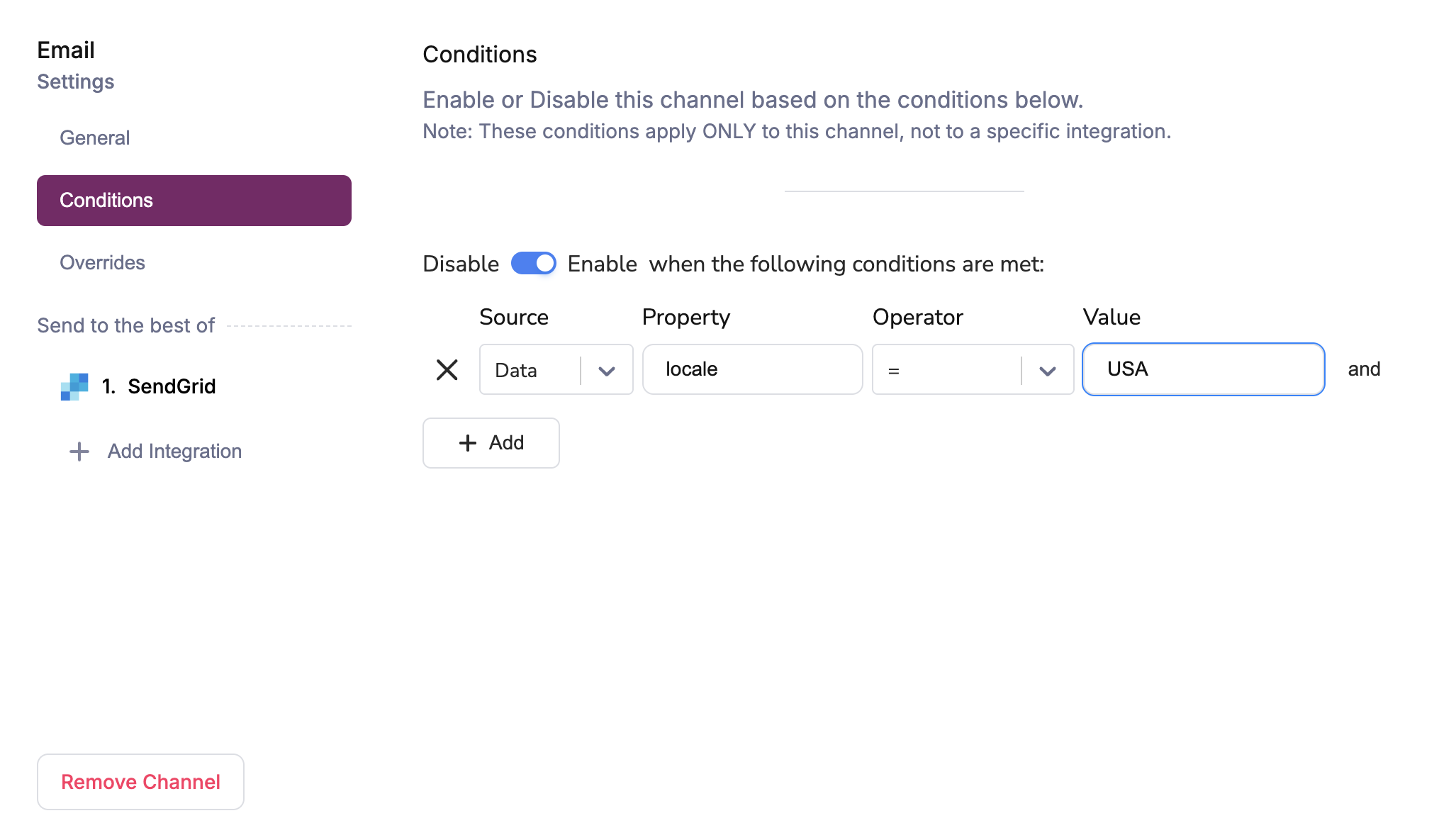 When you set multiple AND conditions, **all** conditions must be met to disable the channel.
User preferences take precedence over channel conditions. If a user has `custom_routing` configured, only selected channels are considered. Channel conditions still run for those selected channels, but cannot override the user's selection.
### Channel Conditions in JSON
Channel conditions can be configured in the Send API with `message.channels..if`, where each value is a JavaScript expression evaluated against `data` and `profile`.
Keep this page focused on channel behavior. For JSON examples, custom routing edge cases, and detailed condition patterns, use [Using Send Conditions](/platform/content/template-settings/send-conditions#channel-conditions-in-json).
If you specify a `routing` object in a send request, include any channel conditions you want to enforce in `message.channels`; template default routing conditions are not automatically carried over.
## Integrations
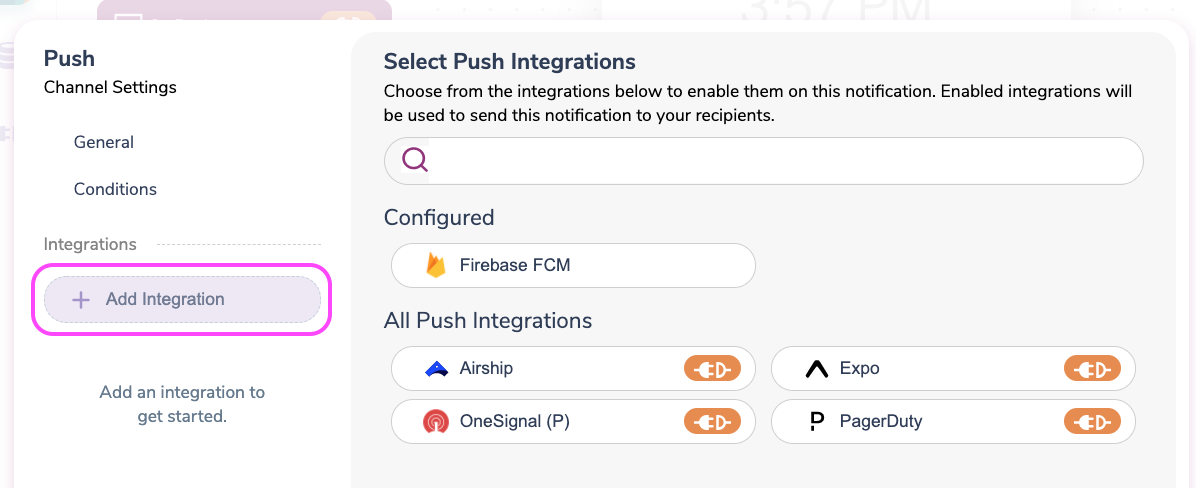
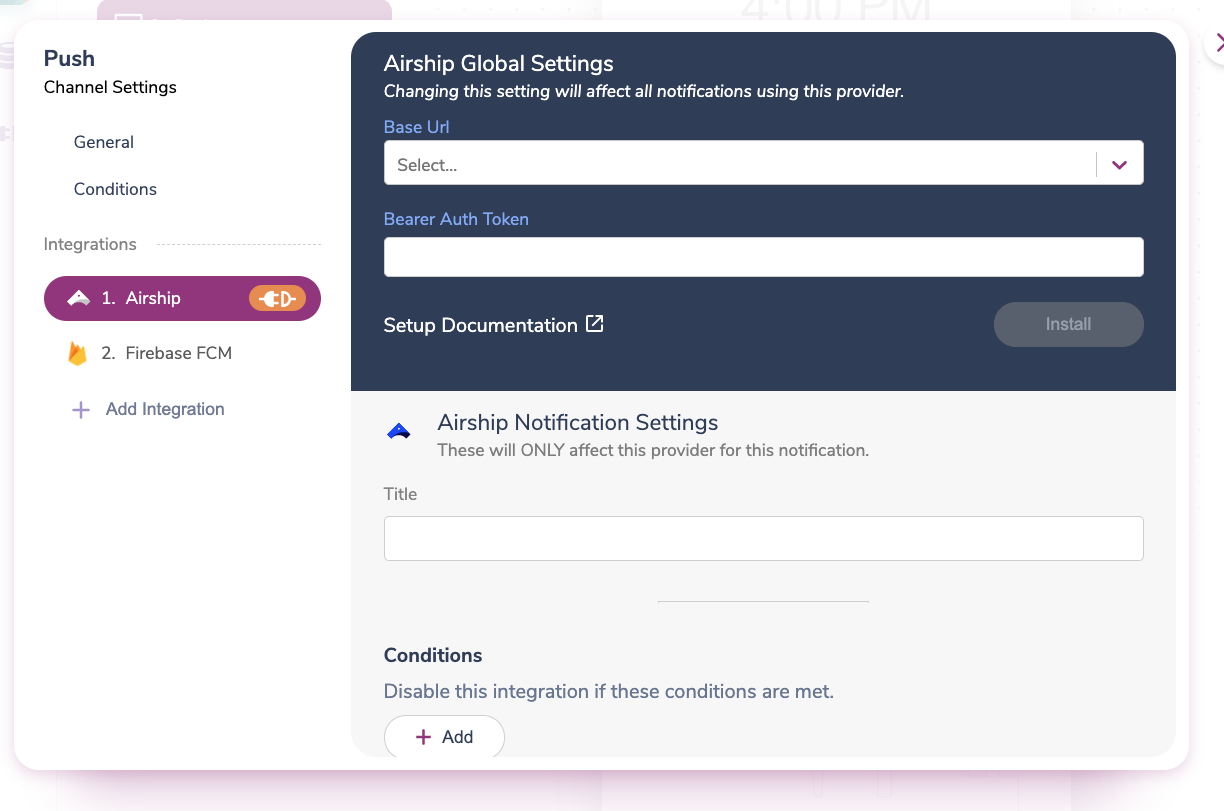
Each channel can use multiple provider integrations for redundancy and performance. The integrations section lets you:
* **View existing integrations** that are already configured for this channel
* **Add new providers** to expand your delivery options
* **Set send priority** to determine which provider to use first
* **Configure provider-specific settings** like API keys and delivery parameters
When you set multiple AND conditions, **all** conditions must be met to disable the channel.
User preferences take precedence over channel conditions. If a user has `custom_routing` configured, only selected channels are considered. Channel conditions still run for those selected channels, but cannot override the user's selection.
### Channel Conditions in JSON
Channel conditions can be configured in the Send API with `message.channels..if`, where each value is a JavaScript expression evaluated against `data` and `profile`.
Keep this page focused on channel behavior. For JSON examples, custom routing edge cases, and detailed condition patterns, use [Using Send Conditions](/platform/content/template-settings/send-conditions#channel-conditions-in-json).
If you specify a `routing` object in a send request, include any channel conditions you want to enforce in `message.channels`; template default routing conditions are not automatically carried over.
## Integrations
Each channel can use multiple provider integrations for redundancy and performance. The integrations section lets you:
* **View existing integrations** that are already configured for this channel
* **Add new providers** to expand your delivery options
* **Set send priority** to determine which provider to use first
* **Configure provider-specific settings** like API keys and delivery parameters
 ## What's Next
Configure template and channel conditions with UI and JSON examples.
Configure `From`, `Reply-To`, `CC`, and `BCC` with override behavior.
Set fallback order for channels in `Best Of` routing.
Guard channels against unresolved variables at render time.
## What's Next
Configure template and channel conditions with UI and JSON examples.
Configure `From`, `Reply-To`, `CC`, and `BCC` with override behavior.
Set fallback order for channels in `Best Of` routing.
Guard channels against unresolved variables at render time.