> ## Documentation Index
> Fetch the complete documentation index at: https://www.courier.com/docs/llms.txt
> Use this file to discover all available pages before exploring further.
# Lists & Audiences
> Manage user groups with static lists and dynamic audiences. Target users through manual curation or automated segmentation based on profile attributes and rules.
## Overview
Courier provides two approaches for targeting groups of users: static lists for manual curation and dynamic audiences for automated segmentation. Understanding when to use each method helps you build effective targeting strategies for your notifications.
## Key Features
Courier's group targeting provides flexible options for reaching the right users:
* **Static Lists** - Manually curated collections with complete membership control
* **Dynamic Audiences** - Automated segmentation based on profile rules; membership is maintained as profiles change
* **Advanced Operators** - Comprehensive filtering with equality, string, numeric, and date comparisons
* **Logical Combinations** - Complex targeting using AND/OR logic
* **Maintained membership** - Courier [keeps each audience's membership list current](#how-audience-membership-works) as profiles change (pre-computed and rebuilt, not evaluated per send)
## Static Lists
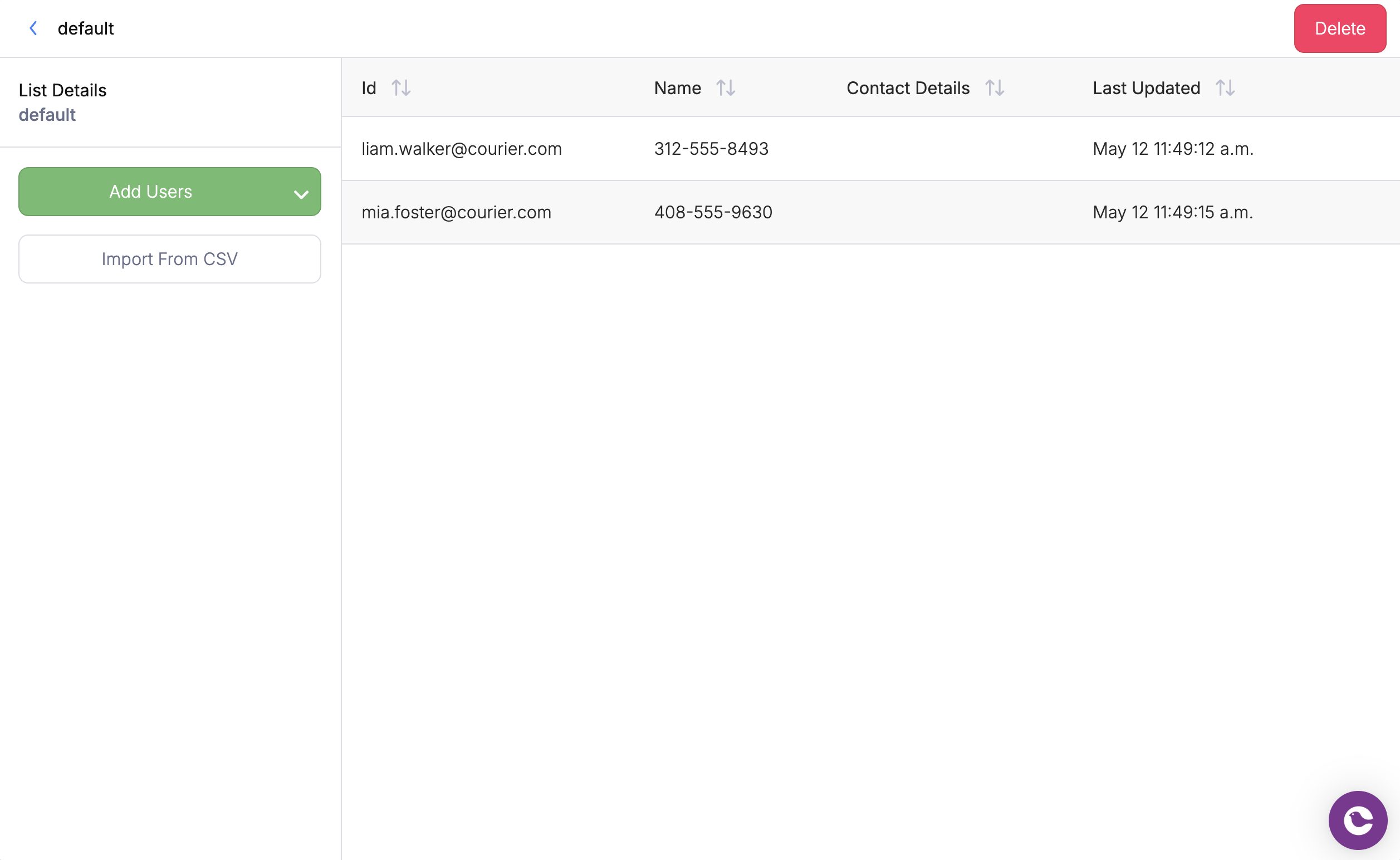
Lists are manually managed collections of users that you control completely. They're ideal for curated groups where you want precise control over membership.
 ### API Usage
Target a list using the `list_id` parameter in your send request:
```json theme={null}
{
"to": {
"list_id": "beta_testers"
}
}
```
## Dynamic Audiences
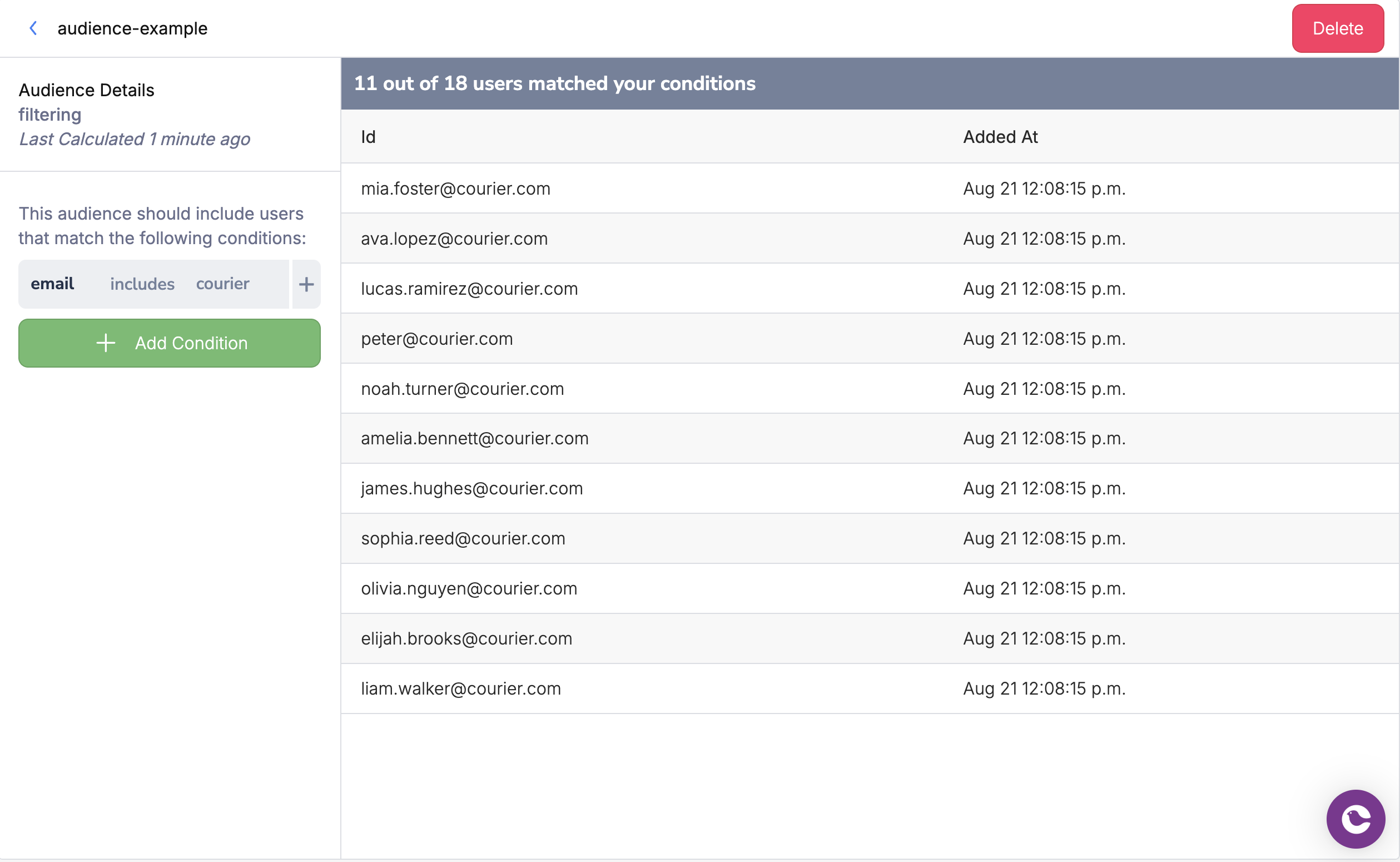
Audiences automatically include or exclude users based on rules and filters you define. Instead of manually managing membership, Courier maintains a membership list for each audience based on your rules and profile updates.
### API Usage
Target a list using the `list_id` parameter in your send request:
```json theme={null}
{
"to": {
"list_id": "beta_testers"
}
}
```
## Dynamic Audiences
Audiences automatically include or exclude users based on rules and filters you define. Instead of manually managing membership, Courier maintains a membership list for each audience based on your rules and profile updates.
 ### API Usage
Target an audience using the `audience_id` parameter in your send request:
```json theme={null}
{
"to": {
"audience_id": "active_premium_users"
}
}
```
## Audience Configuration
Audiences use **operators** to define which user profiles belong in the audience. Those rules drive how Courier **builds and refreshes** the audience [membership list](#how-audience-membership-works). When you send to an audience, Courier uses that list to choose recipients; it does not re-run the full rule set against every profile at send time.
**Benefits of dynamic audiences:**
* **Automatic updates** - Membership changes as user data changes
* **Complex targeting** - Combine multiple conditions with logical operators
* **Scalable segmentation** - No manual list maintenance required
### Available Operators
The table below summarizes operators when **defining an audience** in the UI or API. We've included both the operator as shown in the UI and the code value used in the [Audiences API](/api-reference/audiences/list-all-audiences).
| Category | Operator | Code | Use Cases |
| ------------- | --------------------------- | ------------- | -------------------------------------------------------- |
| **Equality** | is | `EQ` | Match exact values (subscription tiers, roles, statuses) |
| | is not | `NEQ` | Exclude specific values (not free tier, not inactive) |
| **String** | includes | `INCLUDES` | Email domains, name patterns, job titles |
| | does not include | `OMIT` | Exclude patterns or keywords |
| | starts with | `STARTS_WITH` | Email prefixes, ID patterns |
| | ends with | `ENDS_WITH` | Email domains (@company.com), file extensions |
| **Numeric** | is greater than | `GT` | Age minimums, spending thresholds |
| | is greater than or equal to | `GTE` | Account limits, minimum values |
| | is less than | `LT` | Age maximums, company size limits |
| | is less than or equal to | `LTE` | Budget caps, usage limits |
| **Date** | is greater than | `AFTER` | Recent activity, future dates |
| | is less than | `BEFORE` | Historical data, cutoff dates |
| **Existence** | exists | `EXISTS` | Has premium features, has phone number |
`MEMBER_OF` is **not** an audience-definition operator. When you need to [restrict an audience send to users who belong to a specific tenant](#scoping-audience-sends-by-tenant), pass it as an **inline filter** in `to.filters` on the send rather than in the audience definition.
### Combining Conditions
Use logical operators to create complex audience rules:
* **AND**: All conditions must be true (premium users in California)
* **OR**: At least one condition must be true (admin or manager roles)
## How audience membership works
Courier **pre-computes** audience membership. When a user profile changes, processing updates whether that user belongs to each audience. When you change an audience’s filter rules, Courier starts a **rebuild** of the membership list for that audience.
1. **Membership is materialized** - At send time, Courier reads from the stored membership for that audience version, not by evaluating every rule against every profile in one synchronous pass.
2. **Rebuilds after filter changes** - Rebuilding a large audience can take many minutes (for example 15–20 minutes for very large workspaces). While a rebuild is in progress, sends can read a **partially updated** membership list.
3. **Best practice before large sends** - After changing audience rules, wait for membership to settle. Use `GET /audiences/{audience_id}` and, if needed, spot-check `GET /audiences/{audience_id}/members` before you send to the full audience.
## Scoping audience sends by tenant
`context.tenant_id` on a send controls **branding, preferences, and template variables** for that tenant. It does **not** restrict which users in an audience receive the message.
To limit an audience send to users who belong to a specific tenant, add an inline **`filters`** array on the audience recipient with the `MEMBER_OF` operator and `path: account_id` (tenant id in Courier). Users must have tenant memberships via the User Tenants API (for example `PUT /users/{user_id}/tenants/{tenant_id}`).
```json theme={null}
{
"message": {
"to": {
"audience_id": "my-audience",
"filters": [
{ "operator": "MEMBER_OF", "path": "account_id", "value": "" }
]
},
"template": "TEMPLATE_ID",
"context": { "tenant_id": "" }
}
}
```
The `AudienceFilter` schema in the OpenAPI spec documents `MEMBER_OF` for this use case.
## Related Resources
Individual user profiles and targeting
Create and manage audiences programmatically
Start automations when users enter or leave an audience
### API Usage
Target an audience using the `audience_id` parameter in your send request:
```json theme={null}
{
"to": {
"audience_id": "active_premium_users"
}
}
```
## Audience Configuration
Audiences use **operators** to define which user profiles belong in the audience. Those rules drive how Courier **builds and refreshes** the audience [membership list](#how-audience-membership-works). When you send to an audience, Courier uses that list to choose recipients; it does not re-run the full rule set against every profile at send time.
**Benefits of dynamic audiences:**
* **Automatic updates** - Membership changes as user data changes
* **Complex targeting** - Combine multiple conditions with logical operators
* **Scalable segmentation** - No manual list maintenance required
### Available Operators
The table below summarizes operators when **defining an audience** in the UI or API. We've included both the operator as shown in the UI and the code value used in the [Audiences API](/api-reference/audiences/list-all-audiences).
| Category | Operator | Code | Use Cases |
| ------------- | --------------------------- | ------------- | -------------------------------------------------------- |
| **Equality** | is | `EQ` | Match exact values (subscription tiers, roles, statuses) |
| | is not | `NEQ` | Exclude specific values (not free tier, not inactive) |
| **String** | includes | `INCLUDES` | Email domains, name patterns, job titles |
| | does not include | `OMIT` | Exclude patterns or keywords |
| | starts with | `STARTS_WITH` | Email prefixes, ID patterns |
| | ends with | `ENDS_WITH` | Email domains (@company.com), file extensions |
| **Numeric** | is greater than | `GT` | Age minimums, spending thresholds |
| | is greater than or equal to | `GTE` | Account limits, minimum values |
| | is less than | `LT` | Age maximums, company size limits |
| | is less than or equal to | `LTE` | Budget caps, usage limits |
| **Date** | is greater than | `AFTER` | Recent activity, future dates |
| | is less than | `BEFORE` | Historical data, cutoff dates |
| **Existence** | exists | `EXISTS` | Has premium features, has phone number |
`MEMBER_OF` is **not** an audience-definition operator. When you need to [restrict an audience send to users who belong to a specific tenant](#scoping-audience-sends-by-tenant), pass it as an **inline filter** in `to.filters` on the send rather than in the audience definition.
### Combining Conditions
Use logical operators to create complex audience rules:
* **AND**: All conditions must be true (premium users in California)
* **OR**: At least one condition must be true (admin or manager roles)
## How audience membership works
Courier **pre-computes** audience membership. When a user profile changes, processing updates whether that user belongs to each audience. When you change an audience’s filter rules, Courier starts a **rebuild** of the membership list for that audience.
1. **Membership is materialized** - At send time, Courier reads from the stored membership for that audience version, not by evaluating every rule against every profile in one synchronous pass.
2. **Rebuilds after filter changes** - Rebuilding a large audience can take many minutes (for example 15–20 minutes for very large workspaces). While a rebuild is in progress, sends can read a **partially updated** membership list.
3. **Best practice before large sends** - After changing audience rules, wait for membership to settle. Use `GET /audiences/{audience_id}` and, if needed, spot-check `GET /audiences/{audience_id}/members` before you send to the full audience.
## Scoping audience sends by tenant
`context.tenant_id` on a send controls **branding, preferences, and template variables** for that tenant. It does **not** restrict which users in an audience receive the message.
To limit an audience send to users who belong to a specific tenant, add an inline **`filters`** array on the audience recipient with the `MEMBER_OF` operator and `path: account_id` (tenant id in Courier). Users must have tenant memberships via the User Tenants API (for example `PUT /users/{user_id}/tenants/{tenant_id}`).
```json theme={null}
{
"message": {
"to": {
"audience_id": "my-audience",
"filters": [
{ "operator": "MEMBER_OF", "path": "account_id", "value": "" }
]
},
"template": "TEMPLATE_ID",
"context": { "tenant_id": "" }
}
}
```
The `AudienceFilter` schema in the OpenAPI spec documents `MEMBER_OF` for this use case.
## Related Resources
Individual user profiles and targeting
Create and manage audiences programmatically
Start automations when users enter or leave an audience