> ## Documentation Index
> Fetch the complete documentation index at: https://www.courier.com/docs/llms.txt
> Use this file to discover all available pages before exploring further.
# Roles and Permissions
> Courier's Enterprise tier offers role-based access control, allowing admins to assign predefined roles with varying access levels to teammates for secure, organized platform usage and log visibility.
Roles and Permissions are available for Enterprise customers. Contact [Courier Support](mailto:support@courier.com) or your account team for access.
## Assigning Roles
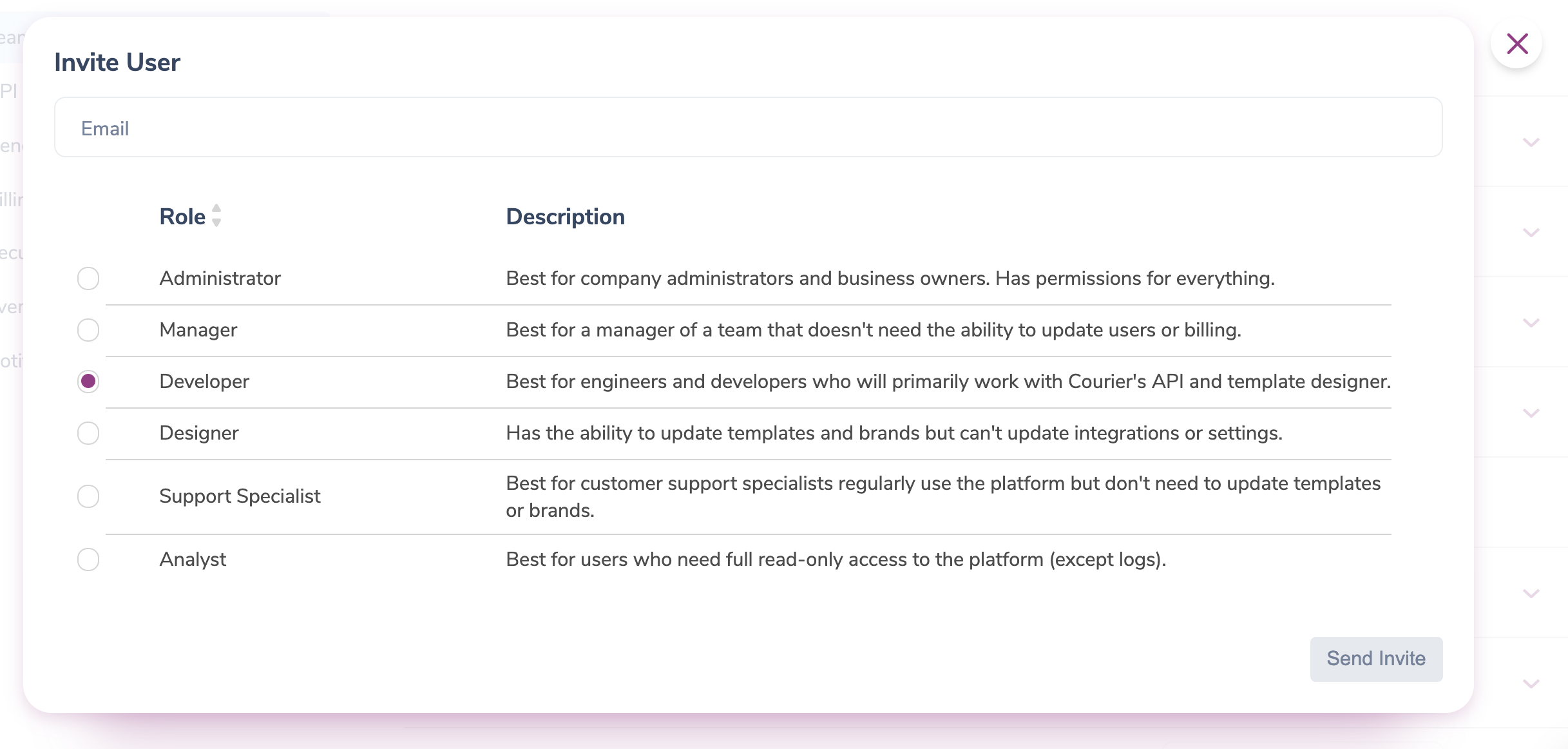
Workspace administrators can [invite teammates](/platform/workspaces/team-security#inviting-team-members-to-your-workspace) and assign or change roles from **Settings > Team**.
 ## Roles and Feature Access
Courier has six built-in roles. Log access is split into three levels:
* **Level 1:** View a list of messages with a high-level summary.
* **Level 2:** View list of messages with high-level summary and message status details (received, sent, delivered). Level 2 allows users to open the request received tab, which includes the profile data and their respective PII as well as any data passed via the request which may include PHI.
* **Full Access:** List of messages in logs along with high-level summary, message status details (received, sent, delivered). Rendered message visible in Logs.
| Role | Description | Feature Access |
| ---------------------- | ------------------------------------------------------------------------------------------------------------------ | --------------------------------------------------------------------------------------------------------------------------------------------------------------------------------------------------------- |
| **Admin** | Best for company administrators and business owners. Has permissions for everything. | \* Full read and write access
## Roles and Feature Access
Courier has six built-in roles. Log access is split into three levels:
* **Level 1:** View a list of messages with a high-level summary.
* **Level 2:** View list of messages with high-level summary and message status details (received, sent, delivered). Level 2 allows users to open the request received tab, which includes the profile data and their respective PII as well as any data passed via the request which may include PHI.
* **Full Access:** List of messages in logs along with high-level summary, message status details (received, sent, delivered). Rendered message visible in Logs.
| Role | Description | Feature Access |
| ---------------------- | ------------------------------------------------------------------------------------------------------------------ | --------------------------------------------------------------------------------------------------------------------------------------------------------------------------------------------------------- |
| **Admin** | Best for company administrators and business owners. Has permissions for everything. | \* Full read and write access
\* Account management
\* Edit Access to API keys |
| **Manager** | Best for a team manager who doesn't need to update users or billing. | \* Full read and write access
\* View Access to API keys |
| **Developer** | Best for engineers and developers who will primarily work with Courier's API and Templates & Automations Designer. | \* Read-only access in the Live (Production) environment
\* Full read and write access in the Test environment
\* Level 2 Logs Access in Production
\* Full Access to Logs in Test |
| **Designer** | Has the ability to update templates and brands but can't update integrations or settings. | \* Full read and write access for the Templates & Automations Designer, Brands and Metrics.
\* Read-only access for integrations and Lists
\* Level 1 Logs Access |
| **Support Specialist** | Best for customer support specialists regularly use the platform but don't need to update templates or brands. | \* Read-only access to Designer, Brands, Integrations.
\* Full read and write access in Lists and Metrics
\* Full Logs access |
| **Analyst** | Best for users who need full read-only access to the platform (except logs). | \* Read-only access to the Designer, Brands, Integrations and Lists
\* Full access to Metrics
\* Level 2 Logs Access |
## Custom Roles
Custom roles are available to Enterprise customers. Contact [Courier Support](mailto:support@courier.com) or your account team to set them up. The scopes you can assign to custom roles are listed below.
 ### Platform Scopes
**Analytics**
* `analytics:View`
**Assets**
* `asset:ListItems`
* `asset:ReadItem`
* `asset:WriteItem`
**Shared Content**
* `shared-content:ListItems`
* `shared-content:ReadItem`
* `shared-content:WriteItem`
**Logs**
* `message:ListItems`
* `message:ReadEventDetails`
* `message:ReadItem`
* `message:RequeueItem`
* `message:WriteItem`
* `automationLogs:CancelRun`
* `automationLogs:InvokeRun`
* `automationLogs:ListItems`
* `automationLogs:ReadItem`
* `automationLogs:WriteItem`
**Templates**
* `template:ListItems`
* `template:ReadItem`
* `template:WriteItem`
**Automations**
* `automationTemplate:Invoke`
* `automationTemplate:ListItems`
* `automationTemplate:ReadItem`
* `automationTemplate:WriteItem`
**Brands**
* `brand:ListItems`
* `brand:ReadItem`
* `brand:WriteItem`
**Preferences**
* `preferenceTemplate:ListItems`
* `preferenceTemplate:ReadItem`
* `preferenceTemplate:WriteItem`
**Users**
* `recipient:ListItems`
* `recipient:ReadItem`
* `recipient:WriteItem`
**Lists**
* `list:ListItems`
* `list:ReadItem`
* `list:WriteItem`
**Tenants**
* `tenant:ListItems`
* `tenant:ReadItem`
* `tenant:WriteItem`
**Metrics**
* `metrics:GetMetrics`
**Integrations**
* `integration:ListItems`
* `integration:ReadItem`
* `integration:WriteItem`
### Account Management Scopes
**API Keys**
* `apikey:ListItems`
* `apikey:ReadItem`
* `apikey:RotateKey`
* `apikey:WriteItem`
**Audit Trail**
* `auditTrail:ListItems`
**Billing**
* `billing:UpdatePaymentMethod`
* `billing:UpdatePlan`
* `billing:ViewBilling`
**Send Limits**
* `guardRails:ReadSetting`
* `guardRails:WriteSetting`
**Security**
* `security:WriteSettings`
**Team Management**
* `user:InviteUser`
* `user:ListItems`
* `user:ReadItem`
* `user:WriteItem`
**Tracking**
* `tracking:WriteSettings`
**Webhooks**
* `webhook:ListItems`
* `webhook:ReadItem`
* `webhook:WriteItem`
### Platform Scopes
**Analytics**
* `analytics:View`
**Assets**
* `asset:ListItems`
* `asset:ReadItem`
* `asset:WriteItem`
**Shared Content**
* `shared-content:ListItems`
* `shared-content:ReadItem`
* `shared-content:WriteItem`
**Logs**
* `message:ListItems`
* `message:ReadEventDetails`
* `message:ReadItem`
* `message:RequeueItem`
* `message:WriteItem`
* `automationLogs:CancelRun`
* `automationLogs:InvokeRun`
* `automationLogs:ListItems`
* `automationLogs:ReadItem`
* `automationLogs:WriteItem`
**Templates**
* `template:ListItems`
* `template:ReadItem`
* `template:WriteItem`
**Automations**
* `automationTemplate:Invoke`
* `automationTemplate:ListItems`
* `automationTemplate:ReadItem`
* `automationTemplate:WriteItem`
**Brands**
* `brand:ListItems`
* `brand:ReadItem`
* `brand:WriteItem`
**Preferences**
* `preferenceTemplate:ListItems`
* `preferenceTemplate:ReadItem`
* `preferenceTemplate:WriteItem`
**Users**
* `recipient:ListItems`
* `recipient:ReadItem`
* `recipient:WriteItem`
**Lists**
* `list:ListItems`
* `list:ReadItem`
* `list:WriteItem`
**Tenants**
* `tenant:ListItems`
* `tenant:ReadItem`
* `tenant:WriteItem`
**Metrics**
* `metrics:GetMetrics`
**Integrations**
* `integration:ListItems`
* `integration:ReadItem`
* `integration:WriteItem`
### Account Management Scopes
**API Keys**
* `apikey:ListItems`
* `apikey:ReadItem`
* `apikey:RotateKey`
* `apikey:WriteItem`
**Audit Trail**
* `auditTrail:ListItems`
**Billing**
* `billing:UpdatePaymentMethod`
* `billing:UpdatePlan`
* `billing:ViewBilling`
**Send Limits**
* `guardRails:ReadSetting`
* `guardRails:WriteSetting`
**Security**
* `security:WriteSettings`
**Team Management**
* `user:InviteUser`
* `user:ListItems`
* `user:ReadItem`
* `user:WriteItem`
**Tracking**
* `tracking:WriteSettings`
**Webhooks**
* `webhook:ListItems`
* `webhook:ReadItem`
* `webhook:WriteItem`