> ## Documentation Index
> Fetch the complete documentation index at: https://www.courier.com/docs/llms.txt
> Use this file to discover all available pages before exploring further.
# Courier Angular SDK
> Add an in-app inbox, toast alerts, and preferences to Angular 17+ apps with standalone components. Includes reactive state and WebSocket updates.
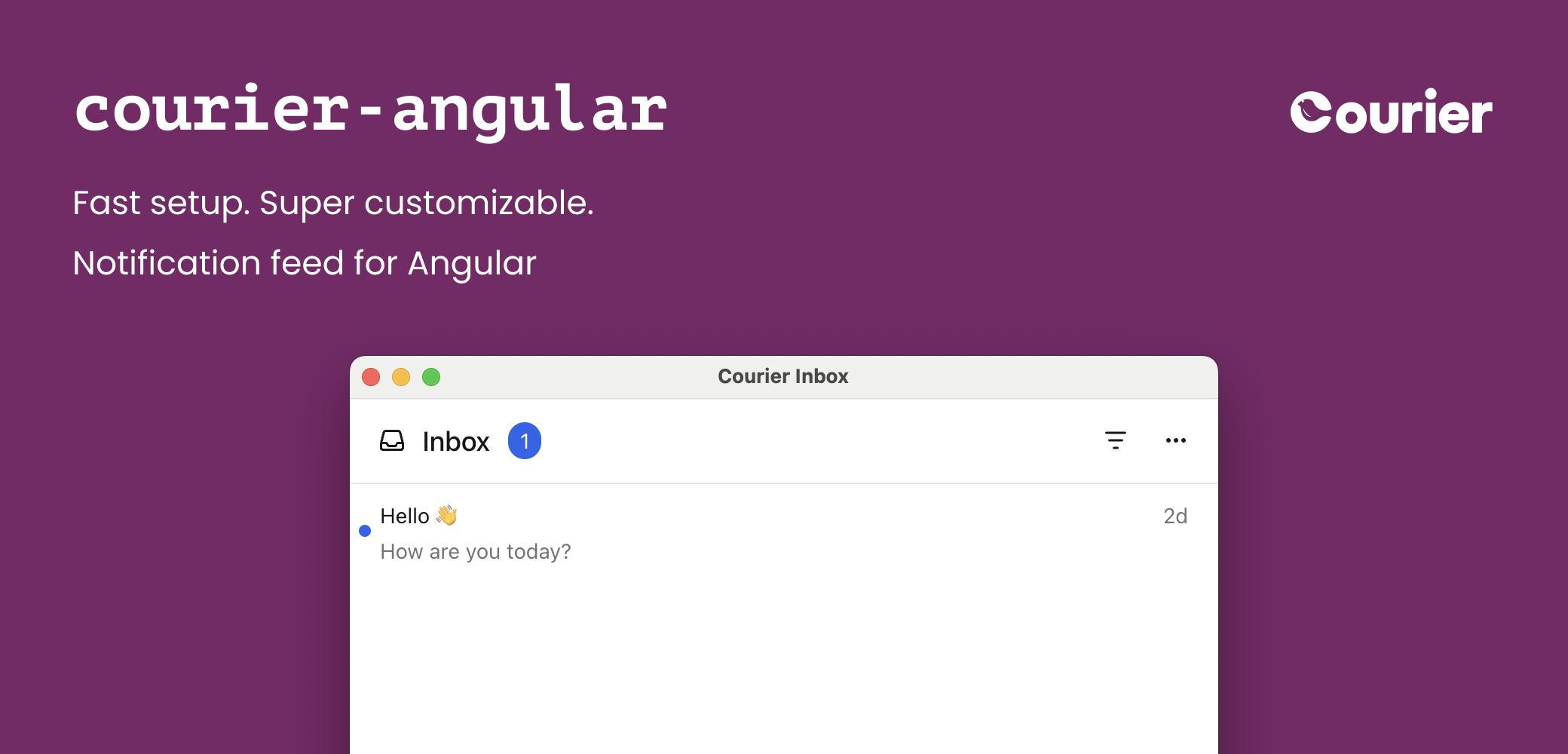
The Courier Angular SDK provides ready-made standalone components and an injectable service for building notification experiences:
* `` — full-featured inbox for displaying and managing messages
* `` — popup menu version of the inbox
* `` — toast notifications for time-sensitive alerts
* `` — notification preferences center for managing topic subscriptions and delivery
* `CourierService` — injectable service for programmatic access and custom UIs
See these components in action with the [interactive Inbox demo](https://www.courier.com/inbox-demo) — no setup required.
## Installation
Available on
GitHub
and npm.
```bash theme={null}
npm install @trycourier/courier-angular
```
`@angular/core` (>= 17), `@angular/common` (>= 17), and `rxjs` (>= 7) are peer dependencies.
The Courier Angular components are **standalone** — import the component classes
(`CourierInboxComponent`, `CourierInboxPopupMenuComponent`, `CourierToastComponent`,
`CourierPreferencesComponent`) directly into a component's `imports` array, or into a
standalone bootstrap. No NgModule is required.
Not using Angular? Check out the
[@trycourier/courier-ui-inbox](/docs/sdk-libraries/courier-ui-inbox-web/) and
[@trycourier/courier-ui-toast](/docs/sdk-libraries/courier-ui-inbox-web#toast-web-components)
packages instead, which provide Web Components for any JavaScript project.
## Authentication
To use the SDK, you need to generate a JWT (JSON Web Token) for your user. **This JWT should always be generated by your backend server, never in client-side code.**
When your app needs to authenticate a user, your client
should make a request to your own backend (ex. `GET https://your-awesome-app.com/api/generate-courier-jwt`).
In your backend endpoint, use your [Courier API Key](/docs/platform/workspaces/environments-api-keys) to call the [Courier Issue Token Endpoint](/docs/api-reference/authentication/create-a-jwt) and generate a JWT for the user.
Having received the JWT from Courier, your backend should return it to your client and pass it to the Courier SDK.
For a step-by-step walkthrough of authentication and token generation, see our JWT authentication tutorial.
### Development testing with cURL
To quickly test JWT generation for development only, you can call the [Issue Token Endpoint](/docs/api-reference/authentication/create-a-jwt) directly.
Do not call the Issue Token API from client-side code. Always keep your Courier API keys secure.
```bash theme={null}
curl -X POST https://api.courier.com/auth/issue-token \
-H 'Authorization: Bearer $YOUR_API_KEY' \
-H 'Content-Type: application/json' \
-d '{
"scope": "user_id:$YOUR_USER_ID inbox:read:messages inbox:write:events",
"expires_in": "1 day"
}'
```
## Quick Start
Get up and running with Courier Angular in minutes. Import `CourierInboxComponent` into your standalone component and inject `CourierService` to authenticate.
```ts theme={null}
import { AfterViewInit, Component, inject } from "@angular/core";
import { CourierInboxComponent, CourierService } from "@trycourier/courier-angular";
@Component({
selector: "app-root",
standalone: true,
imports: [CourierInboxComponent],
template: ``,
})
export class AppComponent implements AfterViewInit {
private readonly courier = inject(CourierService);
ngAfterViewInit(): void {
// Generate a JWT for your user on your backend server
const jwt = "eyJhbGciOiJIUzI1NiIsInR5cCI6IkpXVCJ9...";
// Authenticate the user
this.courier.signIn({ userId: "$YOUR_USER_ID", jwt });
}
}
```
Follow the [inbox implementation tutorial](/docs/tutorials/inbox/how-to-implement-inbox) for detailed step-by-step guidance including backend JWT generation.
## Inbox Component
### ``
The component's host element *is* the `` custom element. Bind inputs and outputs on it directly.
```ts theme={null}
import { AfterViewInit, Component, inject } from "@angular/core";
import { CourierInboxComponent, CourierService } from "@trycourier/courier-angular";
@Component({
selector: "app-root",
standalone: true,
imports: [CourierInboxComponent],
template: ``,
})
export class AppComponent implements AfterViewInit {
private readonly courier = inject(CourierService);
ngAfterViewInit(): void {
this.courier.signIn({ userId: "$YOUR_USER_ID", jwt: "..." });
}
}
```
If you're using [tenants](/docs/platform/tenants/tenants-overview), scope requests to a particular
tenant by passing its ID to `signIn`:
```ts theme={null}
this.courier.signIn({ userId: "my-user-id", jwt, tenantId: "my-tenant-id" });
```
For the full reference of sign in parameters, see the [Courier JS docs](/docs/sdk-libraries/courier-js-web#courierclient-options).
### ``
```ts theme={null}
import { Component } from "@angular/core";
import { CourierInboxPopupMenuComponent } from "@trycourier/courier-angular";
@Component({
selector: "app-popup",
standalone: true,
imports: [CourierInboxPopupMenuComponent],
template: `
`,
})
export class PopupComponent {}
```
## Tabs and Feeds
Tabs and feeds organize and filter messages in the inbox. A **feed** is a container that groups related **tabs** together. Each tab applies filters to show relevant messages. Pass them with the `[feeds]` input.
If there is only one feed, the feed selection dropdown is hidden. If a feed has only one tab, the tab bar is hidden and the unread count appears next to the feed.
Filter options for each tab:
| Filter Property | Type | Description |
| :-------------- | :------------------- | :------------------------------------------------------------------ |
| `tags` | `string[]` | Messages that have any of the specified tags |
| `archived` | `boolean` | Whether to include archived messages (defaults to `false` if unset) |
| `status` | `'read' \| 'unread'` | Filter by read/unread status |
```ts theme={null}
import { Component } from "@angular/core";
import { CourierInboxComponent, type CourierInboxFeed } from "@trycourier/courier-angular";
@Component({
selector: "app-root",
standalone: true,
imports: [CourierInboxComponent],
template: ``,
})
export class AppComponent {
feeds: CourierInboxFeed[] = [
{
feedId: "notifications",
title: "Notifications",
tabs: [
{ datasetId: "all-notifications", title: "All", filter: {} },
{ datasetId: "unread-notifications", title: "Unread", filter: { status: "unread" } },
{ datasetId: "important", title: "Important", filter: { tags: ["important"] } },
{ datasetId: "archived", title: "Archived", filter: { archived: true } },
],
},
];
}
```
### Handle Clicks and Presses
Listen for interactions with the `(messageClick)`, `(messageActionClick)`, and `(messageLongPress)` outputs.
| Output | Payload |
| :--------------------- | :--------------------------------------- |
| `(messageClick)` | `CourierInboxListItemFactoryProps` |
| `(messageActionClick)` | `CourierInboxListItemActionFactoryProps` |
| `(messageLongPress)` | `CourierInboxListItemFactoryProps` |
`messageLongPress` is only applicable on devices that support touch events.
```ts theme={null}
@Component({
selector: "app-root",
standalone: true,
imports: [CourierInboxComponent],
template: `
`,
})
export class AppComponent {
onMessageClick({ message, index }: CourierInboxListItemFactoryProps) {
alert(`Message clicked at index ${index}:\n${JSON.stringify(message, null, 2)}`);
}
onMessageActionClick({ action }: CourierInboxListItemActionFactoryProps) {
alert(`Action clicked: ${JSON.stringify(action, null, 2)}`);
}
}
```
### Styles and Theming
Customize the inbox to match your app with a theme object passed to `[lightTheme]` and/or `[darkTheme]`. Pass the object directly — the component serializes it for you.
```ts theme={null}
import { Component } from "@angular/core";
import { CourierInboxComponent, type CourierInboxTheme } from "@trycourier/courier-angular";
@Component({
selector: "app-root",
standalone: true,
imports: [CourierInboxComponent],
template: ``,
})
export class AppComponent {
theme: CourierInboxTheme = {
inbox: {
header: { filters: { unreadIndicator: { backgroundColor: "#8B5CF6" } } },
list: { item: { unreadIndicatorColor: "#8B5CF6" } },
},
};
}
```
Theme utilities: `defaultLightTheme` / `defaultDarkTheme` provide the default inbox themes, and `mergeTheme(baseTheme, overrideTheme)` merges two themes with the override taking precedence.
The full `CourierInboxTheme` type covers the popup trigger button, the inbox window (header, feeds, tabs, actions), the message list (items, scrollbar, menus), and loading/empty/error states. Every property is optional. See the complete reference in the [Courier React SDK theme reference](/docs/sdk-libraries/courier-react-web#styles-and-theming) (the theme object is identical across SDKs).
### Popup alignment and dimensions
| Vertical Alignment | Options |
| :----------------- | :--------------------------------------------------- |
| Top | `"top-right"`, `"top-center"`, `"top-left"` |
| Center | `"center-right"`, `"center-center"`, `"center-left"` |
| Bottom | `"bottom-right"`, `"bottom-center"`, `"bottom-left"` |
```html theme={null}
```
#### Fixed height
`` has a default height of `auto`. Set a fixed height with the `height` input:
```html theme={null}
```
### Custom Elements
You can customize individual parts of the inbox by providing named `` children. The component reads them via `@ContentChild` and renders them where the matching slot appears. The template's implicit context is the factory props (`let-props`).
| Template ref | Factory props |
| :---------------- | :-------------------------------------------------- |
| `#header` | `CourierInboxHeaderFactoryProps` |
| `#listItem` | `CourierInboxListItemFactoryProps` |
| `#emptyState` | `CourierInboxStateEmptyFactoryProps` |
| `#loadingState` | `CourierInboxStateLoadingFactoryProps` |
| `#errorState` | `CourierInboxStateErrorFactoryProps` |
| `#paginationItem` | `CourierInboxPaginationItemFactoryProps` |
| `#menuButton` | `CourierInboxMenuButtonFactoryProps` *(popup menu)* |
```ts theme={null}
@Component({
selector: "app-root",
standalone: true,
imports: [CourierInboxComponent],
template: `
`,
})
export class AppComponent {}
```
You can also reach the underlying web component for imperative methods (e.g. `removeHeader()`, `selectFeed()`) with a `@ViewChild` `ElementRef`:
```ts theme={null}
import { AfterViewInit, Component, ElementRef, ViewChild } from "@angular/core";
import { CourierInboxComponent, type CourierInboxElement } from "@trycourier/courier-angular";
@Component({
selector: "app-root",
standalone: true,
imports: [CourierInboxComponent],
template: ``,
})
export class AppComponent implements AfterViewInit {
@ViewChild("inbox", { read: ElementRef }) inboxRef!: ElementRef;
ngAfterViewInit(): void {
// Defer so the component's own deferred setup runs first.
queueMicrotask(() => this.inboxRef.nativeElement.removeHeader());
}
}
```
## Toast Component
### ``
Toasts are short-lived notifications that notify users and prompt them to take action. The Toast component is connected to the feed of Courier Inbox messages.
```ts theme={null}
import { AfterViewInit, Component, inject } from "@angular/core";
import { CourierToastComponent, CourierService } from "@trycourier/courier-angular";
@Component({
selector: "app-root",
standalone: true,
imports: [CourierToastComponent],
template: ``,
})
export class AppComponent implements AfterViewInit {
private readonly courier = inject(CourierService);
ngAfterViewInit(): void {
this.courier.signIn({ userId: "$YOUR_USER_ID", jwt: "..." });
}
}
```
Some initialization for toasts is asynchronous. If your app displays toasts immediately when
the component is mounted, use the `(ready$)` output to wait until the component is fully initialized.
### Handle Clicks
| Output | Payload |
| :----------------------- | :--------------------------------- |
| `(toastItemClick)` | `CourierToastItemClickEvent` |
| `(toastItemActionClick)` | `CourierToastItemActionClickEvent` |
```html theme={null}
```
### Styles and Theming
```ts theme={null}
import { Component } from "@angular/core";
import { CourierToastComponent, type CourierToastTheme } from "@trycourier/courier-angular";
@Component({
selector: "app-root",
standalone: true,
imports: [CourierToastComponent],
template: ``,
})
export class AppComponent {
theme: CourierToastTheme = {
item: {
title: { color: "#6366f1", weight: "bold" },
backgroundColor: "#edeefc",
border: "1px solid #cdd1ff",
borderRadius: "15px",
},
};
}
```
Toast theme utilities: `defaultToastLightTheme` / `defaultToastDarkTheme` for defaults, and `mergeToastTheme(baseTheme, overrideTheme)` to merge.
### Custom Elements
Provide a named `` to customize toast rendering:
| Template ref | Description |
| :------------------ | :------------------------------ |
| `#toastItemContent` | customize the content area only |
| `#toastItem` | fully replace each toast item |
```ts theme={null}
@Component({
selector: "app-root",
standalone: true,
imports: [CourierToastComponent],
template: `
{{ props.message.title }}
{{ props.message.body }}
`,
})
export class AppComponent {}
```
### CourierToast Inputs
| Input | Type | Default | Description |
| :--------------------- | :------------------------------------------- | :---------- | :-------------------------------------- |
| `lightTheme` | `CourierToastTheme` | `undefined` | Theme for light mode. |
| `darkTheme` | `CourierToastTheme` | `undefined` | Theme for dark mode. |
| `mode` | `"light" \| "dark" \| "system"` | `"system"` | Theme mode. |
| `autoDismiss` | `boolean` | `false` | Enable auto-dismiss with countdown bar. |
| `autoDismissTimeoutMs` | `number` | `5000` | Timeout in ms before auto-dismiss. |
| `dismissButton` | `"visible" \| "hidden" \| "hover" \| "auto"` | `"auto"` | Dismiss button visibility. |
```html theme={null}
```
## Preferences Component
### ``
The Preferences component lets your users manage which topics they're subscribed to and how each topic is delivered (per-channel routing and digest schedules), directly inside your Angular app.
```ts theme={null}
import { AfterViewInit, Component, inject } from "@angular/core";
import { CourierPreferencesComponent, CourierService } from "@trycourier/courier-angular";
@Component({
selector: "app-root",
standalone: true,
imports: [CourierPreferencesComponent],
template: ``,
})
export class AppComponent implements AfterViewInit {
private readonly courier = inject(CourierService);
ngAfterViewInit(): void {
this.courier.signIn({ userId: "$YOUR_USER_ID", jwt: "..." });
}
}
```
Authentication requires a JWT that includes the `read:preferences` and `write:preferences` scopes.
### CourierPreferences Inputs
| Input | Type | Default | Description |
| :-------------- | :------------------------------ | :---------- | :-------------------------------------------------------------------------- |
| `lightTheme` | `CourierPreferencesTheme` | `undefined` | Theme for light mode. Merged with defaults. |
| `darkTheme` | `CourierPreferencesTheme` | `undefined` | Theme for dark mode. Merged with defaults. |
| `mode` | `"light" \| "dark" \| "system"` | `"system"` | Theme mode. |
| `title` | `string` | `undefined` | Override the component's title text. |
| `subtitle` | `string` | `undefined` | Override the component's subtitle text. |
| `brandId` | `string` | `undefined` | Render preferences using a specific brand's styling. |
| `channelLabels` | `Record` | `undefined` | Rename how delivery channels appear in the UI (e.g. `{ email: "E-mail" }`). |
The `(error)` output is invoked when the component encounters an error. Preferences theme utilities: `defaultPreferencesLightTheme` / `defaultPreferencesDarkTheme` for defaults, and `mergePreferencesTheme(mode, overrideTheme)` to merge.
## CourierService
The injectable `CourierService` provides programmatic access to Courier functionality for building custom UIs. It exposes auth/inbox/toast state as RxJS observables plus imperative action methods. Inject it with `inject(CourierService)` or constructor injection — it's `providedIn: "root"`.
### When to use the service vs components
* **Components** (``, ``): quick integration with default UI
* **Service** (`CourierService`): custom UIs, programmatic control, advanced state management
* **Both together**: use the service for state management while components handle rendering
### Reactive state
| Observable | Emits |
| :--------- | :---------------------------------------------------------------------------------- |
| `auth$` | `{ userId?: string }` |
| `inbox$` | `{ feeds: Record, totalUnreadCount?: number, error?: Error }` |
| `toast$` | `{ error?: Error }` |
You must call `listenForUpdates()` after authentication to enable real-time message updates. Without this, the inbox only shows messages from the initial load.
**Complete example** — authentication, inbox setup, real-time updates, and displaying messages with the `async` pipe:
```ts theme={null}
import { Component, OnInit, inject } from "@angular/core";
import { AsyncPipe } from "@angular/common";
import { CourierService, defaultFeeds } from "@trycourier/courier-angular";
@Component({
selector: "app-inbox-list",
standalone: true,
imports: [AsyncPipe],
template: `
Total Unread: {{ inbox.totalUnreadCount ?? 0 }}
{{ message.title }}
`,
})
export class InboxListComponent implements OnInit {
readonly courier = inject(CourierService);
async ngOnInit(): Promise {
this.courier.signIn({
userId: "$YOUR_USER_ID",
jwt: "eyJhbGciOiJIUzI1NiIsInR5cCI6IkpXVCJ9...",
});
this.courier.registerFeeds(defaultFeeds());
await this.courier.listenForUpdates();
await this.courier.load();
}
}
```
### Methods
| Method | Description |
| :------------------------------------------------------------------------------------------------------------------- | :------------------------------------------------------------------------- |
| `signIn(props)` / `signOut()` | Authenticate / sign out the current user. |
| `load(props?)` | Load messages. Optional `{ canUseCache }`. |
| `fetchNextPageOfMessages({ datasetId })` | Fetch next page. Returns `InboxDataSet \| null`. |
| `setPaginationLimit(limit)` | Set messages per page. |
| `registerFeeds(feeds)` | Register feeds and tabs with the datastore. |
| `listenForUpdates()` | Start WebSocket connection for real-time updates. **Required after auth.** |
| `readMessage` / `unreadMessage` / `archiveMessage` / `unarchiveMessage` / `clickMessage` / `openMessage` `(message)` | Per-message actions. |
| `readAllMessages()` | Mark all as read. |
| `addToastMessage(message)` / `removeToastMessage(message)` | Add / remove a message from the toast stack. |
| `getUserPreferences(props?)` and other preferences methods | Read and update notification preferences. |
## Advanced
### EU and regional endpoints
Only needed if your workspace uses the [EU datacenter](/docs/platform/workspaces/eu-datacenter). `@trycourier/courier-angular` re-exports `EU_COURIER_API_URLS` and `getCourierApiUrlsForRegion` from `@trycourier/courier-js`.
```ts theme={null}
import { getCourierApiUrlsForRegion } from "@trycourier/courier-angular";
this.courier.signIn({
userId: "$YOUR_USER_ID",
jwt: "eyJhbGciOiJIUzI1NiIsInR5cCI6IkpXVCJ9...",
apiUrls: getCourierApiUrlsForRegion("eu"),
});
```
### Custom-element schema
The Courier Angular components render native custom elements internally. They are self-contained standalone components, so you do not need to add `CUSTOM_ELEMENTS_SCHEMA` to your own components when using them — just import the component classes.
### Server-side rendering
Courier Inbox and Toast render client-side only. They wire up in `ngAfterViewInit` (which doesn't run on the server), so they work with Angular Universal / SSR setups — the components simply render once on the client.
### Troubleshooting
Make sure you've called `listenForUpdates()` on `CourierService` after authentication. This establishes the WebSocket connection required for real-time updates.
```ts theme={null}
this.courier.signIn({ userId, jwt });
this.courier.registerFeeds(defaultFeeds());
await this.courier.listenForUpdates(); // Required for real-time
await this.courier.load();
```
**Possible causes:**
1. Not authenticated — ensure `signIn()` has been called
2. Feeds not registered — call `registerFeeds()` before `load()`
3. Network errors — subscribe to `inbox$` and check its `error`
4. JWT expired — generate a new token
* **Invalid JWT**: Ensure the JWT is generated correctly on your backend
* **Expired JWT**: JWTs have an expiration time; generate a new one
* **Missing scopes**: Ensure your JWT includes `inbox:read:messages` and `inbox:write:events`
* **Wrong user ID**: Verify the `userId` matches the user the JWT was issued for
Custom render slots are provided as named `` children (e.g. ``), read by the component via `@ContentChild`. Ensure the ref name matches exactly (`#header`, `#listItem`, `#emptyState`, `#loadingState`, `#errorState`, `#paginationItem`, `#menuButton`, `#toastItem`, `#toastItemContent`).
Import types directly from the package:
```ts theme={null}
import { CourierService, type InboxMessage, type CourierInboxFeed } from "@trycourier/courier-angular";
```
### Best Practices
* **JWT Security**: Always generate JWTs server-side. Cache on the client, refresh before expiration (standard: `'1d'`), include only necessary scopes.
* **Performance**: Use `canUseCache: true` (default) for cached data. Set appropriate `setPaginationLimit()` values. Prefer the `async` pipe over manual subscriptions so Angular manages teardown.
* **Testing**: Provide a mock `CourierService` in `TestBed` to return test data:
```ts theme={null}
import { of } from "rxjs";
TestBed.configureTestingModule({
providers: [
{
provide: CourierService,
useValue: {
inbox$: of({ feeds: { all_messages: { messages: mockMessages } }, totalUnreadCount: 5 }),
signIn: () => {},
},
},
],
});
```
## TypeScript Types
```typescript theme={null}
type InboxMessage = {
messageId: string;
title?: string;
body?: string;
read?: string; // ISO timestamp
opened?: string; // ISO timestamp
archived?: string; // ISO timestamp
tags?: string[];
trackingIds?: { clickTrackingId?: string; openTrackingId?: string; };
actions?: InboxAction[];
data?: Record;
}
```
```typescript theme={null}
type InboxDataSet = {
id: string;
messages: InboxMessage[];
unreadCount: number;
canPaginate: boolean;
paginationCursor: string | null;
}
```
```typescript theme={null}
type CourierInboxFeed = {
feedId: string;
title: string;
iconSVG?: string;
tabs: CourierInboxTab[];
}
```
```typescript theme={null}
type CourierInboxTab = {
datasetId: string;
title: string;
filter: CourierInboxDatasetFilter;
}
```
```typescript theme={null}
type CourierInboxDatasetFilter = {
tags?: string[];
archived?: boolean;
status?: 'read' | 'unread';
}
```
All filter properties are AND'd together. For example, `{ tags: ['important'], status: 'unread' }` shows messages that have the 'important' tag AND are unread.
```typescript theme={null}
type CourierToastItemFactoryProps = {
message: InboxMessage;
autoDismiss: boolean;
autoDismissTimeoutMs: number;
dismiss: () => void;
}
```
 The Courier Angular SDK provides ready-made standalone components and an injectable service for building notification experiences:
* `
The Courier Angular SDK provides ready-made standalone components and an injectable service for building notification experiences:
* `