> ## Documentation Index
> Fetch the complete documentation index at: https://www.courier.com/docs/llms.txt
> Use this file to discover all available pages before exploring further.
# How to Implement Courier Inbox
> Courier Inbox provides an in-app notification center powered by JWT-authenticated React components, allowing users to view and manage real-time and historical messages directly within your web application.
## Installation
New to Inbox? See it in action first with the [interactive Inbox demo](https://www.courier.com/inbox-demo) — no setup required.
To implement Inbox in React, you'll need a backend to retrieve messages. This functionality is managed through the `CourierInbox` component and requires an active [Courier account](https://app.courier.com/).
### Steps to Set Up Inbox
Install the Courier React SDK package for your React version.
```bash React 18+ theme={null}
npm install @trycourier/courier-react
```
```bash React 17 theme={null}
npm install @trycourier/courier-react-17
```
```jsx theme={null}
//App.js
import { CourierInbox } from "@trycourier/courier-react";
function App() {
return ;
}
```
**Sample App**: Want to see a complete working example? Clone and run our [React Inbox sample app](https://github.com/trycourier/courier-samples/tree/main/web/react/inbox) from the [courier-samples repository](https://github.com/trycourier/courier-samples).
After installation, you'll need a [JWT](/platform/inbox/authentication) to authenticate your users. Each JWT should be generated for an individual user by your backend and securely provided to your frontend client. For details, see our full [How to Send a JWT from Your Backend](./how-to-send-jwt.mdx) tutorial, which provides language-specific backend examples.
**Required JWT scopes for Inbox:**
* `user_id:{{userId}}` - Restricts the token to a specific user
* `inbox:read:messages` - Allows fetching inbox messages
* `inbox:write:events` - Allows marking messages as read/unread or archive
You can designate how long tokens last by passing an expires\_in property to the token generation.
An example payload to the issue-token API looks like :
```json theme={null}
{
"scope": "user_id:{{userId}} inbox:read:messages inbox:write:events",
"expires_in": "1d"
}
```
Use JWTs to initialize and configure the CourierInbox component in your application. Here's a complete example with JWT authentication:
```jsx theme={null}
//App.js
import { useState, useEffect } from "react";
import { CourierInbox, useCourier } from "@trycourier/courier-react";
function App() {
const [courierJwt, setCourierJwt] = useState();
const [userId] = useState('example_user');
const courier = useCourier();
const generateCourierJwt = async () => {
// Pass user ID to your backend to generate a JWT
const response = await fetch(`/api/generate-courier-jwt`, {
method: 'POST',
headers: {
'Content-Type': 'application/json',
},
body: JSON.stringify({ userId })
});
const { token } = await response.json();
setCourierJwt(token);
};
// When the userId in the app changes,
// generate a new JWT to sign in to the Courier SDK
useEffect(() => {
generateCourierJwt();
}, [userId]);
// When courierJwt has been updated, call signIn
useEffect(() => {
if (courierJwt) {
// Authenticate the user with the inbox
courier.shared.signIn({ userId, jwt: courierJwt });
}
}, [courierJwt, userId]);
return ;
}
```
### Send a Notification to Inbox
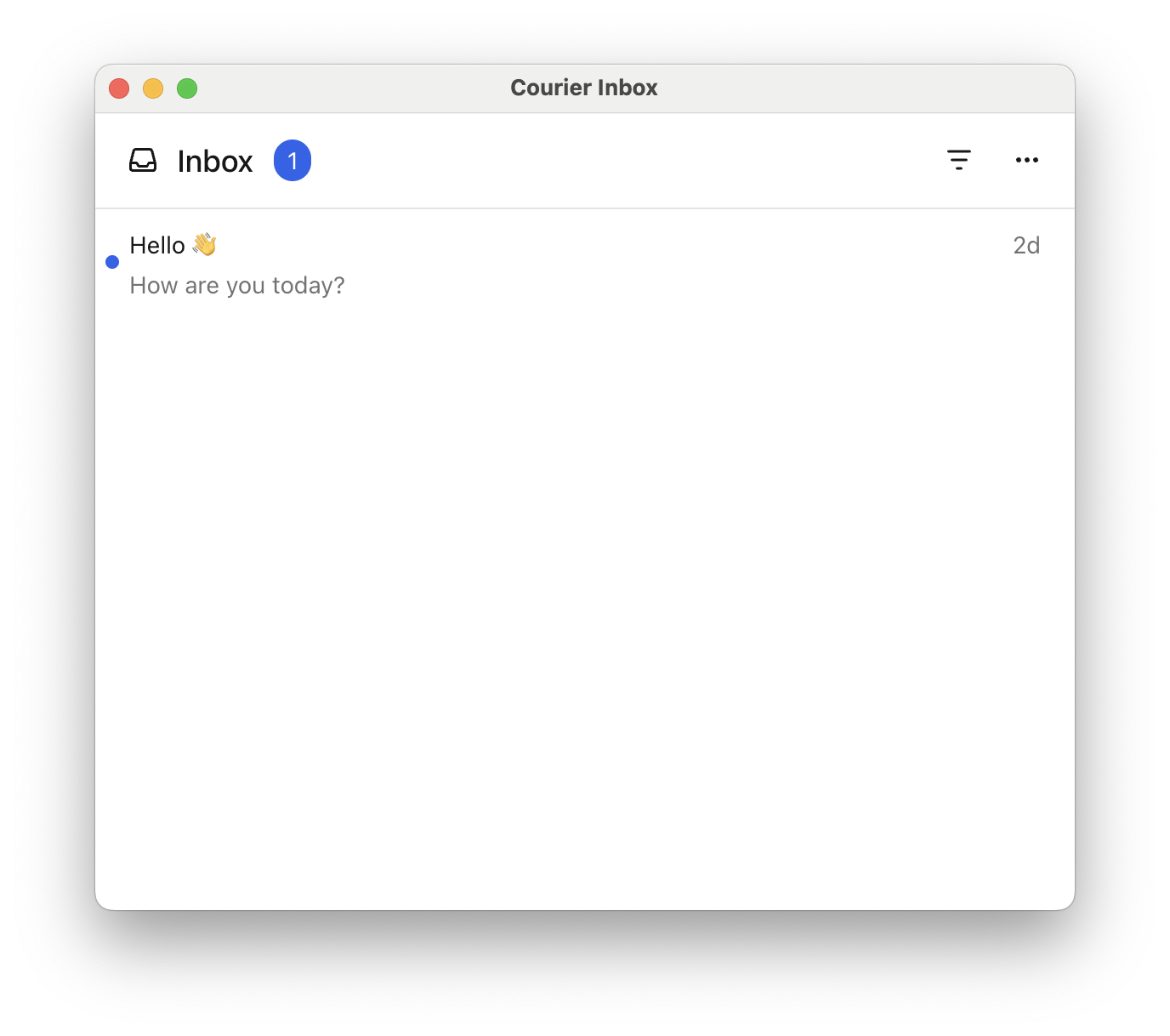
To test your Inbox setup, send a message using the [Courier Send API](/platform/sending/send-message). Just set the `to` field to your user's ID, add a `title` and `body`, and set `routing` to use only the `"inbox"` channel as shown in the example below.
Use `curl`, Postman, or any HTTP client with your API key. If successful, you’ll see the message appear in your Inbox UI.
```bash cURL theme={null}
curl -X POST https://api.courier.com/send \
-H "Authorization: Bearer YOUR_AUTH_TOKEN" \
-H "Content-Type: application/json" \
-d '{
"message": {
"to": {"user_id": "example_user"},
"content": {
"title": "Hello 👋",
"body": "How are you today?"
},
"routing": {
"method": "single",
"channels": ["inbox"]
}
}
}'
```
```javascript Node.js theme={null}
import Courier from "@trycourier/courier";
const client = new Courier({ apiKey: "your_api_key" });
const { requestId } = await client.send.message({
message: {
to: { user_id: "example_user" },
content: {
title: "Hello 👋",
body: "How are you today?"
},
routing: {
method: "single",
channels: ["inbox"]
}
}
});
```
```python Python theme={null}
from courier import Courier
client = Courier(api_key="your_api_key")
response = client.send.message(
message={
"to": {"user_id": "example_user"},
"content": {
"title": "Hello 👋",
"body": "How are you today?",
},
"routing": {
"method": "single",
"channels": ["inbox"],
},
},
)
```
```ruby Ruby theme={null}
res = client.send({
message: {
to: { user_id: "example_user" },
content: {
title: "Hello 👋",
body: "How are you today?"
},
routing: {
method: "single",
channels: ["inbox"]
}
}
})
```
```php PHP theme={null}
$result = $courier->send(
(object) [
'to' => [
'user_id' => "example_user"
],
'content' => [
'title' => "Hello 👋",
'body' => "How are you today?"
],
'routing' => [
'method' => "single",
'channels' => ["inbox"]
]
]
);
```
```java Java theme={null}
courier.send(SendMessageRequest.builder()
.message(Message.of(TemplateMessage.builder()
.to(MessageRecipient.of(Recipient.of(UserRecipient.builder()
.userId("example_user")
.build())))
.content(ContentMessage.builder()
.title("Hello 👋")
.body("How are you today?")
.build())
.routing(Routing.builder()
.method("single")
.channels(List.of("inbox"))
.build())
.build()))
.build());
```
```go Go theme={null}
requestID, err := client.SendMessage(
context.Background(),
courier.SendMessageRequestBody{
Message: map[string]interface{}{
"to": map[string]string{
"user_id": "example_user",
},
"content": map[string]string{
"title": "Hello 👋",
"body": "How are you today?",
},
"routing": map[string]interface{}{
"method": "single",
"channels": []string{"inbox"},
},
},
},
)
if err != nil {
log.Fatal(err)
}
log.Printf("Message sent! Request ID: %s", requestID)
```
```csharp C# theme={null}
try
{
var response = await courier.SendAsync(
new SendMessageRequest
{
Message = new Message
{
To = new Recipient
{
UserId = "example_user"
},
Content = new MessageContent
{
Title = "Hello 👋",
Body = "How are you today?"
},
Routing = new MessageRouting
{
Method = "single",
Channels = new[] { "inbox" }
}
}
});
Console.WriteLine($"Message sent! Request ID: {response.RequestId}");
}
catch (CourierException e)
{
Console.WriteLine($"Error: {e.Message}");
Console.WriteLine($"Status Code: {e.StatusCode}");
}
```
You should now be able to see your message displayed in the Inbox.
 ## What's Next
Secure your Inbox with backend JWT authentication
Deep dive into JWT scopes and token management
## What's Next
Secure your Inbox with backend JWT authentication
Deep dive into JWT scopes and token management