

RudderStack to Courier
RudderStack supports Courier as a destination. Configure it inside RudderStack, connect one or more sources, and events start flowing into Courier. Inbound events appear on the RudderStack integration page in Courier Studio. Map them there to trigger notification workflows. Anidentify event can trigger an automation that welcomes a new user.
Supported RudderStack events:
- Group
- Identify
- Track
Configuration
Go to RudderStack destination and search for Courier.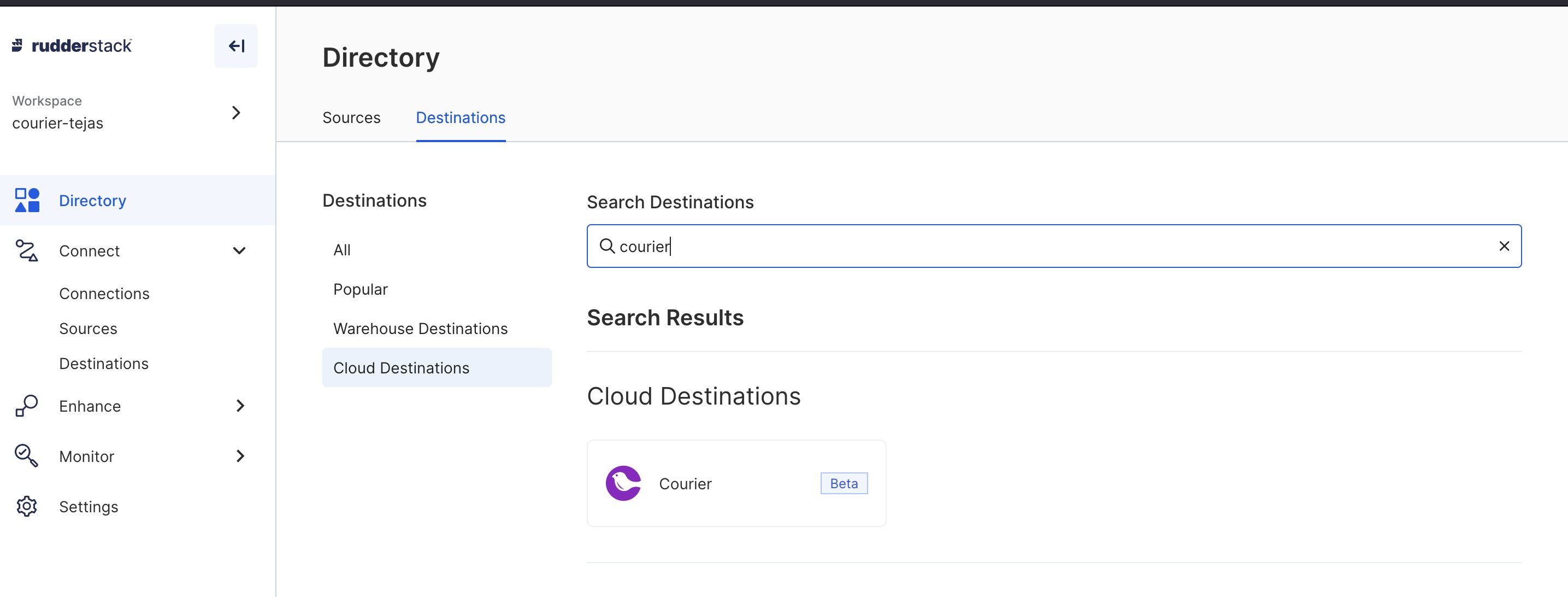
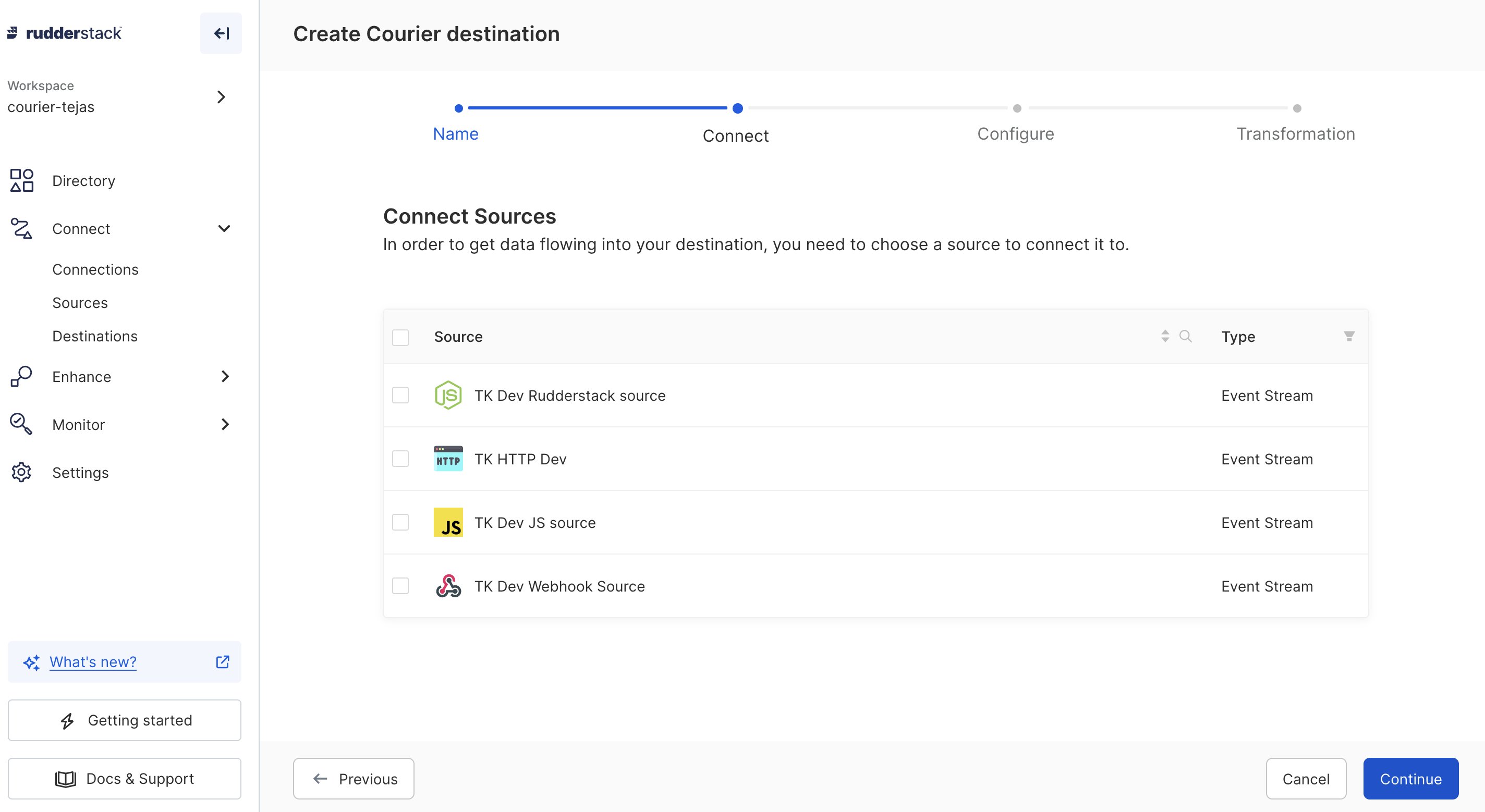
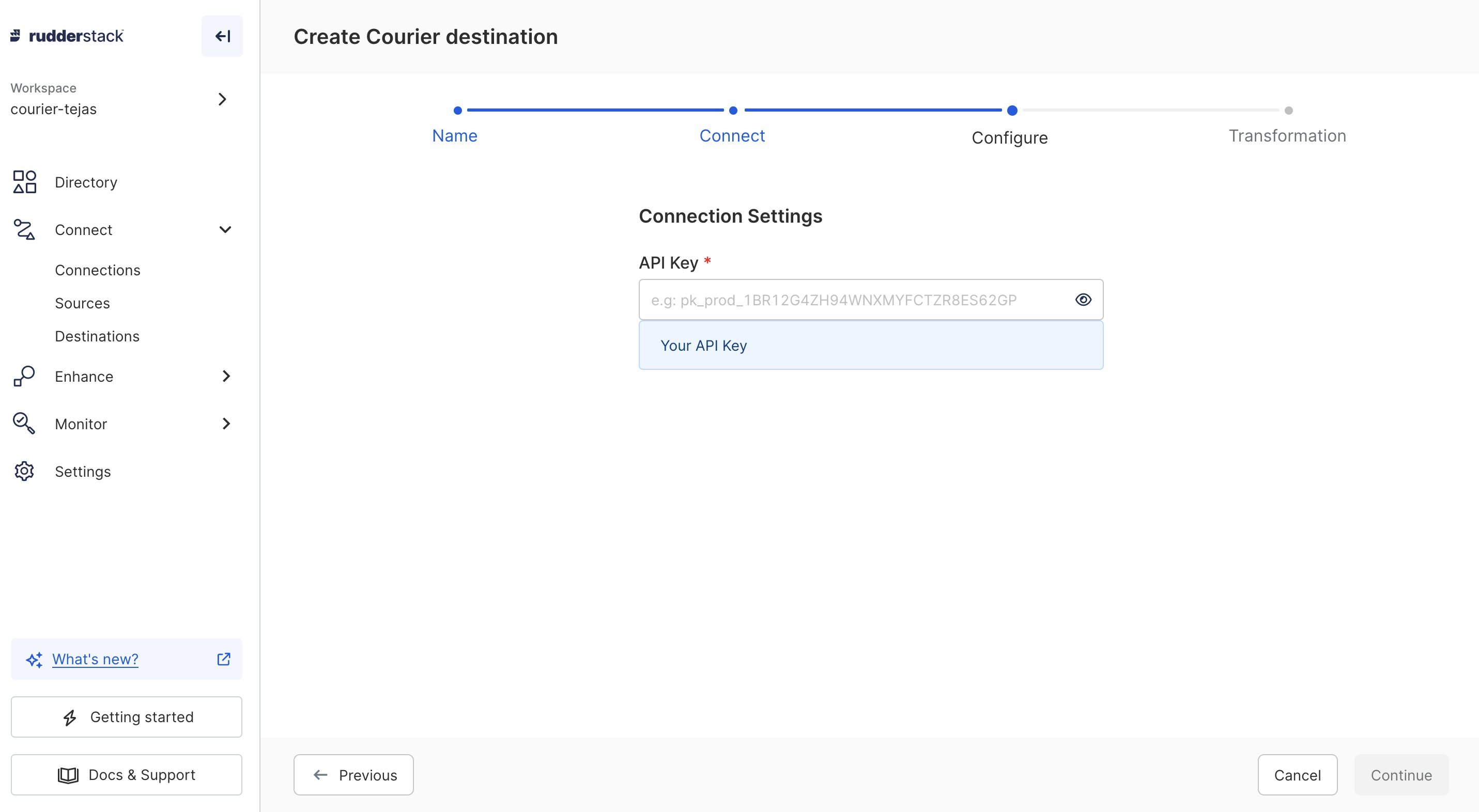
Event trigger
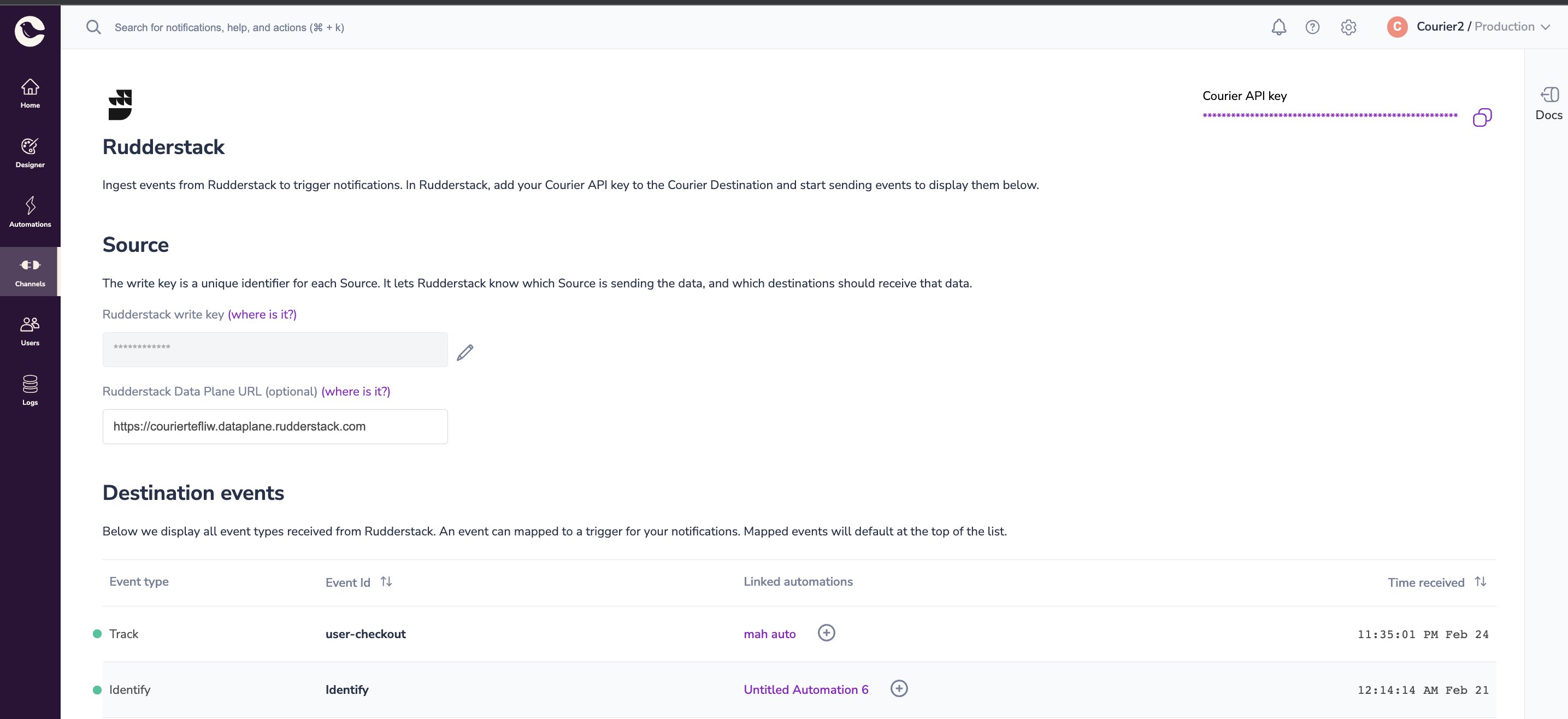
Trigger events through the sources you connected, or by calling RudderStack endpoints directly. The Courier destination supportsgroup, identify and track events. They appear on the RudderStack integration page in Courier Studio.
See the RudderStack Node SDK documentation for sending events to your RudderStack instance.
Supported events
Identify
Identify events create or update a Courier user profile. TheuserId becomes the user identifier. The traits map to user profile attributes.
Track
Track events can trigger an automation or supply an inline automations payload. Theproperties in the payload map to Courier.
Group
Group events can create an account or trigger an automation. ThegroupId becomes the Account ID. The userId, or anonymousId if userId is absent, becomes the User Identifier.
Event mapping
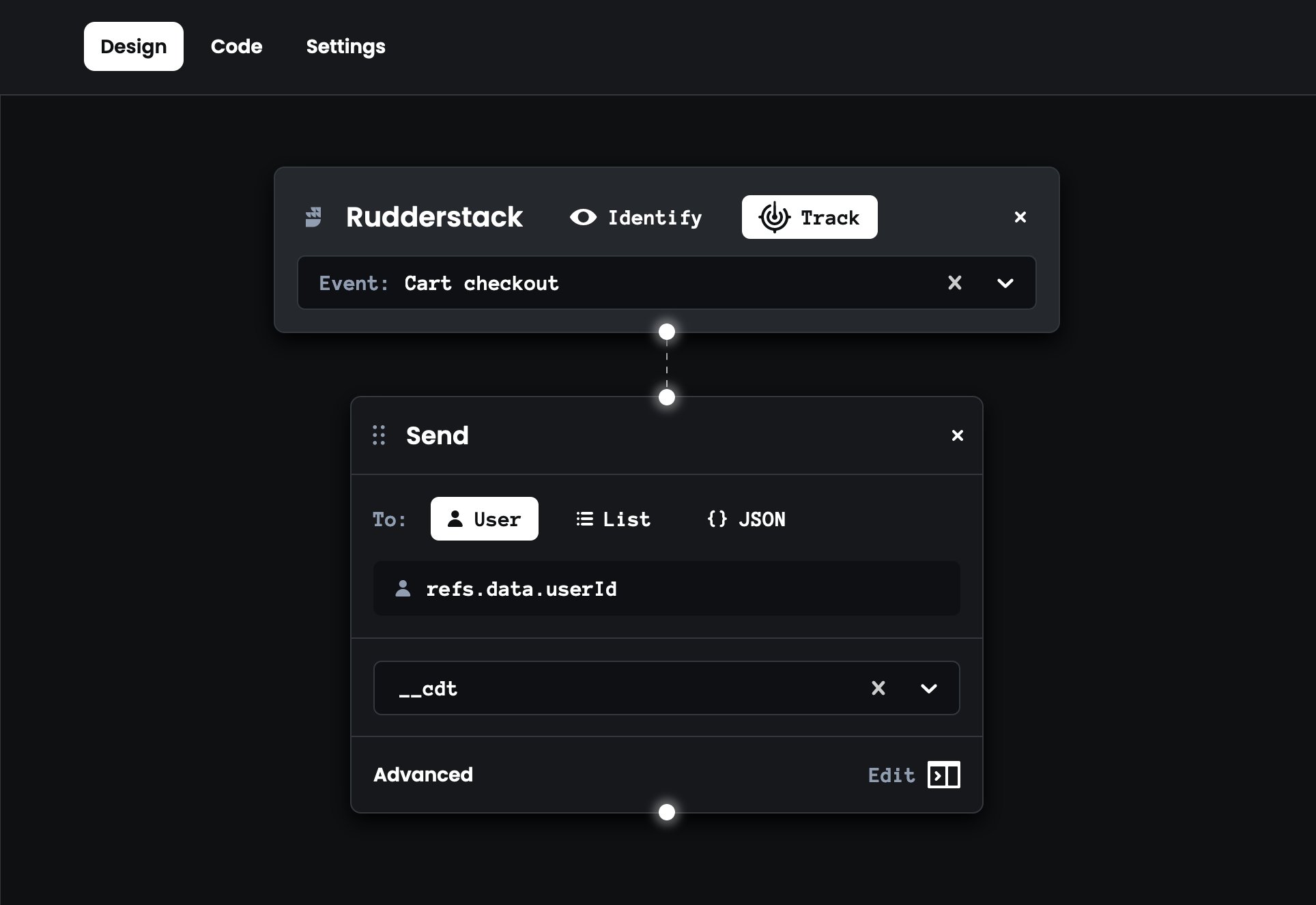
Map a received event to an existing automation, or create a new automation with the event as its trigger. Click the plus (+) icon under link automations, then pick an existing automation template or create one. Scope properties by thecourier.automation object. To map userId to refs, send this to RudderStack:
Rudderstack Courier Automation Property Example
Courier to RudderStack
Courier generates events during workflow execution (for instance, a “message sent” event when a message is delivered). These events can be sent outbound to RudderStack, which can further unlock other use cases and wire up other destinations inside RudderStack.Configuration
Add a source in RudderStack that will receive events from Courier (for example, a Node.js source). Once the source is created, copy the write key and data plane URL to the Courier RudderStack integration page.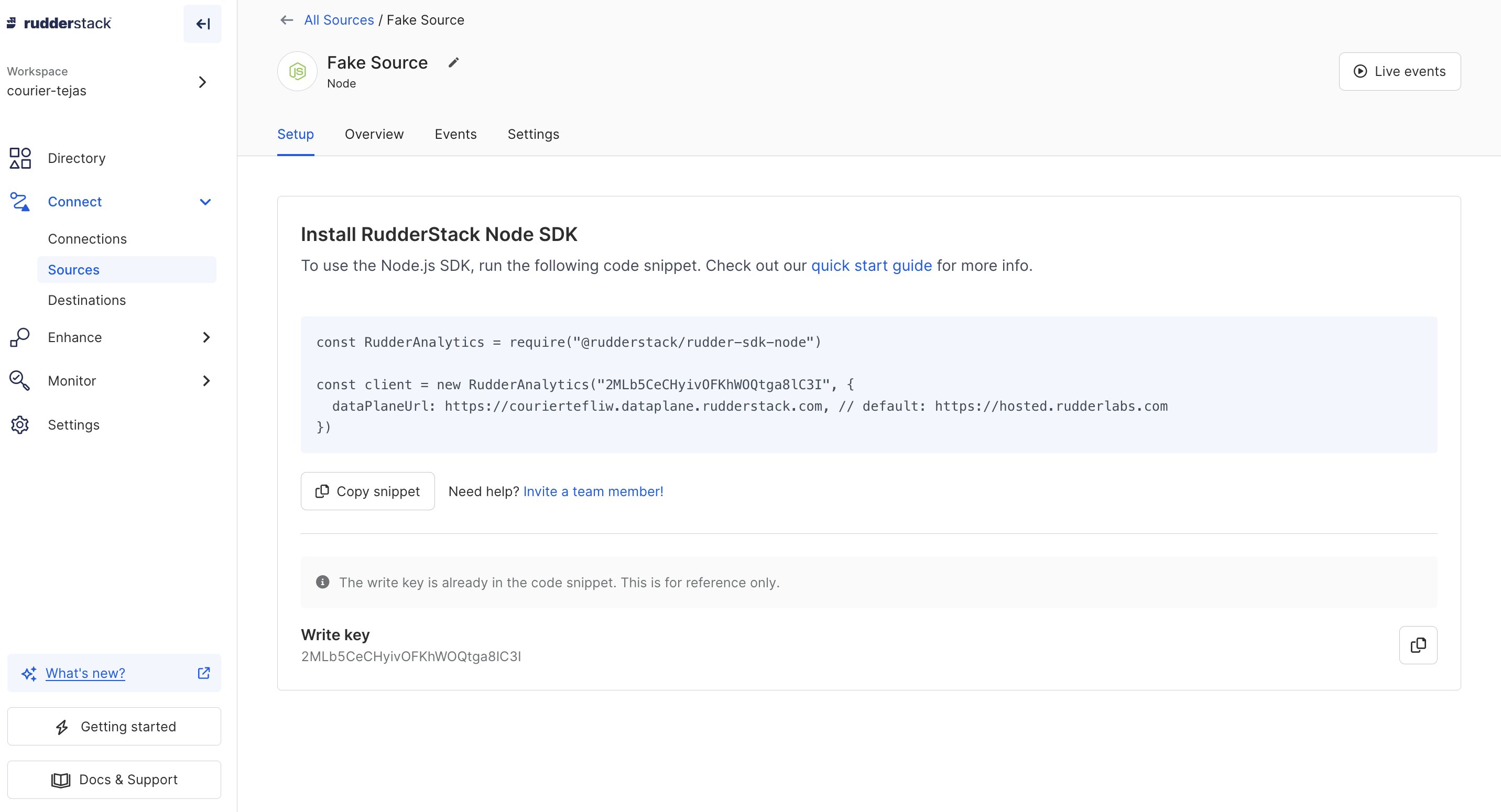
RudderStack Source Config
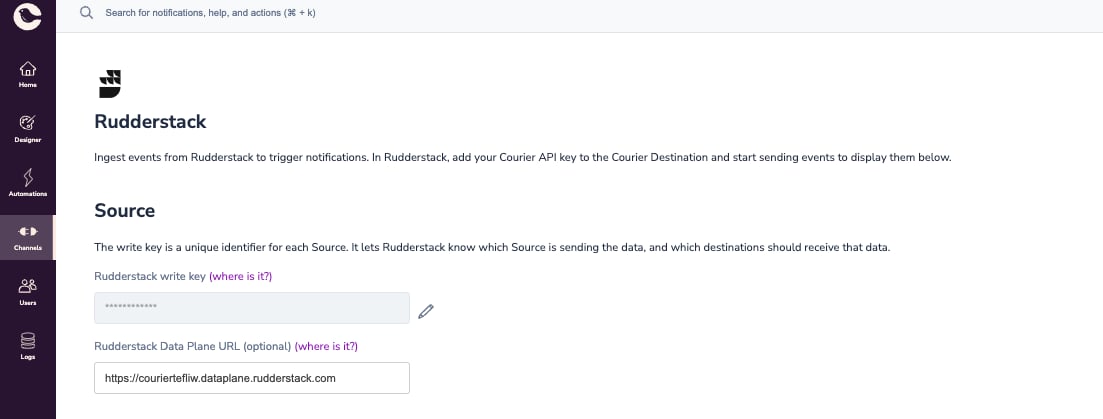
Courier RudderStack Source Config
Event sourcing
Courier will start sending generated events (like Message Sent) to your RudderStack instance. These should show up on your RudderStack source page.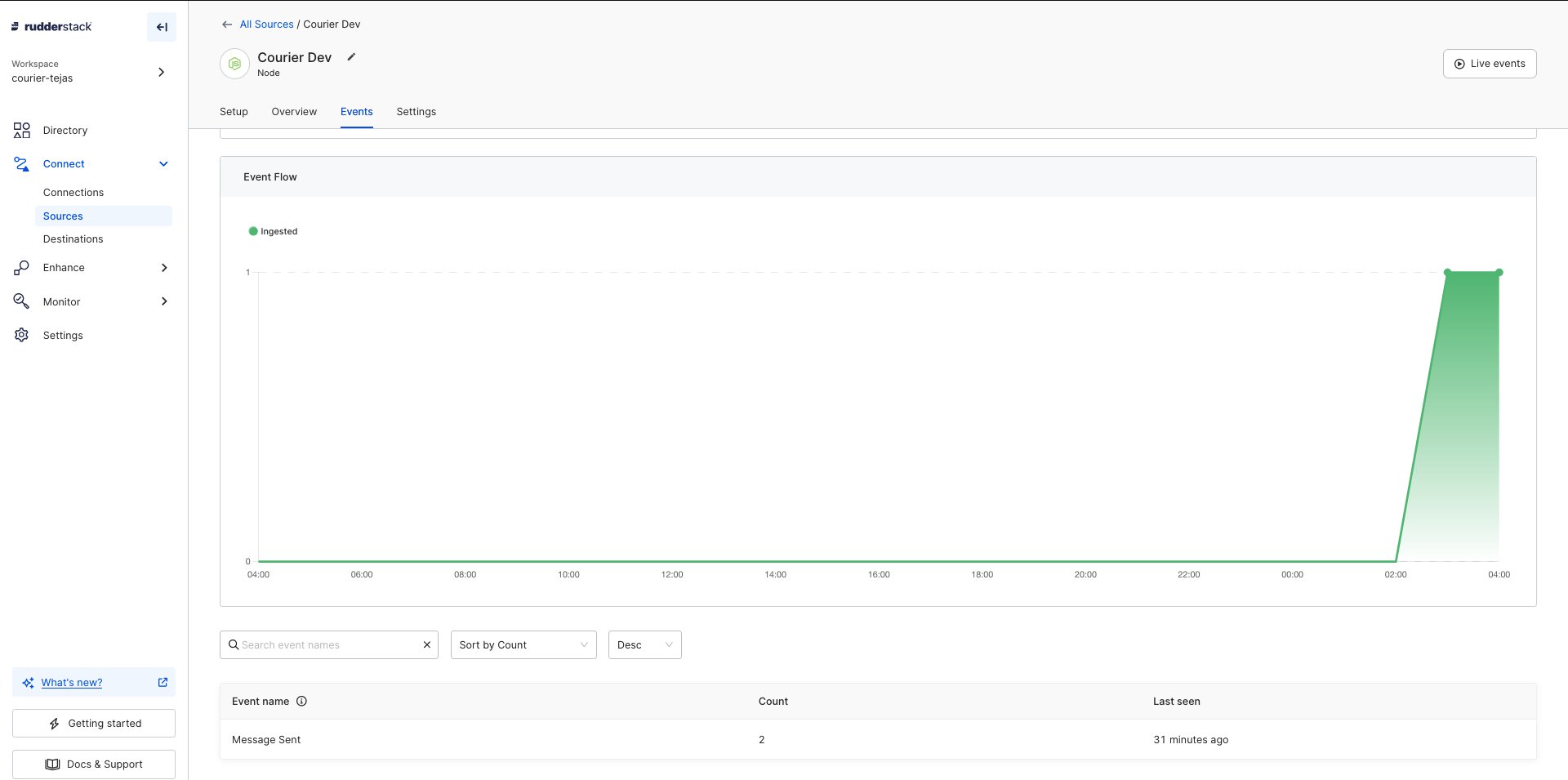
Courier to RudderStack Events
Example use cases
- User sync from RudderStack to Courier
- Welcoming new users based on sign-up tracking
- Nudging users to upgrade to a paid tier based on usage tracking