

Setup
1
Create a Datadog account
Create a Datadog account if you don’t have one.
2
Generate an API key
Generate a Datadog API key.
3
Add the API key in Courier
Open the in Courier and enter the API key you generated.
4
Verify the Datadog site parameter
Check that the Datadog site parameter matches the URL of your Datadog instance.
5
Add tags (optional)
Use the Tags field to tag everything Courier emits. Courier sends them as Datadog
ddtags, so you can filter metrics and logs by environment or team.The Datadog integration is forward-only. Courier starts emitting metrics when you activate it. It doesn’t backfill historical data.
Dashboard
Download the Courier Datadog dashboard to monitor Courier inside Datadog. Download Dashboard JSON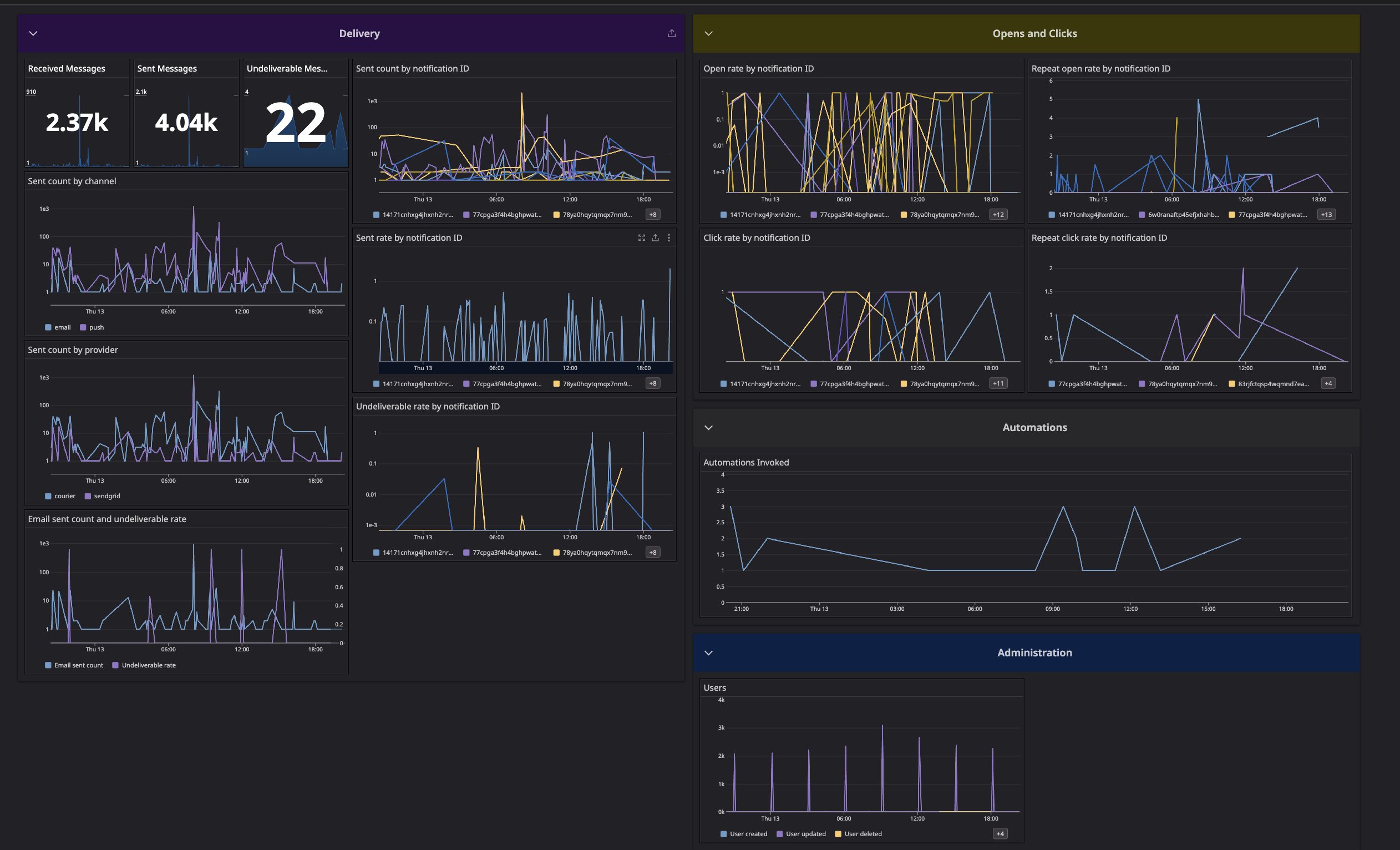
Datadog Dashboard
Available Datadog metrics
Account metrics
courier.account.createdcourier.account.deletedcourier.account.updated
Account user relationship metrics
courier.account.user.addedcourier.account.user.removedcourier.account.user.updated
Audience metrics
courier.audience.matchedcourier.audience.unmatched
Automation metrics
courier.automation.invokedcourier.automation.throttledcourier.automation.digest.triggeredcourier.automation.batch.triggeredcourier.automation.fetch-data-step.erroredcourier.automation.ai-step.completedcourier.automation.ai-step.errored
Channel metrics
courier.email.deliveredcourier.email.errorcourier.email.sentcourier.email.undeliverablecourier.sms.deliveredcourier.sms.errorcourier.sms.sentcourier.sms.undeliverablecourier.push.deliveredcourier.push.errorcourier.push.sentcourier.push.undeliverablecourier.direct_message.deliveredcourier.direct_message.errorcourier.direct_message.sentcourier.direct_message.undeliverablecourier.inbox.deliveredcourier.inbox.errorcourier.inbox.sentcourier.inbox.undeliverablecourier.webhook.deliveredcourier.webhook.errorcourier.webhook.sentcourier.webhook.undeliverablecourier.banner.deliveredcourier.banner.errorcourier.banner.sentcourier.banner.undeliverable
Debug metric
courier.debug
Inbox metrics
courier.inbox.connection_attemptcourier.inbox.connection_errorcourier.inbox.reconnection_attemptcourier.inbox.notification_attempt
List metrics
courier.list.subscribedcourier.list.unsubscribedcourier.list.subscribe.failed
Message metrics
courier.message.canceledcourier.message.clicked.detailscourier.message.deliveredcourier.message.digestedcourier.message.filteredcourier.message.receivedcourier.message.sentcourier.message.throttledcourier.message.total.clickedcourier.message.total.openedcourier.message.undeliverablecourier.message.unique.clickedcourier.message.unique.openedcourier.message.unique.sentcourier.message.unmappedcourier.message.unroutable
User metrics
courier.user.createdcourier.user.deletedcourier.user.unsubscribedcourier.user.updatedcourier.user.update.failed
Logs
Courier also forwards delivery logs to Datadog’s log intake for your site (https://http-intake.logs.<your-datadog-site>/api/v2/logs). Each entry carries the message, its level, and any tags from the Tags field, so you can match a log line to the metric that reported it. No extra setup is needed. The same API key and site parameter cover both.