

Prerequisites
- A Mailgun account with a verified sending domain
- Your Mailgun API key and domain name
Setup
1
Create a Mailgun API key
In Mailgun, open API security and copy a sending key. Your domain is on the Domains page.
2
Configure in Courier
Open the in Courier, enter your API key, domain, and From Address, then save.
EU-region accounts need the host set to
api.eu.mailgun.net in a per-send config override. The integration settings have no host field.Overrides
covers the two levels and which one wins. lists the fields every email provider takes. Use theoverride object to change the payload Courier sends to Mailgun’s Messages API. This example adds a Mailgun tag.
override.
Set fromAddress and other Mailgun config options under override.config.
Refer to the Mailgun API docs for supported parameters.
To send through Mailgun’s EU region, set
host to api.eu.mailgun.net:Attachments
Add anattachments array to the override. File content must be base64-encoded.
IP allowlisting
Mailgun supports IP allowlists for API access. Courier runs on AWS and doesn’t use fixed outbound IPs. Subscribe to theAmazonIpSpaceChanged SNS topic. AWS notifies you whenever its IP ranges change, so you can update your allowlist.
Delivery tracking
Courier doesn’t poll Mailgun unless you turn on Enable polling for status updates in the integration settings. Without polling or a webhook, messages stay atSENT instead of advancing to DELIVERED. Webhooks are better, because Mailgun reports status to Courier in real time.
1
Copy the Courier webhook URL
In Courier, go to the . Copy the generated Webhook URL.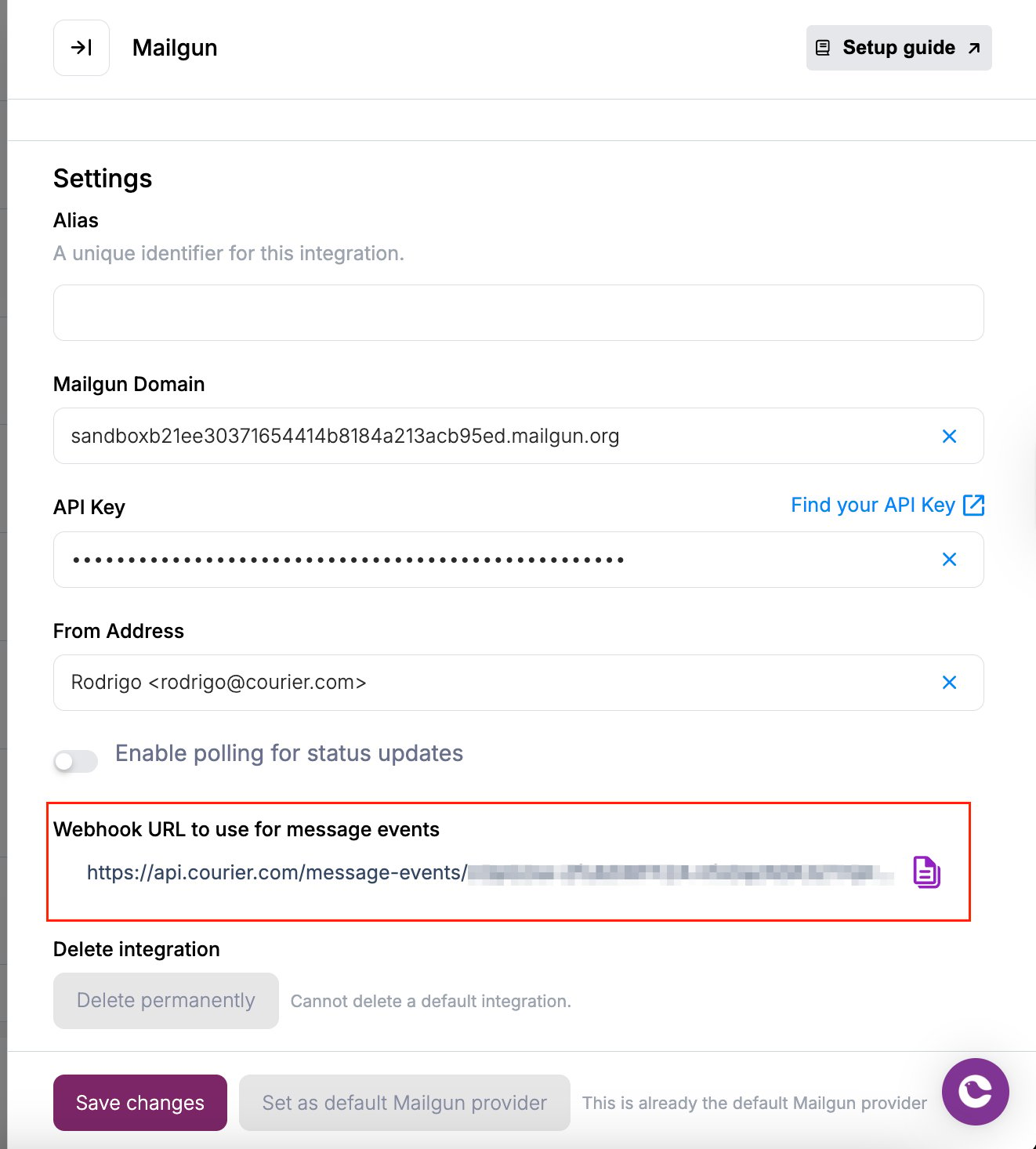
2
Configure webhooks in Mailgun
In Mailgun, go to Sending → Webhooks.
Add a webhook for Delivered Messages and paste the URL.
Repeat for Permanent Failure.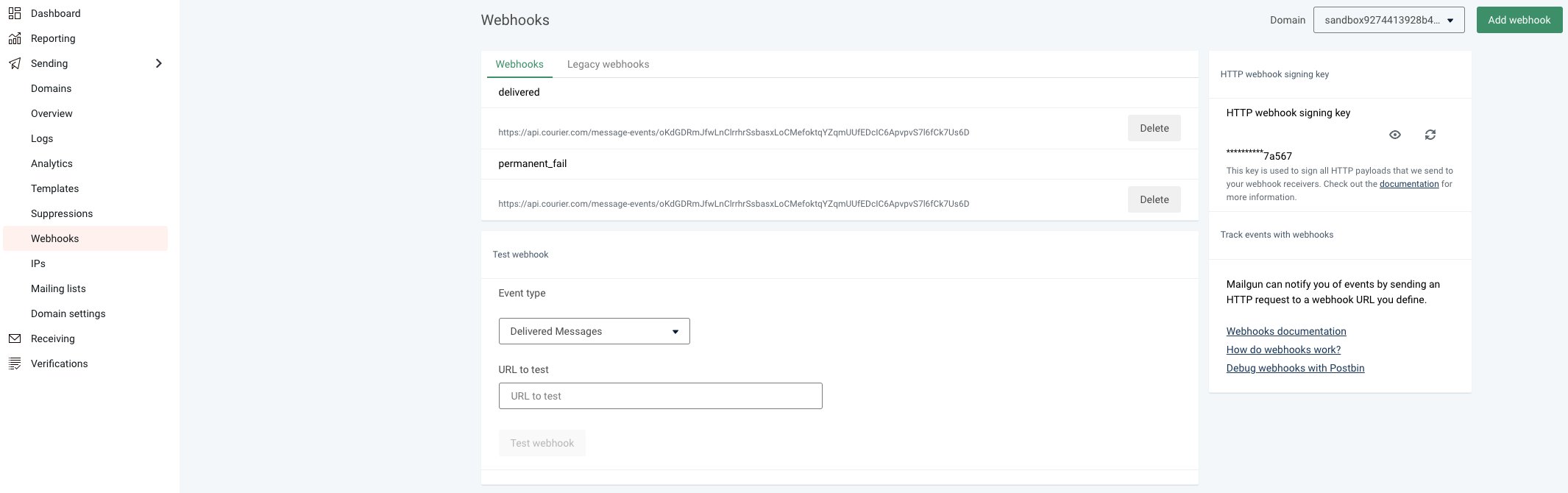
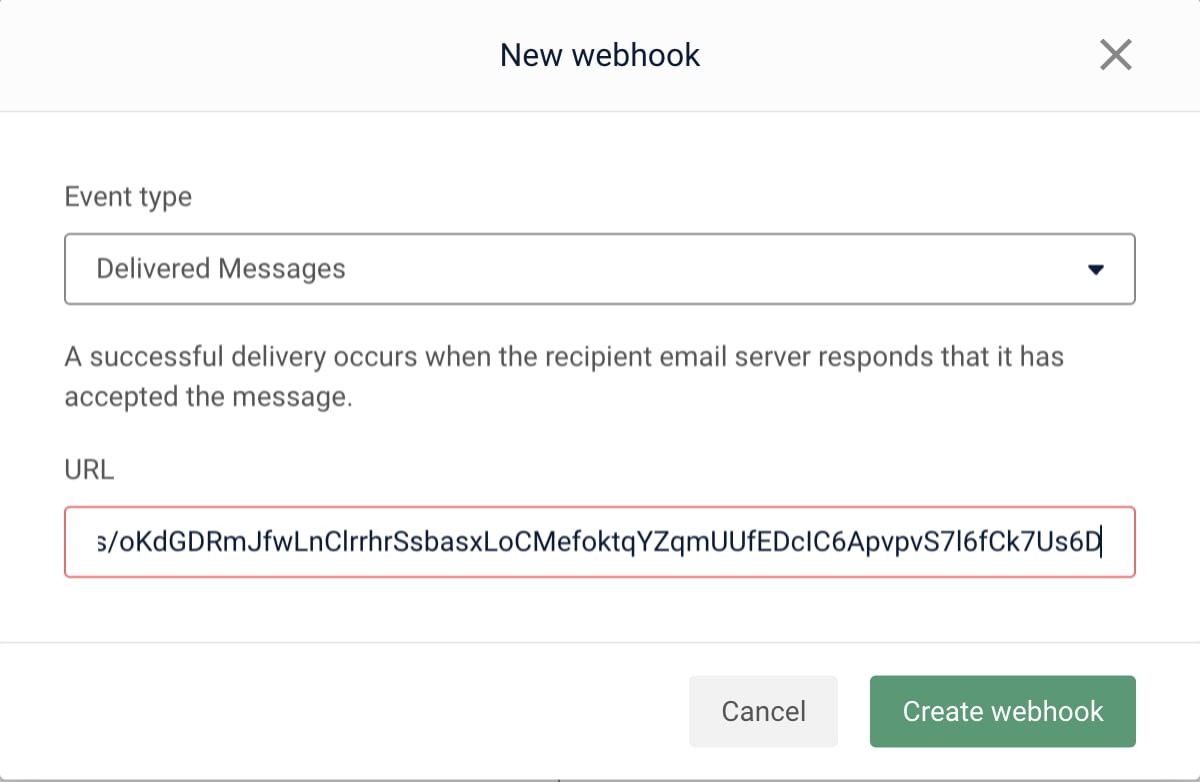
Add a webhook for Delivered Messages and paste the URL.
Repeat for Permanent Failure.
3
Match the domain
In Mailgun, make sure the selected domain matches the one in Courier.
4
Disable polling (optional)
Wait ~1 hour so in-flight updates land. Then switch off Enable polling for status updates in Courier and click Save.
Troubleshooting
550 error, missing MX record
550 error, missing MX record
Mailgun returns a 550 error when the sending domain has no MX record.Fix:
Add an MX record to your domain’s DNS. Wait ~2 hours for propagation.
Add an MX record to your domain’s DNS. Wait ~2 hours for propagation.
Account throttling or probation
Account throttling or probation
Mailgun may throttle or suspend delivery for accounts with high bounce or spam rates, or with traffic spikes.Fix:
- Complete Mailgun’s Business Verification.
- Remove addresses that bounce consistently. Avoid bulk sends to unverified users.
Provider details
routing.channels instead is supported, and sends through just this provider.
Send to a specific provider
When that is worth doing, and what you give up: failover, channel priority, and providers you add later.