

Which one to use
Most notifications don’t need a journey, and the difference is whether the messaging spans steps and time.
Use the when one call can say everything. Use a journey when the messaging unfolds over time, with branching, enrichment, or rate limiting between steps.
How it works
Trigger, then nodes
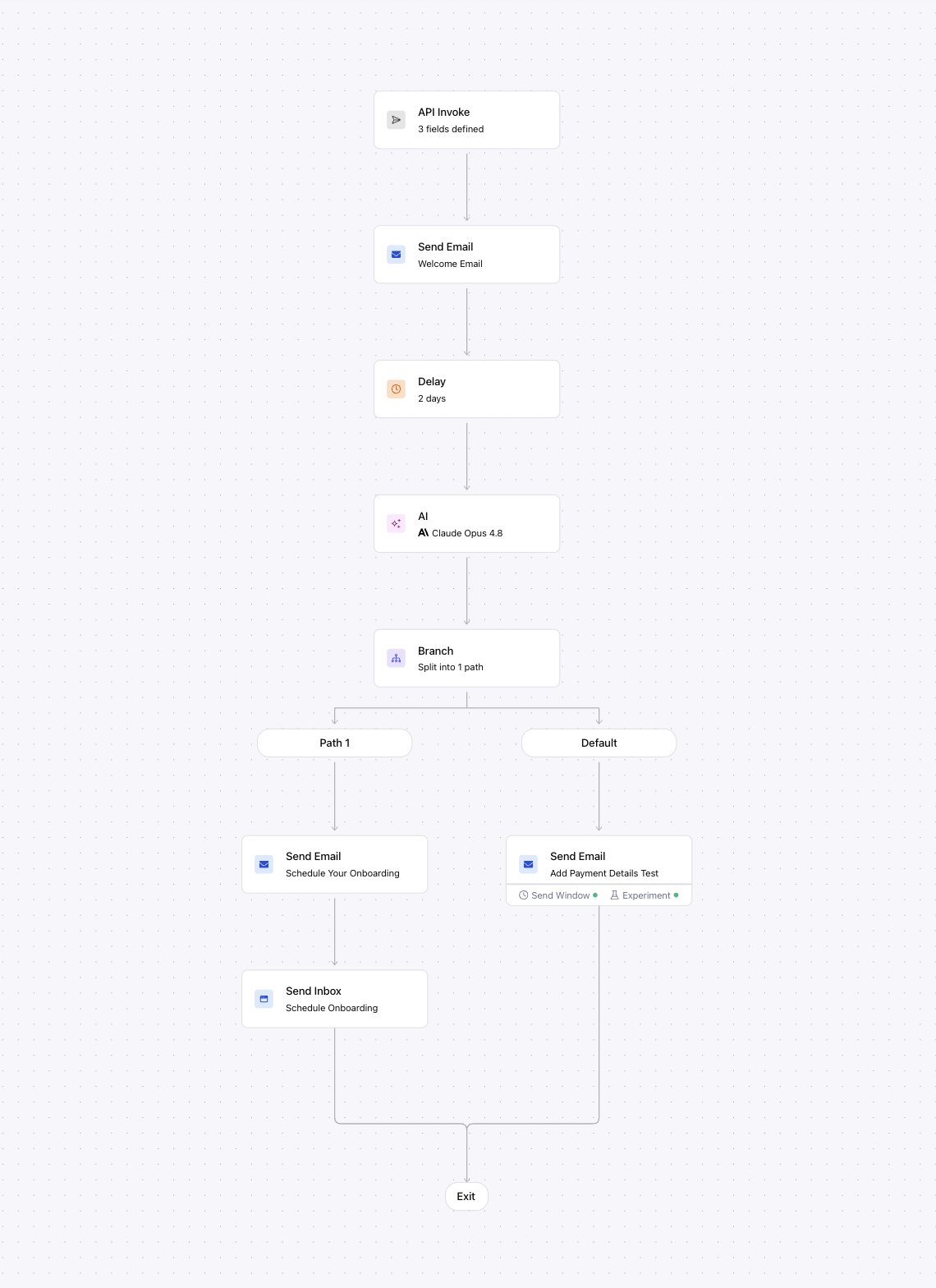
Every journey starts with a trigger that decides how users enter it:- API: your code calls the invoke endpoint.
- Segment: Courier starts the journey when a matching event arrives.
send, delay, branch, fetch (pull external data), throttle, batch, add-to-digest, and exit. A branch splits the flow into conditional paths. The run continues until every path reaches an end.
A run works from a snapshot of its data
On invoke, Courier loads the recipient’s profile once and stores the run’s{ data, profile } as a snapshot. Every node reads from that snapshot. Editing a user’s stored profile or an audience after the run starts doesn’t re-evaluate the run or update its data. Only in-journey nodes change a run’s context mid-flight: a fetch node that pulls new data, or an update-profile step. Both merge into the stored context. Branch on data you pass at invoke or fetch during the run, not on edits made elsewhere.
Delays
Adelay node waits before continuing, in two modes:
- Duration (relative): wait a span, like 3 days.
- Until (absolute): wait for a timestamp, which can come from your data, like an
appointment_timefield.
Idempotency
Invoking is safe to retry. Send anIdempotency-Key header on the invoke request. For a repeated key, Courier returns the stored result instead of starting a second run, so a network retry doesn’t double-send. Without the key, each invoke starts a new run.
Canceling a run
To stop runs, cancel them. The cancel endpoint takes either acancelation_token (set in the journey’s settings and stamped on each run as it starts, cancels every run sharing it) or a single run_id. Only active runs are affected. A run that already finished, errored, or was canceled is left as-is. A journey can also cancel itself with an in-journey cancel node. See .
Journey Templates
A send node’s content is a Journey Template: created inline in the send node, scoped to that Journey, and versioned with it. They are separate from the workspace used with the Send API. You can’t reference one from a regular send, or import an existing Template into a Journey. Journey Templates reference the Journey’s data with double-brace syntax:{{order_id}}for a trigger schema field{{first_name}}for a Profile field- a field from an upstream fetch node
FAQ
What is the difference between Journeys and Automations?
What is the difference between Journeys and Automations?
Journeys is the current v3 surface (visual editor, data contracts, run inspection) on the same engine as the older Automations product. Automations are superseded. Build new workflows as journeys.