

Basic Setup
To start, install the package:Minimal supported React version is 18.2.0.
The
TemplateProvider creates the template automatically if it does not already exist. Authentication
Thetoken prop on TemplateProvider accepts a JWT issued by the Courier API. Generate this token server-side and pass it to your frontend; never expose your API key in the browser.
tenant:tenant-123:read instead. See the Authentication page for the full list of available scopes.
Publishing Hook
Users can override the default publish button with custom logic:Theming Support
You can customize the editor’s appearance using the theme prop:Disabling Auto-Save
By default, the Courier Create editor auto-saves content. To disable this feature, configure the provider as follows:Restricting Visible Channels
You can restrict which channels appear in the template editor by using therouting.channels prop. This is useful when your application only uses specific channels (e.g., email-only workflows).
To show only email (hiding Slack, SMS, push, etc.):
channels array controls which channels appear in the editor - any channels not in that array will be hidden. You can include multiple channels if needed:
method property controls delivery strategy:
"single"- delivers via first available channel (fallback routing)"all"- delivers via all configured channels simultaneously
"email", "sms", "push", "inbox", "slack", "msteams"
Switching Templates Dynamically
If your application lets users select which template to edit (for example, from a dropdown or list), pass the selected template ID toTemplateProvider. The provider creates templates automatically if they don’t exist, so you don’t need to check beforehand.
key prop on TemplateProvider forces React to remount the component when the template changes. Without it, the editor may show stale content from the previous template because the internal state does not fully reset on prop changes alone.
Using in Modals and Dialogs
Courier Create works inside modals and dialogs. The samekey prop pattern applies; React portals (used by most modal libraries) can prevent proper state updates when props change.
Using Variables
Variables are placeholders in your template that get replaced with actual data when the email is sent. For example, instead of writingHello customer you can write Hello {{user.firstName}}, which will display the recipient’s actual name.
The Courier Embeddable editor supports nested variable structures:
How to Insert Variables
- When editing text, type
{{to open the variable suggestions dropdown. Select the variable you want to insert from the list. - Via curly braces
{}icon in top toolbar (if the variables are available for selected element).
Sending a Message
Ensure you include the
tenant_id in the message context and template identifier.Overview
Your sample implementation will look something like this: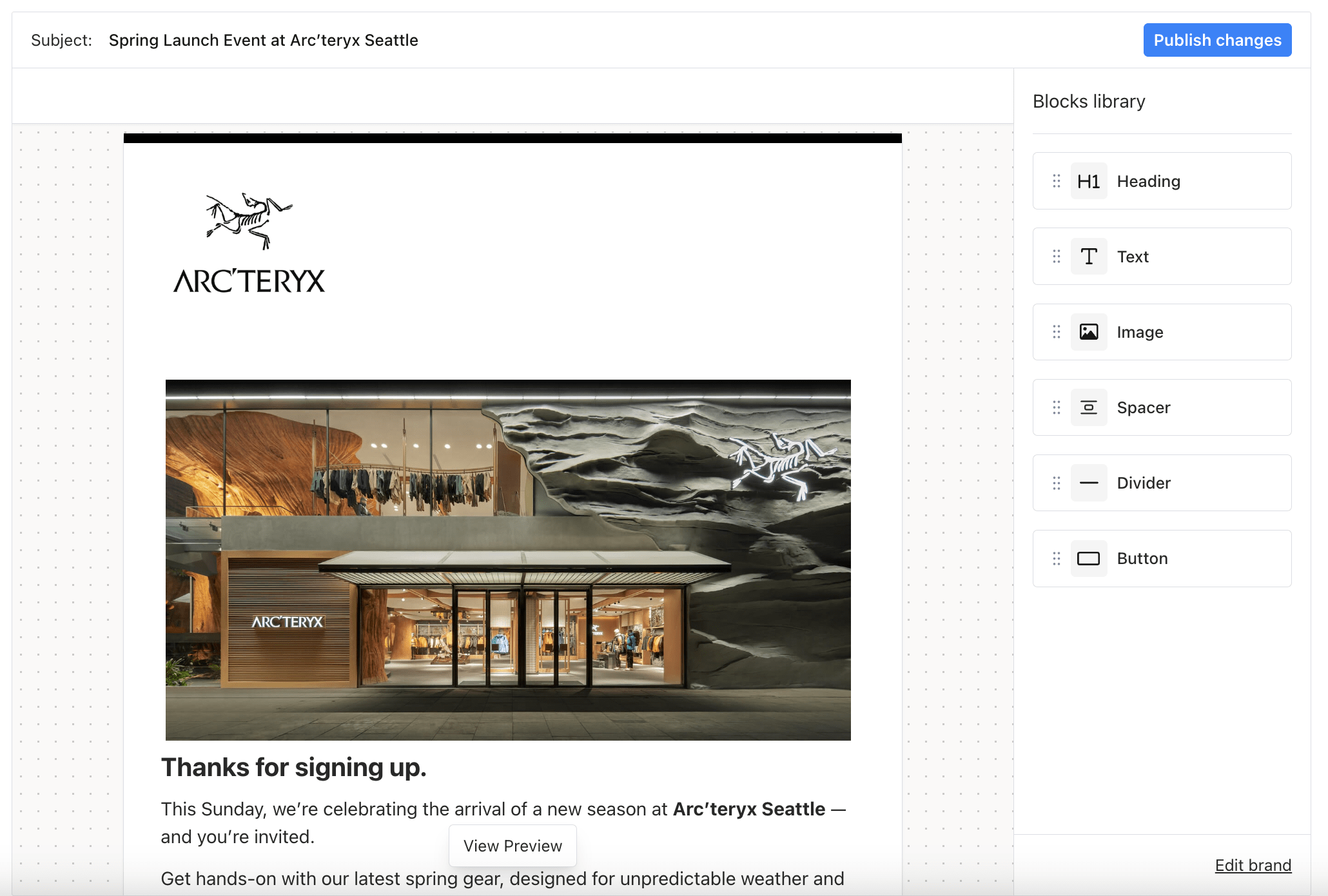
Embeddable Designer Preview
Troubleshooting
Template content not updating when switching templates
If the editor shows stale content after changing thetemplateId prop, add a key prop to TemplateProvider that changes with the template ID:
templateId changes dynamically.
Editor not loading inside a modal
Verify thatTemplateProvider receives a valid token when the modal opens. If you generate the JWT lazily, the token may not be ready on first render. Either generate the token before opening the modal or conditionally render the provider: