- Inbox — prebuilt notification center with theming and custom rendering
- Push Notifications — automatic token syncing and delivery tracking for APNS and FCM
- Preferences — prebuilt UI for users to manage their notification settings
Installation
pod install from your project’s ios/ directory after updating the Podfile.
Authentication
All SDK features (Inbox, Push, Preferences) require a signed-in user. Authentication is JWT-based; your backend generates a token and the SDK manages credentials across app sessions.For a full walkthrough of JWT generation, see the Inbox Authentication guide.
1
Generate a JWT on your backend
Call the Issue Token endpoint from your server with the scopes your app needs:
2
Sign in the user
Pass the JWT to the SDK where you manage user state. Credentials persist across app sessions. If the token expires, generate a new one from your backend and call
signIn again; the SDK does not handle token refresh automatically.3
Sign out when done
EU-hosted workspaces
For EU-hosted Courier workspaces, pass the built-in.eu preset through apiUrls:
Authentication state
Read the current user or listen for sign-in / sign-out events:Inbox
Courier Inbox provides a prebuilt notification center UI for SwiftUI and UIKit. It supports theming, custom renderers, and real-time updates.For an overview of how Courier Inbox works and how to send messages to it from your backend, see Get Started with Inbox and Send an Inbox Message.
Prebuilt UI
Theming
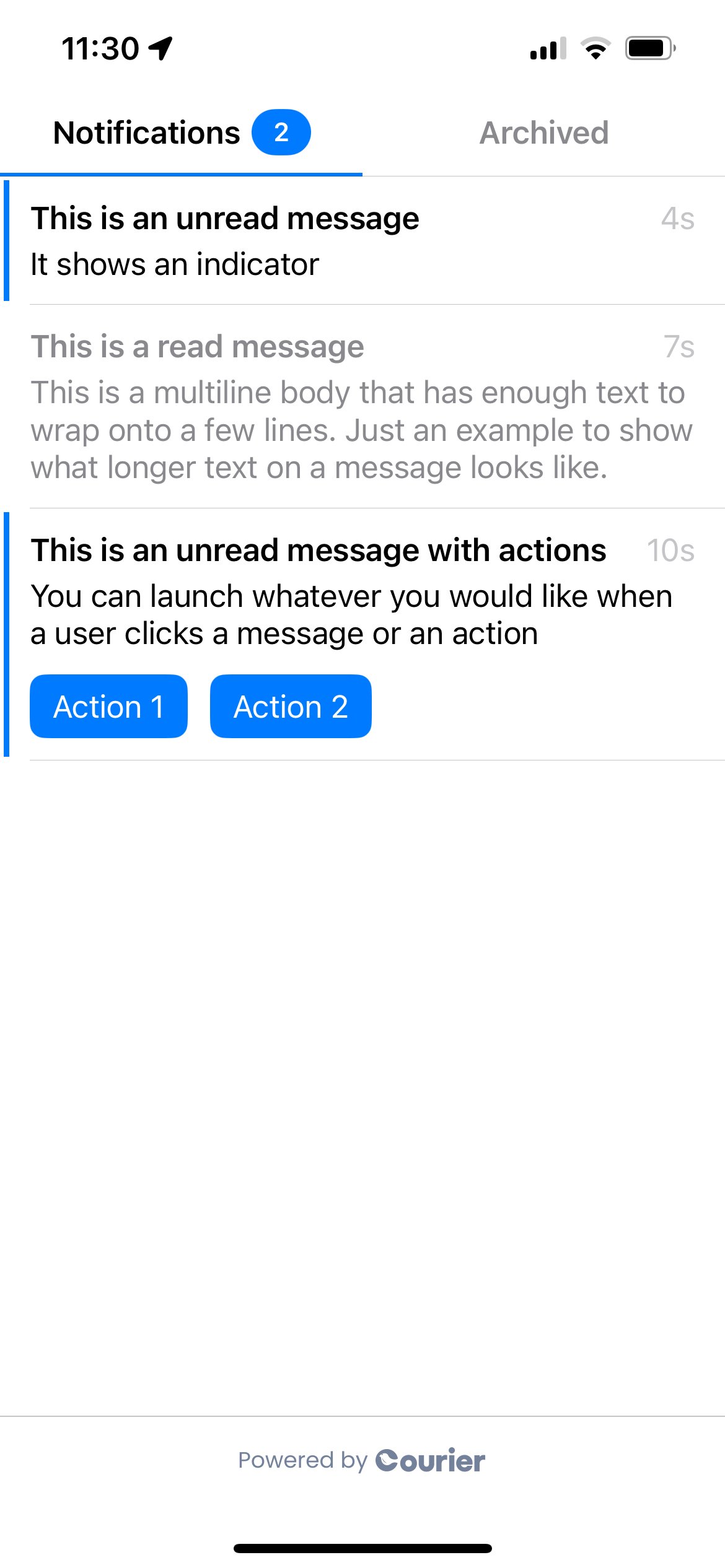
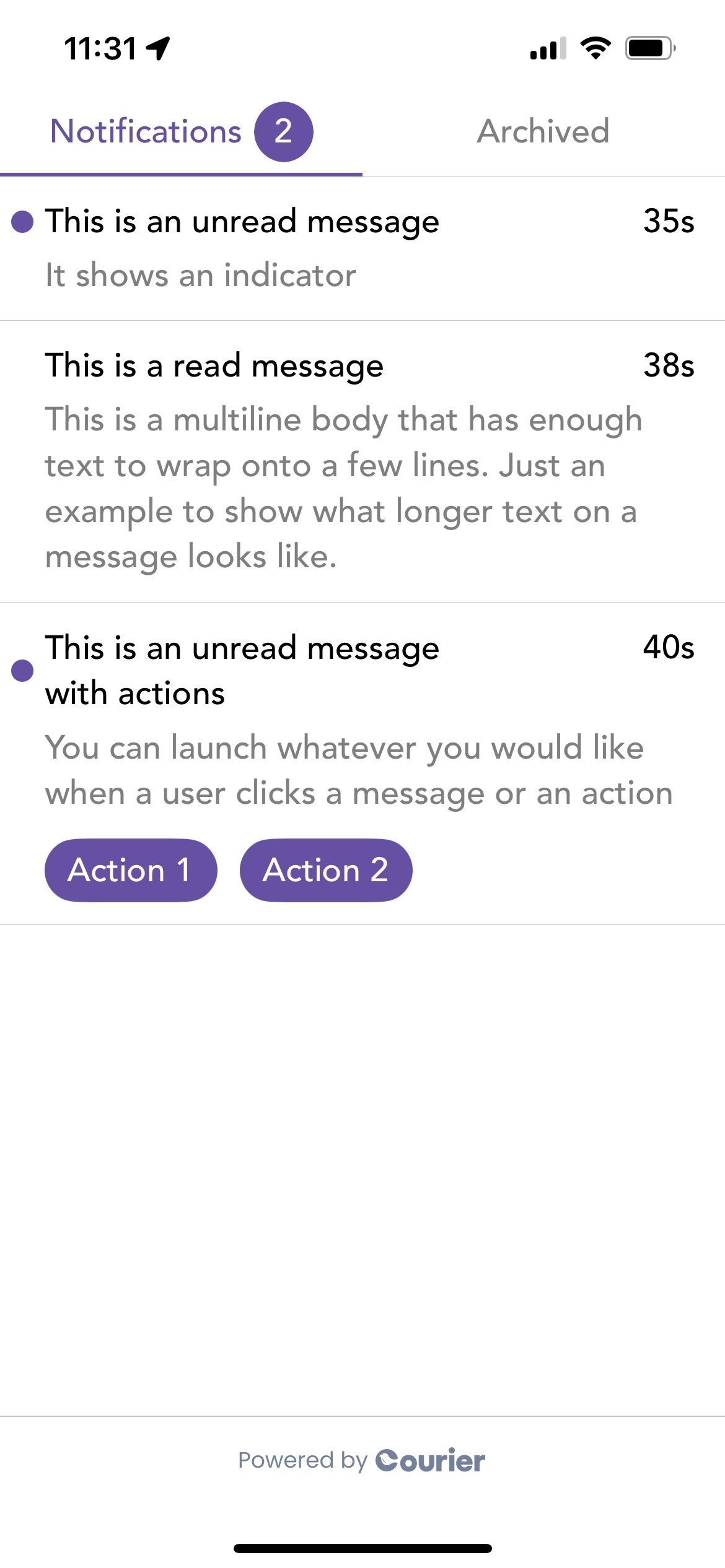
Pass aCourierInboxTheme to customize fonts, colors, unread indicators, swipe actions, and button styles. Both light and dark themes are supported.


Default and styled Inbox on iOS
Custom Inbox UI
For full control over rendering, useaddInboxListener to receive raw message data and build your own UI:
Message Actions
Track every event a Courier message can receive:Reading the feed
Inspect the loaded inbox without subscribing to a listener:Push Notifications
The SDK simplifies push notification setup with automatic token syncing, delivery tracking, and permission management.Push notifications require a physical device. Simulators do not reliably support push token registration or notification delivery.
Provider Setup
For step-by-step provider credential setup, see the APNS integration guide or FCM integration guide.
Automatic Token Syncing (APNS)
ExtendCourierDelegate in your AppDelegate to automatically sync APNS tokens and handle notification events:
Manual Token Syncing
For FCM or other providers, sync tokens manually:Notification Service Extension
To track notification delivery when the app is not running, add a Notification Service Extension:1
Download the template
Download
CourierNotificationServiceTemplate.zip and run sh make_template.sh. Watch the video walkthrough on GitHub for a step-by-step guide.2
Add the extension target
In Xcode: File > New > Target > select “Courier Service” > Finish.
3
Link the Courier SDK
Add the Courier package to the new target via SPM or CocoaPods.
Requesting Permission
Prompt the user to allow notifications. iOS shows a system dialog the first time; if the user denies, they must enable notifications from device Settings.Send a Test Notification
Once you’ve completed the setup above, send a test push using the Send API withpush as the routing channel. See the APNS sending guide or FCM sending guide for complete examples.
Preferences
Courier Preferences provides a prebuilt UI for users to manage which notification topics and channels they subscribe to.Topics and sections are configured in the Preferences Editor. See Preferences Overview for how preference enforcement works at send time.
Preference Modes
- Topic mode (
.topic): shows subscription topics the user can toggle on or off - Channels mode (
.channels([.push, .sms, .email])): shows per-channel controls for each topic
Theming
Pass aCourierPreferencesTheme to customize fonts, colors, toggle styles, and section headers. Light and dark themes are both supported, and Courier Studio branding is automatically applied when a brandId is provided.
Default and styled Preferences on iOS
CourierClient
For advanced use cases,CourierClient is a low-level wrapper around the Courier API. Each client holds its own credentials, so you can spin up as many as you need.
Initialization
Token Management
Inbox
Inbox websocket
Receive real-time updates across devices:Preferences
Branding
URL Tracking
Pass any tracking URL found inside a push notification payload or inbox message:Inbox Overview
Learn about Courier Inbox and how to set it up
Push Integrations
Configure APNS, FCM, and other push providers
Preferences
Set up notification preference topics and channels
GitHub
Source code, examples, and changelog