
## Added Resend as a provider
[Resend](https://resend.com/) is a [developer-first email service provider](https://news.ycombinator.com/item?id=36309120) that has been gaining a lot of traction recently due to its clean REST API, and its ability to integrate with multiple languages (including Node.js, Python, Ruby, Go, and Java) as well as send emails from serverless code. It offers React-based email templates, the ability to send emails from the same region as your recipients, and comprehensive monitoring and observability tools, so we decided it was a good candidate for Courier integration.
We’ve now added Resend as an email service provider — so now if you navigate to [Channels](https://app.courier.com/channels), you’ll find Resend in the provider catalog.
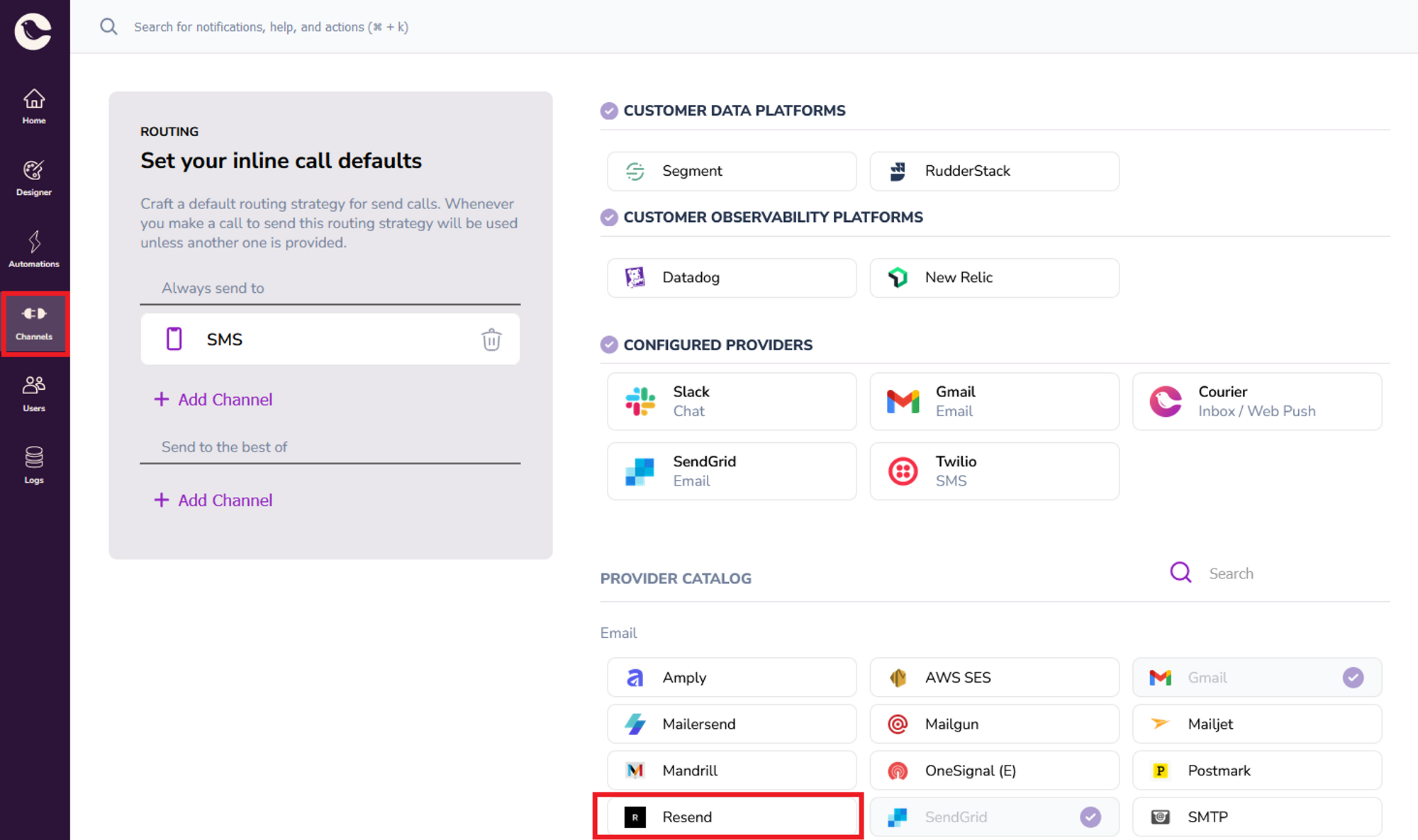
You configure it just like any other provider in Courier — click on it, and enter your Resend API key and the “from” address you want to send emails from, then click “Install Provider.”
## Accounts API now supports brands
The [accounts API](https://www.courier.com/docs/reference/accounts/) enables multi-tenancy and was introduced in our [last changelog](https://www.courier.com/changelog/007-accounts-api-and-dynamic-data-mapping-for-notification-templates/). We received requests to support setting a default brand at the account level and, this week, we released the ability to set your default brand ID across a particular account using the accounts API. A brand in Courier allows you to set a color scheme or the contents of small parts of an email template (such as a header or footer) that can be reused across multiple notifications.
Here’s how to update your brand using our [create/update account endpoint](https://www.courier.com/docs/reference/accounts/create-replace/) in Postman:
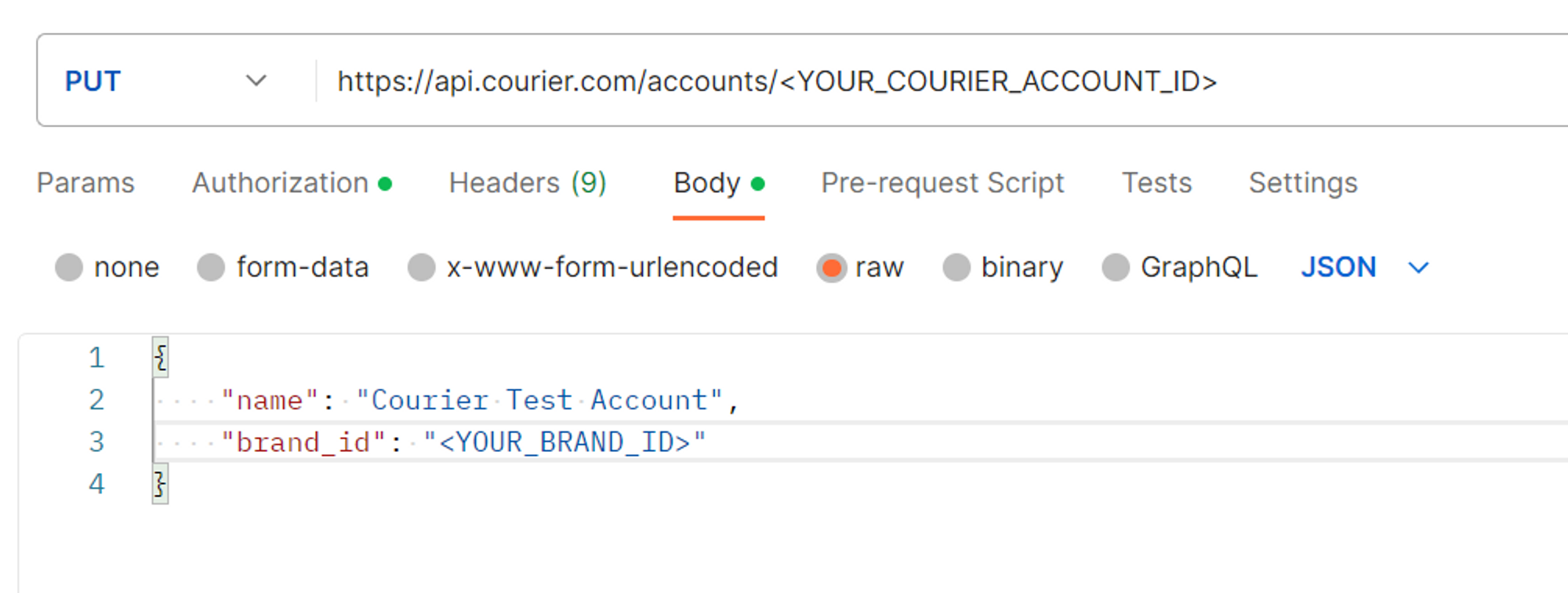
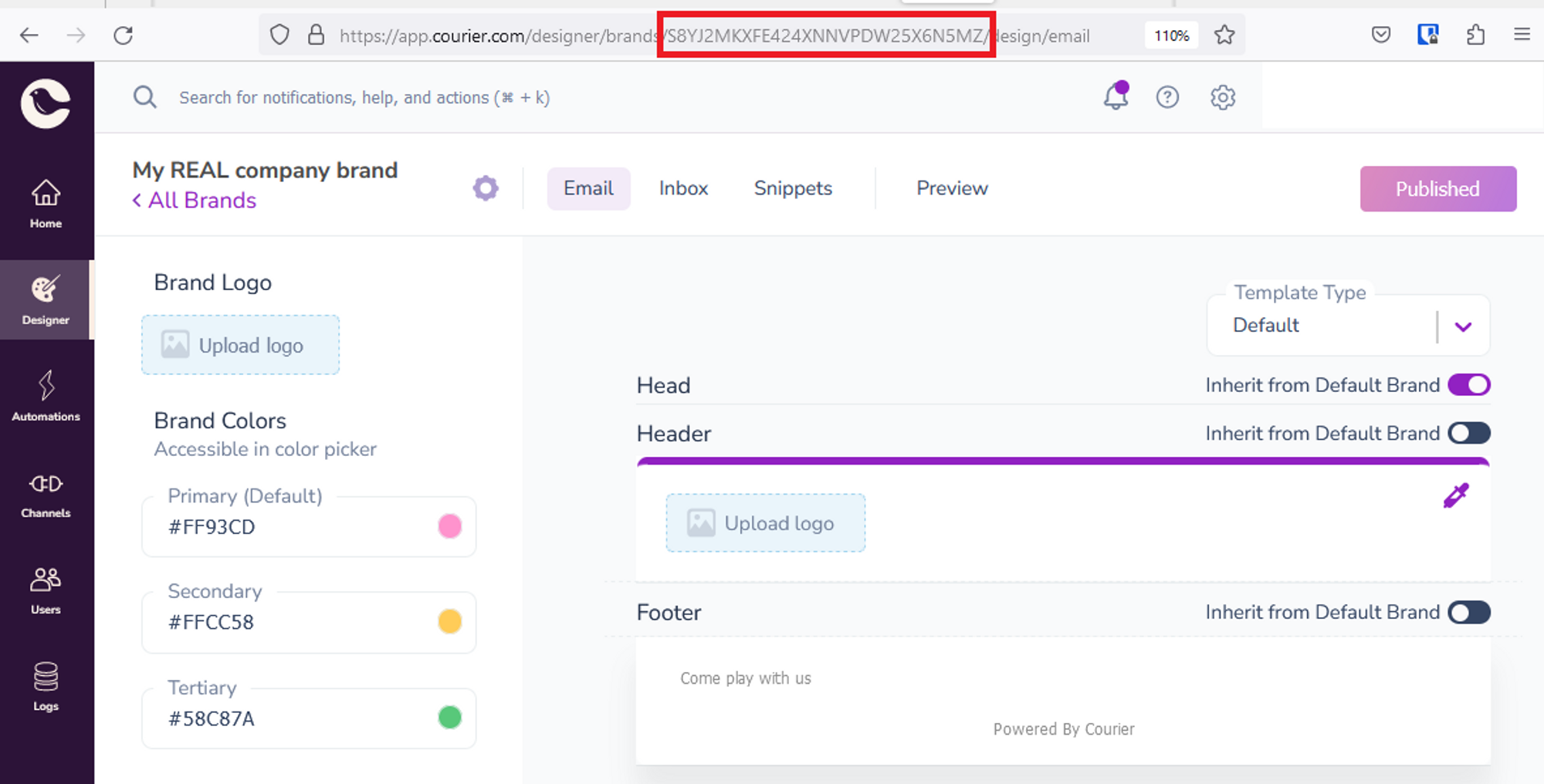
You’ll need to replace `` with your account ID, and `` with the brand ID of your brand that you’ve decided should be the default. You can find your Courier account ID and your existing account name by calling [this endpoint](https://www.courier.com/docs/reference/accounts/get-accounts/). To find your brand ID, navigate to **Designer** > [Brands](https://app.courier.com/designer/brands) and select your brand. The ID can be found in the URL:
You’ll also need to change the method of Authorization to “Bearer Token,” and the value of this must be your [Courier API key](https://app.courier.com/settings/api-keys).
## Improvements and fixes
### New features
- **Update to [“list messages” API endpoint](https://www.courier.com/docs/reference/logs/list/)**: Added support for fetching messages by API that have been enqueued after a certain date.
### Bug fixes
- **Digests:** Fixed a bug that prevented the instant [digest](https://www.courier.com/docs/automations/digest/) schedule from being processed properly.
- **SendGrid**: Fixed a bug where the [SendGrid template importer](https://www.courier.com/docs/guides/providers/email/sendgrid/#template-import) would time out on a larger page size of templates.
- **Notification template designer:** Fixed the “out of date” template bug that would occur in the designer.
### UI Improvements
- Updated the look and feel of the notifications list/table.
- Updated the look and feel of the automations header/nav bar.
### Documentation
It feels like we’re constantly adding to our documentation these days! This week it’s our [Inbox documentation](https://www.courier.com/docs/inbox/) and our [React Inbox README](https://github.com/trycourier/courier-react/tree/main/packages/react-inbox#readme)