

- Inbox, an embeddable in-app notification center.
- Toasts, lightweight popups synced to the same feed.
- Preferences, where users pick which topics they receive, and how.
signIn call registers the device token APNs and FCM deliver to, so push rides the session you set up here.
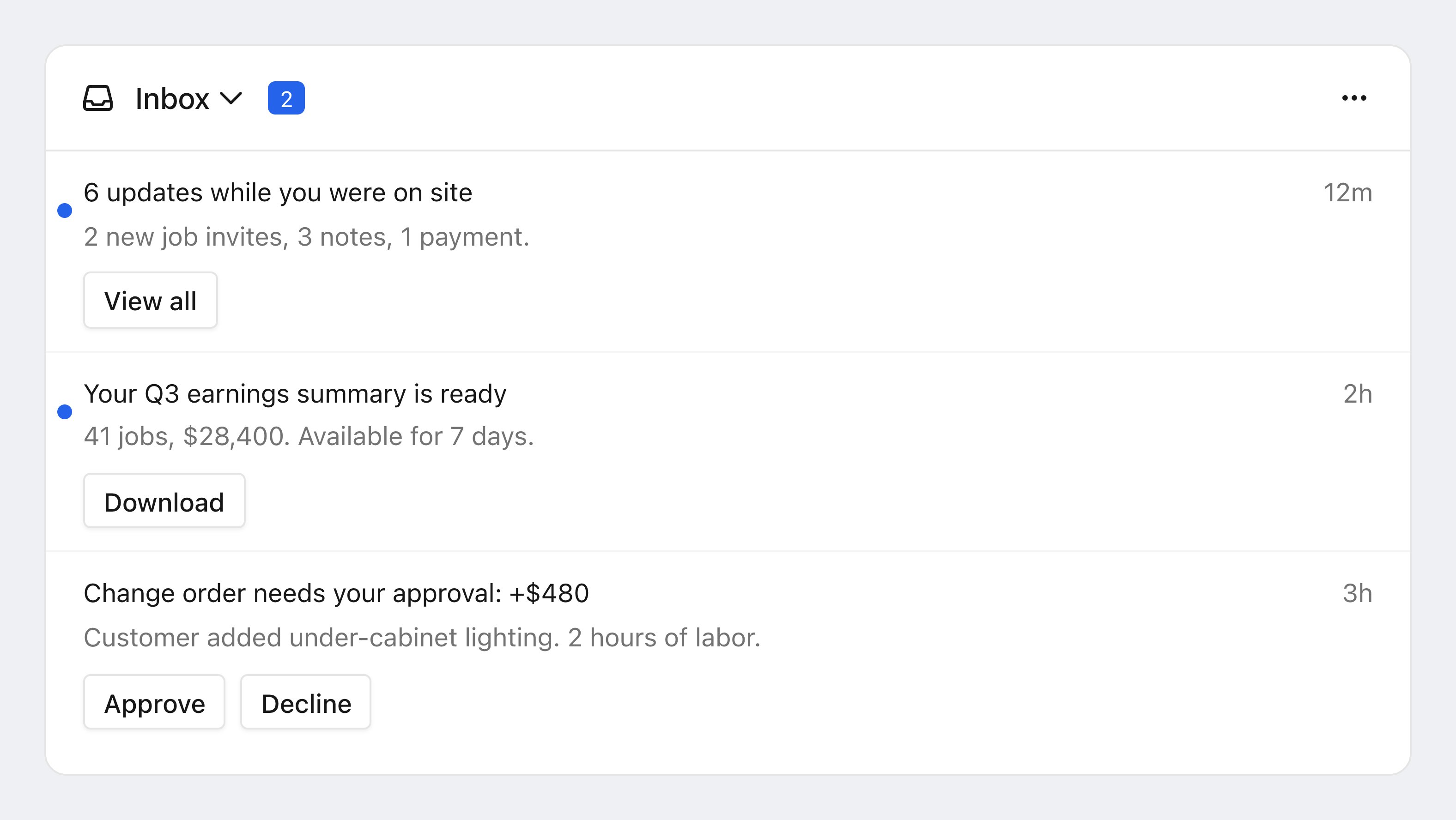
The Courier Inbox: unread indicators, relative timestamps, and per-message action buttons.
In-app renders inside your open app. Push is delivered by the operating system, so it arrives when your app is closed. They are separate channels, and one message can send to both. covers the push side.
Choose your SDK
Install the SDK for your platform. Web Components work with any framework, or none.@trycourier/react-inbox, react-provider, and the components bundle are deprecated. See the to move to @trycourier/courier-react or @trycourier/courier-ui-inbox.signIn, then render the inbox.
How it fits together
A customizable UI
Courier Inbox ships a notification center out of the box. Theme it withCourierInboxTheme, supply your own views while the SDK still manages messages, or build a custom UI on the low-level APIs.
Real-time and synced across devices
Messages arrive in real time on web and mobile. Every state change (read, opened, archived) syncs instantly across a user’s signed-in devices.Notification-center essentials, built in
Out of the box you get:- Unread counts and badges.
- Read and archive actions.
- Message-level buttons.
- Pagination and infinite scroll.
FAQ
What is the difference between in-app and push notifications?
What is the difference between in-app and push notifications?
In-app notifications render inside your running app through the Courier SDK (the Inbox and Toasts). The operating system delivers push through APNs or FCM, so it appears even when your app is closed. They are separate channels, and one message can send to both. Connect your or credentials under Integrations.
What is the difference between Inbox and Toasts?
What is the difference between Inbox and Toasts?
Inbox is the persistent notification center listing a user’s messages. Toasts are transient popups that appear when a new message arrives, synced to the same feed. Both use the same authentication (
signIn) and theming. See .Which frameworks and platforms are supported?
Which frameworks and platforms are supported?
React, React 17, Vue, Angular, Web Components (any framework or none), iOS, Android, Flutter, and React Native. See the table above for the package name per platform.
How do I authenticate users?
How do I authenticate users?
Your backend generates a JWT with your Courier API key and passes it to the client, which calls
signIn({ userId, jwt }). See for the full flow and scope strings.Can I send to the inbox and other channels at the same time?
Can I send to the inbox and other channels at the same time?
Add
inbox alongside other channels in your message’s routing. Courier delivers to each channel by your routing rules. Cross-channel syncing can mark the Inbox message read when the user opens the email. See .