

Overview
Courier provides two approaches for targeting groups of users: static lists for manual curation and dynamic audiences for automated segmentation. Understanding when to use each method helps you build effective targeting strategies for your notifications.Key Features
Courier’s group targeting provides flexible options for reaching the right users:- Static Lists - Manually curated collections with complete membership control
- Dynamic Audiences - Automated segmentation based on profile rules; membership is maintained as profiles change
- Advanced Operators - Comprehensive filtering with equality, string, numeric, and date comparisons
- Logical Combinations - Complex targeting using AND/OR logic
- Maintained membership - Courier keeps each audience’s membership list current as profiles change (pre-computed and rebuilt, not evaluated per send)
Static Lists
Lists are manually managed collections of users that you control completely. They’re ideal for curated groups where you want precise control over membership.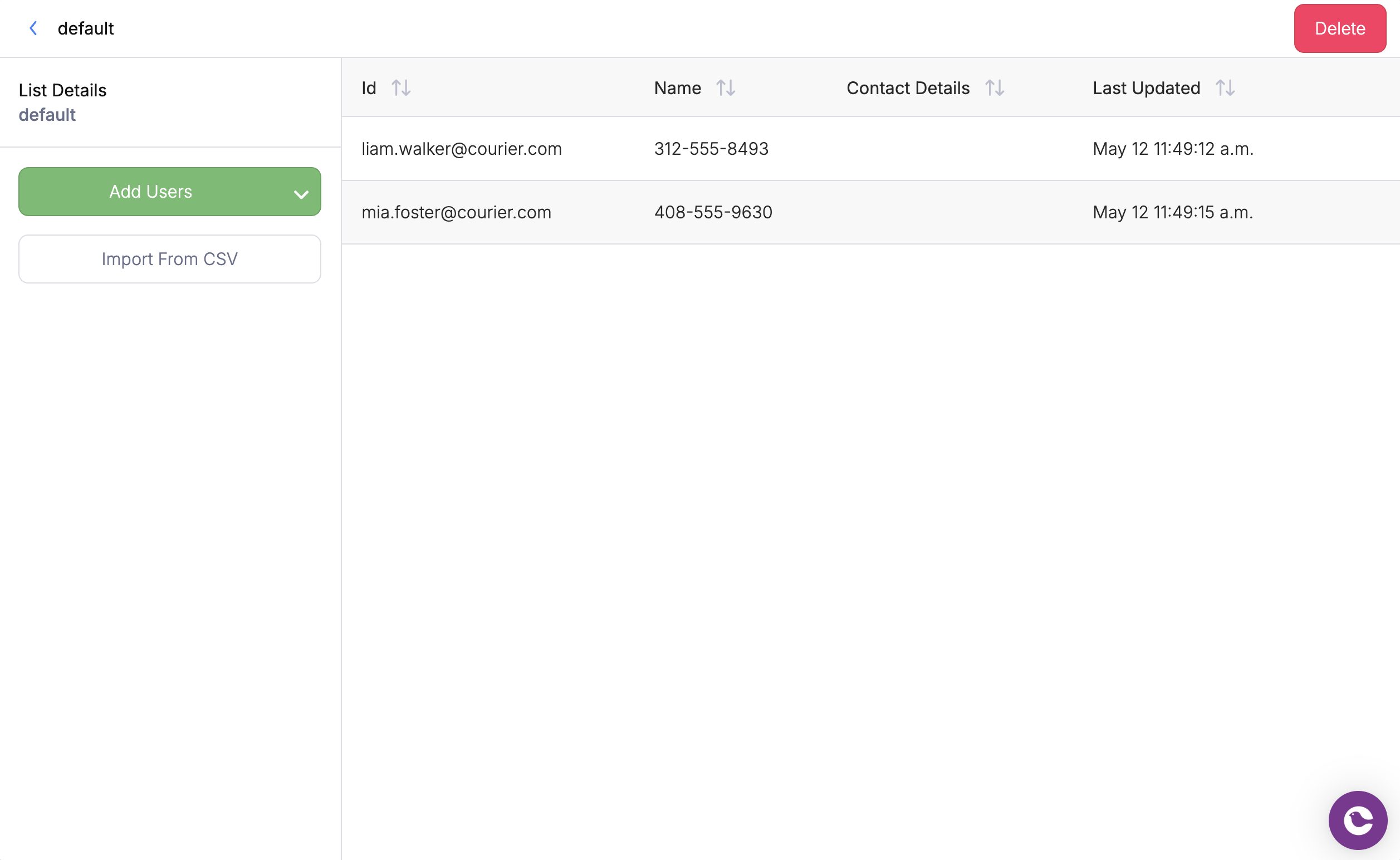
List Management Interface
API Usage
Target a list using thelist_id parameter in your send request:
Dynamic Audiences
Audiences automatically include or exclude users based on rules and filters you define. Instead of manually managing membership, Courier maintains a membership list for each audience based on your rules and profile updates.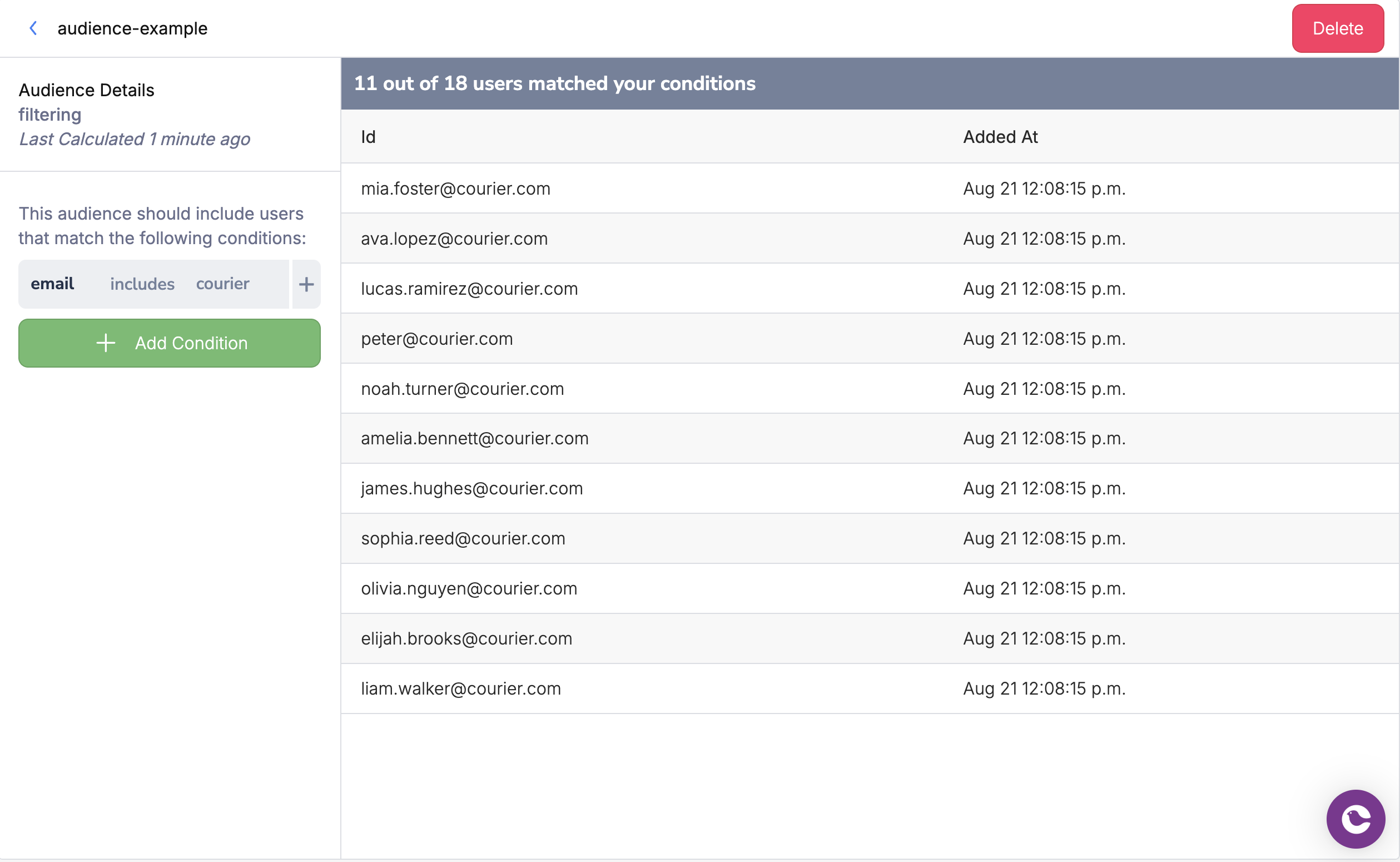
Audience Builder Interface
API Usage
Target an audience using theaudience_id parameter in your send request:
Audience Configuration
Audiences use operators to define which user profiles belong in the audience. Those rules drive how Courier builds and refreshes the audience membership list. When you send to an audience, Courier uses that list to choose recipients; it does not re-run the full rule set against every profile at send time. Benefits of dynamic audiences:- Automatic updates - Membership changes as user data changes
- Complex targeting - Combine multiple conditions with logical operators
- Scalable segmentation - No manual list maintenance required
Available Operators
The table below summarizes operators when defining an audience in the UI or API. We’ve included both the operator as shown in the UI and the code value used in the Audiences API.MEMBER_OF is not an audience-definition operator. When you need to restrict an audience send to users who belong to a specific tenant, pass it as an inline filter in to.filters on the send rather than in the audience definition.
Combining Conditions
Use logical operators to create complex audience rules:- AND: All conditions must be true (premium users in California)
- OR: At least one condition must be true (admin or manager roles)
How audience membership works
Courier pre-computes audience membership. When a user profile changes, processing updates whether that user belongs to each audience. When you change an audience’s filter rules, Courier starts a rebuild of the membership list for that audience.- Membership is materialized - At send time, Courier reads from the stored membership for that audience version, not by evaluating every rule against every profile in one synchronous pass.
- Rebuilds after filter changes - Rebuilding a large audience can take many minutes (for example 15–20 minutes for very large workspaces). While a rebuild is in progress, sends can read a partially updated membership list.
- Best practice before large sends - After changing audience rules, wait for membership to settle. Use
GET /audiences/{audience_id}and, if needed, spot-checkGET /audiences/{audience_id}/membersbefore you send to the full audience.
Scoping audience sends by tenant
context.tenant_id on a send controls branding, preferences, and template variables for that tenant. It does not restrict which users in an audience receive the message.
To limit an audience send to users who belong to a specific tenant, add an inline filters array on the audience recipient with the MEMBER_OF operator and path: account_id (tenant id in Courier). Users must have tenant memberships via the User Tenants API (for example PUT /users/{user_id}/tenants/{tenant_id}).
filters takes three required fields: operator is always MEMBER_OF, path is always account_id, and value is the tenant ID. The filter restricts the send to audience members who belong to that tenant.