The Courier MCP Server Is Open Source. Here's How It Actually Works.
 Mike MillerFebruary 06, 2026
TLDR
Courier's MCP server is open source on GitHub. It's a TypeScript project that extends the official @modelcontextprotocol/sdk and registers 16 tool classes covering send, docs, automations, profiles, lists, and more. Two design decisions are worth stealing: the SdkContextTools class that reads your package.json to detect which Courier SDK version you're running (and provides the correct usage rules to the LLM), and the DocsTools class that pulls installation guides from GitHub at runtime and generates live JWTs in the same response. (Note: SdkContextTools exists in the repo but isn't wired into the server entrypoint yet.) This post walks through the actual code.
Try it now
Grab an API key from app.courier.com/settings/api-keys and pick your client:
Cursor
add to .cursor/mcp.json:
{"mcpServers": {"courier": {"url": "https://mcp.courier.com","headers": {"api_key": "your_courier_api_key"}}}}
Claude Code
claude mcp add --transport http courier https://mcp.courier.com \--header "api_key: your_courier_api_key"
Codex
— add to ~/.codex/config.toml:
[mcp_servers.courier]url = "https://mcp.courier.com"http_headers = { "api_key" = "your_courier_api_key" }
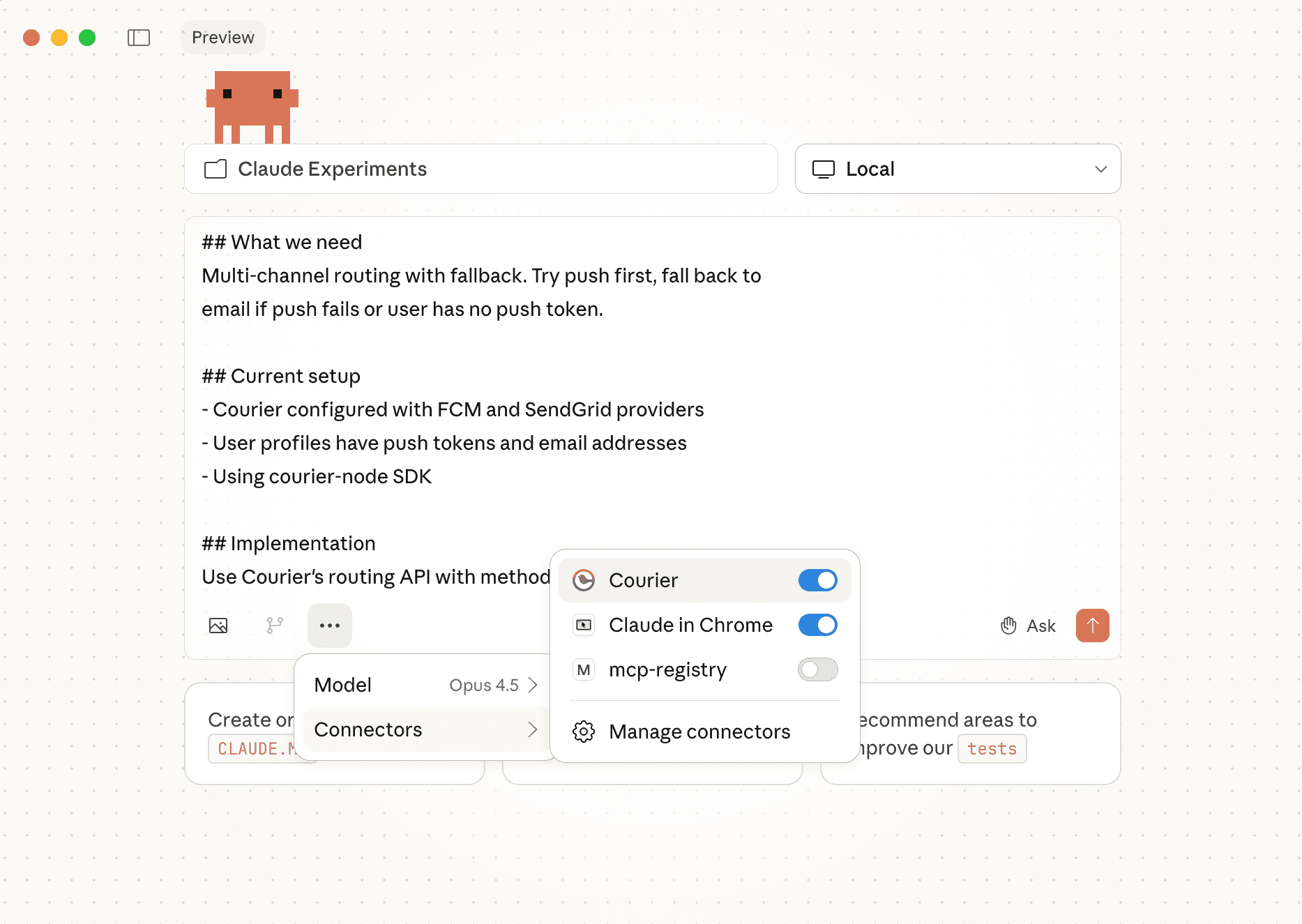
All three connect to the same hosted server. Once connected, try something like:
"Send an email to user test_user_123 with the subject 'Hello' and body 'Testing Courier MCP'"
The agent calls send_message, Courier routes it, and you get a requestId back. That's the full loop — no SDK install, no Postman, no curl.
For the full list of available tools, see the MCP docs. For the underlying REST API these tools wrap, see the API Reference. And if you're new to Courier entirely, the Quickstart walks through setting up your first notification channel.
Now here's what's behind it.
What's in the repo
github.com/trycourier/courier-mcp. TypeScript, two contributors (me and xehl). The structure:
courier-mcp/├── mcp/│ └── src/│ ├── index.ts # Main server class│ ├── client/ # Courier API client wrapper│ ├── tools/ # 16 tool classes (+ base class)│ │ ├── courier-mcp-tools.ts # Base class│ │ ├── send-tools.ts│ │ ├── docs-tools.ts│ │ ├── sdk-context-tools.ts # Present in repo (not registered)│ │ ├── config-tools.ts│ │ ├── automations-tools.ts│ │ ├── profiles-tools.ts│ │ ├── lists-tools.ts│ │ ├── messages-tools.ts│ │ ├── audience-tools.ts│ │ ├── auth-token-tools.ts│ │ ├── audit-events.ts│ │ ├── brands-tools.ts│ │ ├── bulk-tools.ts│ │ ├── inbound-tools.ts│ │ ├── notifications-tools.ts│ │ └── user-tokens-tools.ts│ └── utils/├── server/ # HTTP server wrapper├── docs/ # Installation guides (Markdown)└── examples/
The MCP server runs as a hosted HTTP service at https://mcp.courier.com, but you can run it locally with sh dev.sh for development.
How the tools register
The entry point is CourierMcp, which extends the MCP SDK's McpServer:
export default class CourierMcp extends McpServer {readonly client: CourierClient;readonly config: CourierMcpConfig;constructor(config: CourierMcpConfig) {super(MCP_DETAILS);this.client = new CourierClient(config.toCourierClientOptions());this.config = config;this.registerTools();}private registerTools() {new AudienceTools(this).register();new AuditEventsTools(this).register();new AuthTokenTools(this).register();new AutomationsTools(this).register();new BrandsTools(this).register();new BulkTools(this).register();new DocsTools(this).register();new ConfigTools(this).register();new InboundTools(this).register();new ListsTools(this).register();new MessagesTools(this).register();new NotificationsTools(this).register();new ProfilesTools(this).register();new SendTools(this).register();new UserTokensTools(this).register();}}
Every tool module extends CourierMcpTools, which has one method worth noting:
public registerToolIfNeeded<Args extends ZodRawShape>(tool: string,description: string,paramsSchema: Args,cb: ToolCallback<Args>) {if (this.mcp.config.availableTools.includes(tool)) {this.mcp.tool(tool, description, paramsSchema, cb);}}
The availableTools config is the gatekeeper for most tools. Not every user needs all 16 tool classes' worth of tools exposed to their LLM. If you're only using the MCP server to send messages and check docs, you configure it to register just those tools. The LLM never sees the rest. (There is one exception today: send_message_to_list_template is registered directly, not through the gate.)
This matters because MCP clients (especially Cursor) start to degrade when they have 40+ tools loaded. We have enough tools across all modules that this would happen without the filter.
What you can do
Send messages
SendTools registers four tools:
static readonly tools: string[] = ['send_message','send_message_template','send_message_to_list','send_message_to_list_template',];
Two axes: individual user vs. list, and inline content vs. template. This split exists because LLMs are better at picking the right tool when the name tells them what it does. A single send tool with a use_template: boolean flag would require the LLM to read the schema and reason about the flag. Four named tools let it match on the name alone.
The send_message tool takes a channels array and a method (all or single). all sends to every channel in the array. single sends to the first one that works and stops. This is Courier's routing model exposed directly to the LLM:
{user_id: z.string(),title: z.string(),body: z.string(),data: z.record(z.string(), z.string()).optional(),method: z.enum(['all', 'single']).default('all'),channels: z.array(z.string()),}
When a developer prompts "send an email and push notification to user X," the LLM calls send_message with method: 'all' and channels: ['email', 'push']. When they say "try email first, fall back to push," it uses method: 'single' with channels: ['email', 'push']. The schema encodes the routing logic.
SDK version detection
This is the tool I'm most proud of. SdkContextTools has three tools (currently not registered in the server entrypoint):
static readonly tools: string[] = ["get_courier_sdk_context","scan_courier_imports","get_courier_sdk_component_map",];
get_courier_sdk_context reads the developer's package.json from disk and detects which Courier React SDK they're running. v7 is the old multi-package setup (@trycourier/react-inbox, @trycourier/react-provider, @trycourier/react-hooks). v8 is the consolidated @trycourier/courier-react (and @trycourier/courier-react-17).
Here's why this matters: if you prompt Cursor to "add a notification inbox to my React app" and you're on v7, the correct code is:
import { CourierProvider } from "@trycourier/react-provider";import { Inbox } from "@trycourier/react-inbox";<CourierProvider clientKey="YOUR_CLIENT_KEY"><Inbox /></CourierProvider>
But if you're on v8, that code is wrong. v8 removed CourierProvider, switched from clientKey to JWT auth, and renamed the component:
import { useCourier, CourierInbox } from "@trycourier/courier-react";const { client } = useCourier({ jwt: yourJwtHere });<CourierInbox client={client} />
Without the SDK context tool, the LLM guesses based on training data, which is a mix of v7 and v8 examples. With it, the LLM knows which version is installed and gets the correct rules, usage example, and migration hints in one call.
scan_courier_imports goes a step further. It walks your src/ directory, reads every .ts, .tsx, .js, and .jsx file, and checks for mixed imports or deprecated API calls:
if (code.includes("@trycourier/react-inbox") ||code.includes("@trycourier/react-provider"))hasV7 = true;if (code.includes("@trycourier/courier-react"))hasV8 = true;if (code.match(/\buseInbox\(/))issues.push(`Deprecated hook useInbox() in ${file}`);if (code.match(/\baddTag\(/) || code.match(/\bpinMessage\(/))issues.push(`Tags or pins (not supported in v8) used in ${file}`);
If you have both v7 and v8 imports in the same project (happens more than you'd think during migrations), the tool flags it. If you're using useInbox() (deprecated) or addTag() (removed), it tells the LLM exactly which files have the problem.
The LLM uses this to generate correct migration code instead of making things worse.
Reference Installation Guides
DocsTools has one tool: courier_installation_guide. It takes a platform enum:
platform: z.enum(['nodejs', 'python', 'react', 'ios','android', 'flutter', 'react native'])
The guides themselves are Markdown files stored in the repo's /docs directory. The tool fetches them at runtime from GitHub raw content:
private readonly BASE_DOCS_URL ='https://raw.githubusercontent.com/trycourier/courier-mcp/refs/heads/main/docs';
This means when we update a guide, every MCP user gets the update immediately. No package version bump, no "please update your MCP server" email. Push to main, done.
For client-side platforms (React, iOS, Android, Flutter, React Native), the tool does something extra: it generates a live JWT alongside the docs.
private async getDocsAndSampleJwt(url: string, user_id: string): Promise<string> {const [docs, jwt] = await Promise.all([this.getDocs(url),this.getJwt(user_id)]);return this.combineJwtAndDocs(user_id, jwt, docs);}
So when a developer prompts "set up Courier in my React app," the LLM gets:
- Current installation instructions (pulled from GitHub, always up to date)
- A working JWT token for the user ID they specify (or a default
example_user)
The generated code actually runs. Not placeholder tokens, not YOUR_JWT_HERE, a real token scoped to user_id:example_user with inbox read/write, preferences, and brands permissions. Valid for one hour.
Invoke Automations
AutomationsTools wraps Courier's automation templates in a single tool:
static readonly tools: string[] = ['invoke_automation_template',];
This lets you say "trigger the welcome sequence for user abc123" and the LLM calls:
await this.mcp.client.automations.invokeAutomationTemplate(template_id,{ data, profile, recipient, template, brand });
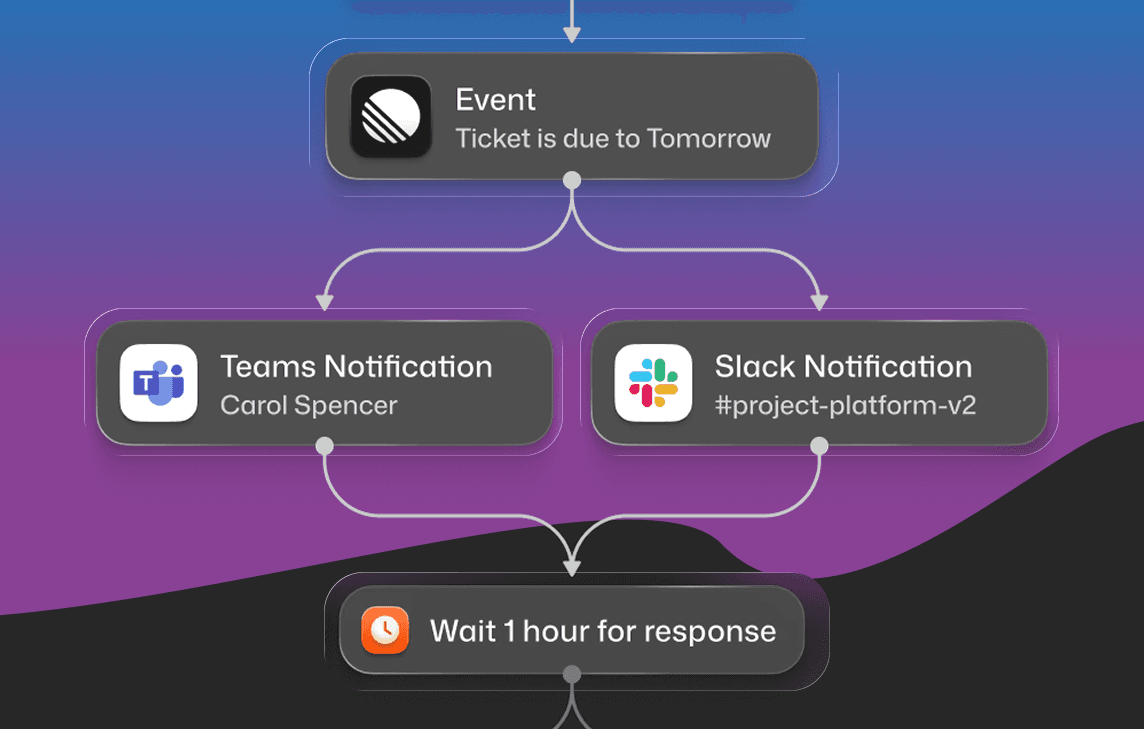
The template contains the multi-step logic (send email, wait 24 hours, check if user logged in, send push if not). The MCP tool just triggers it. The LLM doesn't need to understand the automation's internal steps.
What it won't do
We don't expose delete operations for core resources like users, templates, or lists. There are delete-style tools for list subscriptions (unsubscribe_user_from_list and delete_user_list_subscriptions), but no delete endpoints for the primary objects themselves. The MCP server is for building and testing, not for teardown. An LLM misinterpreting a prompt and deleting production data is a failure mode we'd rather not ship.
We also limited administrative updates. You can create and read, but bulk modifications to workspace settings aren't exposed. The principle: the MCP server should be safe to hand to an AI agent without worrying about what it might do to your account.
How to contribute
The repo is at github.com/trycourier/courier-mcp. If you find a bug, want to add a tool, or think the SDK context detection should finally be wired in, open an issue or PR. We're two contributors and we review everything that comes in.
Similar resources

Courier vs Customer.io: 2026 messaging platform comparison
Courier and Customer.io both send across email, push, SMS, and in-app, but they are not priced or built the same way. Courier bills by the send, puts journeys, experiments, broadcasts, an in-app inbox, preferences, and 50+ delivery providers on one platform, and exposes all of it through an API, a CLI, and an MCP server. Customer.io bills by the number of profiles in your database and fits a marketing team that needs deep behavioral segmentation. This comparison covers pricing, journeys, channels, in-app messaging, localization, and preferences, with every competitor figure linked to Customer.io's own pages.

Customer messaging tools that don't need engineers
Most companies run two systems: a marketing tool for campaigns, and something else for product notifications. Here are nine tools product and growth teams can run without engineering, what still needs a developer, and what each one costs.

Courier Skills: teach your AI agent to build with Courier
Courier Skills is a free, open-source knowledge base that teaches your AI coding agent how to build and debug notifications with Courier: the right primitive for each use case, the exact payload shapes, and the mistakes that produce unhelpful errors. The rebuilt version is smaller, leads every reference with the failure modes, and installs on any agent that reads skills with one command: `npx skills add trycourier/courier-skills`.