Stripo vs Unlayer vs Courier Create: Embedded Email Editor Comparison for SaaS Platforms
 Thomas SchiavoneDecember 05, 2025
SaaS platforms embed editors so customers can create and manage messages inside the product. Stripo and Unlayer are two of the most common tools teams evaluate for that job. They’re proven, flexible content builders — especially for email.
But if your product is responsible for more than email — if customers need to create notifications that ship across email, SMS, push, and in-app — the evaluation changes fast. Most embedded editors solve only the first half of the problem: content. The second half is what happens after Publish: where templates live, how they stay tenant-scoped and on-brand, and how they actually get delivered across channels with the right preferences and fallbacks. Email-only editors stop at export. Platforms still have to build delivery and multi-channel orchestration around them.
This guide compares Stripo, Unlayer, and Courier Create through that full SaaS lens. We’ll look at where each tool is strongest, what you still need to build around it, and which one fits different platform realities.
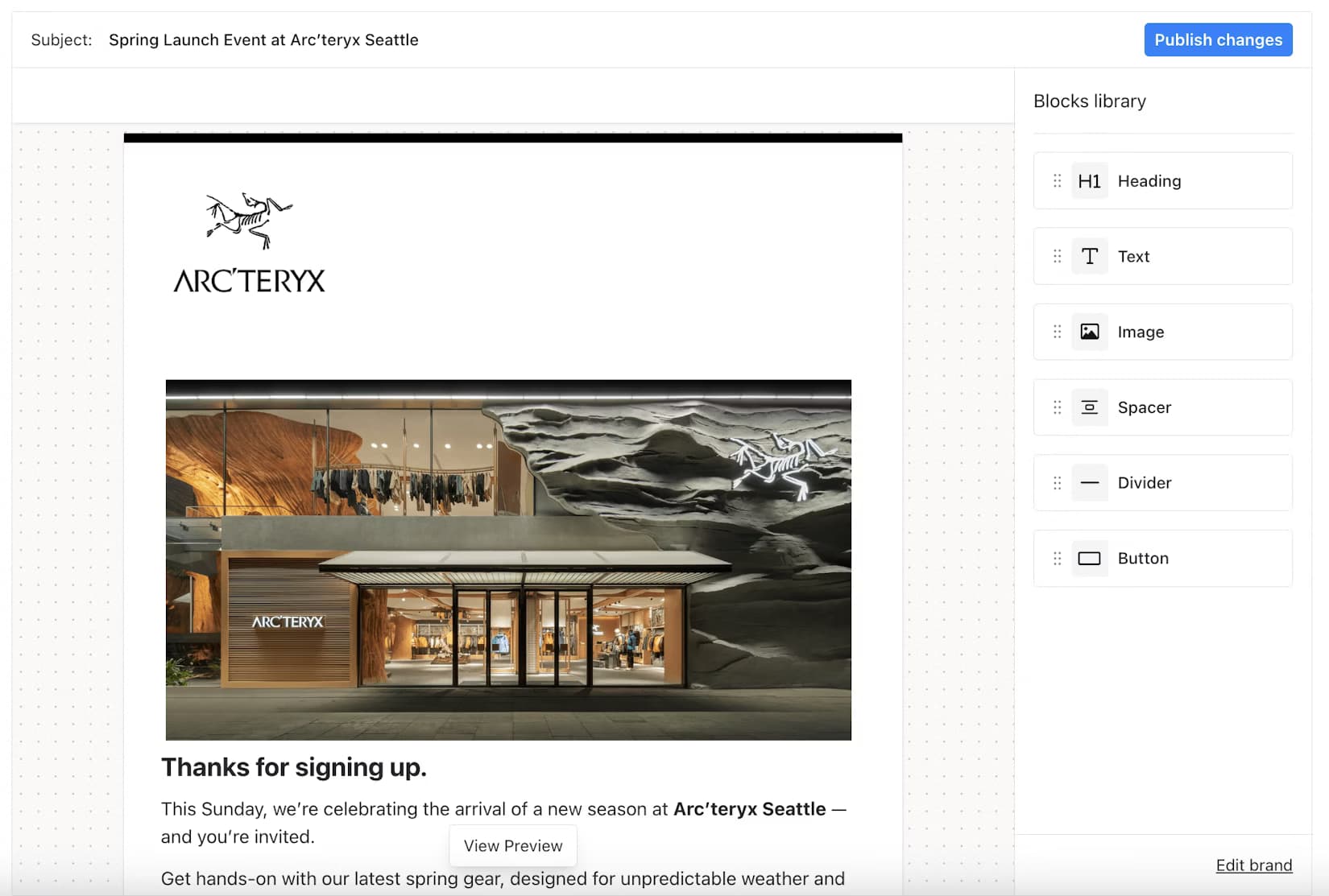
What embedding messaging in a SaaS platform actually requires
If you’re letting customers create messages inside your product, embedding an editor is only the start. In SaaS, you’re not just giving people a canvas — you’re giving them a controlled, tenant-safe way to create messages your platform can reliably deliver.
Content creation is table stakes
Every embedded editor needs to cover the basics:
- Drag-and-drop or block-based editing
- Responsive layouts and previews
- Reusable templates and saved modules
- Extensibility (custom blocks, constraints, guardrails)
- Output your system can store and re-render
Stripo and Unlayer are strong here, especially for email.
Delivery after “Publish”
The real question isn’t “can customers design content?”
It’s “what happens when they click Publish?”
A SaaS messaging workflow includes:
- Storing templates per tenant and per environment
- Rendering templates with dynamic data at send time
- Routing by user preferences and channel availability
- Handling fallbacks (push → SMS → email)
- Observability: logs, retries, compliance
Most embedded editors stop at export. That means your platform still owns the delivery pipeline and operations.
Multi-channel consistency is now the default
Modern SaaS notifications don’t live in one channel. Customers expect coordinated experiences across email, SMS, push, in-app, and chat tools. If those templates are authored in separate tools, you get duplicated work and drift in copy and branding.
The bar is now one authoring flow that can deliver across channels.
Multi-tenant control and governance
Because many tenants live inside the same platform, you also need:
- Tenant isolation (no cross-customer leaks)
- Permissions and publish workflows
- Versioning and audit trails
- Tenant-scoped branding
- React-first embedding that matches your stack
These are SaaS-specific requirements, not generic “email editor” features.
Quick side-by-side comparison
Here’s the high-level difference. Stripo and Unlayer are embedded content builders (primarily email). Courier Create is an embedded notification studio tied directly to multi-channel delivery.
| Criteria | Stripo | Unlayer | Courier Create |
|---|---|---|---|
| Primary focus | Email content creation | Email + broader content builders | Notifications content and delivery |
| Channels authored in one place | Mostly email | Mostly email (plus other content types) | Email, SMS, push, in-app, chat — unified |
| What happens after “Publish” | Export / sync to your system | Export / sync to your system | Publishes directly into Courier sends |
| Delivery included | No | No | Yes |
| Multi-tenant defaults | Possible, but DIY | Possible, but DIY | Built-in tenant scoping |
| Branding per tenant | Configurable | Configurable | Brand + Template editors together |
| Best for | Email-only use cases | Generic embedded content | Customer-owned multi-channel messaging |
If your customers only need to design emails, Stripo or Unlayer can be enough. If your product needs customer-owned multi-channel notifications ready to deliver the moment they’re published, Courier Create is built for that job. For a deeper look at the model and embed surface, see the Create overview docs.
Stripo: powerful email content builder, but delivery is separate
Stripo is a strong option when the main job is letting customers design rich emails inside your product. It’s email-first, with a polished editor UX and a deep set of modules and layouts.
Where Stripo shines
- A clean, customer-friendly editor that’s easy to pick up
- Email-specific building blocks and layout patterns
- Reusable sections and template-driven workflows
- Reliable HTML email output
What SaaS platforms still have to build around it
- Delivery is still your system. After Publish, you must store templates, render with data, route by preferences, and send.
- Not multi-channel native. Push/SMS/in-app templates need other tools, creating parallel workflows and drift.
- Multi-tenant governance is DIY. Tenant isolation, publish permissions, versioning/audit, and brand enforcement live in your app.
Best-fit scenario
Choose Stripo if your customers mostly need an embedded email builder and you’re comfortable owning delivery and any multi-channel expansion yourself.
Unlayer: flexible embedded content builder, not a delivery system
Unlayer shows up in a lot of “embed an email editor” searches because it’s fast to integrate, white-label friendly, and gives customers a slick drag-and-drop experience. Unlayer leans more “general embedded content builder” than Stripo.
Where Unlayer shines
- Quick embed and customization in React and modern web apps
- Smooth editor UX for non-technical users
- Broad builder mindset that fits multiple content surfaces
- White-labeling options that help it feel native
What SaaS platforms still have to build around it
- Delivery is separate. Your platform still handles storage, rendering, routing, fallbacks, observability, and compliance.
- Email-first in practice. Multi-channel parity usually means stitching together separate systems.
- Multi-tenant governance is on you. Tenant scoping, RBAC, publish flows, and brand enforcement need to be implemented in your application layer.
Best-fit scenario
Unlayer is a good fit if you want a general embedded content builder quickly, your customers’ needs are mostly email content, and you’re comfortable owning delivery and multi-channel orchestration elsewhere.
Courier Create: embedded content plus multi-channel delivery
Courier Create is built for a different job than email-only embedded editors. It’s designed for SaaS platforms where customers don’t just design messages — they own notifications end-to-end, across channels, inside your product. Create combines:
1) an embedded editor where customers build templates, and
2) native Courier delivery, so those templates are immediately sendable across channels.
What Create is built for
- Multi-channel authoring in one place. Customers design notifications across email, SMS, push, in-app, and chat without splitting work into different tools.
- Publish goes straight into delivery. Templates don’t get exported to be wired up later — they become live in Courier and are ready to send immediately.
- Multi-tenant by default. Templates and brands are scoped per tenant, so customers manage their own messaging safely.
- Brand + Template editing together. Embed a Brand Editor alongside the Template Editor so each tenant controls logos, colors, and style defaults that apply consistently across channels.
- React-first embedding with guardrails. Create is built for modern React apps with platform-controlled permissions and constraints. The Create overview docs walk through the embed model, scoping, and core concepts.
Why content + delivery together matters
With an email-only embedded editor, your platform still has to build and maintain:
- Template storage and versioning
- Per-channel rendering logic
- Preference routing and fallbacks
- Delivery operations and observability
- Multi-tenant governance on top
Create collapses that second half. Customers edit content in your UI, and what they publish is already part of the multi-channel delivery system you use to send notifications. The result:
- Design once, deliver everywhere
- No duplicated channel tooling
- Less platform code to maintain
- Faster iteration for tenants
Best-fit scenario
Courier Create is the right fit if your product is a platform where customers own notifications, multi-channel delivery is core, and you want embedded authoring that’s already connected to sending.
Decision guide: which should you choose?
Choose Stripo if…
- Your customers primarily need an embedded email builder.
- You already have (or are fine building) template lifecycle and delivery.
- Multi-channel notifications don’t need unified authoring.
Choose Unlayer if…
- You want a fast embedded content builder, especially in React.
- Email content is the main requirement.
- Your platform owns tenant controls and delivery elsewhere.
Choose Courier Create if…
- Customers need to design notifications, not just emails.
- Messaging is multi-channel by default.
- You want one workflow: design → publish → send.
- Multi-tenant safety and branding are core requirements.
Conclusion
Stripo and Unlayer are excellent embedded editors when the problem is email content creation. If your customers only need to design emails inside your product, either can be a practical choice — and your platform can handle the rest.
But most SaaS platforms aren’t solving for email alone anymore. Customers want to own notifications across email, SMS, push, and in-app, and they expect those messages to stay consistent across channels. In that world, an editor that stops at export creates more work: you still have to build template lifecycle, multi-tenant governance, channel routing, fallbacks, and delivery operations.
Courier Create is built for that full reality. It gives your customers an embedded studio to author notifications once, with templates that publish directly into Courier and are immediately sendable across channels. Content and delivery live in the same system, so you don’t have to stitch together the pieces — and your customers don’t have to manage messaging in fragments.
Want to see it in action? Start with Courier Create. If you want the full concept and embed details, the Create overview docs are the fastest place to go next.
Frequently Asked Questions (FAQ)
What problem do embedded editors solve for SaaS platforms?
They let your customers design and manage message content inside your product instead of relying on your team for every copy or branding change. That reduces support load, speeds up iteration for tenants, and makes messaging feel like a first-class part of your platform.
Are Stripo and Unlayer mainly email editors?
Yes. Both are designed primarily around email content creation. They can be embedded cleanly and produce solid HTML emails, but their core model assumes that email is the main structured channel you’re authoring.
Does Courier Create support email templates too?
Yes. Create supports email authoring, but it’s not limited to email. Email lives in the same authoring flow and template model as your other notification channels.
What does “content plus delivery” mean in practice?
It means when a customer publishes a template, it’s immediately part of the system that sends notifications. There’s no export step, no separate template store to maintain, and no custom pipeline to wire the editor output into delivery.
If I embed Stripo or Unlayer, what do I still have to build?
Typically you still need template storage and scoping per tenant, a draft/publish lifecycle, versioning and rollback, a rendering layer for dynamic data, channel routing and preference handling, fallbacks and retries, and observability, logs, and compliance tooling. Those tools give you a great editor surface. Everything downstream is your platform.
Can Stripo or Unlayer be used in a multi-tenant SaaS product?
Yes, but multi-tenant safety is not their default operating model. You’ll need to implement tenant isolation, permissions, and publishing rules yourself to ensure templates and brands don’t leak across customers.
Why is multi-channel authoring important now?
Because product and lifecycle messaging rarely happens in one channel. Customers want one message concept that shows up consistently across email, SMS, push, and in-app. If you make them author each channel in separate tools, you create duplicated work and drift.
What happens if customers want to edit push, SMS, or in-app notifications with Stripo or Unlayer?
You’ll need additional editors or custom UIs for those channels, plus a way to keep content and branding aligned across them. That usually becomes a parallel template system that your team has to maintain.
How does Courier Create handle multi-channel templates?
Create is designed around a single template model that can target multiple channels. Customers author in one studio, and the platform can deliver that content across channels without requiring separate editing surfaces.
How does Courier Create handle tenant branding?
Create supports tenant-scoped branding through a Brand Editor that can be embedded alongside the Template Editor. Each tenant can define logos, colors, and style defaults that apply consistently across channels.
What about permissions and publish workflows?
In SaaS, not every user should be able to publish changes. With Create, platforms can control authoring and publishing via tenant-scoped auth and editor guardrails. With email-only editors, you typically have to build those controls in your app layer.
Is Create only for platforms that already use Courier for sending?
Create is strongest when Courier is your delivery layer, because published templates are instantly sendable. If you’re not using Courier for delivery, you’d be adding a system whose main advantage is its tight coupling to multi-channel sending.
How hard is it to embed each tool in a React app?
All three have React-friendly embedding paths. The difference isn’t “can I render the editor,” it’s everything around it: how tenant context, permissions, branding, and publish-to-send flows are handled once the editor is in place.
When is an email-only embedded editor the right choice?
When your customers only need to create emails, multi-channel notifications aren’t part of the product, and your platform already handles delivery, lifecycle, and tenant governance. In that world, Stripo or Unlayer can be a clean fit.
When is Courier Create the right choice?
When customers need to manage notifications across multiple channels, you want one authoring flow and one template model, you don’t want to build and maintain a delivery pipeline around editor exports, and multi-tenant safety and branding are real product requirements. Create is built for customer-owned, multi-channel messaging end-to-end.
Similar resources

WhatsApp pricing changes on October 1, 2026
On October 1, 2026, two things become billable on the WhatsApp Business Platform: free-form replies inside the 24-hour customer service window, and utility templates sent in response to a customer. If your WhatsApp volume is conversations rather than campaigns, this is not a rate tweak. It adds a line to your invoice where there used to be a zero. Here is what changes, a worked example of the cost, and what to check.

Clinical alert and notification systems: how escalation works
A clinical alert is easy to send and hard to close. This is how alerting works inside a hospital: where alerts come from, how routing by role and shift works, and how the acknowledge, timeout, escalate loop is actually built, including what happens when nobody answers.

Courier vs Customer.io: 2026 messaging platform comparison
Courier and Customer.io both send across email, push, SMS, and in-app, but they are not priced or built the same way. Courier bills by the send, puts journeys, experiments, broadcasts, an in-app inbox, preferences, and 50+ delivery providers on one platform, and exposes all of it through an API, a CLI, and an MCP server. Customer.io bills by the number of profiles in your database and fits a marketing team that needs deep behavioral segmentation. This comparison covers pricing, journeys, channels, in-app messaging, localization, and preferences, with every competitor figure linked to Customer.io's own pages.