What Is Alert Fatigue?
 Kyle SeylerJanuary 23, 2026
What Is Alert Fatigue? A Guide for Product and Engineering Teams
TL;DR: Alert fatigue is when users stop responding to notifications because there are too many. The term comes from healthcare, where alarm systems in hospitals became so noisy that staff started ignoring them, sometimes missing critical patient alerts.
The same pattern happens in product notifications: send too many, and users tune them out entirely.
How alert fatigue works
Alert fatigue is a form of habituation, a psychological process where repeated exposure to a stimulus reduces your response to it. The first time your phone buzzes, you check it. By the hundredth buzz of the day, you ignore it.
There's also a "cry wolf" effect. If most notifications are low-value (promotional emails, social media likes, routine updates), users learn that notifications aren't worth their attention. When a genuinely important notification arrives, it gets the same dismissive treatment.
This creates a destructive cycle:
- You send more notifications hoping to increase engagement
- Users feel overwhelmed and start ignoring notifications
- Engagement drops
- You send even more notifications to compensate
- Users disable notifications entirely or uninstall
Breaking this cycle requires sending fewer, better notifications.
Alert fatigue across industries
The term originated in healthcare, but the problem exists everywhere:
| Industry | Alert fatigue example |
|---|---|
| Healthcare | ICU monitors generate 150-400 alarms per patient per day. Studies show 72-99% are false alarms. Staff become desensitized. |
| DevOps/SRE | On-call engineers receive hundreds of alerts per shift. Critical incidents get lost in the noise of flapping services and low-priority warnings. |
| Security (SOC) | Security analysts face thousands of alerts daily. The average SOC investigates only 56% of alerts received. |
| Product/Consumer | Users receive 46 push notifications per day on average. 60% of users disable push notifications within a week of installation. |
The pattern is consistent: high volume leads to low response rates, which leads to missed critical events.
How to measure alert fatigue
You can't fix what you don't measure. These metrics indicate alert fatigue in your notification system:
Open rate decline over time Track notification open rates week-over-week for the same notification types. A steady decline suggests fatigue.
Dismiss rate / swipe-away rate High dismiss rates (notifications swiped away without opening) indicate low-value notifications.
Time-to-action How long between notification delivery and user action? Increasing delays suggest users are batching their notification reviews instead of responding immediately.
Notification opt-out rate Track how many users disable specific notification categories or all notifications. High opt-out rates are the clearest signal of fatigue.
Critical alert response time For systems with tiered priority, measure response time specifically for high-priority alerts. If critical alerts get slow responses, fatigue has reached dangerous levels.
Benchmark these metrics before making changes, then track improvement as you implement fixes.
Five strategies to reduce alert fatigue
1. Batch related notifications
Instead of sending five separate notifications for five new comments, send one notification summarizing all five.
Batching reduces volume without reducing information. Users get the same content in fewer interruptions.
Effective batching requires:
- Time windows: Group notifications that arrive within 5-30 minutes
- Smart summarization: "5 new comments on your post" instead of five separate alerts
- Breakout for urgency: High-priority items should still send immediately
Courier's workflow automation includes batching nodes that group notifications by time window or event count.
2. Prioritize ruthlessly
Not all notifications deserve equal treatment. Categorize your notifications by actual importance:
| Priority | Example | Treatment |
|---|---|---|
| Critical | Security alerts, payment failures, system outages | Immediate, multi-channel |
| High | Direct messages, mentions, assignment changes | Immediate, primary channel |
| Medium | Comments, likes, activity updates | Batched or delayed |
| Low | Marketing, suggestions, "you might like" | Digest only, or don't send |
Many products treat everything as high priority. That's the same as treating nothing as high priority.
3. Let users control their preferences
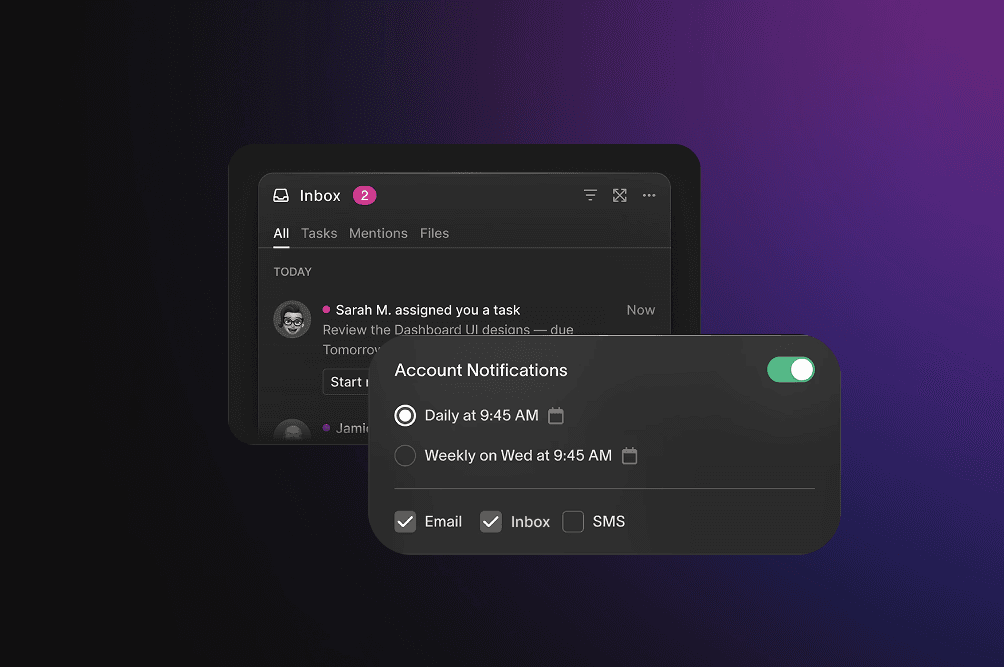
Users know better than you which notifications they want. Give them control:
- Category-level toggles: Let users enable/disable notification types independently
- Channel preferences: Some users want email but not push, or vice versa
- Frequency controls: Daily digest vs real-time
- Quiet hours: No notifications during specified times
A hosted preference center reduces the chance users will disable notifications entirely. If they can turn off marketing notifications while keeping critical alerts, they're less likely to uninstall or revoke permissions.
4. Route to the right channel
Different notifications belong on different channels:
| Notification type | Best channel | Why |
|---|---|---|
| Security alert | Push + Email + SMS | Redundancy for critical information |
| Direct message | Push or In-app | Real-time, conversational |
| Weekly digest | Long-form, can be read later | |
| Transactional confirmation | Reference document | |
| Live event update | Push | Time-sensitive |
Sending everything through push maximizes fatigue. Routing low-priority content to email or in-app feeds keeps your push channel valuable.
Multi-channel routing also enables smart escalation: start with in-app, escalate to push if not seen, escalate to email if still not seen.
5. Optimize timing
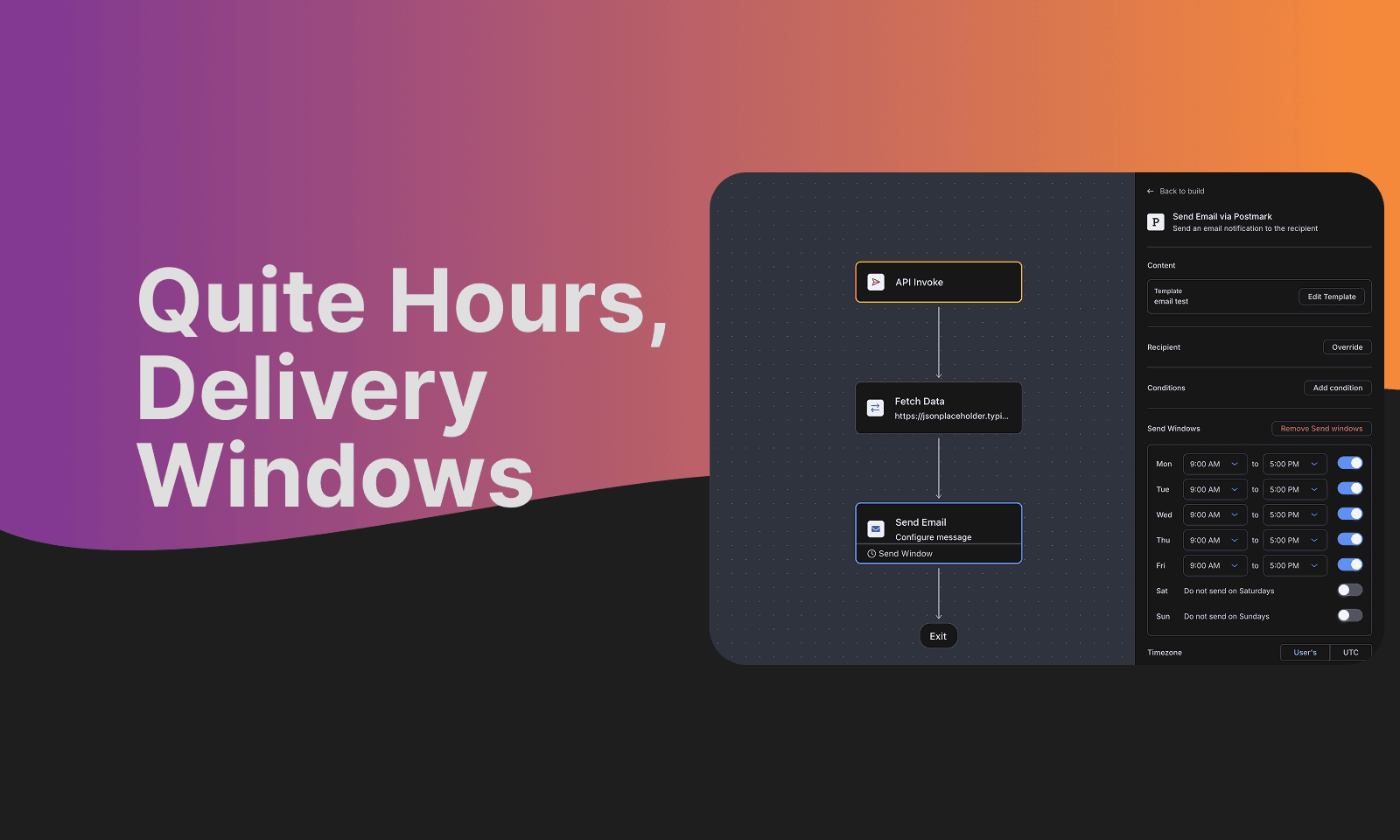
When you send matters as much as what you send.
Avoid notification storms: If your system generates many events at once (batch job completion, bulk import), spread notifications over time instead of sending all at once.
Respect time zones: A notification at 3am is almost certainly going to be dismissed without reading.
Learn from user behavior: If a user consistently opens notifications at 9am and 6pm, those are good times to send. Notifications at other times compete with their focus time.
Courier's delay and delivery window features let you schedule notifications for optimal times without building this logic yourself.
What alert fatigue costs you
Alert fatigue isn't just an annoyance. It has measurable business impact:
Missed critical information: When users ignore notifications, they miss things that matter. This could mean missed security alerts, failed payments they don't notice, or messages from customers they don't respond to.
Reduced engagement: Users who've tuned out notifications are less engaged overall. They visit your product less frequently and are more likely to churn.
Permission revocation: On mobile, push notification permission is precious. Once a user revokes it, you've lost a direct communication channel. Getting permission back is extremely difficult.
Brand perception: Apps that spam notifications get a reputation for it. Users warn others away.
How notification infrastructure helps
Building anti-fatigue features in-house requires significant investment:
- Batching logic with configurable time windows
- User preference storage and UI
- Multi-channel routing with fallback
- Timing optimization based on user behavior
- Analytics to measure fatigue metrics
Notification infrastructure platforms provide these features out of the box.
Courier includes:
- Batch nodes: Group notifications by time or count
- Throttle controls: Limit notification frequency per user
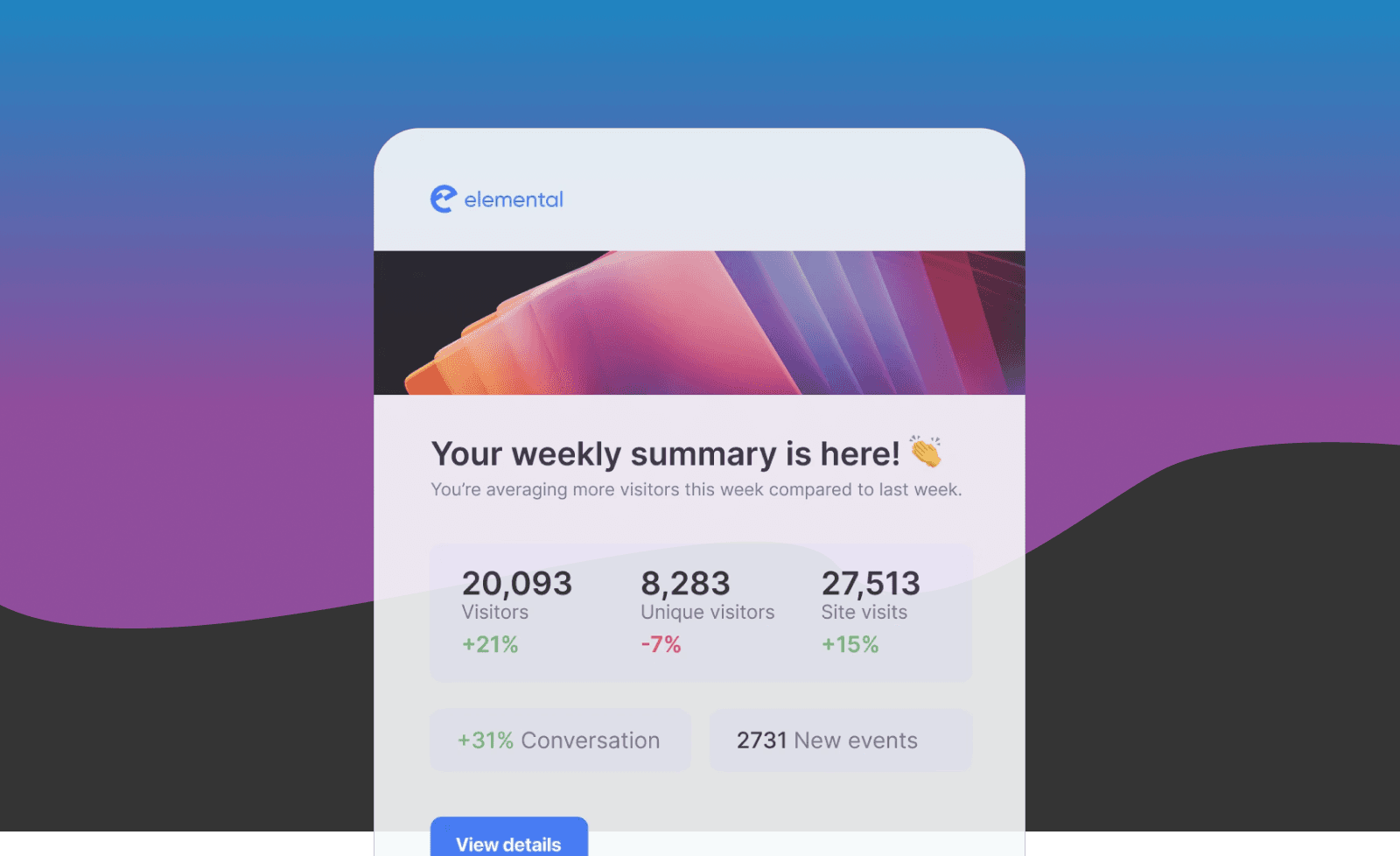
- Digest functionality: Combine multiple events into summary notifications
- User preferences: Hosted preference center with API
- Multi-channel routing: Route to email, push, SMS, Slack, or in-app based on rules
These features work together. You can build a workflow that batches low-priority notifications, respects user channel preferences, and only sends during preferred hours, without writing custom code.
Summary
Alert fatigue is a real problem with measurable consequences. Users who receive too many notifications stop responding to any of them, including the ones that matter.
The solution isn't to stop sending notifications. It's to send fewer, better notifications through the right channels at the right times, while giving users control over their preferences.
| Strategy | Impact |
|---|---|
| Batching | Reduces volume without losing information |
| Prioritization | Ensures critical alerts stand out |
| User preferences | Prevents all-or-nothing opt-out |
| Channel routing | Keeps high-value channels valuable |
| Timing optimization | Respects user attention and context |
For more on reducing notification fatigue:
- Courier Workflow Automations (includes batch, throttle, and digest)
- User Preferences Documentation
- Courier Pricing (free tier available)
Dealing with notification fatigue in your product? Request a demo to see how Courier's batching, throttling, and preference management can help.
Similar resources

HIPAA-compliant notifications: where PHI should live
A practical guide to HIPAA-compliant notifications across SMS, push, email, and an in-app inbox. One rule, applied to every channel and every place PHI gets stored, including the systems most teams forget are in scope.

How to get your logo in Gmail and Apple Mail
BIMI puts your logo next to your emails in Gmail and Apple Mail, but there is no upload form. It is earned by locking your domain down. Here is the whole project: what it costs, how long it takes, and the five ways it fails silently.

Email preview tools compared: 6 that render on real devices
Most "email preview" features are simulations. These six open your email in the actual client and send back a screenshot. Here’s what each costs per preview, how much work sits between your template and the result, and which ones you can drive from code.