

Reply-To, CC, and BCC are configured per notification in channel settings.
If you’re sending with inline content or need to set these fields programmatically at send time, you can use message.channels.email.override in the Send request instead. See Email Channel Overrides for the full field reference.
Setting the ‘From’ Name and Email Address
You can set the ‘From’ name and email address for email notifications in two ways:- The default provider integration settings
- On a per-channel basis using the email channel settings.
Channel settings always override provider defaults for the notification and channel where they are set.
Setting Default Address Fields in the Integration Settings
By default, email notifications use thefrom name and email address set in your provider integration settings.
Some providers expose both From Email Address and From Name fields.
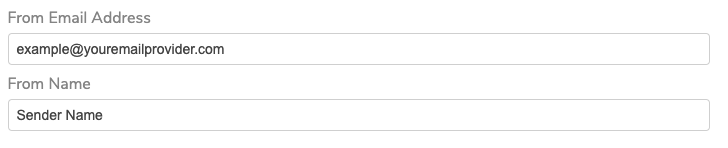
Email From Field
Sender Name <example@youremailprovider.com> in the from value.

Email API
Overriding the Default From Name and Email Via Channel Settings
To override provider defaults for one notification, open channel settings and set a channel-levelfrom value.
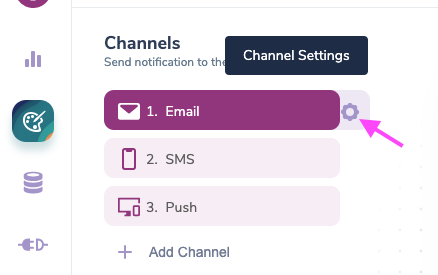
Channel Settings
From address.
Use the Sender Name <example@youremailprovider.com> format to define a name.
Setting the ‘Reply To’, ‘CC’ and ‘BCC’ Addresses
To set theReply To, CC and BCC addresses, open the email channel settings and add your email addresses into the corresponding fields.
You can use variables to dynamically set any of these email addresses.
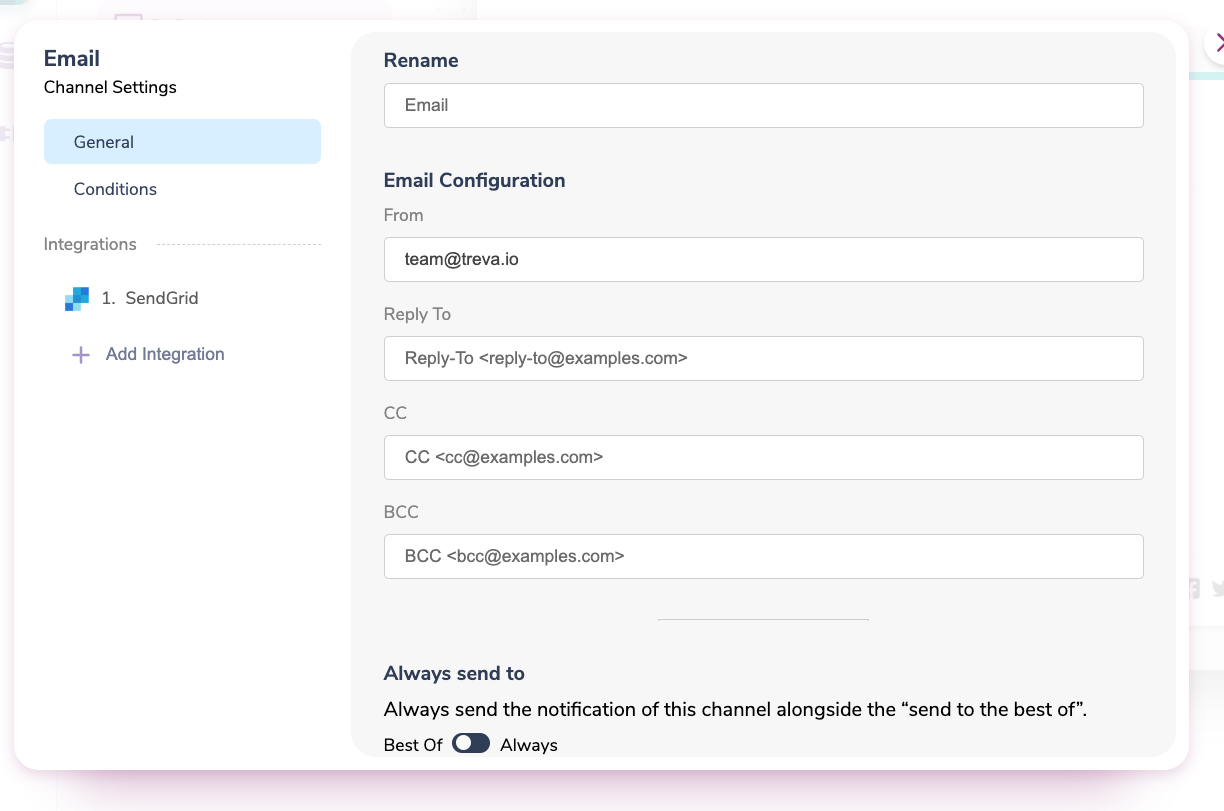
General Template Settings