

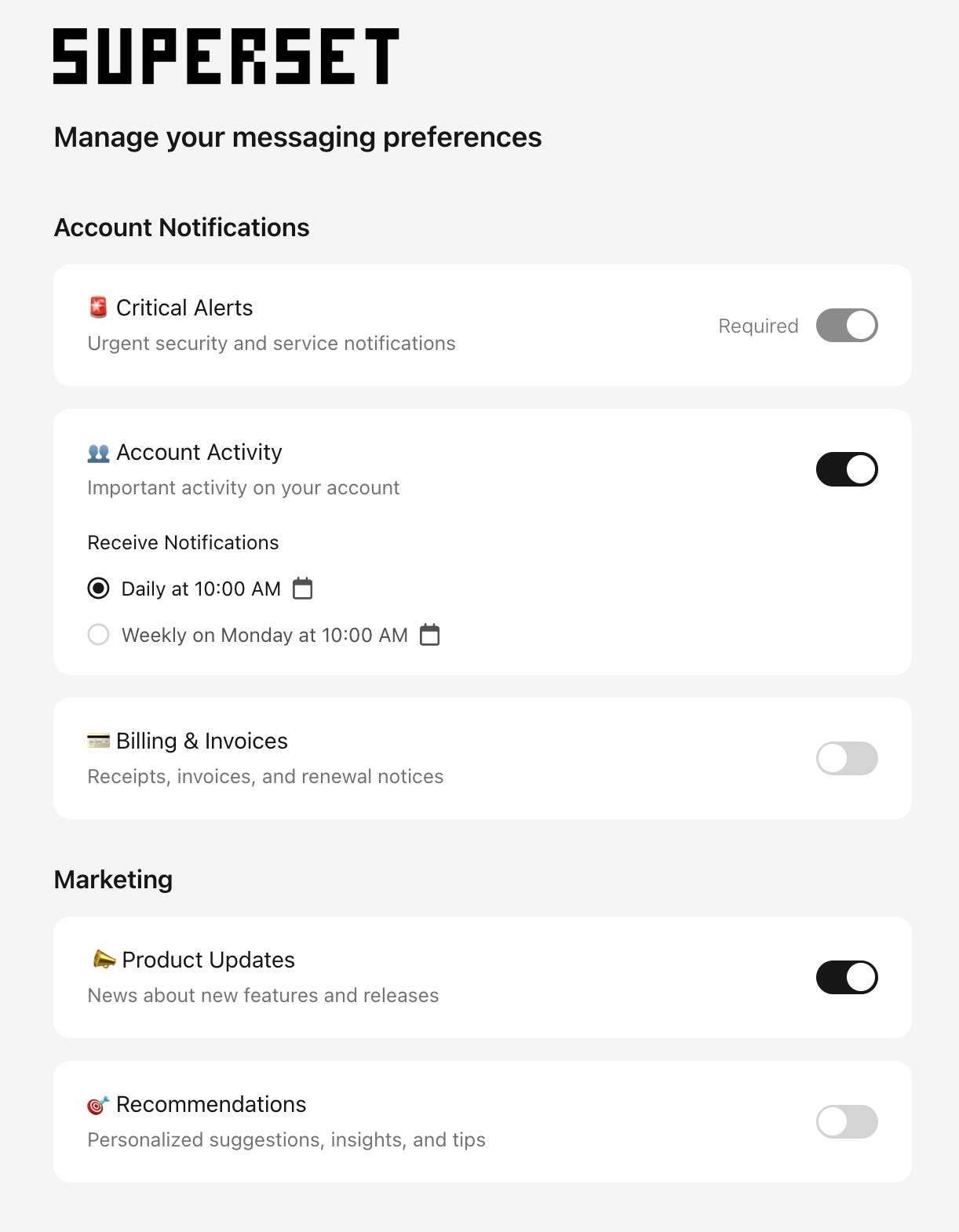
When to Use Notification Preferences
Use preferences when you need to:- Let users manage their own subscriptions. Recipients choose which notification categories they get, instead of you guessing.
- Handle unsubscribes. One-click opt-out and preference pages that satisfy CAN-SPAM and similar requirements.
- Give users channel and frequency control. Users pick channels (email, SMS, push, and more) and digest schedules.
Hosted vs. Embedded Preference Centers
You have two ways to put preferences in front of users. Both use the same preference data, so a change in one shows up in the other.Hosted Preference Center
A Courier-hosted page where users manage their preferences, with no frontend code. Style and brand it from the Courier UI, then add a link in your notifications or brand footer. Users get a responsive page with unsubscribe handling and optional per-channel selection.Embedded Preferences
Preference UI you drop into your own app with React or web components. Best when preferences should live inside your product, like an account or settings screen. You keep full control over layout and styling.What You Can Do with Preferences
Configure topics and sections
Define subscription topics, group them into sections, set each topic’s default to opt-in, opt-out, or required, and map notification templates to topics so every send respects the user’s choices.Offer channel and digest choices
Let users choose channels per topic and subscribe to digests. Set channel labels and digest schedules in the Preferences Editor and the automations Digest node.Track and query preferences
See preference change history in the dashboard, and read current preferences through the User Preferences API for analytics or downstream systems.FAQ
How are preferences enforced at send time?
How are preferences enforced at send time?
When you send a notification mapped to a subscription topic, Courier checks the recipient’s preferences first. If the user opted out of that topic or that channel, Courier skips the send for that channel. No extra logic in your code. Mapping a template to a topic is enough.
Do opted-out notifications still count toward usage?
Do opted-out notifications still count toward usage?
Yes. Courier still checks the
user_id’s preferences to route the send, so it counts toward usage even when the result is unsubscribed. To skip a channel or notification before any routing runs, use send conditions.Can I set default preferences for all users?
Can I set default preferences for all users?
Yes. In the Preferences Editor, each topic has a default status of
OPTED_IN, OPTED_OUT, or REQUIRED. New users inherit these defaults until they make their own choices. You can also set tenant-level defaults that override workspace defaults for users in that tenant.What's the difference between hosted and embedded preference centers?
What's the difference between hosted and embedded preference centers?
The hosted preference center is a Courier-hosted page you link to from emails or your app, with no frontend code required. Embedded preferences use React or web components you drop into your own UI for full control over layout and styling. Both read and write the same preference data.
Can users choose which channels they receive per topic?
Can users choose which channels they receive per topic?
Yes, if you enable channel routing on a topic in the Preferences Editor. Users can then select which channels (email, SMS, push, and more) they want for that topic.
How do I update preferences programmatically?
How do I update preferences programmatically?
Use the User Preferences API. You can read a user’s current preferences and update topic-level opt-in and opt-out status, channel choices, and custom routing. See the API tutorial for curl, Node, and Python examples.