

View preferences in the dashboard
- Open the Users section in your workspace.
- Search for and select a user.
- Review their subscription topics and current opt-in status.
- Open the user’s preference log to see when they opted in or out and changed settings.
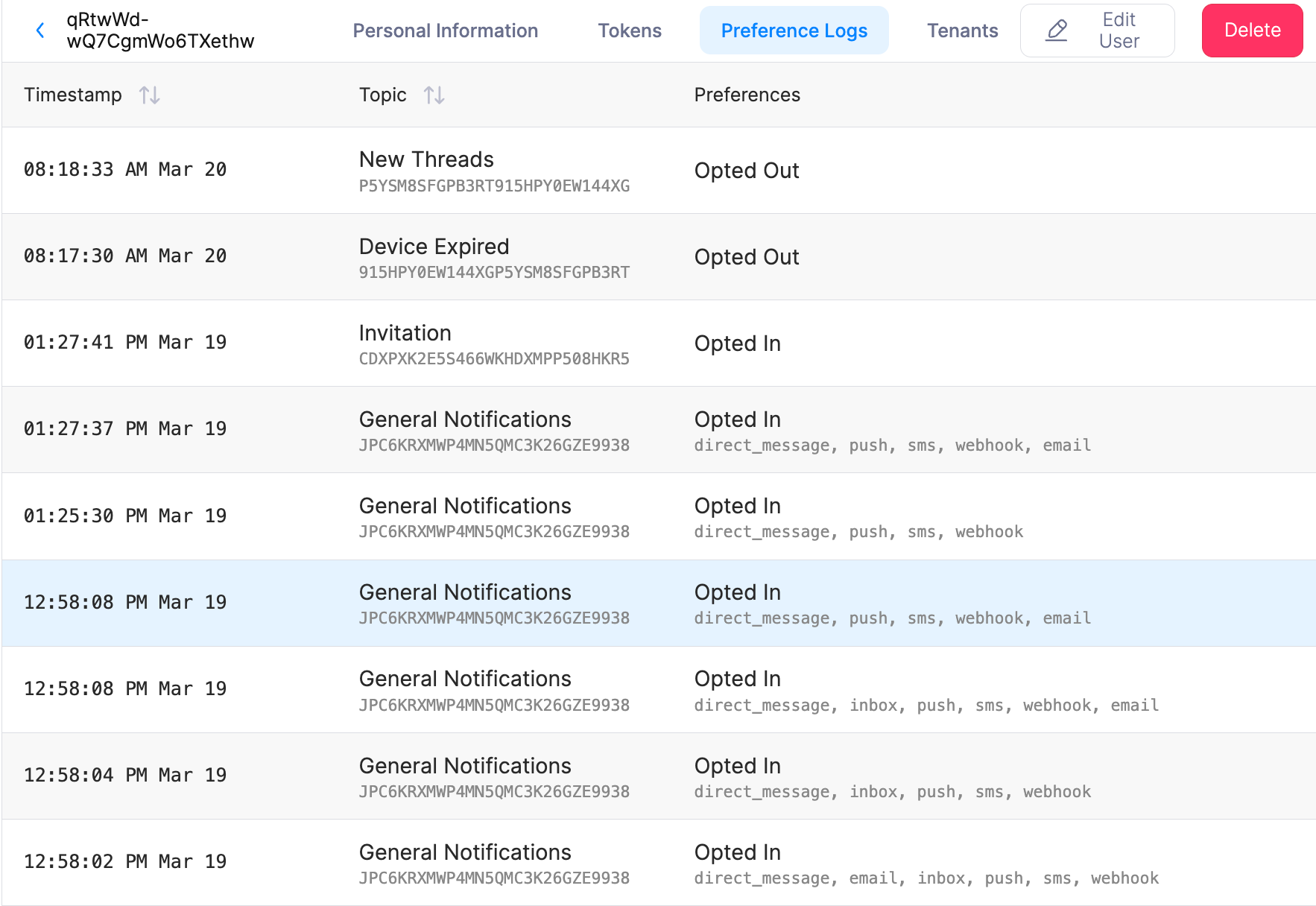
User preference logs in the dashboard
Query Preferences with the API
Read preferences programmatically with the User Preferences API:GET /users/{user_id}/preferenceslists every topic preference for a user.GETandPUT /users/{user_id}/preferences/{topic_id}read or update a single topic.
tenant_id query parameter to scope the result to one tenant. For read-and-update examples in curl, Node, and Python, see the preferences API tutorial.
The API returns current preferences only. For a history of changes, use the dashboard.