

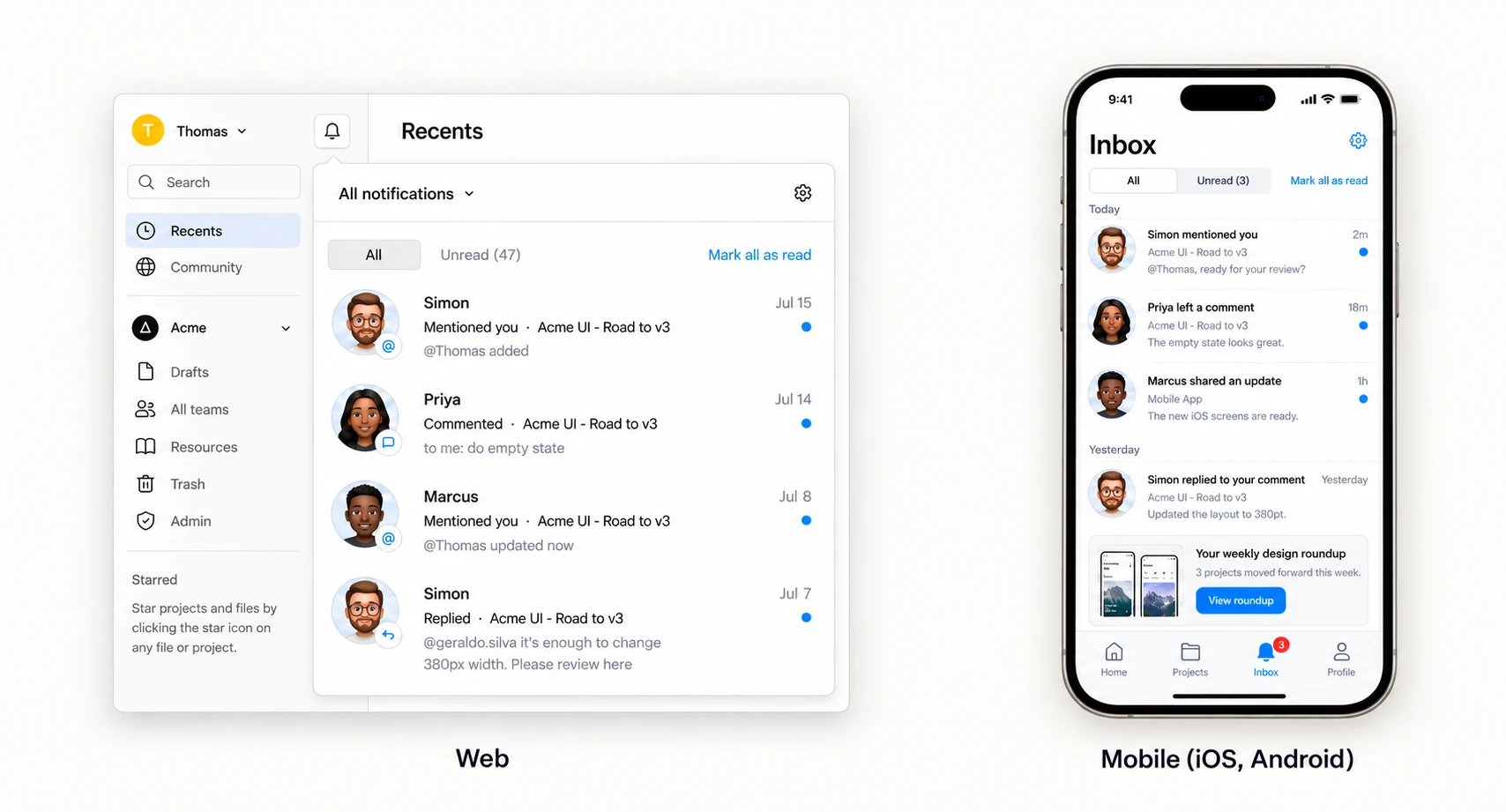
What is Courier Inbox
Users see what needs their attention without leaving your product, and messages stay there until the user reads or archives them. It comes in two parts: SDKs that render the inbox in your web and mobile apps, and a backend Courier hosts for you.- A prebuilt inbox you embed. Add the inbox component to your app. Unread counts, Unread and Archived views, in-message actions, and pagination work out of the box.
- Full control over how it looks. Theme it to match your brand, replace the header or list items with your own components, or build a custom UI on the same feed.
- A hosted backend. Courier stores each user’s messages and delivers them in real time. Read and archive state stays in sync across every device the user is signed in on.
How it works
- Embed the inbox in your app with a Courier SDK.
- Send a message to the
inboxchannel, the same way you’d send an email. - Courier delivers it in real time to every device the user is signed in on, and keeps read and archive state in sync.
Choose how much you build
Every option runs on the same feed. Courier stores the messages, delivers them in real time, and tracks read and archive state. What changes is how much of the interface is yours. Start with the prebuilt inbox, and move further only when your design needs it.
Custom components work in the web SDKs. On mobile, theme the prebuilt inbox or build a custom UI.
SDKs
Web: React · Vue · Angular · Web Components Mobile: iOS · Android · React Native · FlutterStart building
Add an inbox
Install an SDK, sign the user in, and render the inbox.
Send to the inbox
Send your first message to the
inbox channel.