

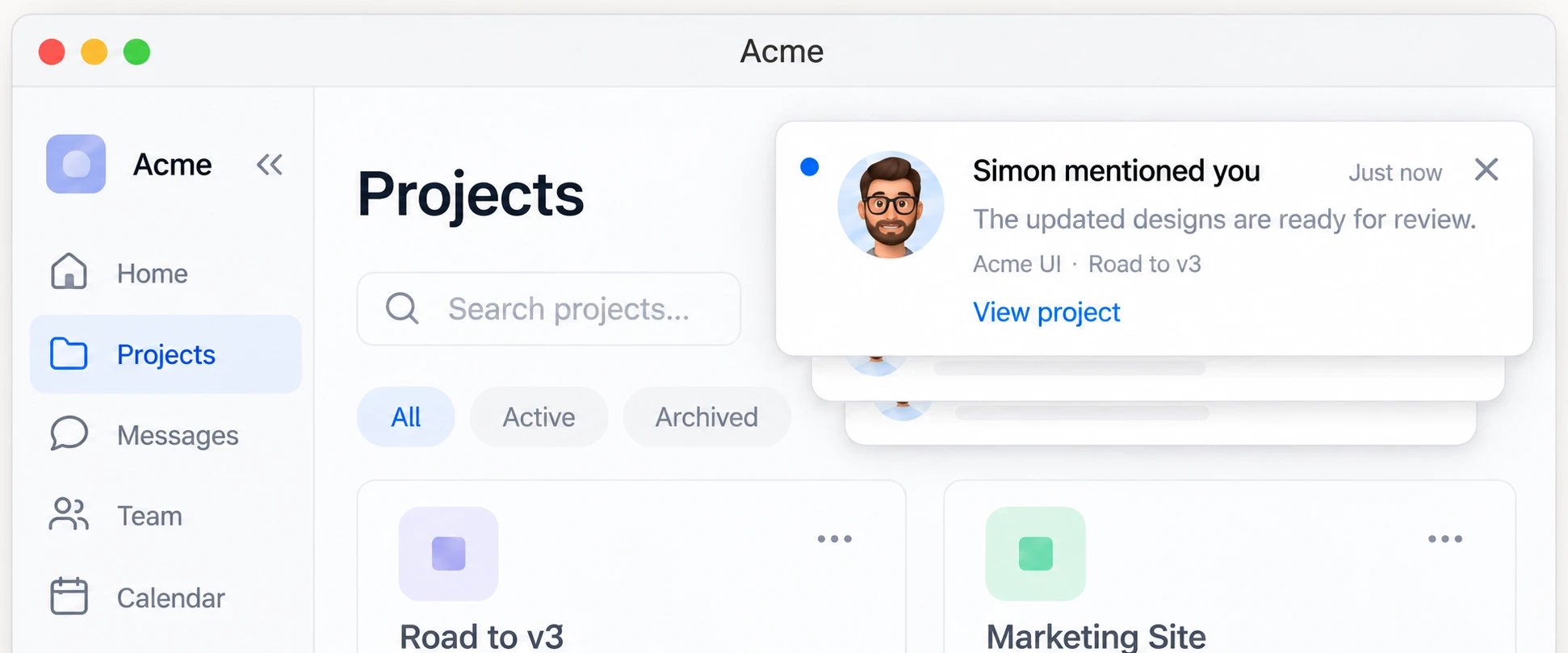
What are toasts
A toast is a short popup in the corner of your app. It stays until they close it, or dismisses itself on a timer if you turn on auto-dismiss. Toasts don’t have their own messages. They run on the same feed as the inbox, so every message you send to theinbox channel can pop up as a toast. You don’t send anything extra.
How toasts work with the inbox
The toast and the inbox play different roles with the same message:- The toast gets attention right now. It appears the moment the message arrives, and goes away once it’s closed or dismissed.
- The inbox keeps the record. The message stays there after the toast is gone, so the user can come back to it later.
How it works
- Add the toast component to your app with a Courier SDK.
- Send a message to the
inboxchannel. - Courier delivers it in real time, and the toast pops up while the user has your app open.
Web and mobile
The prebuilt toast is part of the web SDKs: React · Vue · Angular · Web Components On iOS, Android, React Native, and Flutter, listen for new inbox messages and show them in your own UI. To reach users when your app is closed, send push as well.Start building
Add toasts
Render toasts and handle clicks.
Customize toasts
Theme them or use your own component.