Announcing Courier Automations: Application Logic for Notifications
 Nick GottliebMay 25, 2022
We’re excited to announce a powerful new feature for the Courier platform: Courier Automations. Courier Automations is a toolset that includes both an API and a visual builder that allows anyone to easily configure logic for notification workflows. Need to send a reminder to class attendees 10 minutes before the class starts? Need to page an on-call engineer on multiple channels until they respond? These use cases and more can be achieved quickly and easily with Automations.
Why we built Automations
As developers, notifications are the primary way that the applications we build communicate with our end-users and the use cases vary widely. Some use cases are very straightforward and simply require that a single message goes to a single user once. Many notifications however require more sophisticated orchestration in order to deliver the desired user experience. Most developers today end up building a separate service to manage this logic. This results in additional infrastructure and development overhead and often in a less than ideal end-user experience.
We built Automations so that developers can deliver the ideal notification experience without needing to build and maintain yet another service.
What are product and engineering teams doing with Courier Automations today?
While today marks the official release of Automations, many of our customers are already using Automation to power key parts of their product experience.
The engineering team at LaunchDarkly, a feature management platform, uses Automations to define the logic for notifications associated with approvals for their customers' feature releases. Any time approval is requested or granted, an Automation is triggered to ensure all the relevant stakeholders are alerted. You can read more about their use case here.
Officevibe, which is an employee experience platform, regularly sends out Slack notifications on behalf of their customers asking employees to complete a brief survey. Their engineering team utilizes the Automations API to create lists of users for whom the Slack survey could not be delivered and send them an email survey instead.
For Yoga International, an online Yoga platform, it's essential that they deliver a seamless experience to their customers from the time they register for a live class through to the start of class. Their engineering team utilizes the Automations API to send timely reminders to class attendees for each live class that happens on their platform.
“Meetings Reminder”
Let's build a meetings reminder that sends an email reminder 10 minutes before the meeting and a link to the meeting notes two hours after the meeting.
Design the Messages:
- Log into Courier and navigate to the Notifications Designer
- Design an email reminder that will be sent 10 minutes before the meeting with the Gmail provider (or any email provider of your choice)
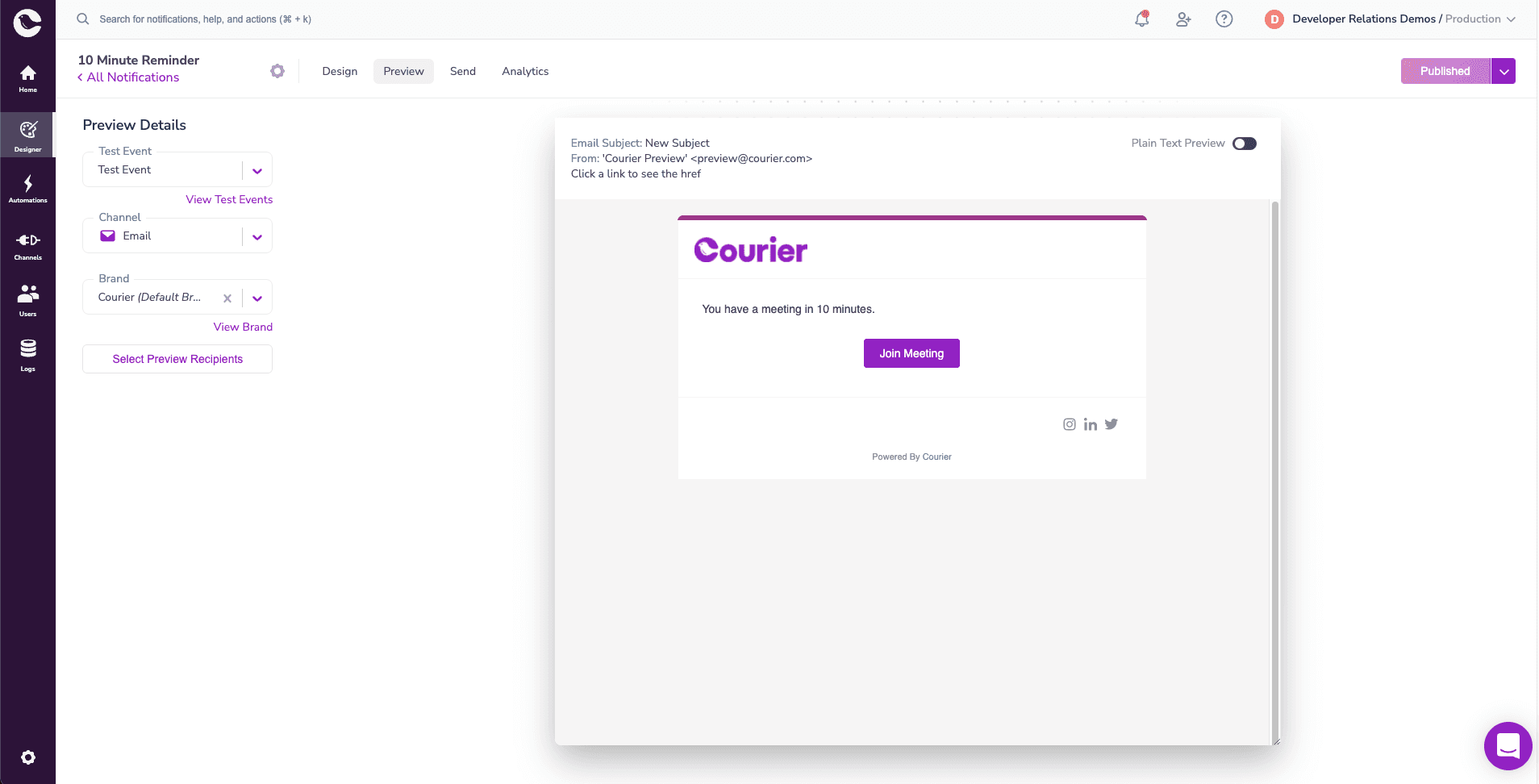
- Access the template ID in the settings of that notification and save it for future reference
- Design an SMS reminder that will be sent two hours after the meeting with the Twilio provider (or any email provider of your choice)
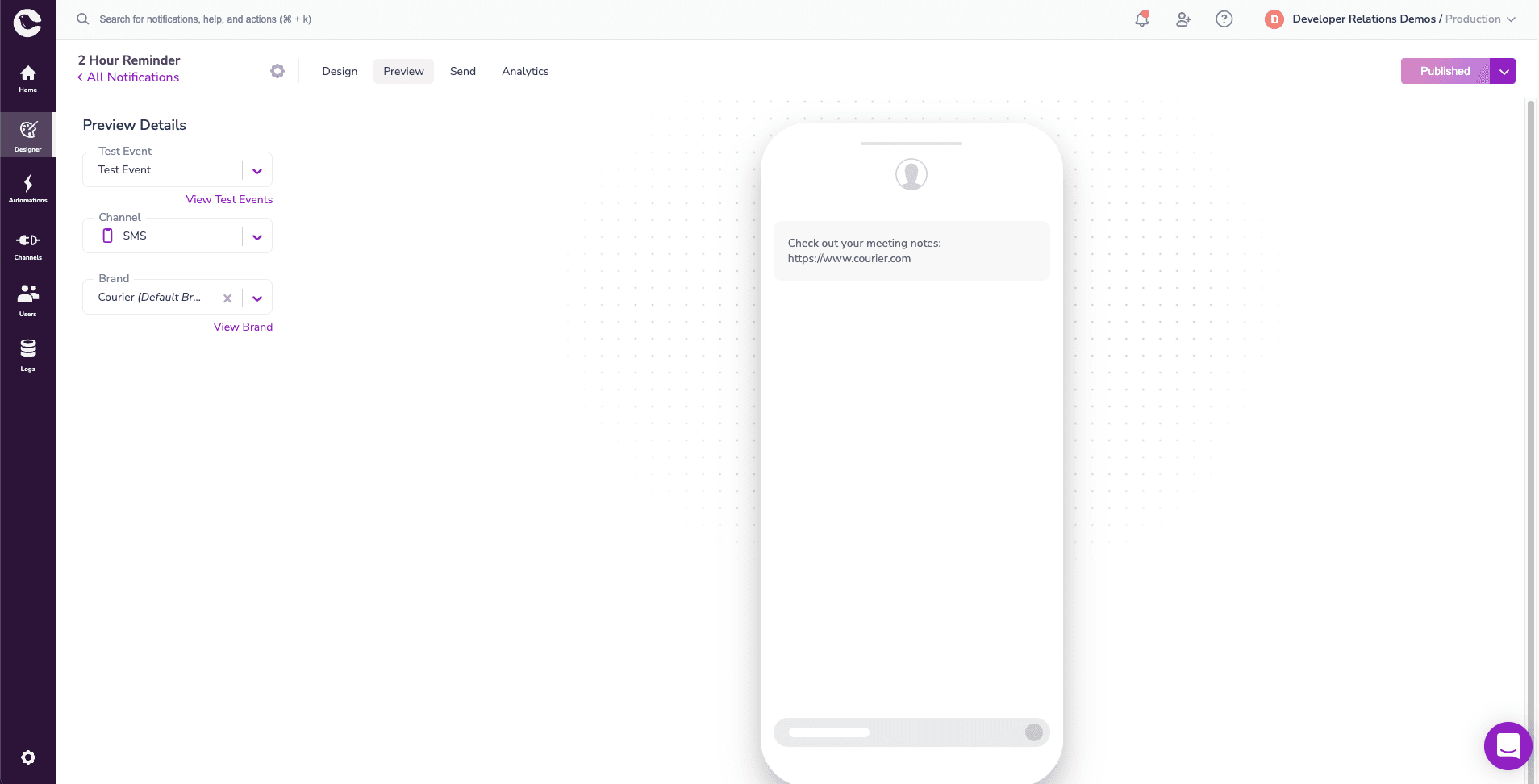
- Access the template ID in the settings of that notification and save it for future reference
How To Create an Automation Using the API (Node.js Example)
- Within your Node.js app, install node-fetch
npm install node-fetch - Navigate to the Automations API Reference and copy the starter code
- Add an
automationsobject with an array of objects calledsteps
"automation": {"steps": [{"action": "send","template": "template_id",}]},
- For this example, we will need three steps: send, delay, and another send. The first send step will send the 10 minute reminder. The delay step will wait for two hours after the meeting. The third step will send an SMS with a link to the meeting notes.
"automation": {"steps": [{"action": "send","template": "template_id_1"},{"action": "delay","duration": "130 minutes"},{"action": "send","template": "template_id_2"}]},
- Update
template_id_1with the notification template from Step 3 of “Design the Message” and updatetemplate_id_2with the notification template from Step 5 of “Design the Message” - Update the
brandandrecipientattributes with your preferred brand and recipient IDs - If your steps reference any Notification Templates, update the ID
templateattribute - Run your code to trigger the Automation
// Dependencies to install:// $ npm install node-fetch --saveconst fetch = require('node-fetch');const options = {method: 'POST',headers: {Accept: 'application/json','Content-Type': 'application/json',Authorization: 'Bearer replace-token'},body: JSON.stringify({"automation": {"steps": [{"action": "send","template": "template_id_1"},{"action": "delay","duration": "130 minutes"},{"action": "send","template": "template_id_2"}]},"brand": "W50NC77P524K14M5300PGPEK4JMJ","template": "EXAMPLE_NOTIFICATION","recipient": "8ec8c99a-c5f7-455b-9f60-8222b8a27056","data": {"name": "Jane Doe","age": 27},"profile": {"phone_number": "2025550125","email": "hello@example.com"}})};fetch('https://api.courier.com/automations/invoke', options).then(response => response.json()).then(response => console.log(response)).catch(err => console.error(err));
- Check the Datalog for delivery status and error messages
How To Create An Automation Using the Studio
This example demonstrates integrating an API V2 notification send call (Step 5 of "Design the Message").
- Navigate to the Automations page
- Create an Automation Template from scratch
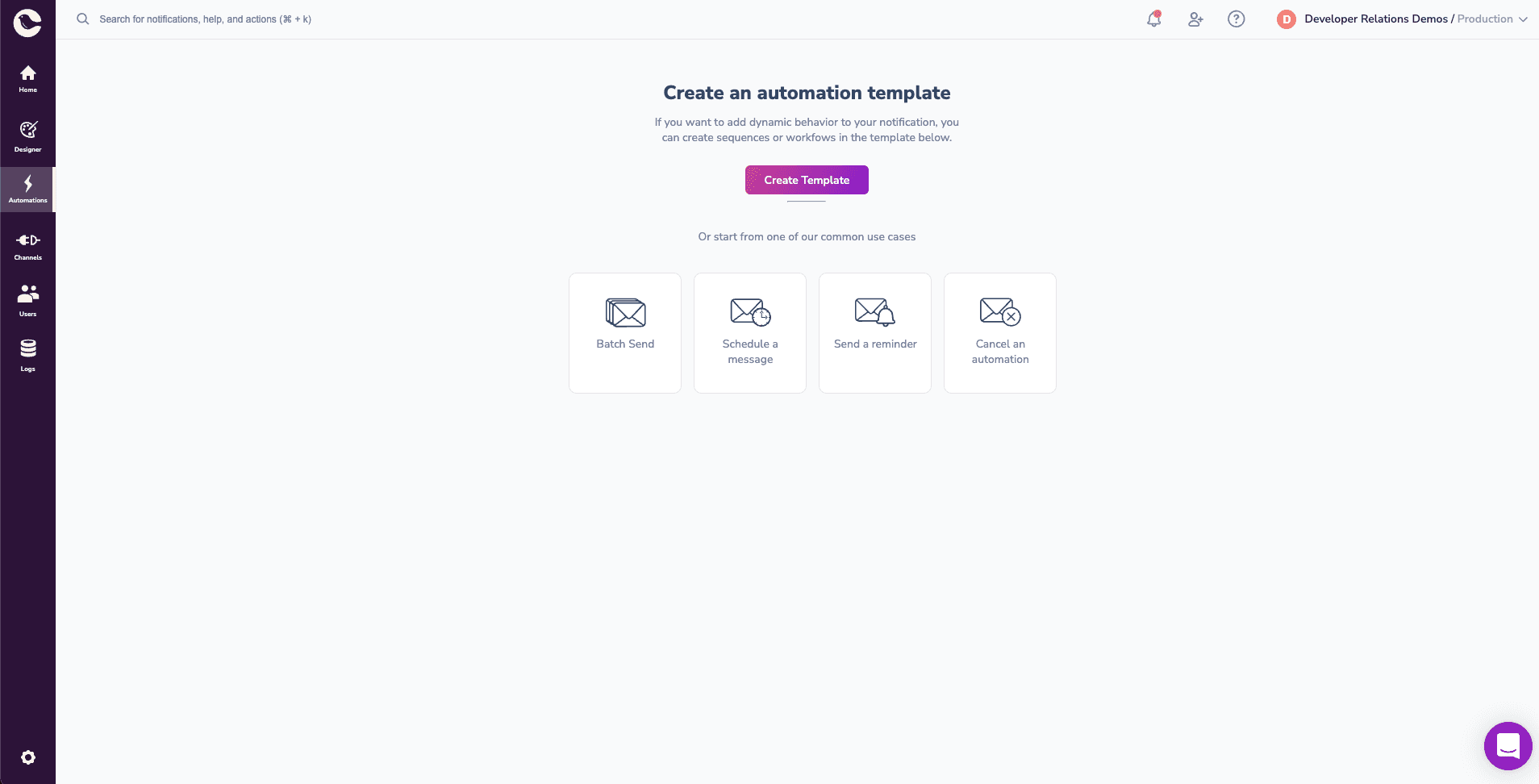
- Add a send step and select the “10 minute reminder” for the Notification
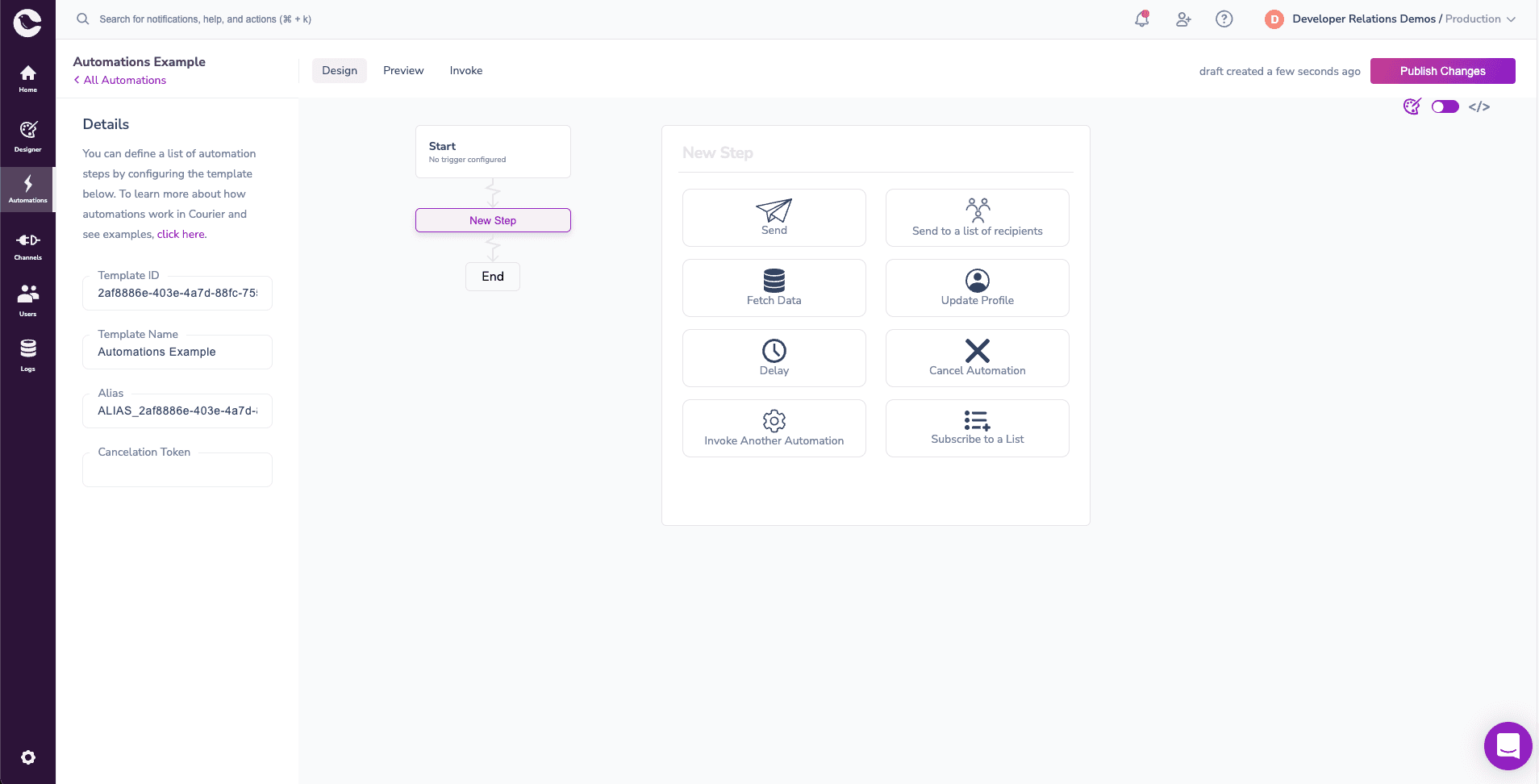
- Add a delay step and update the length to 130 minutes
- Switch over to code mode (top right, under the the “Publish Changes” button) and add an API V2 notification send call for the SMS with a link to the meeting notes
{"action": "send","message": {"to": {"email": "example@email.com"},"content": {"title": "Meeting Notes","body": "Link to meeting notes: ..."}}}
 This step can be done within the designer by following Step 3
- Select a trigger for the Automation (if no trigger is selected, the Automation can be triggered manually with a curl command)
- Publish changes to save your Automation
- Create a Test Event to test your Automation
{"data": {},"profile": {"email": "example@email.com","name": "Your Name"}}
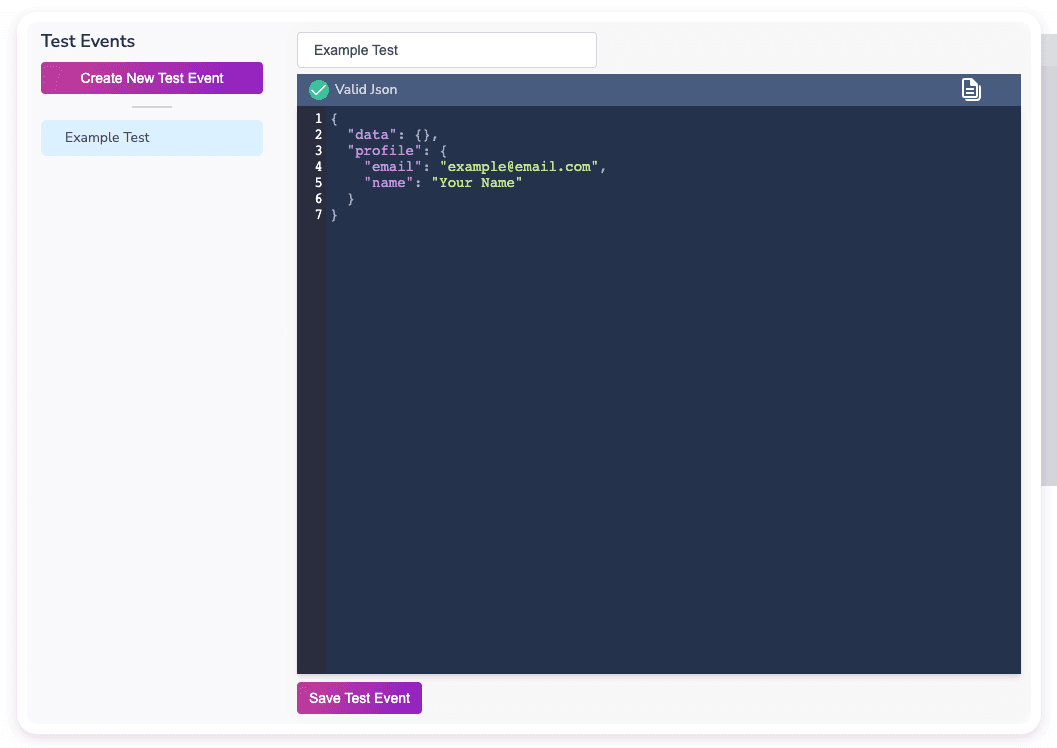
- Invoke your Automation in the Designer or copy the starter code and run it in a terminal
Getting Started
Sign up for a free Courier account to get started with Automations. Courier’s Free Tier includes Automations and up to 10,000 notifications per month.
Similar resources

Clinical alert and notification systems: how escalation works
A clinical alert is easy to send and hard to close. This is how alerting works inside a hospital: where alerts come from, how routing by role and shift works, and how the acknowledge, timeout, escalate loop is actually built, including what happens when nobody answers.

How to send Slack notifications from your app
Slack is where your customers already work, which makes it a product surface rather than only an internal alerting channel. Posting an approval request or a status change into a customer's own Slack means working in workspaces you don't own, addressing people by email rather than Slack ID, and holding a separate credential for every customer.
How Product Teams Build, Test and Ship Multichannel Notifications in Design Studio
Product teams need to build, test, and ship notifications across multiple channels without filing an engineering ticket every time. Courier's Design Studio is the workspace for that: a template builder, visual channel routing, omnichannel testing, and publishing in one place. This post walks through the traditional template designer paradigm, how it splits effort across too many tools, and outlines a path for product and growth teams to ship transactional, product, and marketing notifications from a single workspace.