Top 8 Customer Engagement Platforms for Product-Led SaaS in 2026
 Kyle SeylerFebruary 19, 2026
Cross-channel messaging in product-led SaaS sits at the intersection of engineering, product, and marketing. Each team has different priorities: engineers want reliable delivery and observable routing, product managers want preference controls tied to user behavior, and marketing wants lifecycle journeys that actually reach users. The friction between these groups typically surfaces as unreliable delivery, missing audit trails, and preference management that lives in spreadsheets instead of infrastructure.
The old tradeoff was speed versus control. No-code journey builders let marketing move fast but gave engineering zero visibility into delivery outcomes. API-first tools gave developers control but left marketing without self-serve orchestration. The better framing for 2026 is orchestration plus infrastructure primitives, where the question becomes: do you need a full suite or a dedicated infrastructure layer?
This guide compares 8 customer engagement platforms through that lens.
TLDR
Customer engagement platforms range from full marketing suites (Iterable, Braze, Customer.io, OneSignal) to developer-first notification infrastructure (Courier, Knock, Novu, SuprSend). If your product-led SaaS team needs auditable notification delivery with preference management, provider routing, and the widest channel coverage in the category, Courier fits that profile. If you need no-code lifecycle journeys and campaign tools, Iterable or OneSignal cover those workflows. Open-source teams should evaluate Novu. API-heavy engineering teams with CLI preferences can look at SuprSend.
Quick picks:
- Full-stack notification infrastructure with broadest channel coverage: Courier
- Cross-channel campaigns and journeys: Iterable
- No-code omnichannel lifecycle flows: OneSignal
- Marketing campaigns (enterprise budget required): Braze
- Journey building (limited channel set): Customer.io
- API-first workflows (limited use cases): Knock
- Open-source notification infrastructure: Novu
- API + CLI notification engine: SuprSend
For a deeper look at the infrastructure layer specifically, read Best Ways to Build Notification Infrastructure in 2026.
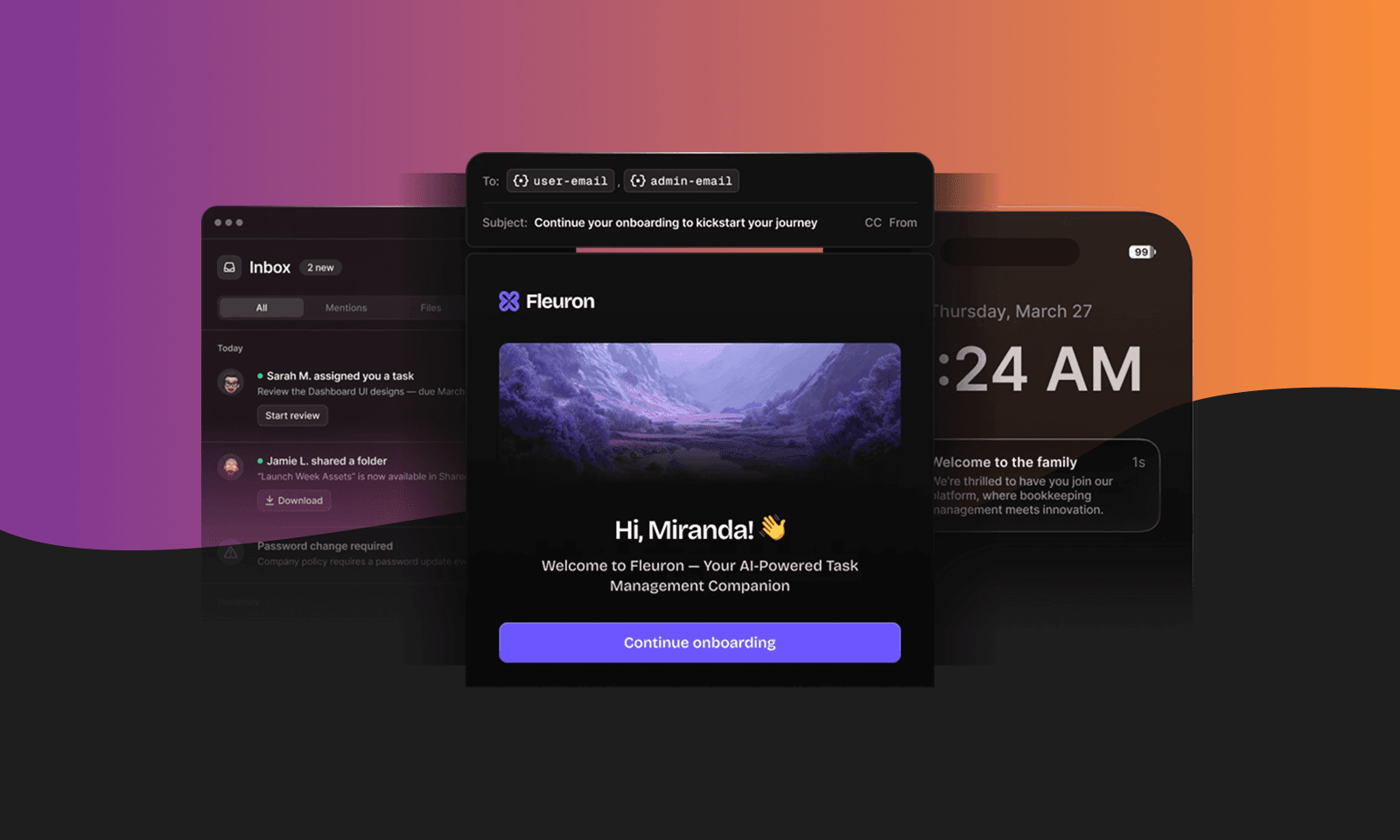
The Customer Engagement Platform Problem
Product-led SaaS companies generate engagement signals constantly: feature activations, usage milestones, billing events, onboarding completions. Turning those signals into timely, well-routed notifications across email, SMS, push, and in-app channels requires more than a campaign builder.
The real friction shows up in three areas. First, reliability: when a provider goes down, does your system route to a fallback or silently drop messages? Second, preferences: can you prove to a user (or a compliance auditor) exactly what they opted into and when they changed it? Third, observability: when a notification fails to reach a user, can an engineer trace the routing decision in logs?
Traditional customer engagement software was built for marketing teams running campaigns. Product-led teams need infrastructure that handles transactional notifications, respects user preferences at scale, and gives engineers the same visibility they expect from application monitoring. The gap between "campaign tool" and "notification infrastructure" is where most evaluation mistakes happen.
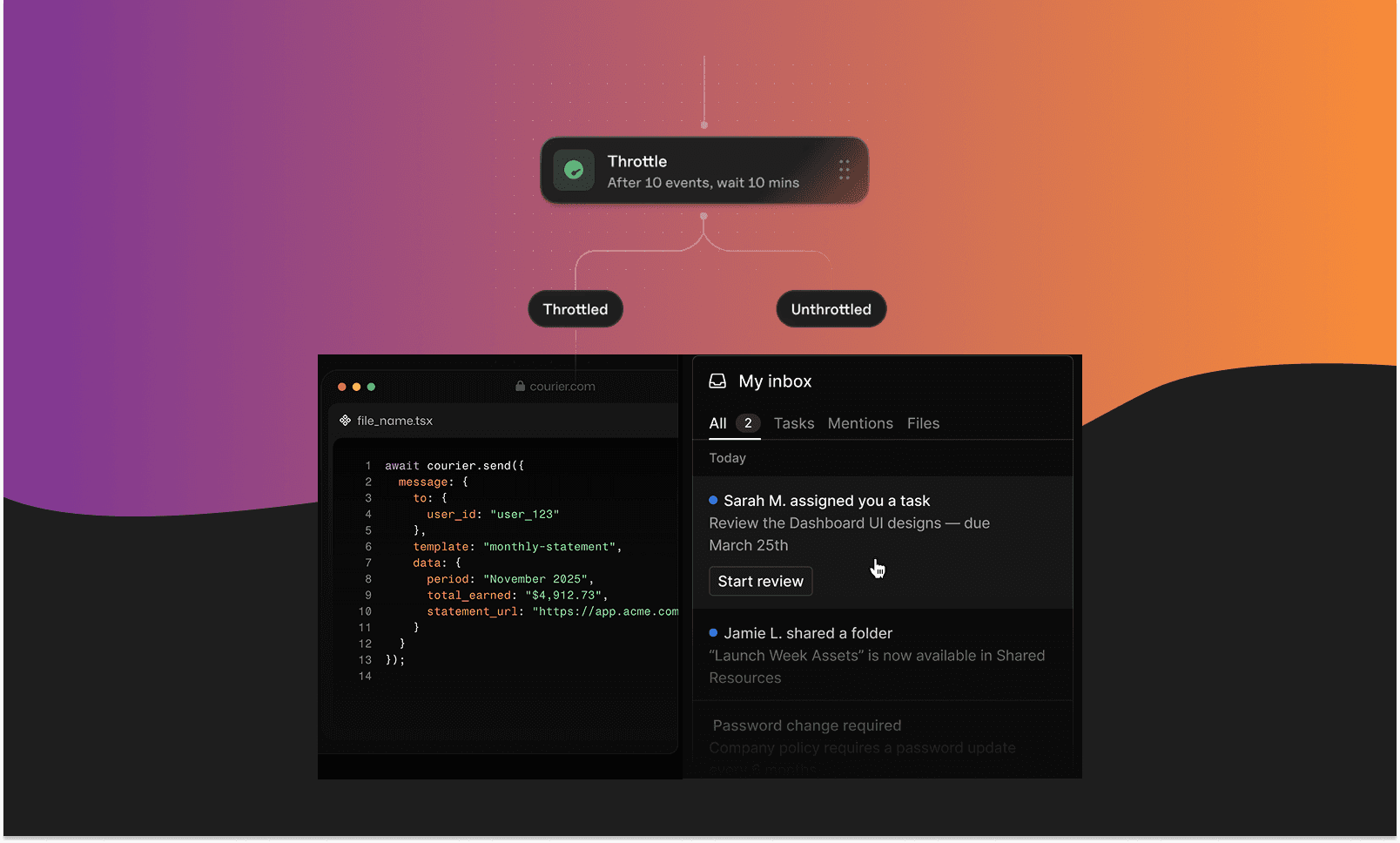
Evaluation Criteria: What to Look For
Before comparing tools, here is the framework we used. Every platform was evaluated against its own primary documentation, not competitor blogs or third-party listicles.
- Cross-channel coverage: Which channels does the platform support, and is that support documented in official sources?
- Journey orchestration: Does the platform provide evidence of journey builders, triggers, and automation workflows?
- Developer experience: Are APIs, SDKs, and CLI tools documented? How much can engineers control programmatically?
- Infrastructure primitives: Does the platform offer preference management, audit trails, and provider routing with fallback logic?
- Observability: Can teams trace notification delivery outcomes through logs or event streams?
Tools that lean toward marketing suites score higher on orchestration and no-code access. Tools that lean toward notification infrastructure score higher on routing, preferences, and auditability. Neither orientation is inherently better; the right choice depends on whether your bottleneck is campaign velocity or delivery reliability.
The Top Customer Engagement Platforms in 2026
1. Courier
Quick Overview
Courier positions as notification infrastructure for developers, with a focus on observability, provider routing, and preference management. When a provider experiences an outage, Courier routes to a fallback, and those routing decisions are visible in logs. On the preference side, Courier provides access to user notification preference data including subscription settings, channel preferences, and preference change history through audit trails.
The developer-first and AI-supported framing means Courier treats notifications as infrastructure, not campaigns. For product-led SaaS teams, the distinction matters: you are building notification delivery and user journeys into your product, not bolting a marketing tool onto it.
Channels
Courier sends across the widest channel set in the category: email, SMS, push, in-app, web push, Slack, Microsoft Teams, WhatsApp Business, StreamChat, notification center/inbox, and AI-agent notifications.
Best For
Developer and product-led SaaS teams that need the full stack: API primitives, omni-channel Journeys with branch logic, a Designer for building across channels, drop-in Notification Center, preference management with audit trails, provider fallback routing, delivery logs, and multi-tenant governance. Teams who want the broadest channel coverage available and the most comprehensive AI coding tools in the space.
Best for AI coding with the largest set of MCP and CLI tools including an installation guide with API references and 14 SDKs. Agent-skills for quick pattern creation and guidance.
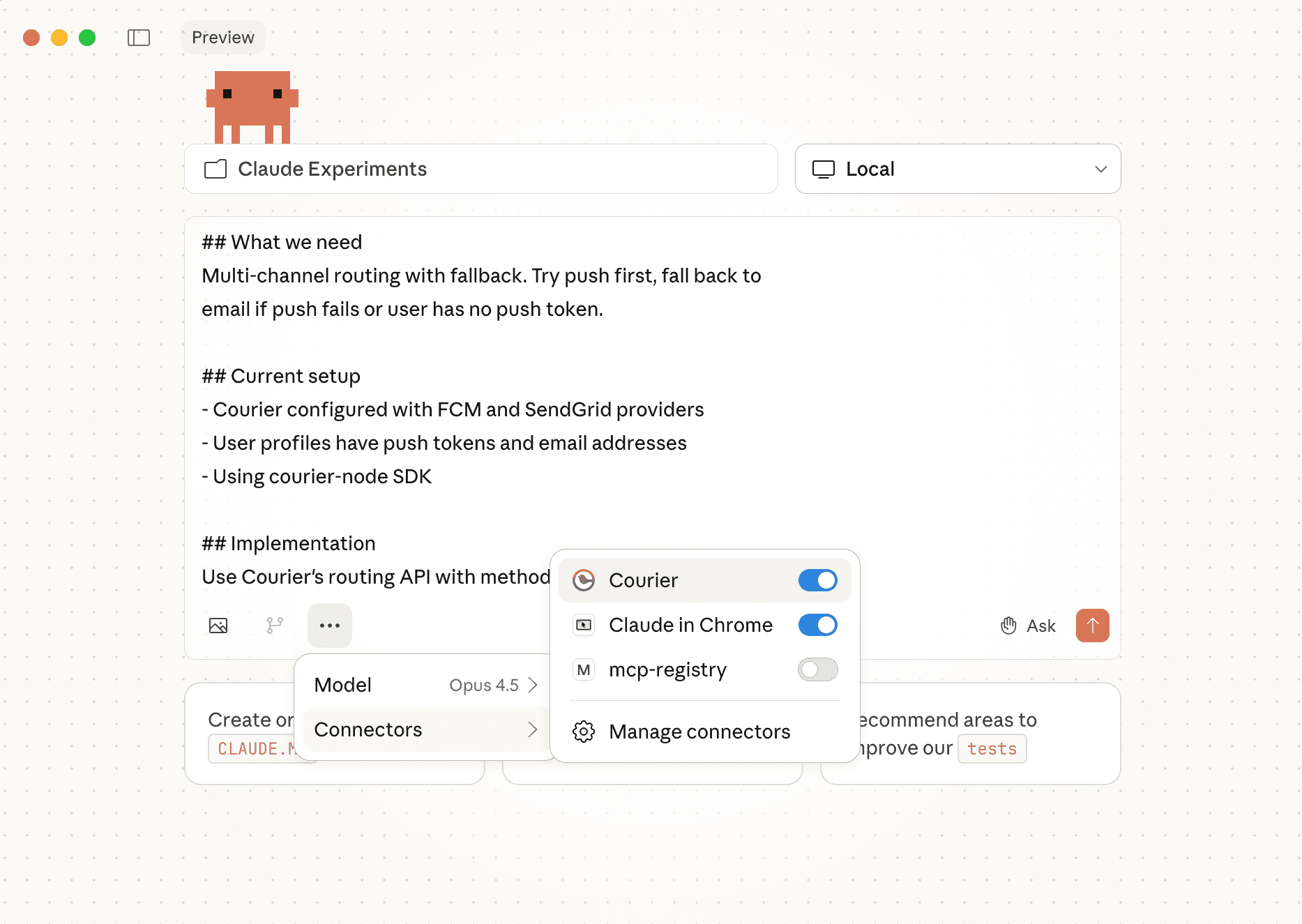
Claude Code:
claude mcp add --transport http courier https://mcp.courier.com --header api_key:XXXX
mcp.json{"mcpServers": {"courier": {"url": "https://mcp.courier.com","headers": {"api_key": "XXXX"}}}}
Pros
- AI supported workflows. Provided access to over 30 MCP tools, CLI, and agent-skills to work with Cursor, Claude Code, or VS Code.
- Developer-first infrastructure framing. Courier treats notification delivery as an infrastructure problem, so product teams and engineers alike have access to primitives, data, and tooling for exceptional notification programs.
- Preference data and audit trails. Access to subscription settings, channel preferences, and preference change history, giving compliance and support teams a clear record.
- Provider fallback routing. When a provider goes down, Courier routes to an alternative, and the routing outcome is logged for observability.
- Routing visibility in logs. Engineers can trace delivery decisions through logs rather than guessing why a notification did or did not reach a user.
- Multi-tenant support. Courier provides tenant-level controls so teams can manage notification preferences, routing, and governance across multiple customers or business units from a single account.
- Web interface for Journey building. Courier provides any user the ability to build user paths and branches with the knowledge base delivered from the app. Each node can get it's own channel or template.
Cons
- Not built for campaign-style marketing. Courier doesn't include A/B subject line testing, audience segmentation, or send-time optimization. If your primary need is marketing campaign management, platforms like Braze or Iterable are designed for that.
- Broader CEP suite features not included. Chat bots and self-contained campaign deployment are not part of Courier's platform. Teams needing those capabilities should evaluate marketing-first tools.
Pricing
Free up to 10,000 messages/month. Better than Knock who charges per channel. Courier charges for 1 send across any range of channels
Contact solutions team for custom pricing and enterprise options.
The Gap
Courier does not present itself as a full-suite customer engagement platform with bots or campaign tools.
2. Iterable
Quick Overview
Iterable is a cross-channel customer engagement platform supporting email, SMS, embedded messages, in-app messages, push notifications, and web push notifications. Journeys are built and edited in Studio, a drag-and-drop builder that includes entry rules, messages, delays, and user profile updates.
Best For
Teams running cross-channel campaigns and lifecycle journeys with a visual builder.
Pros
- Studio drag-and-drop journeys. Journeys support entry rules, delays, profile updates, and message steps, giving marketing teams self-serve orchestration.
- Blast and triggered campaigns. Triggered campaigns fire based on events, list changes, user actions, or property changes.
- Templates with Handlebars and data feeds. Templates support HTML, Handlebars logic, personalization, and data feeds for dynamic content.
- A/B testing with auto-selection. Experiments can automatically select the winning variant.
Cons
- Developer-first infrastructure primitives not documented. Provider routing, fallback logic, and notification-level audit trails are not described in Iterable's product overview.
Pricing
Contact sales for pricing.
The Gap
Iterable is built for marketing and growth teams who need campaign tools. Engineering teams looking for infrastructure-level controls over delivery routing and preference auditability will need to evaluate whether Iterable covers those requirements through other features not captured here.
3. OneSignal
Quick Overview
OneSignal Journeys builds automated messaging flows mostly for push notifications and in-app messaging, and web push. Notifcation messaging based on user behavior, time delays, and profile attributes.
Best For
Teams wanting no-code messaging flows for just a couple channels.
Pros
- Behavior-based journey triggers. Journeys fire based on user behavior, time delays, and profile attributes, covering common lifecycle patterns.
- Documented lifecycle use cases. OneSignal's docs list onboarding, re-engagement, abandoned cart, upsells, cross-sells, and behavioral followups as supported patterns.
- External ID user unification. External IDs unify users across channels, which is a best practice for consistent cross-channel delivery.
Cons
- Infrastructure-level routing not described. Provider fallback routing, delivery audit trails, and preference change history are not documented in the Journeys overview.
Pricing
Contact sales for pricing.
The Gap
OneSignal covers the no-code journey and omnichannel marketing platform use case well. Teams that need notification infrastructure, specifically provider routing, fallback logic, and audit trails, should verify whether OneSignal offers those capabilities outside the Journeys documentation.
4. Braze
Quick Overview
Braze is a customer engagement platform built for B2C marketing teams. Braze provides Canvas for journey orchestration, audience segmentation, A/B testing, and analytics across email, SMS, push, and in-app channels. Braze Currents streams engagement event data to analytics and data warehouse partners.
Best For
B2C marketing teams with enterprise budgets running engagement campaigns with deep segmentation, A/B testing, and analytics.
Pros
- Canvas journey orchestration. Braze's Canvas provides a visual journey builder with branching logic, delays, A/B testing, and audience segmentation for lifecycle campaigns.
- Deep segmentation and analytics. Braze provides granular audience targeting and campaign performance analytics that marketing teams expect from enterprise platforms.
- Currents event distribution. Currents streams engagement data to analytics and data warehouse partners with documented event delivery semantics.
- A/B testing with optimization. Campaigns and Canvas steps support A/B testing with automatic winner selection.
Cons
- One of the most expensive platforms in the category. Braze's enterprise pricing puts it out of reach for many growing SaaS teams. Contracts typically require significant annual commitments.
- Built for marketing, not product engineering. Braze doesn't provide the developer infrastructure primitives (provider fallback routing, delivery audit trails, routing visibility in logs) that product and engineering teams need for notification reliability.
- Limited channel coverage compared to infrastructure platforms. Braze covers email, SMS, push, and in-app but doesn't support Slack, Microsoft Teams, StreamChat, or AI-agent notifications natively.
Pricing
Contact sales for pricing. Expect enterprise-level contracts.
The Gap
Braze is a strong marketing engagement platform for B2C teams with the budget. Product-led SaaS teams that need infrastructure-level controls, developer tooling, and broader channel coverage (Slack, Teams, WhatsApp, StreamChat, AI-agent notifications) will find Braze doesn't cover those use cases.
5. Customer.io
Quick Overview
Customer.io Journeys is a core product area with visual workflow tools for building automated messaging flows. Customer.io supports email, push, in-app, and SMS, with native WhatsApp support added in February 2026.
Best For
Teams wanting visual journey building for email, push, and in-app channels without heavy engineering involvement.
Pros
- Journeys as a core product. Customer.io organizes its entire platform around Journeys, with a visual builder that marketing and product teams can use without engineering support.
- Active channel expansion. Native WhatsApp support added in February 2026 shows Customer.io is investing in broadening its channel set.
- Accessible to non-technical teams. The visual workflow tools lower the barrier for teams that don't want to build notification logic in code.
Cons
- Limited channel coverage. Customer.io primarily handles email, in-app, push, and SMS. It doesn't support Slack, Microsoft Teams, StreamChat, or AI-agent notifications. Teams that need to reach users across workplace and chat platforms will hit a wall.
- Infrastructure primitives not documented. Provider fallback routing, delivery audit trails, and preference change history with audit logs are not described in Customer.io's documentation.
- Developer tooling is minimal. Customer.io doesn't provide the API primitives, CLI tools, MCP integration, or SDK breadth that engineering teams expect from notification infrastructure.
Pricing
Contact sales for pricing.
The Gap
Customer.io is a solid journey builder for teams working with a limited channel set. Teams that need broader channel coverage (Slack, Teams, WhatsApp, StreamChat, AI-agent notifications), infrastructure-level routing, or developer tooling should evaluate platforms built for that scope.
6. Knock
Quick Overview
Knock frames notification infrastructure as multi-channel workflows across email, SMS, push, in-app, and chat from a single API. Knock's documentation calls out template management, delivery optimization, and user preferences.
Best For
Teams building API-first product notification workflows with preference controls.
Pros
- Multi-channel workflows via single API. Knock consolidates notification delivery across channels into one integration point.
- Template management documented. Template management is called out as a feature, reducing the need to manage templates per channel.
Cons
- Narrow channel coverage. Knock supports common channels but doesn't cover Microsoft Teams, WhatsApp Business, StreamChat.
- AI tooling gaps. Although Knock has an MCP, it lacks the installation guides and SDK breadth needed to build directly from Cursor, Claude Code, or other AI coding environments.
Pricing
Contact sales for pricing.
The Gap
Knock and Courier share a notification infrastructure framing. The differentiators between them likely come down to audit trail depth, provider routing specifics, and preference change history. We could not confirm Knock's capabilities in those areas from the sources reviewed.
7. Novu
Quick Overview
Novu is open-source notification infrastructure for multi-channel notifications including in-app, email, chat, push, and SMS. Novu provides a unified API, a customizable Inbox component, and a drag-and-drop workflow builder.
Best For
Teams wanting open-source notification infrastructure they can self-host and customize.
Pros
- Open-source positioning. Novu is open source, which gives teams the ability to inspect, modify, and self-host the infrastructure.
- Five-channel coverage. In-app, email, chat, push, and SMS are supported through a unified API.
- Drag-and-drop workflow builder. A visual builder for notification workflows lowers the barrier for non-engineering team members.
- Customizable Inbox component. The Inbox component can be embedded and customized, useful for in-app notification experiences.
Cons
- Enterprise CEP suite capabilities not described. Journey orchestration, segmentation, and campaign tools are not documented in the "What is Novu?" page.
Pricing
Contact sales for pricing. Open-source self-hosting is available.
The Gap
Novu covers the open-source, API-first notification infrastructure use case. Teams needing full customer engagement suite features (journeys, campaigns, segmentation) should verify whether Novu's roadmap includes those or plan to pair Novu with other tools.
8. SuprSend
Quick Overview
SuprSend positions as a notification engine integrated via APIs. Backend SDKs are available for Java, Python, Node, and Go. REST APIs cover other languages, and a CLI supports workspace, workflow, and template management.
Best For
Engineering teams integrating notification APIs and managing workflows through code and CLI.
Pros
- Four backend SDKs. Java, Python, Node, and Go SDKs reduce integration time for common stacks.
- REST API coverage. Teams using languages outside the SDK set can integrate via REST APIs directly.
- CLI for workflow management. A CLI for managing workflows, templates, and workspaces fits engineering-centric workflows where infrastructure-as-code patterns are preferred.
Cons
- Journey orchestration UI not evidenced. A visual journey builder or no-code orchestration interface is not described in the API reference.
- Lagging features. SuprSend has had a similar UI for a while now. Companies hoping to add new template types and use cases, might wait longer.
Pricing
Contact sales for pricing.
The Gap
SuprSend is oriented toward backend engineering teams comfortable with APIs and CLI tools. Marketing or product teams who need visual journey builders or campaign UIs should confirm whether SuprSend offers those interfaces elsewhere.
Comparison Table
| Platform | Best For | Differentiator | Channels | Pricing |
|---|---|---|---|---|
| Courier | Full-stack notification infrastructure with drop-in Notification Center, Journeys & Designers for product/growth | AI coding tools (MCP, CLI, agent-skills, 14+ SDKs), omni-channel journeys with branch logic, provider fallback, built-in preferences | Email, SMS, push, in-app, web push, Slack, Teams, WhatsApp, StreamChat, AI-agent notifications | Free 10,000 messages/month. Enterprise solutions. |
| Iterable | Cross-channel campaigns and journeys | Studio drag-and-drop with triggers, delays, A/B testing | Email, SMS, push, in-app, web push | Contact sales |
| OneSignal | No-code flows | Push notifications, behavior-based journeys | Push, in-app, email, SMS, web push | Contact sales |
| Braze | B2C marketing engagement | Canvas journeys, segmentation, Currents event distribution | Email, SMS, push, in-app | Contact sales |
| Customer.io | Journey building for limited channels | Visual workflow builder, WhatsApp support added 2026 | Email, push, in-app, SMS, WhatsApp | Contact sales |
| Knock | API-first workflows (limited use cases) | Single API multi-channel workflows | Email, SMS, push, in-app, chat | Contact sales |
| Novu | Open-source notification infrastructure | Self-hostable, customizable Inbox component | Email, SMS, push, in-app, chat | Contact sales / open-source |
| SuprSend | API + CLI notification engine | SDKs for Java, Python, Node, Go + CLI management | Email, SMS, push, in-app | Contact sales |
---
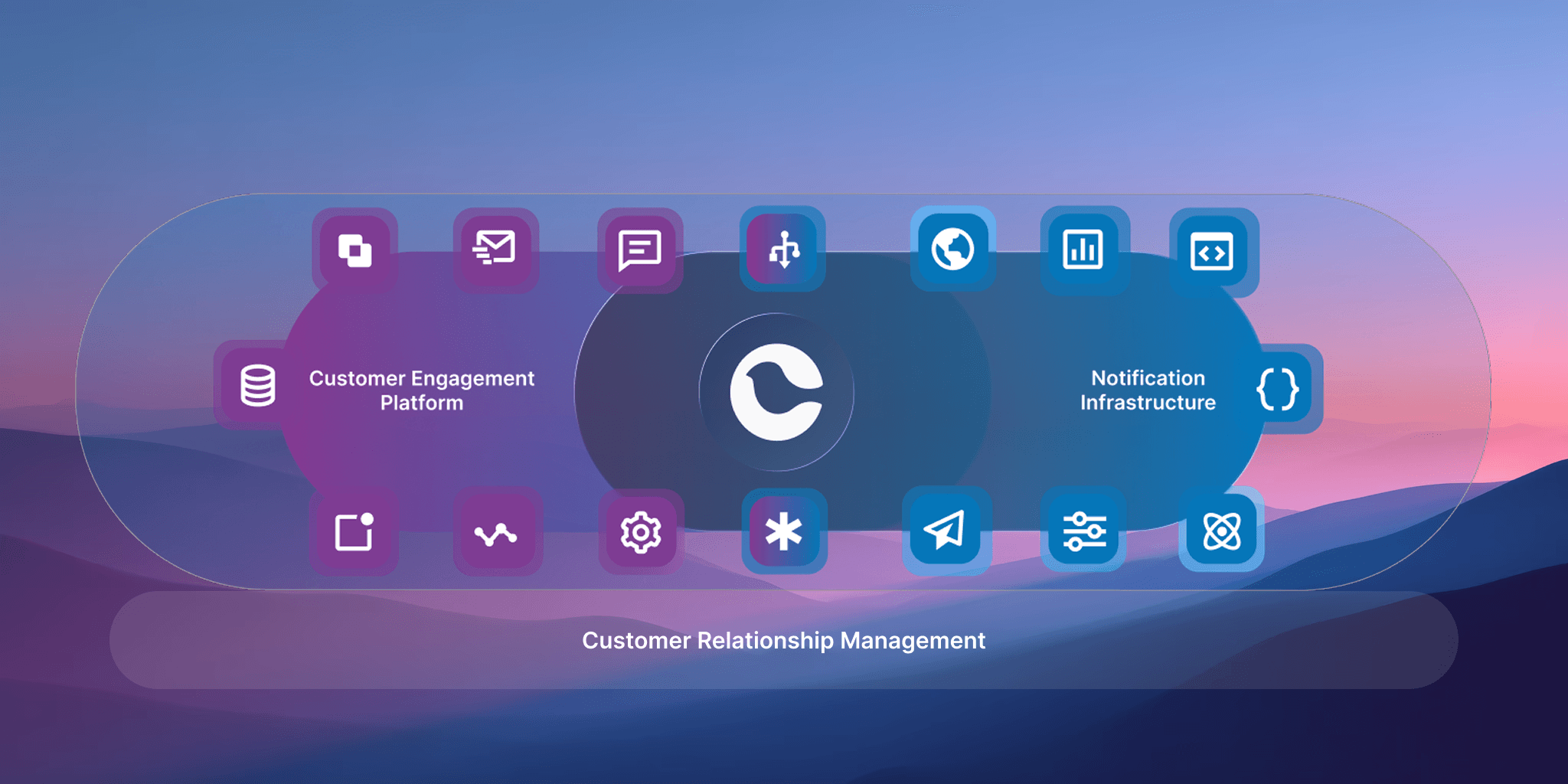
Why Courier
Developer and product-led SaaS teams ship notifications as part of their product, not alongside it. Courier addresses this at the infrastructure layer, not the campaign layer. One send, omni-channel delivery.
A single API call fans out to multiple channels with provider fallback built in. If a provider goes down, your notifications still get delivered.
Journeys that use your product data. Build routing logic with branch conditions and personalization pulled from your actual product data.
The Designer works across channels and powers your users' in-app experiences like the Notification Center.
The most comprehensive AI coding tools in the space. MCP integration, CLI, agent-skills, and 14+ SDK packages mean developers can build and ship notification workflows without leaving the terminal or IDE.
Three infrastructure capabilities set Courier apart:
- Preference management with audit trails. Your team can verify exactly what a user subscribed to, which channels they selected, and when those preferences changed.
- Provider routing with fallback. A provider outage doesn't mean lost notifications.
- Routing visibility in logs. Engineers trace delivery decisions without filing support tickets.
For teams where notification reliability and compliance auditability matter more than campaign journey building, Courier's infrastructure approach is a closer fit than a traditional omnichannel marketing platform
How We Chose the Best Customer Engagement Tools
Every platform in this comparison was evaluated against its own primary documentation. We did not use competitor blogs, third-party listicles, or unverified review aggregators as sources.
Evaluation criteria included cross-channel coverage documented in official sources, journey orchestration evidence from docs pages, developer experience signals (APIs, SDKs, CLI tools), and infrastructure primitives like preferences, audit trails, and routing logic. Where documentation could not be fully parsed, we stated limitations explicitly rather than inferring capabilities.
Some platforms likely offer features beyond what we captured. In those cases, we recommend reviewing their full documentation directly.
FAQs
What is a customer engagement platform?
A customer engagement platform sends messages across multiple channels to reach users where they are. These platforms typically include journey builders, event triggers, and audience segmentation. Some focus on marketing campaigns (Braze), some on developer workflows (Knock). Courier covers the full stack: API primitives, AI coding tools, journey building, channel design, drop-in Notification Center, and preference management. Courier sends across email, SMS, push, in-app, web push, Slack, Microsoft Teams, WhatsApp Business, StreamChat, and AI-agent notifications.
How do you choose the right customer engagement platform?
Figure out where your bottleneck actually is. If it's campaign orchestration and audience targeting, a marketing platform like Braze or Customer.io makes sense, though Braze comes with enterprise pricing and Customer.io has limited channel coverage. If you need infrastructure, product components, and developer tooling together, Courier covers that full picture.
Courier provides API primitives, provider fallback routing, omni-channel Journeys, preference management with audit trails, and delivery logging. Courier also supports channels most competitors don't: Slack, Microsoft Teams, WhatsApp Business, StreamChat, notification center/inbox, and AI-agent notifications, on top of email, SMS, push, in-app, and web push. If your product communicates through workplace tools or emerging channels, that gap matters.
What are the best alternatives to Braze?
Braze is built for marketing teams running engagement campaigns with audience segmentation, A/B testing, and analytics across email, SMS, push, and in-app. It's also one of the most expensive platforms in the category, with enterprise pricing that puts it out of reach for many growing teams.
Customer.io offers similar journey capabilities at a lower price point but covers fewer channels. Knock provides API-first workflows for developer teams but is limited in the range of use cases it supports.
Courier covers a wider surface at a more accessible price point. Courier provides API primitives, omni-channel Journeys with branch logic, a Designer for building content across channels, drop-in Notification Center, preference management with audit trails, provider fallback routing, delivery logs, and AI coding tools including MCP, CLI, agent-skills, and 14+ SDKs. Courier also sends across channels Braze doesn't touch: Slack, Microsoft Teams, WhatsApp Business, StreamChat, and AI-agent notifications alongside email, SMS, push, in-app, and web push. Courier offers a free tier of 10,000 messages per month.
If your team needs campaign performance optimization and has the budget, Braze is a fit. If you need delivery infrastructure, product-facing components, developer tooling, and the broadest channel coverage without enterprise pricing, Courier is built for that.
What are the best alternatives to Iterable?
Iterable is strong at cross-channel campaigns and lifecycle journeys with its Studio drag-and-drop builder. It's a solid choice for marketing teams that need visual orchestration with A/B testing and triggered campaigns across email, SMS, push, and in-app.
Braze offers similar campaign capabilities with deeper segmentation and analytics, but at a higher price point. Customer.io provides journey building at a more accessible price but covers fewer channels. Knock provides API-first workflows for developer teams but is limited in the range of use cases it supports.
Courier takes a different approach. Courier provides omni-channel Journeys with branch logic, a Designer for building across channels, drop-in Notification Center, preference management with audit trails, provider fallback routing, delivery logs, and AI coding tools including MCP, CLI, agent-skills, and 14+ SDKs. Courier also sends across channels Iterable doesn't cover: Slack, Microsoft Teams, WhatsApp Business, StreamChat, and AI-agent notifications. If you need campaign-style marketing orchestration, Iterable does that well. If you need infrastructure, developer tooling, product-facing components, and the broadest channel coverage, Courier covers the full range.
What are the best alternatives to Knock?
Knock targets developers with an API-first approach to notifications, focusing on single-API multi-channel delivery with a clean workflow model. But Knock is limited in the range of use cases it covers. It handles the workflow layer well but doesn't extend into journey building, channel design, product-facing components, or the broader infrastructure that growing teams eventually need.
Courier goes further. Courier provides omni-channel Journeys that use your product data for branch logic, a Designer for building content across channels and in-app experiences, drop-in Notification Center, preference management with audit trails, provider fallback routing, and the most comprehensive AI coding tools in the space including MCP, CLI, agent-skills, and 14+ SDKs. On channel coverage, Courier sends across Slack, Microsoft Teams, WhatsApp Business, StreamChat, and AI-agent notifications on top of email, SMS, push, in-app, and web push.
If you need a straightforward workflow API, Knock does that. If you need workflows plus infrastructure, platform design tools, ready-to-ship components, and the widest channel support available, Courier covers the full range.
What are the best alternatives to Customer.io?
Customer.io is strong at journey building with visual workflow tools that marketing and product teams can use quickly. But Customer.io's channel coverage is limited, primarily handling email, in-app, and push. If your product needs to reach users across Slack, Microsoft Teams, WhatsApp, or chat platforms, Customer.io doesn't cover those.
Courier provides Journeys with branch logic and personalization from your product data, and pairs them with a much broader platform and channel set. Courier includes API primitives, a Designer for omni-channel content and in-app experiences, drop-in Notification Center, preference management with audit trails, provider fallback routing, delivery logs, and AI coding tools including MCP, CLI, agent-skills, and 14+ SDKs. Courier sends across email, SMS, push, in-app, web push, Slack, Microsoft Teams, WhatsApp Business, StreamChat, and AI-agent notifications.
If journeys are your main need and email and push are your only channels, Customer.io works well. If you want journey orchestration plus infrastructure, developer tooling, product-facing components, and the ability to reach users across workplace, chat, and AI-agent channels, Courier handles the full scope.
How does a CEP relate to a CDP?
A customer data platform (CDP) unifies customer data for activation across tools. A customer engagement platform uses that data to trigger and deliver messaging. Courier integrates at the notification delivery layer, consuming data from CDPs or product events to route notifications through the right channels based on user preferences and provider availability.
If lifecycle messaging already works, should I still invest in a CEP?
Success with lifecycle messaging increases orchestration complexity. More channels mean more preference management surface area, more provider relationships to manage, and more delivery paths to debug. This is especially true when you expand beyond email and push into Slack, Teams, WhatsApp, and AI-agent notifications.
Courier provides auditable preference change history, routing visibility in logs, and drop-in components like Notification Center that scale with your channel mix without requiring custom builds.
How quickly can results be seen?
Timeline depends on integration complexity and channel readiness. Braze and Customer.io can get marketing campaigns running quickly if your team is comfortable with their workflow builders, though Braze's enterprise pricing and onboarding can slow things down.
Courier's 14+ SDKs, CLI tools, and MCP integration speed up initial setup for engineering teams. Courier's drop-in Notification Center and preference management components mean you're shipping product-facing features from day one. Courier's broad channel support, including Slack, Teams, WhatsApp, StreamChat, and AI-agent notifications, also means you're not rebuilding integrations later when your product needs to reach users in new places. Courier offers a free tier of 10,000 messages per month, so teams can start building immediately.
What are the best alternatives to traditional customer engagement platforms?
Braze excels at marketing engagement campaigns with deep segmentation and analytics, but comes with enterprise pricing that limits accessibility. Customer.io offers journey capabilities with visual workflow tools, but its channel coverage is limited. Knock provides API-first workflows for developer teams, but is limited in the range of use cases it supports beyond basic notification delivery.
Courier takes a different approach by covering the full stack. Courier provides API primitives, omni-channel Journeys, a Designer for channel content and in-app experiences, drop-in Notification Center, preference management with audit trails, provider fallback routing, delivery logs, and AI coding tools. Courier sends across the widest channel set in the category: email, SMS, push, in-app, web push, Slack, Microsoft Teams, WhatsApp Business, StreamChat, and AI-agent notifications.
For teams that need both infrastructure and product experience in one platform without enterprise pricing, Courier covers the most ground.
Similar resources

WhatsApp Business messages: types, templates, and rules
Every WhatsApp Business message is a template or a free-form message, and the type decides when you can send it and what it can look like. How businesses use each one, the template categories, the formats worth knowing, and the rules that stop messages from arriving.

WhatsApp pricing changes on October 1, 2026
On October 1, 2026, two things become billable on the WhatsApp Business Platform: free-form replies inside the 24-hour customer service window, and utility templates sent in response to a customer. If your WhatsApp volume is conversations rather than campaigns, this is not a rate tweak. It adds a line to your invoice where there used to be a zero. Here is what changes, a worked example of the cost, and what to check.

Clinical alert and notification systems: how escalation works
A clinical alert is easy to send and hard to close. This is how alerting works inside a hospital: where alerts come from, how routing by role and shift works, and how the acknowledge, timeout, escalate loop is actually built, including what happens when nobody answers.