What are transactional notifications? Transactional email examples, transactional push, and more.
 Kyle SeylerFebruary 17, 2026
Transactional notifications are automated messages sent in response to a specific user action or system event. Password resets, order confirmations, payment receipts, and security alerts are all transactional notifications. They're expected, they're timely, and unlike marketing messages, they don't require explicit opt-in.
This guide covers how transactional notifications work, what makes a good one, and real examples across email, SMS, and push.
What is a transactional email?
A transactional email is an automated message triggered by a user action or system event, sent to a single recipient with information specific to their account or activity. Think order confirmations, password resets, shipping updates, and invoice receipts.
Transactional emails differ from marketing emails in one critical way: their primary purpose is to deliver information the user needs, not to promote a product or drive a sale. That distinction matters legally. Under FTC CAN-SPAM guidelines, transactional emails are exempt from opt-in requirements, as long as they don't include promotional content.
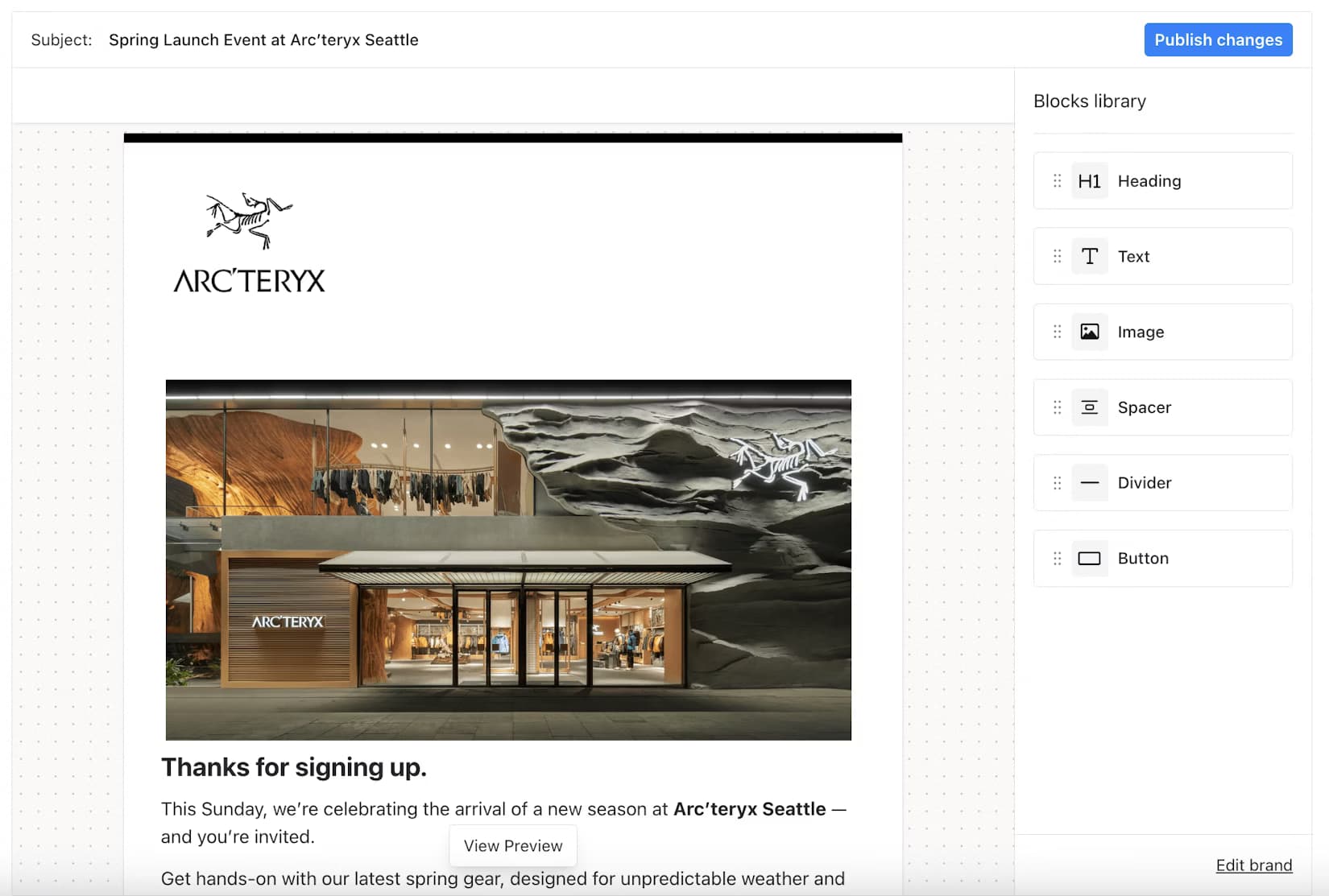
Transactional email examples
| Email Type | Trigger | What It Contains |
|---|---|---|
| Order confirmation | Purchase completed | Order ID, items, total, estimated delivery |
| Password reset | Reset requested | Secure link with expiration time |
| Payment receipt | Payment processed | Amount, date, last 4 digits of card |
| Shipping update | Package shipped or delivered | Tracking number, carrier, delivery window |
| Account verification | New account created | Verification link or code |
| Failed payment alert | Payment declined | Reason (if available), link to update payment method |
| Security alert | Unrecognized login attempt | Device, location, time, action to secure account |
| Subscription renewal | Renewal upcoming or completed | Plan, amount, next renewal date |
| Invoice | Billing cycle completed | Itemized charges, due date, payment link |
| API key generated | Developer action | Key details, scope, documentation link |
Transactional emails have some of the highest open rates of any message type, often 40-60%, because users are actively waiting for them. For a broader look at what good notification design looks like across types, see 20 notification examples that actually drive engagement. A failed payment alert or a login verification code isn't optional reading.
One important constraint: adding promotional content to a transactional email can reclassify it as a marketing message under CAN-SPAM, which requires opt-in. Keep them purely informational.
What is transactional SMS?
Transactional SMS messages are text messages triggered by user actions or system events, sent to deliver time-sensitive information directly to a user's phone.
SMS is the right channel when speed and visibility matter most. Texts have a 98% open rate and most are read within three minutes of delivery. For anything where a delay has real consequences, SMS is often more reliable than email.
Transactional SMS examples
| SMS Type | Trigger | Example Message |
|---|---|---|
| Two-factor authentication | Login attempt | "Your verification code is 847291. Expires in 10 minutes." |
| Appointment reminder | Scheduled event approaching | "Your appointment is tomorrow at 2pm. Reply C to confirm." |
| Delivery alert | Package out for delivery | "Your order is 3 stops away. Track here: [link]" |
| Payment confirmation | Payment processed | "Payment of $49.00 received. Your account is active." |
| Fraud alert | Unusual account activity | "We noticed unusual activity on your account. Was this you? Reply YES or NO." |
| Shipping delay | Carrier update | "Your delivery has been delayed to [date]. We'll update you when it ships." |
SMS compliance is stricter than email. In the US, TCPA rules require prior written consent even for transactional SMS in many cases. Regulations vary by country, so check local rules before sending.
What are transactional push notifications?
Transactional push notifications are alerts sent to a user's device in response to an account event or user action. They appear in a user's notification tray whether the app is open or not, which makes them useful for anything time-sensitive.
Unlike marketing push notifications, which promote offers and need explicit opt-in, transactional push notifications are triggered by things that already happened in the user's account. The user initiated something, or something changed that affects them.
Transactional push notification examples
| Push Type | Trigger | Example |
|---|---|---|
| Order status update | Order shipped or delivered | "Your order has been delivered. Tap to leave a review." |
| Payment processed | Successful charge | "Payment of $99 confirmed for your Pro plan." |
| Security alert | New device login | "New sign-in from Chrome on Windows. Not you? Secure your account." |
| Low balance warning | Account threshold reached | "Your balance is below $10. Add funds to keep your service active." |
| Task assigned | Teammate action in app | "Jordan assigned you 'Q3 report review' due Friday." |
| File share | Collaborator shares file | "Alex shared 'Product Roadmap.pdf' with you." |
| System status | Incident detected | "We're experiencing issues with email delivery. Our team is on it." |
Push notifications require explicit opt-in on both iOS and Android. Even transactional ones. That's a key difference from email, where transactional messages can be sent without opt-in under CAN-SPAM.
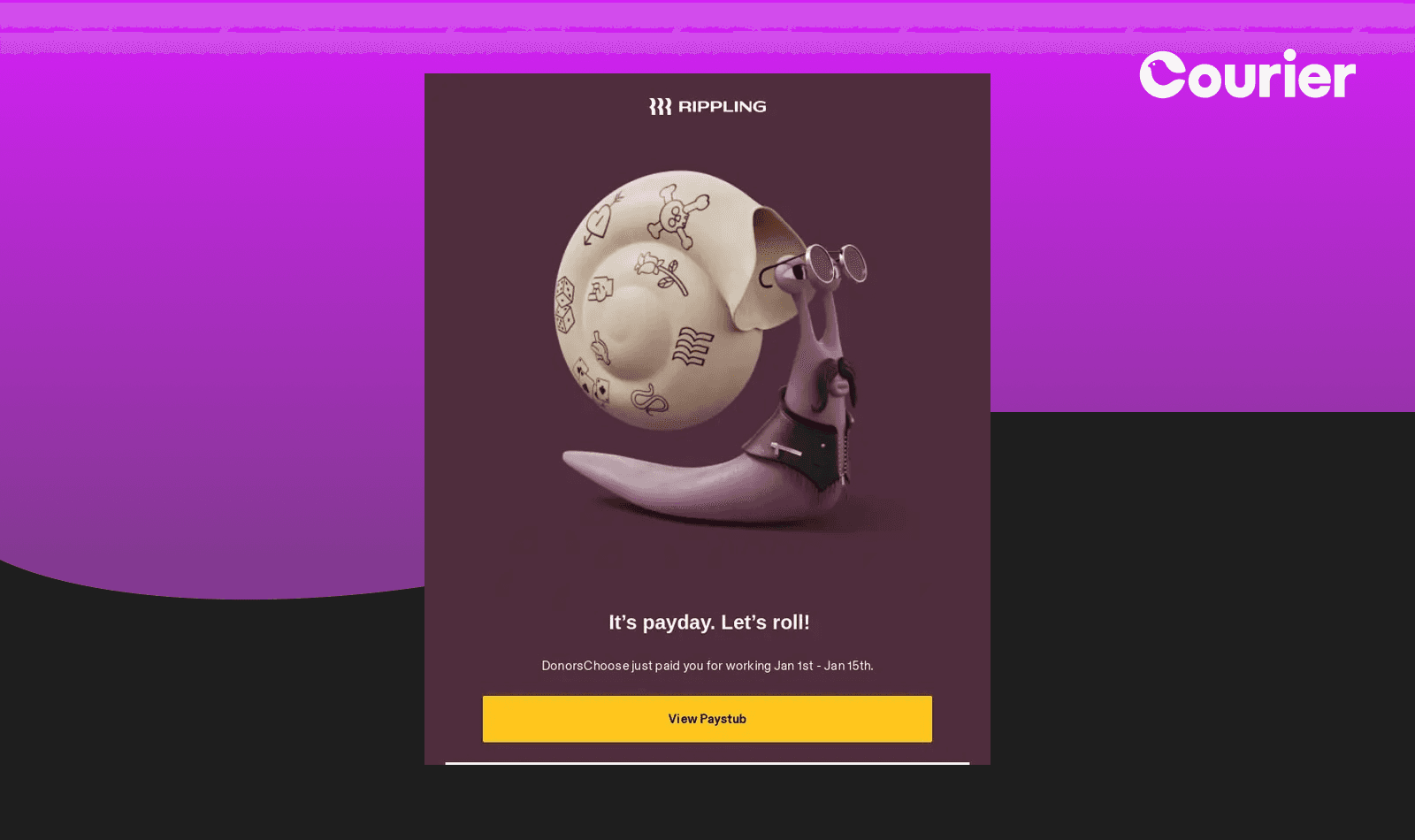
Transactional vs. marketing notifications: what's the difference?
The line between transactional and marketing isn't always obvious. Here's how to tell them apart:
| Transactional | Marketing | |
|---|---|---|
| Trigger | User action or system event | Campaign or schedule |
| Purpose | Inform about something that happened | Promote a product, offer, or event |
| Opt-in required | No (email/in-app) | Yes (all channels) |
| Sent to | Individual user | Segment or list |
| CAN-SPAM exemption | Yes | No |
| Typical open rate | 40-60% | 15-25% |
| Can include promo content | No | Yes |
The fast test: ask yourself whether the user is expecting this message because of something they did or something that happened to their account. If yes, it's likely transactional. If you're sending it to drive a conversion or promote an offer, it's marketing.
The gray area: abandoned cart emails. A "your cart expires in 24 hours" message with no promo is arguably transactional. Add "complete your purchase and save 15%" and it becomes marketing, requiring opt-in.
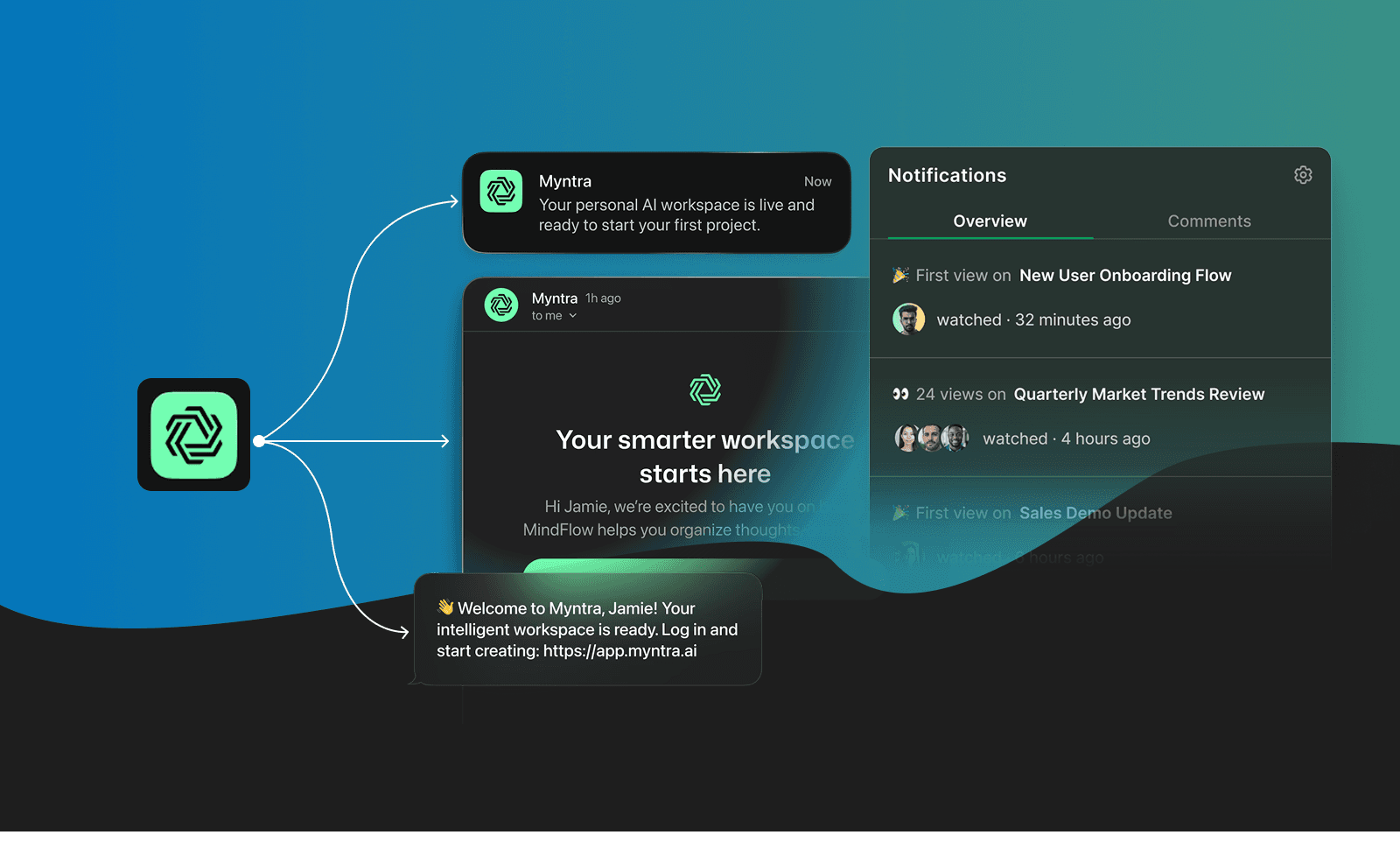
Which channel should you use for transactional notifications?
| Use Case | Best Channel | Why |
|---|---|---|
| 2FA / one-time codes | SMS | Speed, reliability, universal access |
| Order / payment confirmation | Detail, receipt format, easy to reference later | |
| Real-time account alerts | Push | Immediate visibility, no inbox to check |
| Appointment reminders | SMS or push | High open rates, timely delivery |
| Invoices and billing | Document format, easy to forward or save | |
| Collaboration events | In-app or push | Context-relevant, user is likely active |
| System status updates | Email + push | Broad reach for critical information |
Most products need more than one channel. A payment confirmation might go to email for the receipt and push for the real-time alert. When users can set their own preferences, engagement goes up and unsubscribes go down.
If you're managing transactional notifications across multiple channels, Courier lets you route messages to the right channel per user, with automatic fallback if a channel fails. You can build once and deliver across email, SMS, push, Slack, and more without maintaining separate integrations.
Frequently Asked Questions
Do transactional notifications require opt-in? For email, no. CAN-SPAM exempts transactional emails from opt-in requirements as long as they don't include promotional content. For SMS, opt-in rules vary by country and use case. For push notifications, iOS and Android both require explicit opt-in regardless of message type.
Can I add a promotional offer to a transactional email? No. Adding promotional content to a transactional email can reclassify it as a marketing message under CAN-SPAM, which requires opt-in. If you want to include an offer, send a separate marketing email to opted-in users.
Is an abandoned cart email transactional or marketing? It depends on the content. "Your cart expires in 24 hours" with no promo elements can be transactional. "Complete your purchase and save 15%" is marketing and requires opt-in.
Do I need separate infrastructure for transactional and marketing messages? Yes, and it matters. Transactional emails sent from the same IP or domain as low-performing marketing campaigns can see degraded deliverability. Keep them on separate sending infrastructure to protect your sender reputation.
What's the difference between transactional and product notifications? Transactional notifications respond to something that already happened (a payment, a login, an order). Product notifications are proactive: they guide users toward features, announce updates, or encourage engagement. Product notifications typically require opt-in through push or email.
Conclusion
Transactional notifications are the backbone of any product that moves data, money, or user state. They're expected, they're time-sensitive, and when they fail or get misclassified, users notice.
Get the basics right: keep transactional messages purely informational, use the right channel for the job, and don't mix promotional content into messages that users are relying on.
If you're building or scaling a notification system, Courier's transactional notification infrastructure handles routing, fallback, and multi-channel delivery so you're not rebuilding the same logic across every provider. See how sending works or request a demo to see it in action.
For more on how transactional notifications fit into the bigger picture alongside product and marketing messages, see Transactional, product, and marketing notifications: what are the differences?
Similar resources

WhatsApp Business messages: types, templates, and rules
Every WhatsApp Business message is a template or a free-form message, and the type decides when you can send it and what it can look like. How businesses use each one, the template categories, the formats worth knowing, and the rules that stop messages from arriving.

WhatsApp pricing changes on October 1, 2026
On October 1, 2026, two things become billable on the WhatsApp Business Platform: free-form replies inside the 24-hour customer service window, and utility templates sent in response to a customer. If your WhatsApp volume is conversations rather than campaigns, this is not a rate tweak. It adds a line to your invoice where there used to be a zero. Here is what changes, a worked example of the cost, and what to check.

Clinical alert and notification systems: how escalation works
A clinical alert is easy to send and hard to close. This is how alerting works inside a hospital: where alerts come from, how routing by role and shift works, and how the acknowledge, timeout, escalate loop is actually built, including what happens when nobody answers.