Top 20 Notification Examples That Actually Drive Engagement
 Kyle SeylerSeptember 25, 2025
Top 20 Notification Examples That Actually Drive Engagement
In the world of B2B communications, notifications are the unsung heroes of user engagement. From that perfectly timed Slack message to the email that actually gets opened, great notifications balance utility with personality. Let's explore 20 stellar examples across email, SMS, push, in-app, and Slack channels that showcase what makes notifications truly effective.
What Makes a Great B2B Notification?
Before diving into examples, let's establish what separates forgettable notifications from those that drive action. The best notifications share three qualities: they're contextual (arriving when users need them), actionable (providing clear next steps), and respectful (honoring user preferences and attention).
Modern notification infrastructure like Courier enables teams to orchestrate these experiences across channels, ensuring messages reach users where they're most likely to engage. With intelligent routing, multi-tenant management, and universal inbox integration, platforms can deliver personalized experiences at scale.
Prefer a human conversation? Talk to an Engineer
Email Notifications: Where Detail Meets Design
1. Rippling's Payday Personality
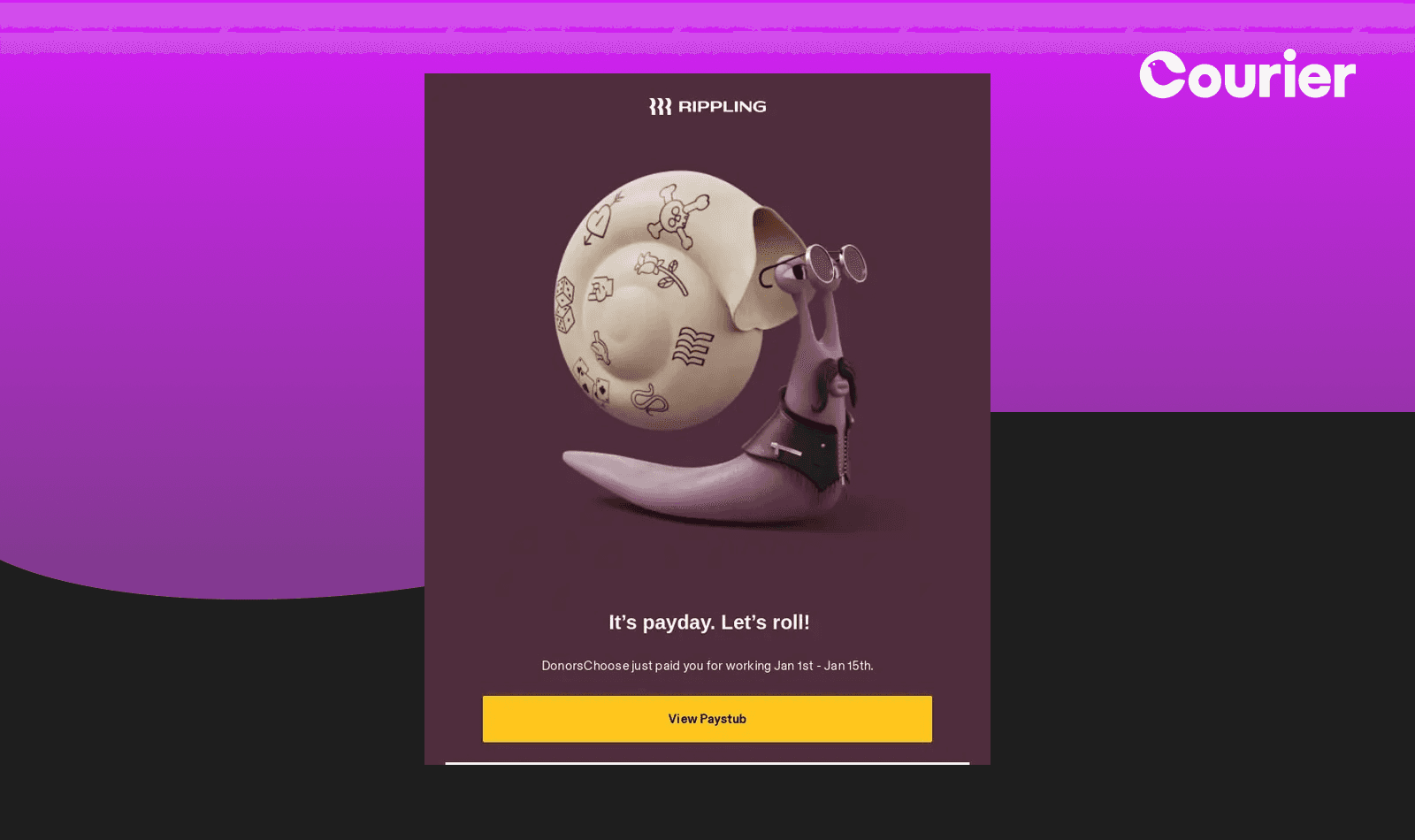
Most payroll notifications are forgettable at best, anxiety-inducing at worst. They arrive like clockwork, confirming what employees already know: they got paid. But what if these routine touchpoints could actually strengthen your relationship with users?
Rippling transforms mundane payroll notifications into moments of delight with their pirate-themed "It's payday. Let's roll!" email. The playful character with binoculars and vibrant purple background make what could be a dry financial notification feel like a celebration. Instead of just confirming payment processed, Rippling celebrates alongside their users.
Why it works: Monthly payroll emails represent guaranteed engagement—everyone opens them. This makes them perfect candidates for brand personality injection. Users expect these notifications, so adding humor creates positive brand associations without disrupting workflow. The emotional design principle here is powerful: while users might forget features, they remember how a product made them feel. By celebrating payday alongside users, Rippling positions itself as a partner in success, not just a payroll processor.
Platform implementation: Using Courier's Design Studio, teams can create branded email templates that inherit company colors and approved messaging guidelines. Segment integration enables real-time payroll event triggers to automatically populate personalized performance data while maintaining the playful tone.
2. Trustpilot's Social Proof Engine
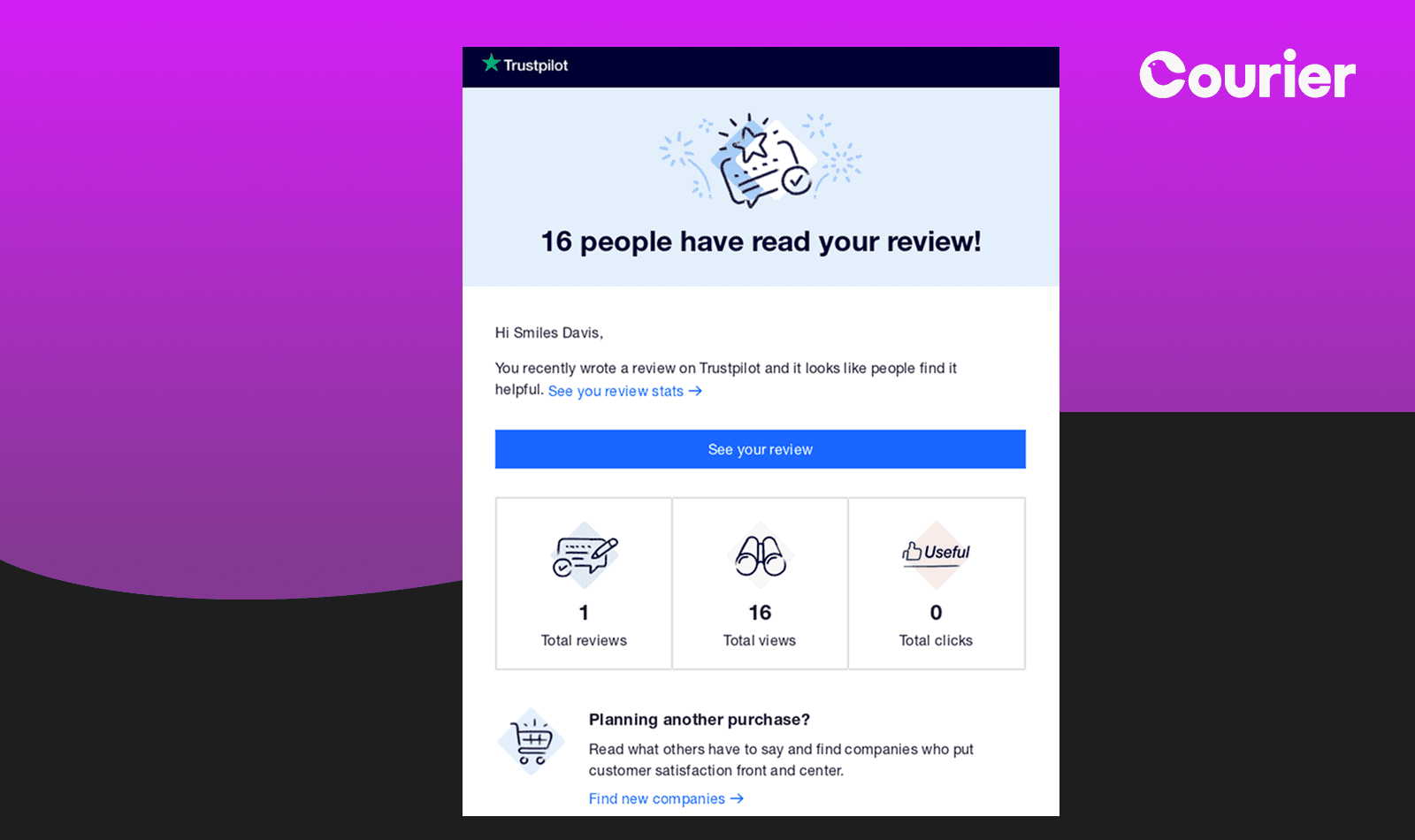
"16 people have read your review!" Trustpilot's engagement notification provides immediate validation through concrete metrics. The clean design presents view counts, total reviews, and engagement data in an easily scannable format.
Why it works: People crave feedback on their contributions. By surfacing engagement metrics, Trustpilot motivates continued participation while providing valuable social proof.
Platform implementation: Workflow automation triggers these notifications when view counts reach meaningful milestones. Dynamic personalization through Handlebars enables customized messaging based on user engagement patterns and review performance metrics.
3. Stills' Exclusive Access Email
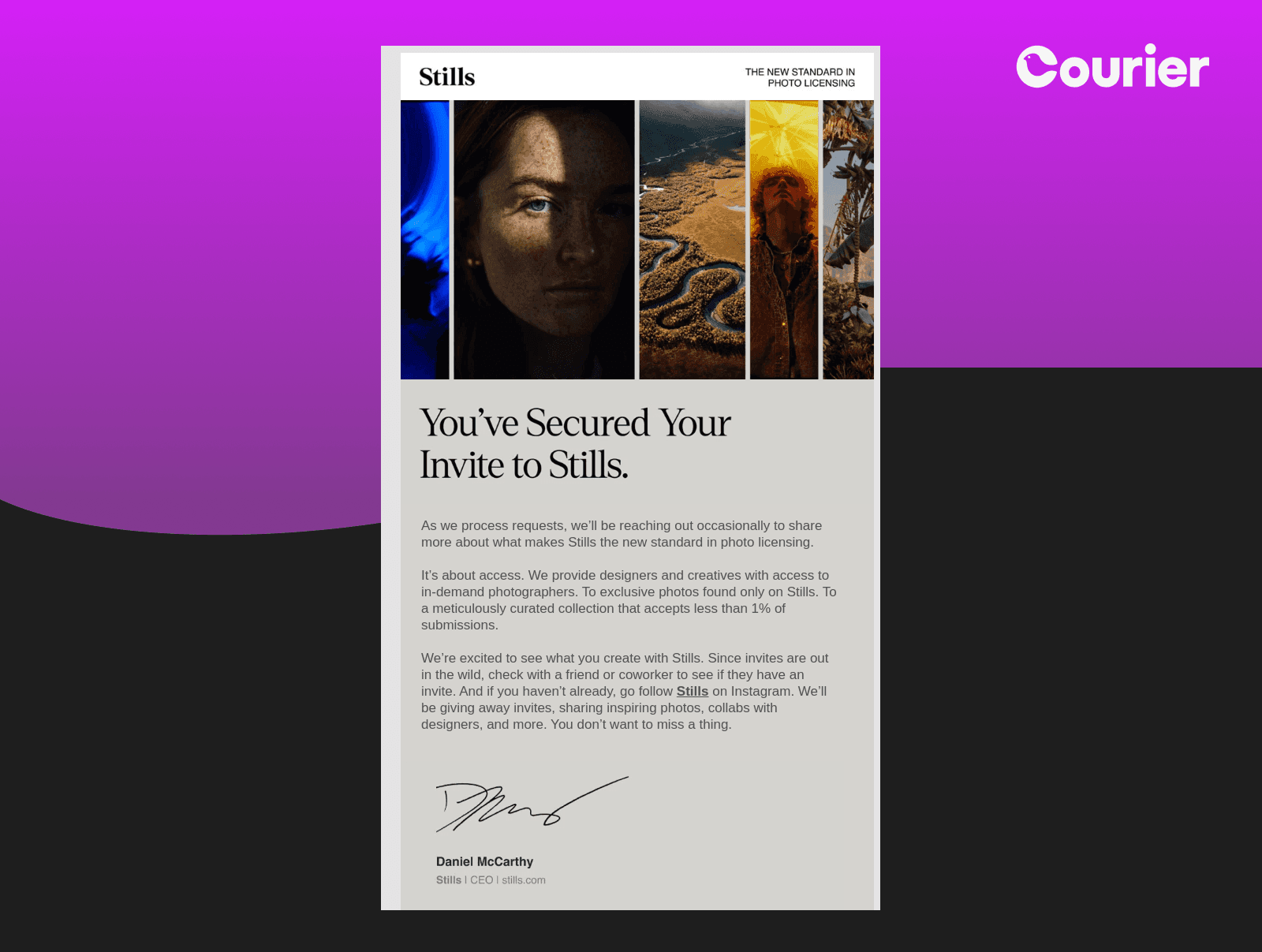
The photography platform Stills creates anticipation with their "You've Secured Your Invite" email, complete with CEO signature and carefully curated imagery. The personal touch from leadership elevates what could be a standard access notification.
Why it works: Executive endorsement adds weight to exclusive programs. The combination of beautiful visuals and personal messaging makes recipients feel genuinely selected rather than mass-marketed.
Platform implementation: Conditional logic routes invitations based on user engagement history and company size. Courier's Design Studio enables pre-approved executive templates with brand asset libraries, ensuring consistent messaging and visual identity for exclusive communications while automated waitlist management handles rolling invitations across multiple channels.
4. Crocs' Crystal-Clear Order Confirmation
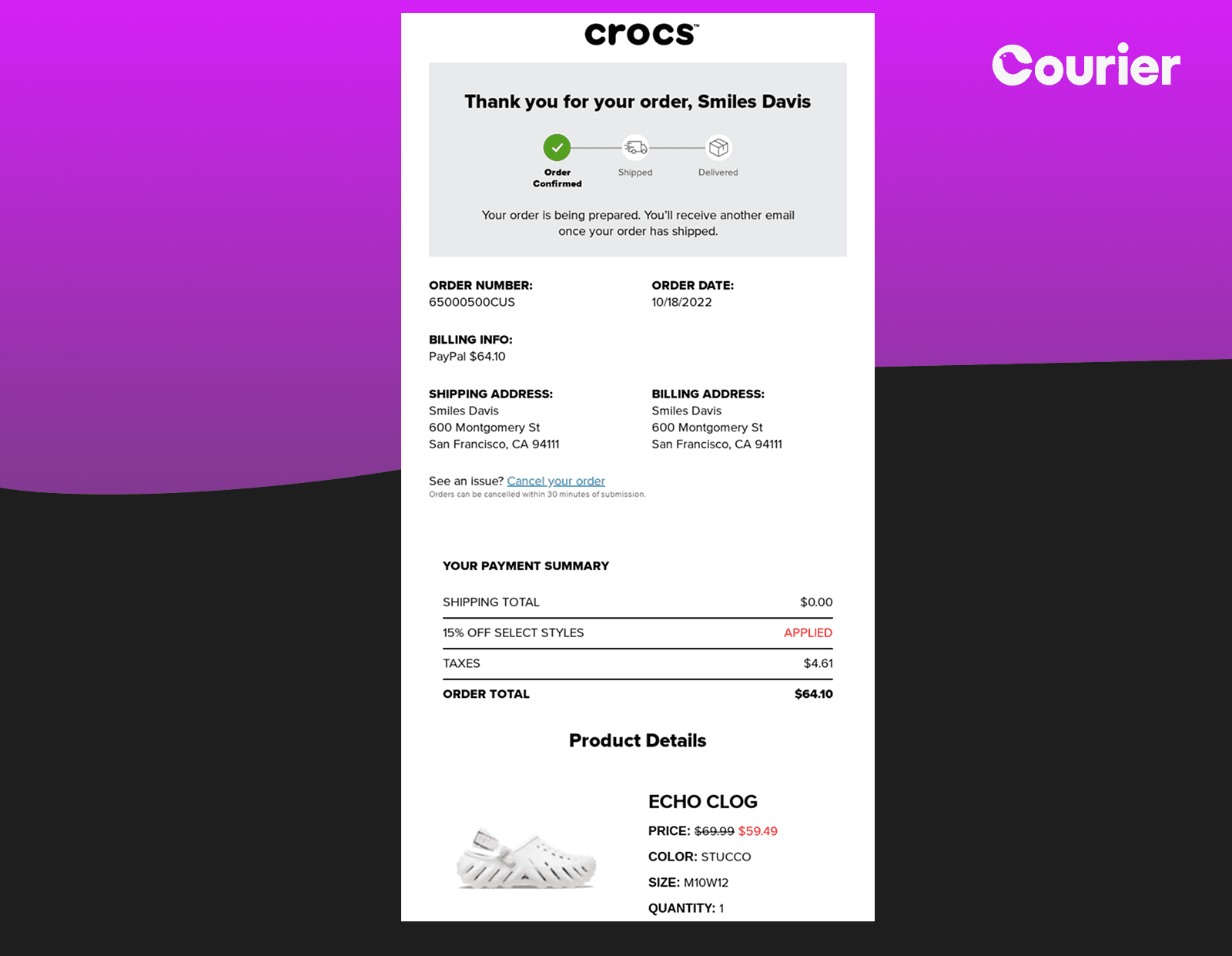
Crocs' order confirmation excels through comprehensive detail. From the visual order tracker to itemized costs and product images, every element helps customers understand their purchase status.
Why it works: Financial clarity builds trust. By breaking down costs, shipping details, and providing visual confirmation, Crocs eliminates post-purchase anxiety.
Platform implementation: CDP integration enables dynamic data merge templates that pull billing information from commerce platforms, inventory systems, and payment processors. Tenant-specific logic handles different approval workflows and cost center allocations while compliance routing ensures appropriate stakeholder visibility for marketplace and SaaS platforms.
5. Slack's Guided Onboarding
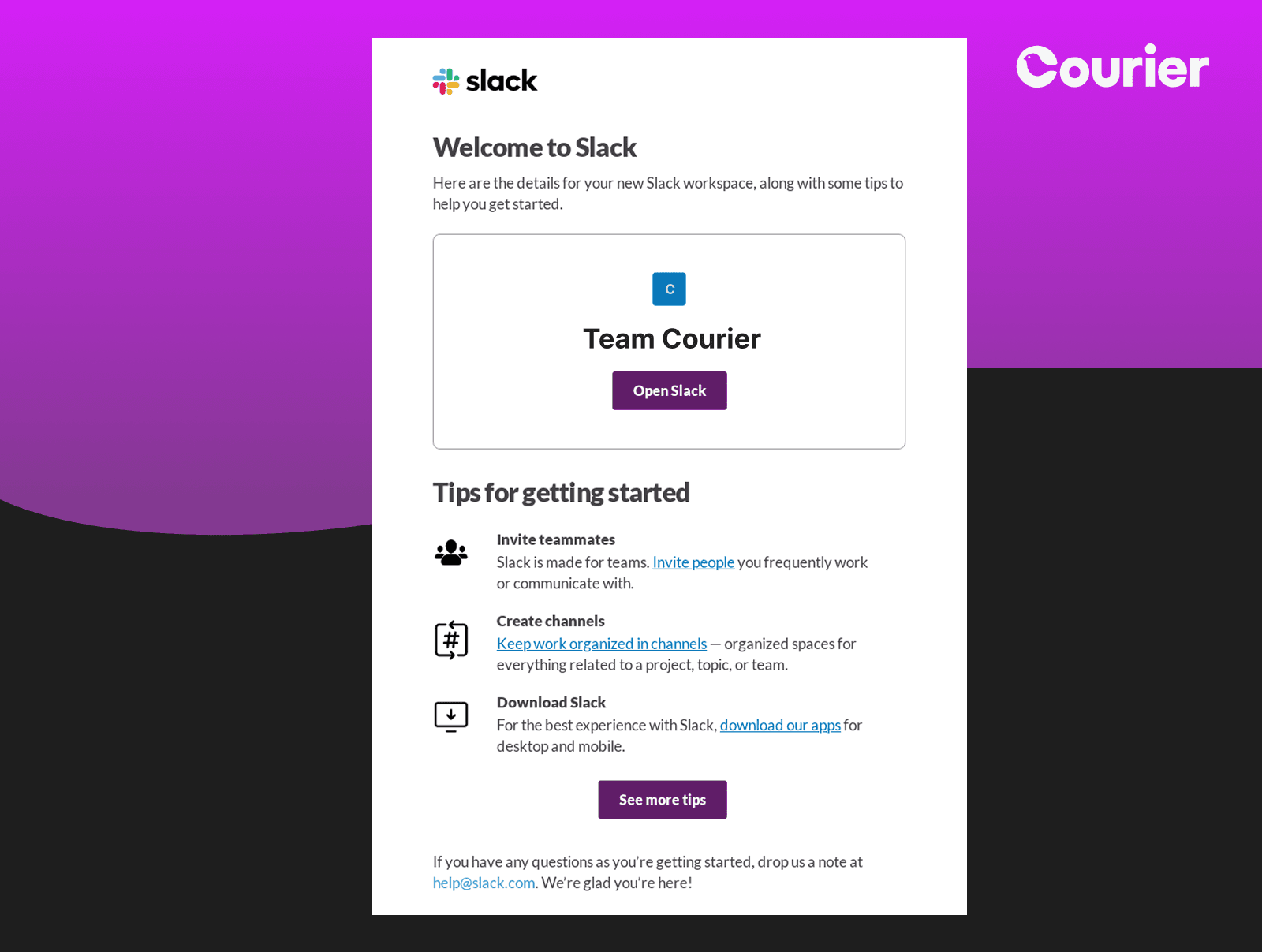
Slack's welcome email presents a three-step getting started guide that makes enterprise software feel approachable. Icons paired with actionable items create a clear path forward.
Why it works: Progressive disclosure prevents overwhelm. By breaking complex onboarding into digestible steps, Slack increases the likelihood users will complete setup.
Platform implementation: Time-delayed sequences with conditional branching adapt based on user actions. Role-based personalization ensures HR teams see different onboarding paths than engineering, with integration webhooks triggering subsequent emails based on actual product usage. Follow the complete multichannel onboarding guide for implementation details.
6. Krrb's Gamified Rewards
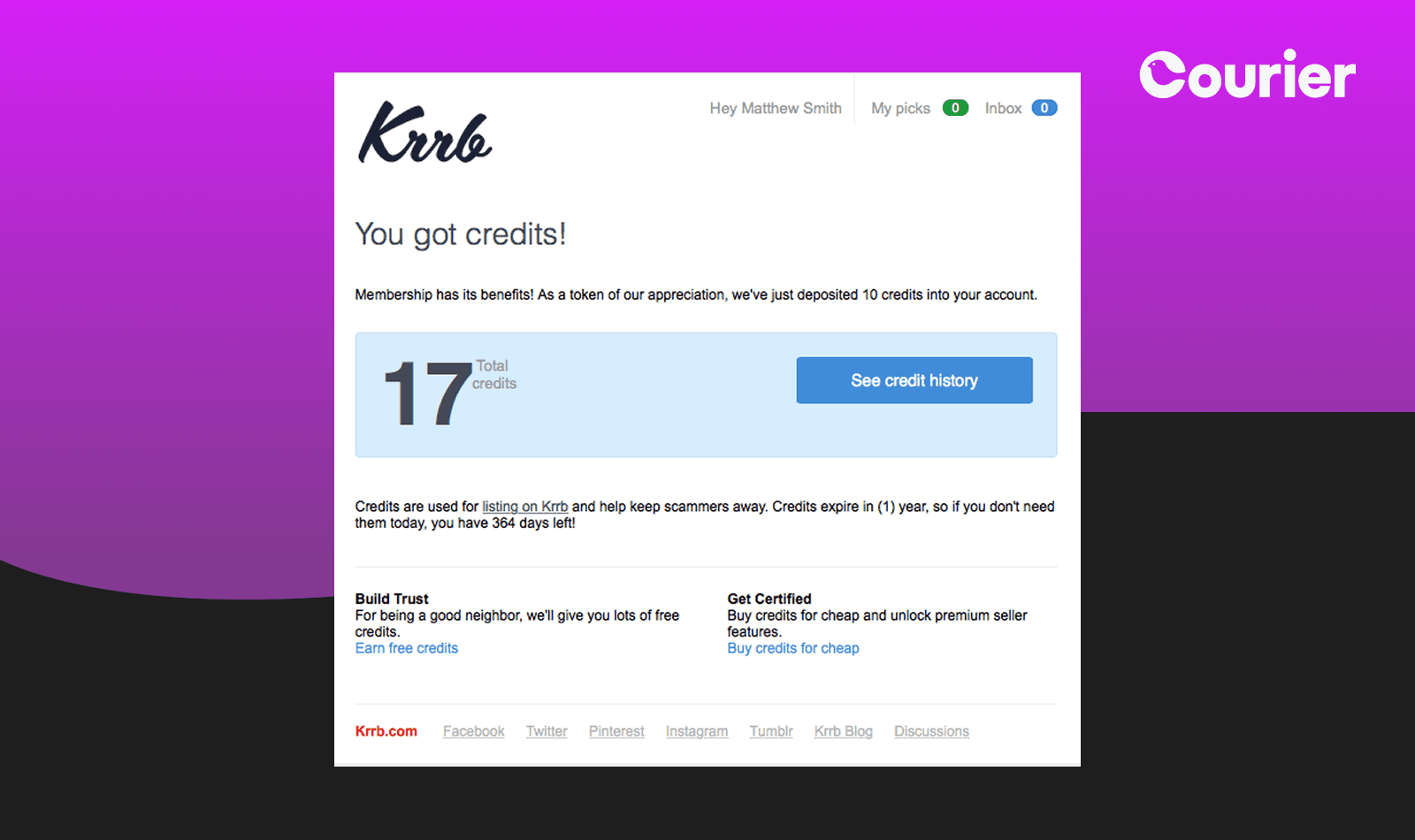
"You got credits!" Krrb's reward notification combines immediate gratification (17 credits) with practical next steps (how to use them). The large credit display creates a moment of delight.
Why it works: Tangible rewards drive engagement. Clear value visualization paired with usage suggestions turns abstract points into concrete benefits.
Platform implementation: Multi-channel rewards appear in both email notifications and the Universal Inbox with complete credit history. Dynamic templates populate current balances while users can view transaction history and available actions through the embedded notification center.
7. Gumtree's Educational Value-Add
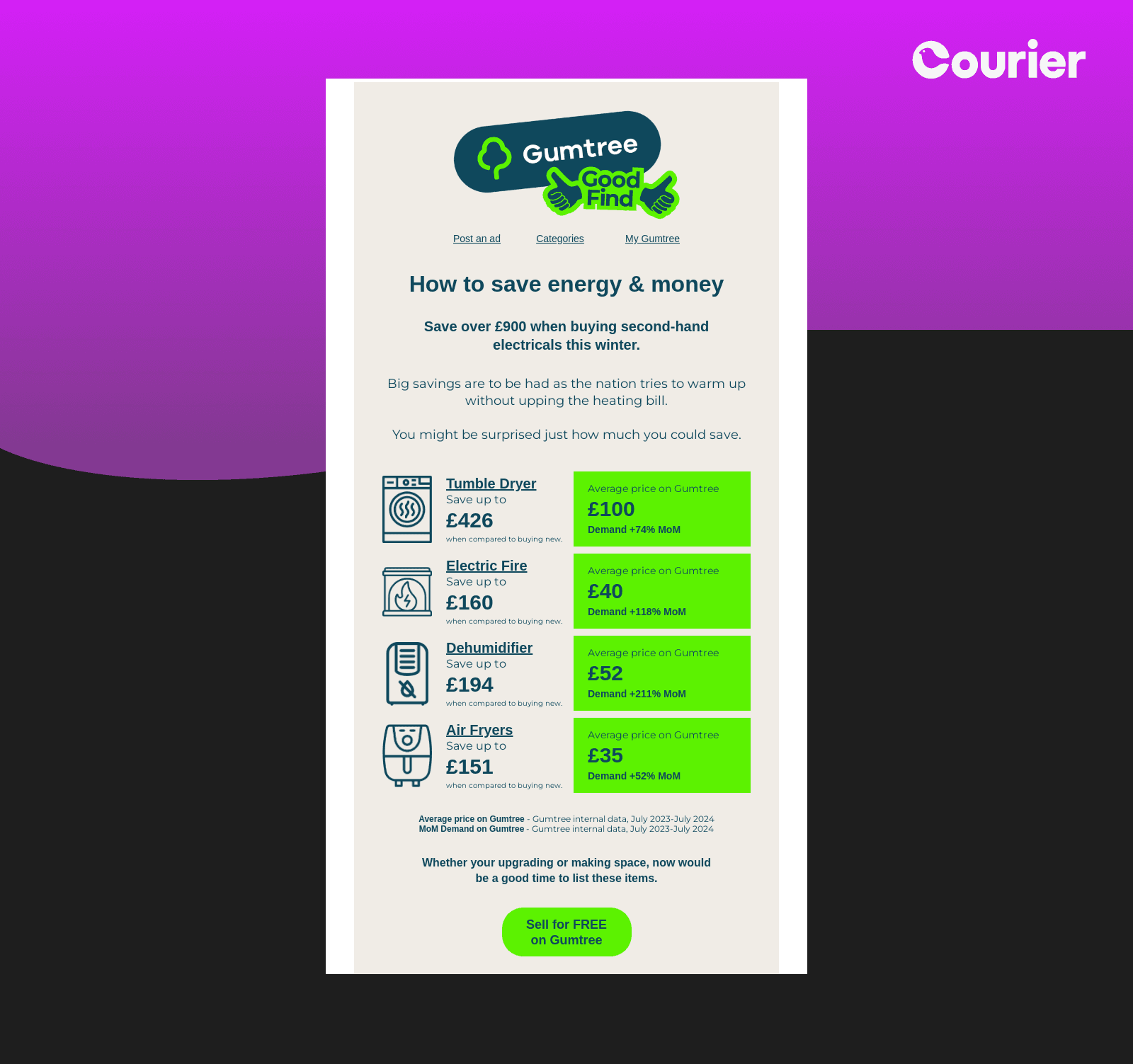
Gumtree transforms a potential unsubscribe moment into value delivery with their energy savings guide. Real data (save £900) paired with specific product recommendations creates genuine utility.
Why it works: Educational content justifies continued subscription. By providing actionable savings opportunities, Gumtree positions their emails as valuable rather than promotional.
Platform implementation: CDP integration enables personalized recommendations based on browsing history. Seasonal triggers ensure timely delivery of relevant content.
8. Miro's Comprehensive Welcome
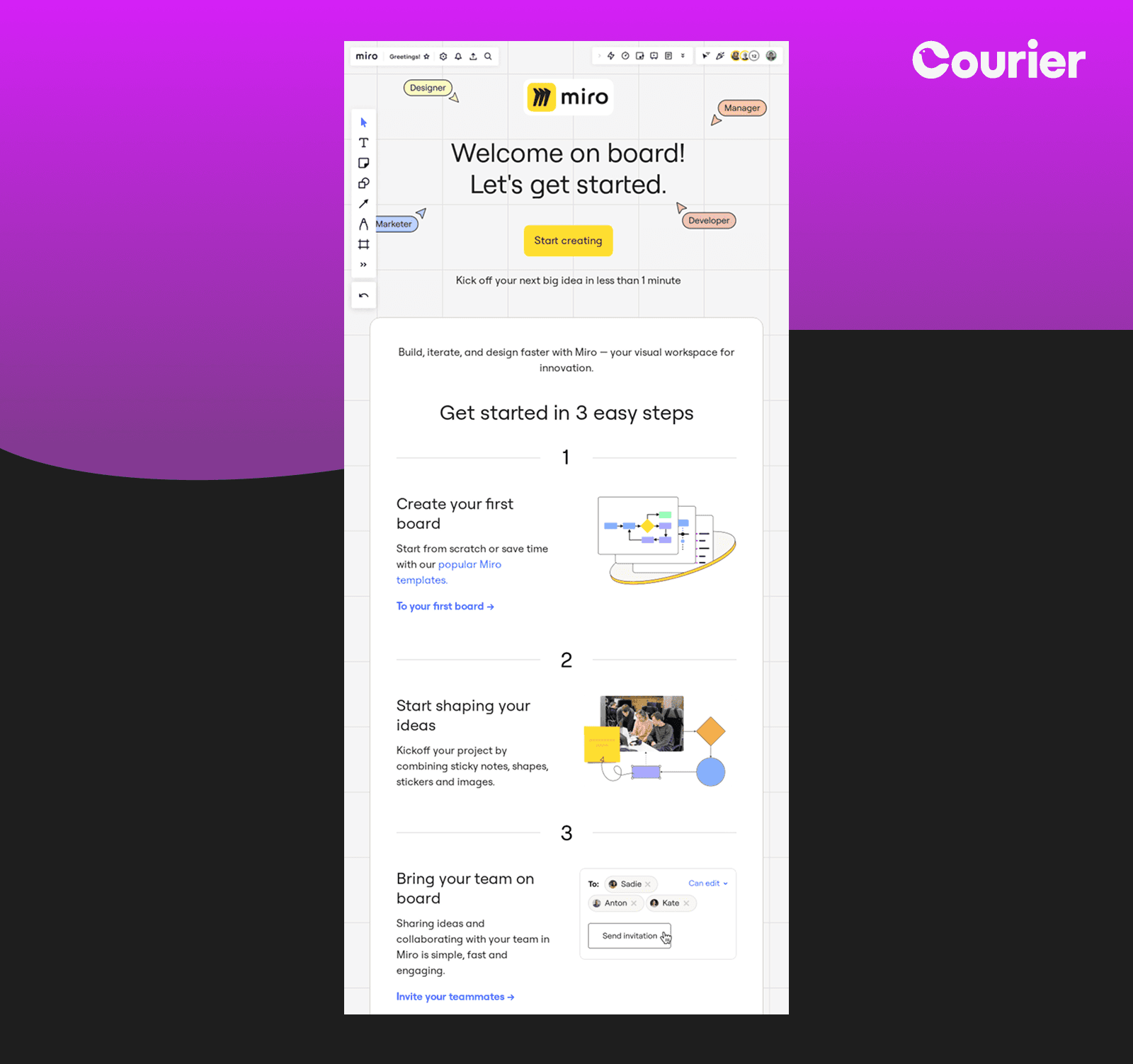
Miro's onboarding email uses visual hierarchy brilliantly. Three numbered sections with accompanying graphics make the getting-started process feel manageable while social proof (60M people, 99% of Fortune 100) builds confidence.
Why it works: Multiple learning modalities cater to different user preferences. Visual learners appreciate graphics while text-oriented users can dive into details.
Platform implementation: Progressive workflow automations adapt based on team size and industry. Multi-language support ensures global teams receive localized onboarding experiences.
9. Threads' Community Digest
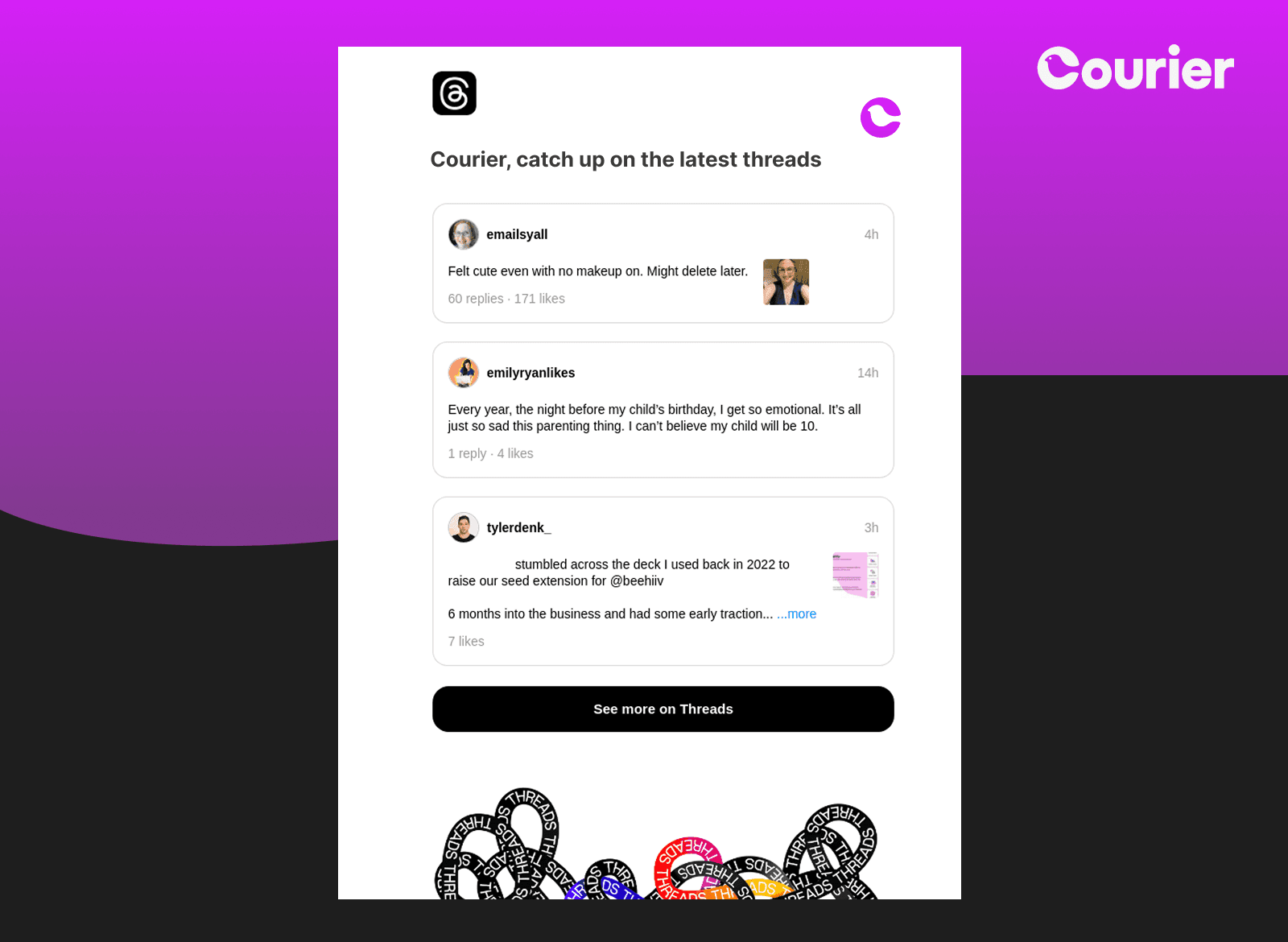
Digest notifications represent one of the most challenging notification types to execute well. They must walk the fine line between providing value and creating noise, between staying relevant and overwhelming users with information. Most digests fail because they become automated content dumps rather than thoughtfully curated experiences.
Instagram's Threads digest surfaces trending conversations with user-generated content previews. Real posts from real users create authentic engagement opportunities. Rather than showing metrics or promotional content, the digest displays organic conversations: "Felt cute even with no makeup on. Might delete later." This authenticity makes the platform feel alive and worth revisiting.
Why it works: Curated content saves users time while maintaining platform engagement. Showing actual conversations rather than manufactured highlights creates authentic FOMO while appealing to different user interests.
Platform implementation: Set up automated digest workflows using Courier's scheduling features and content aggregation APIs. Configure frequency rules and content filtering to ensure each digest feels personally curated rather than mass-distributed.
10. OpenTable's Positive Cancellation
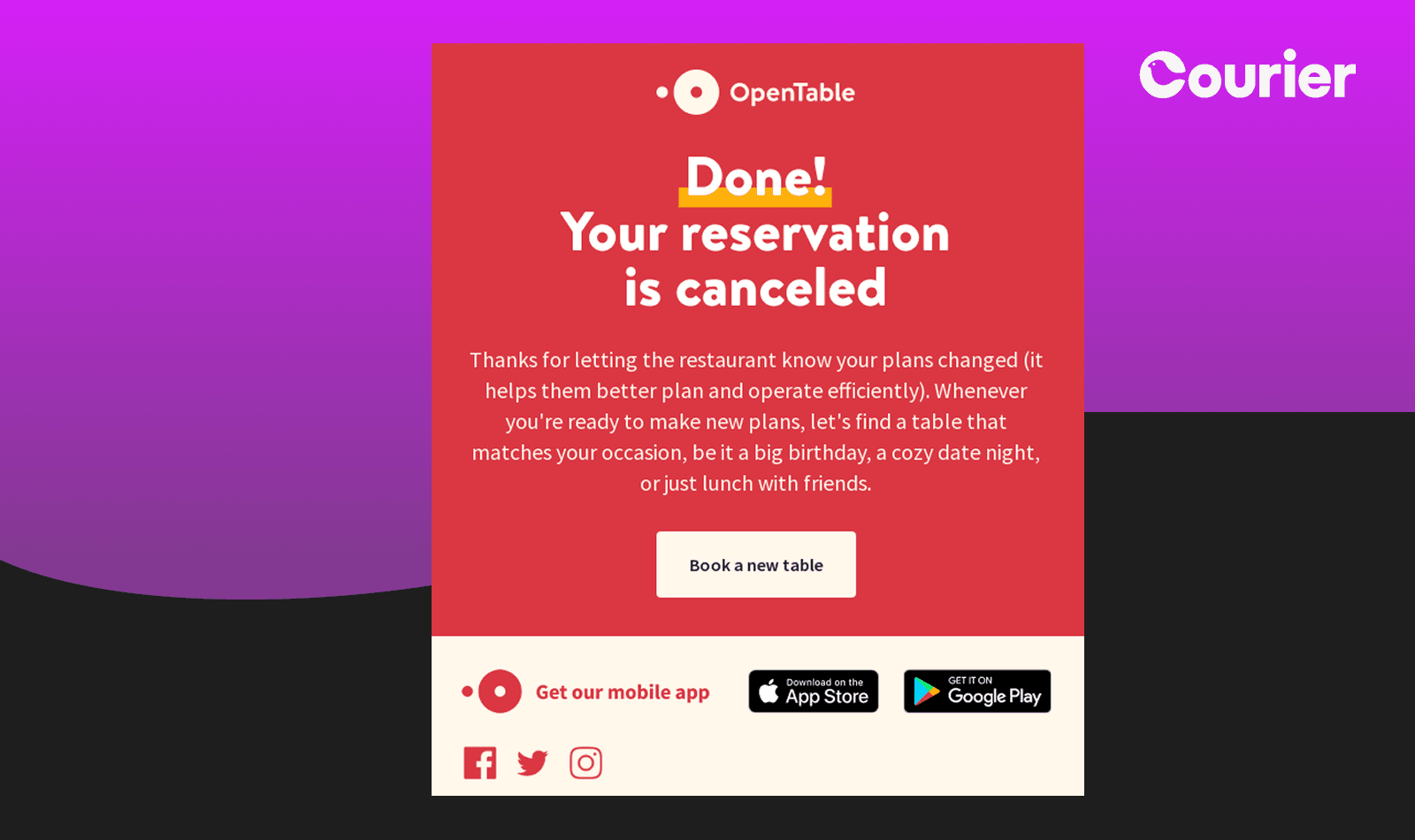
OpenTable's "Done! Your reservation is canceled" email takes a potentially negative interaction and makes it feel accomplished. The cheerful tone and helpful next steps maintain engagement despite cancellation.
Why it works: Service endings shape future relationships. By making cancellations easy and positive, OpenTable increases the likelihood of future bookings.
Platform implementation: Sentiment-aware templates adjust messaging for voluntary vs. involuntary changes. Retention workflows trigger alternative suggestions while feedback collection improves future experiences.
SMS Notifications: Precision Messaging
11. Slate's Multi-Channel Authentication
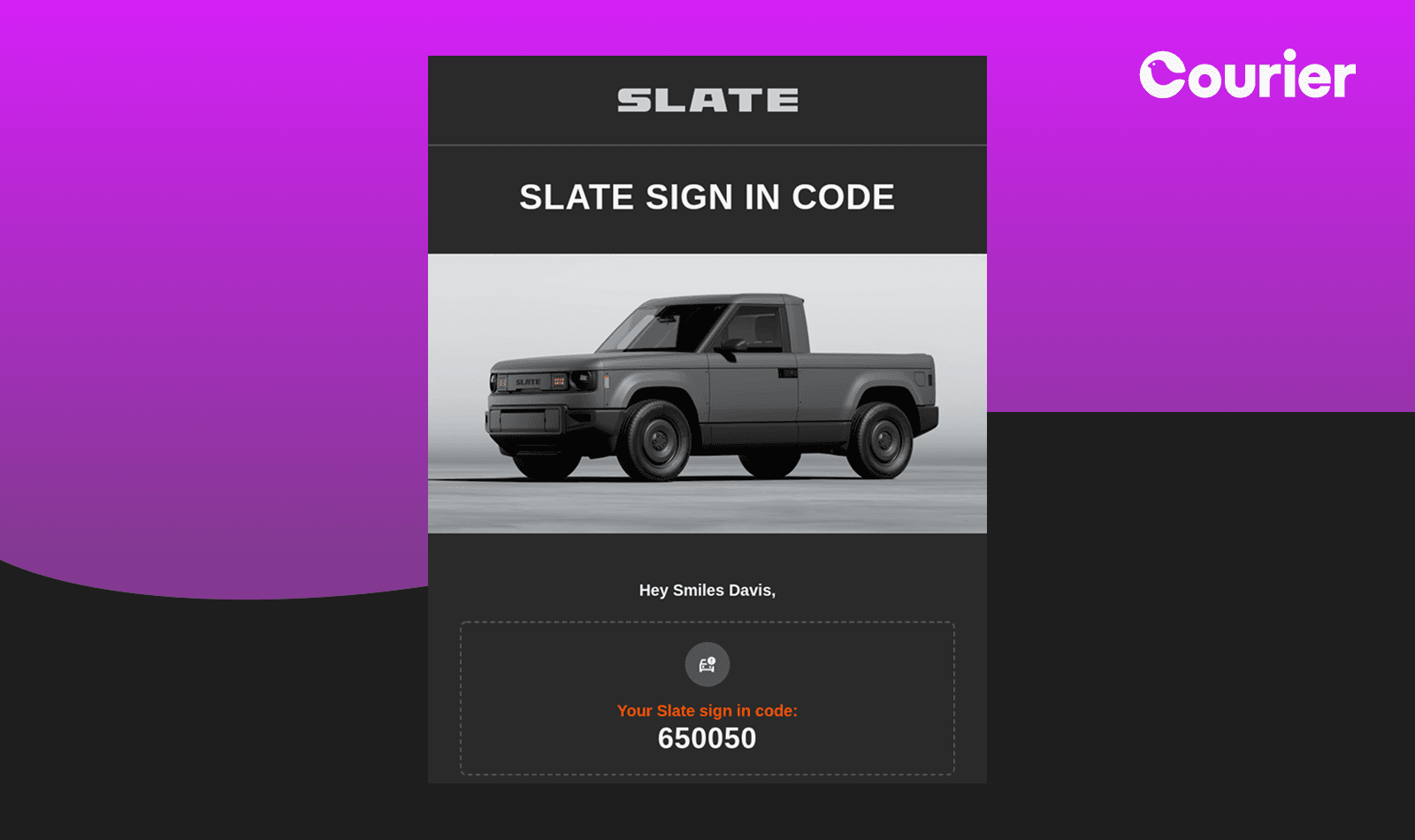
Slate's authentication approach demonstrates smart channel redundancy. Their SMS "Your Slate sign in code: 650050" provides immediate delivery while their parallel email ensures users receive codes through their preferred channel. The automotive branding (pickup truck imagery) maintains visual identity even in text format, while clear expiration warnings (15 minutes) create appropriate urgency without panic.
Why it works: Multi-channel authentication eliminates single points of failure. Users might miss SMS due to poor signal or prefer email for security reasons. By sending both simultaneously, Slate ensures code delivery while respecting user preferences. The consistent branding across channels reinforces legitimacy and reduces phishing concerns.
Platform implementation: Adaptive routing sends authentication codes through multiple channels simultaneously, with intelligent deduplication if users access codes from one source. Preference management allows users to choose their preferred authentication method while maintaining backup delivery options.
12. Path Health's Conversational Healthcare
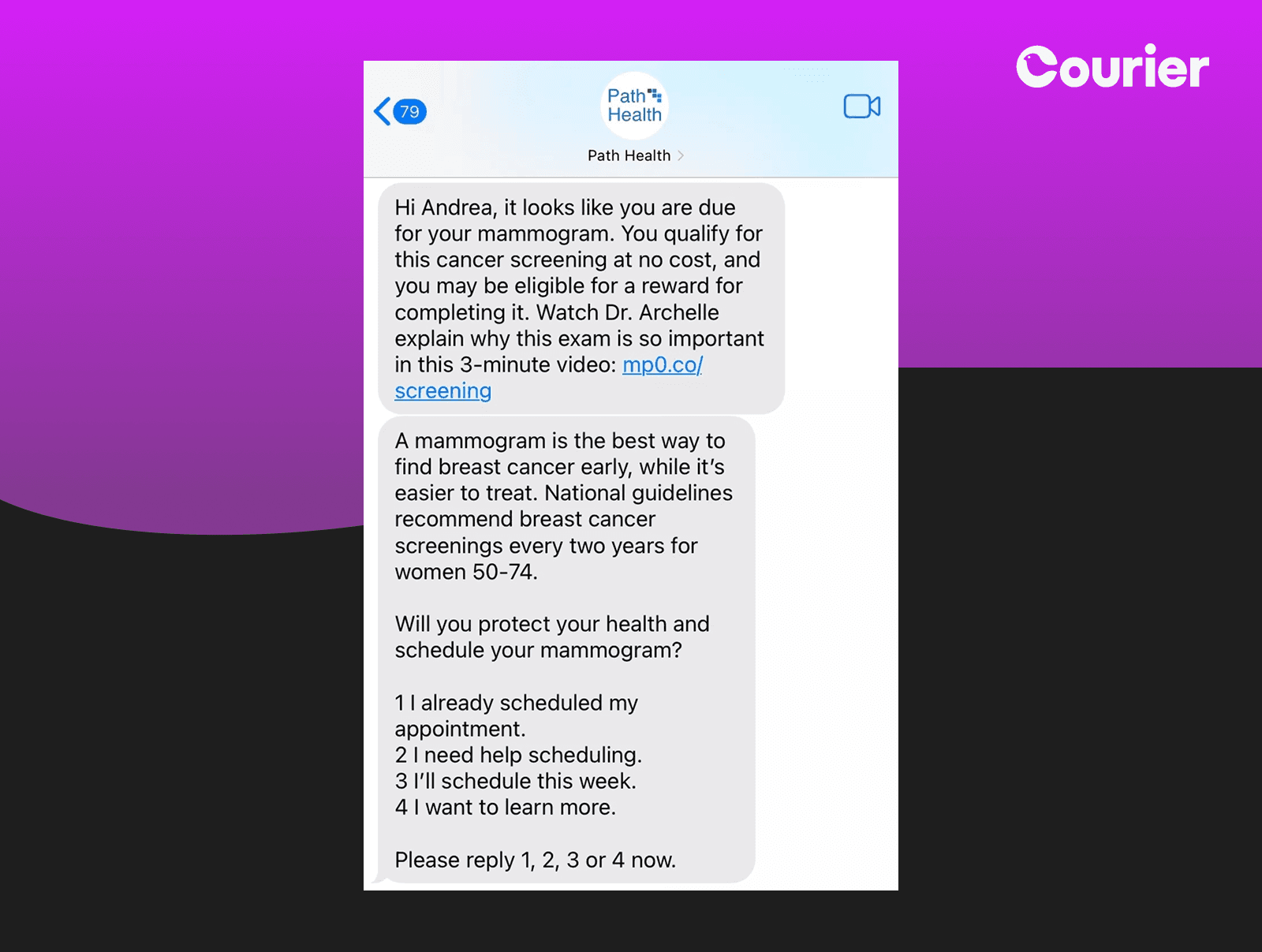
Healthcare communications face a unique challenge: they're often both critically important and emotionally charged. Traditional clinical outreach—appointment reminders, screening notifications, follow-up care—frequently feels sterile, bureaucratic, and disconnected from the human being receiving it. This approach can actually create barriers to care, especially for preventive services like cancer screenings.
Path Health's mammogram reminder transforms clinical outreach into a supportive conversation. "Hi Andrea, it looks like you are due for your mammogram. You qualify for this cancer screening at no cost, and you may be eligible for a reward for completing it." The message includes educational content (Dr. Archelle's 3-minute video) and structured response options (1-4 numbered choices) that make scheduling feel manageable.
Why it works: Healthcare communications often feel impersonal and intimidating. Path Health humanizes the experience with personalized messaging, educational resources, and clear next steps. The structured response options accommodate different patient comfort levels with scheduling.
13. FedEx's Logistics Transparency
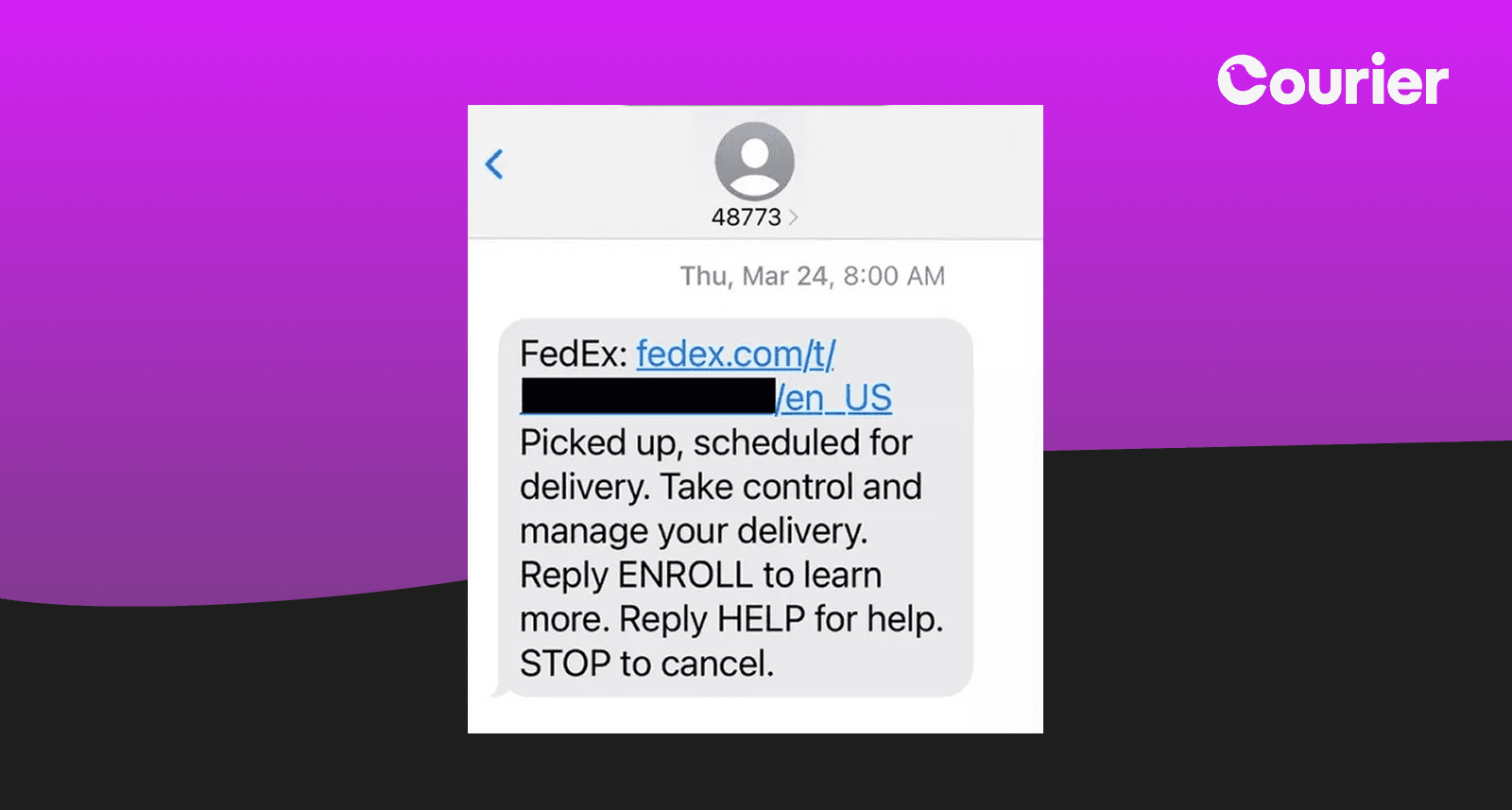
FedEx's delivery notifications provide exactly the information customers need when they need it. "Picked up, scheduled for delivery. Take control and manage your delivery. Reply ENROLL to learn more, Reply HELP for help. STOP to cancel." The follow-up message "Your delivery is rescheduled to Fri, 03/25 by 12:00P" demonstrates proactive communication about changes.
Why it works: Shipping anxiety is real, especially for important packages. FedEx eliminates uncertainty with precise timing, clear action options, and immediate updates when plans change. The interactive keywords (ENROLL, HELP, STOP) give users control over their communication preferences, following SMS best practices.
Platform implementation: SMS channel setup enables interactive keywords and delivery tracking. Logistics integrations provide real-time status updates with intelligent routing based on delivery urgency and customer communication preferences.
Push Notifications: Context at a Glance
14. Raycast's Proactive Trial Management
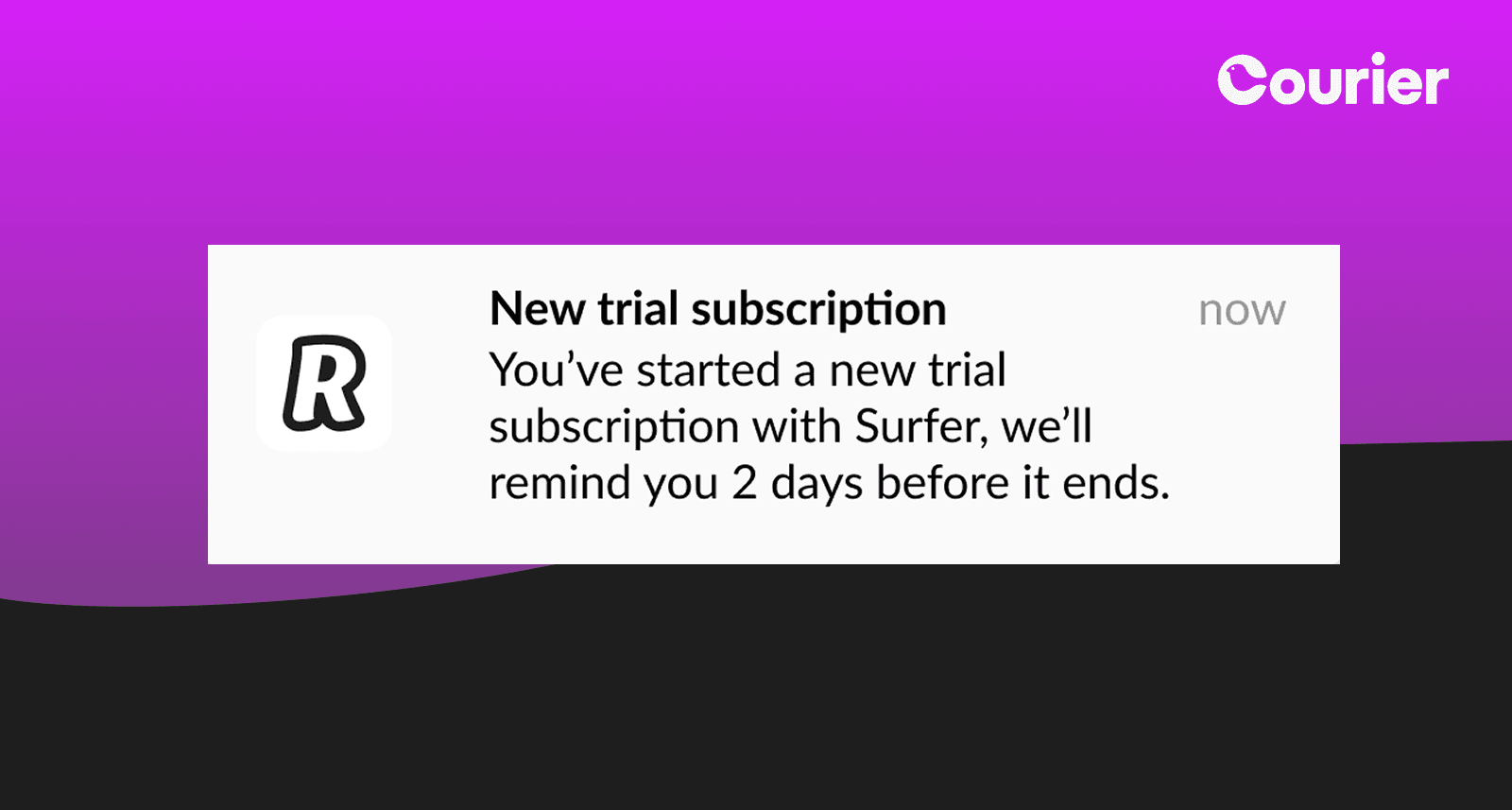
"New trial subscription" followed by "we'll remind you 2 days before it ends" sets Raycast apart from companies hoping users forget about trials. This proactive transparency builds trust during the crucial evaluation period. The message is concise yet complete, acknowledging both the trial start and its eventual end.
Why it works: Trial anxiety undermines user experience. By promising a reminder, Raycast removes the mental burden of tracking trial periods. This transparency suggests confidence in their product's value rather than reliance on forgotten subscriptions.
15. Security Alert Excellence
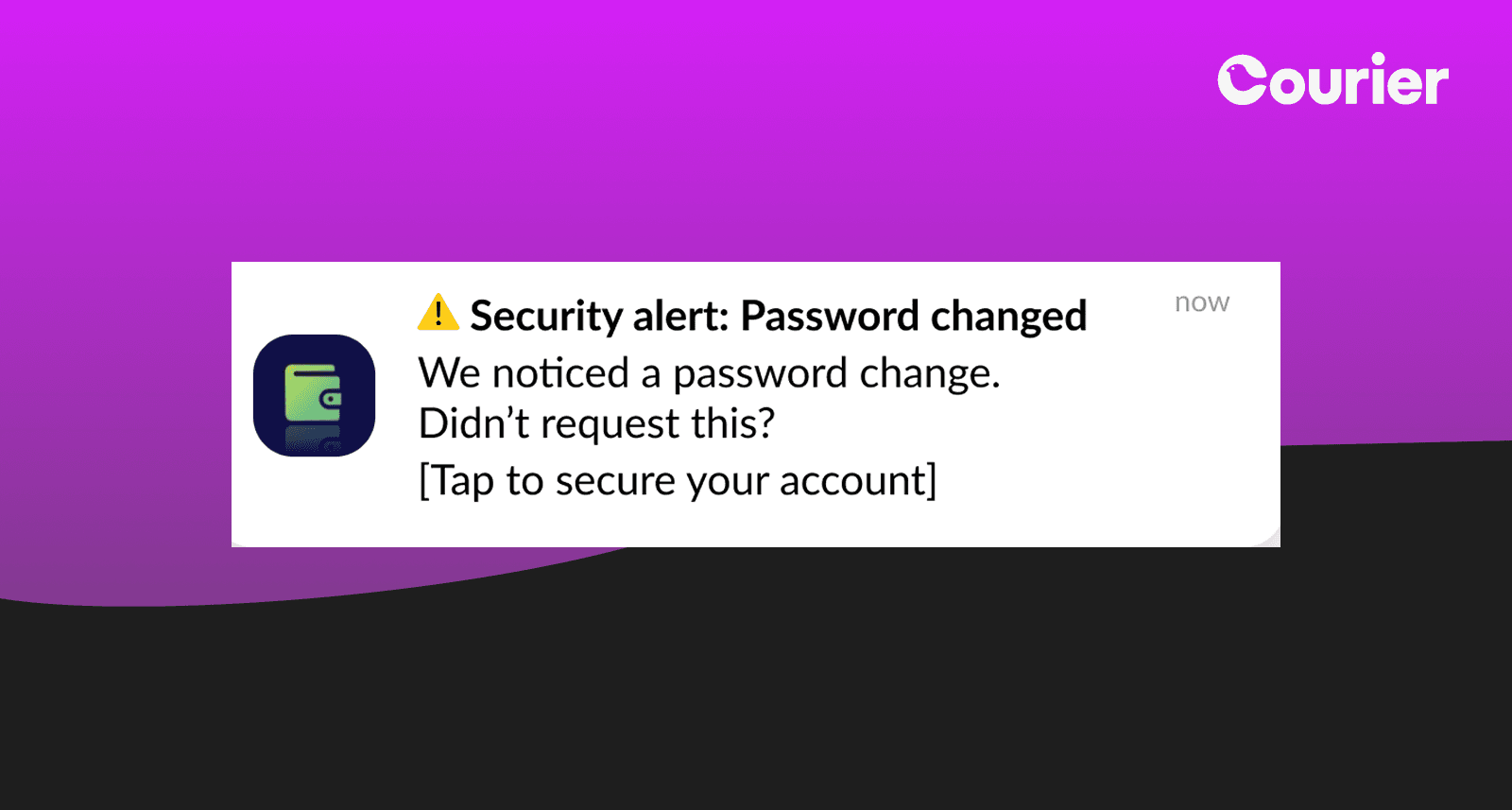
The financial app's "Security alert: Password changed" notification provides immediate awareness of account changes. The warning triangle icon adds appropriate urgency without inducing panic.
Why it works: Security notifications must balance urgency with clarity. Quick recognition of legitimate vs. suspicious activity protects users without causing unnecessary stress.
Platform implementation: Risk-based routing triggers immediate push notifications plus SMS for high-risk changes. Device intelligence includes fingerprinting and location context while "Not me" buttons trigger automated security workflows.
16. AvaTrade's Financial Updates
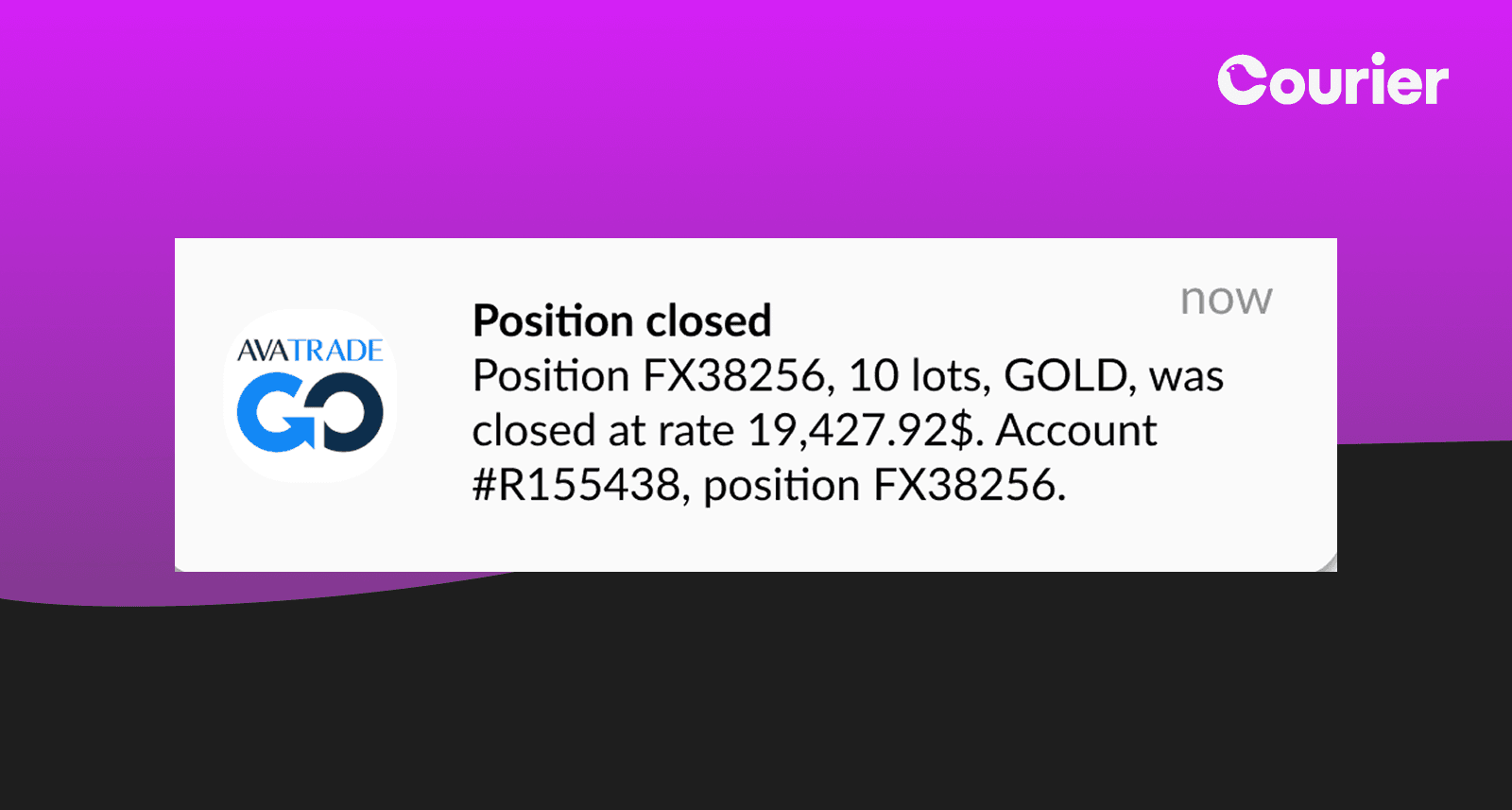
AvaTrade's position closure notifications with specific details (FX38256, 10 lots, GOLD) provide traders with essential information instantly. The precise data enables quick decision-making.
Why it works: Financial notifications require absolute precision. Including position numbers and exact figures allows users to verify and act on information immediately.
Platform implementation: Real-time CDP integration streams financial data into contextual notifications. Role-based delivery ensures appropriate detail levels reach different stakeholders.
17. Medical Appointment Confirmation
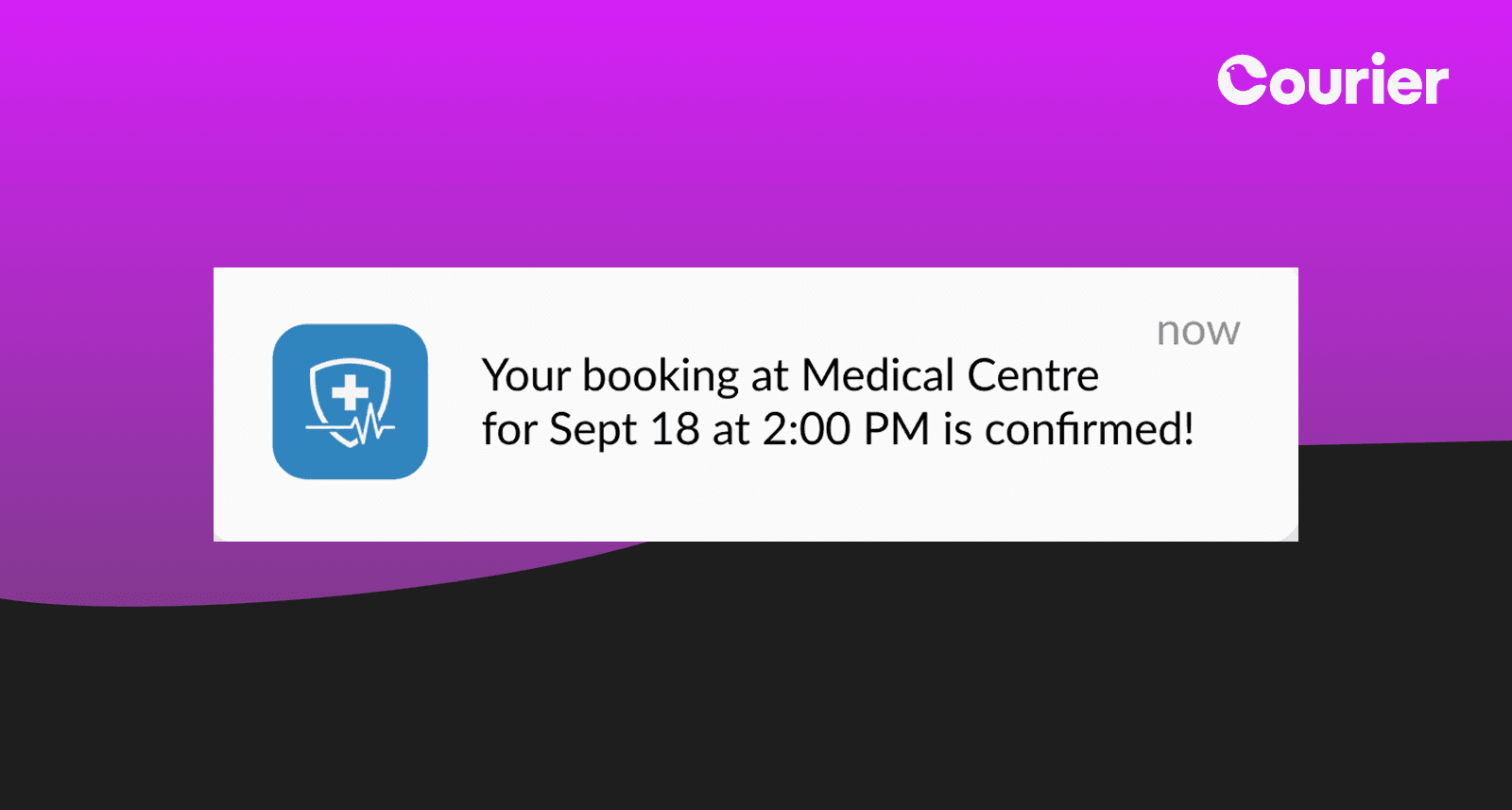
The medical appointment confirmation "Your booking at Medical Centre for Sept 18 at 2:00 PM is confirmed!" provides all essential information in a glanceable format. The medical cross icon immediately identifies the notification type while the specific date and time eliminate confusion.
Why it works: Healthcare appointments carry higher stakes than restaurant reservations. Clear confirmation reduces anxiety while the specific details enable immediate calendar entry. The icon helps users quickly identify medical notifications among other alerts.
In-App & Slack: Contextual Workflows
18. Cursor's Pull Request Bot
Developer productivity dies a thousand deaths through context switching. The average developer toggles between GitHub for code review, their IDE for implementation, Slack for team communication, and project management tools for tracking—often losing mental context with each transition.
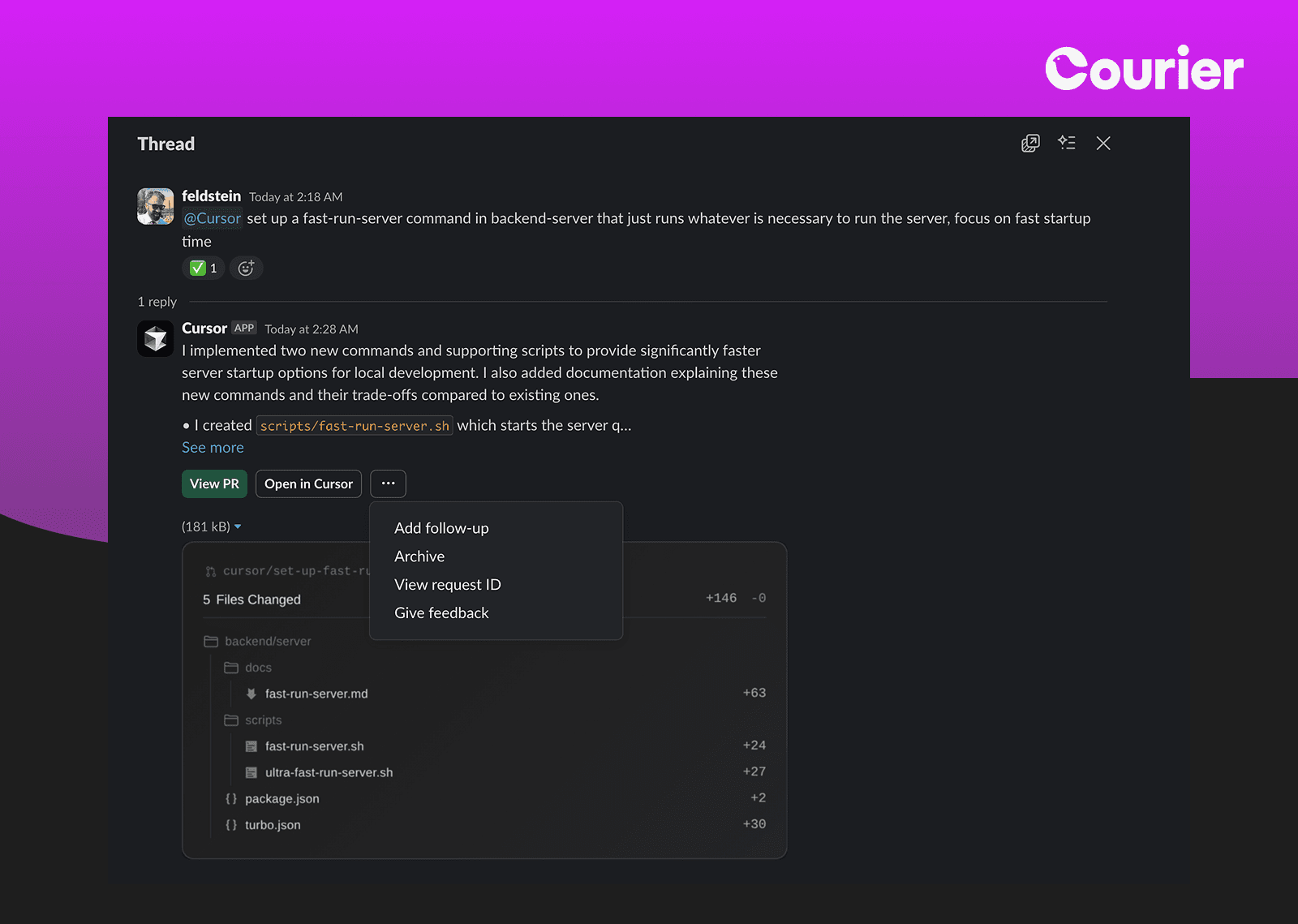
Cursor's GitHub integration in Slack exemplifies perfect developer workflow optimization by collapsing this complexity. When Feldstein requests a "fast-run-server command," Cursor automatically responds with implementation details: "I implemented two new commands and supporting scripts to provide significantly faster server startup options for local development." The response includes file change summaries (5 Files Changed), specific script names (fast-run-server.sh), and actionable next steps (View PR, Open in Cursor).
Why it works: This integration preserves the collaborative nature of Slack while delivering technical depth typically requiring multiple tool switches. The structured presentation enables quick decision-making without sacrificing detail, reducing cognitive overhead and keeping teams synchronized on technical progress.
19. BambooHR's Intelligent Employee Lookup
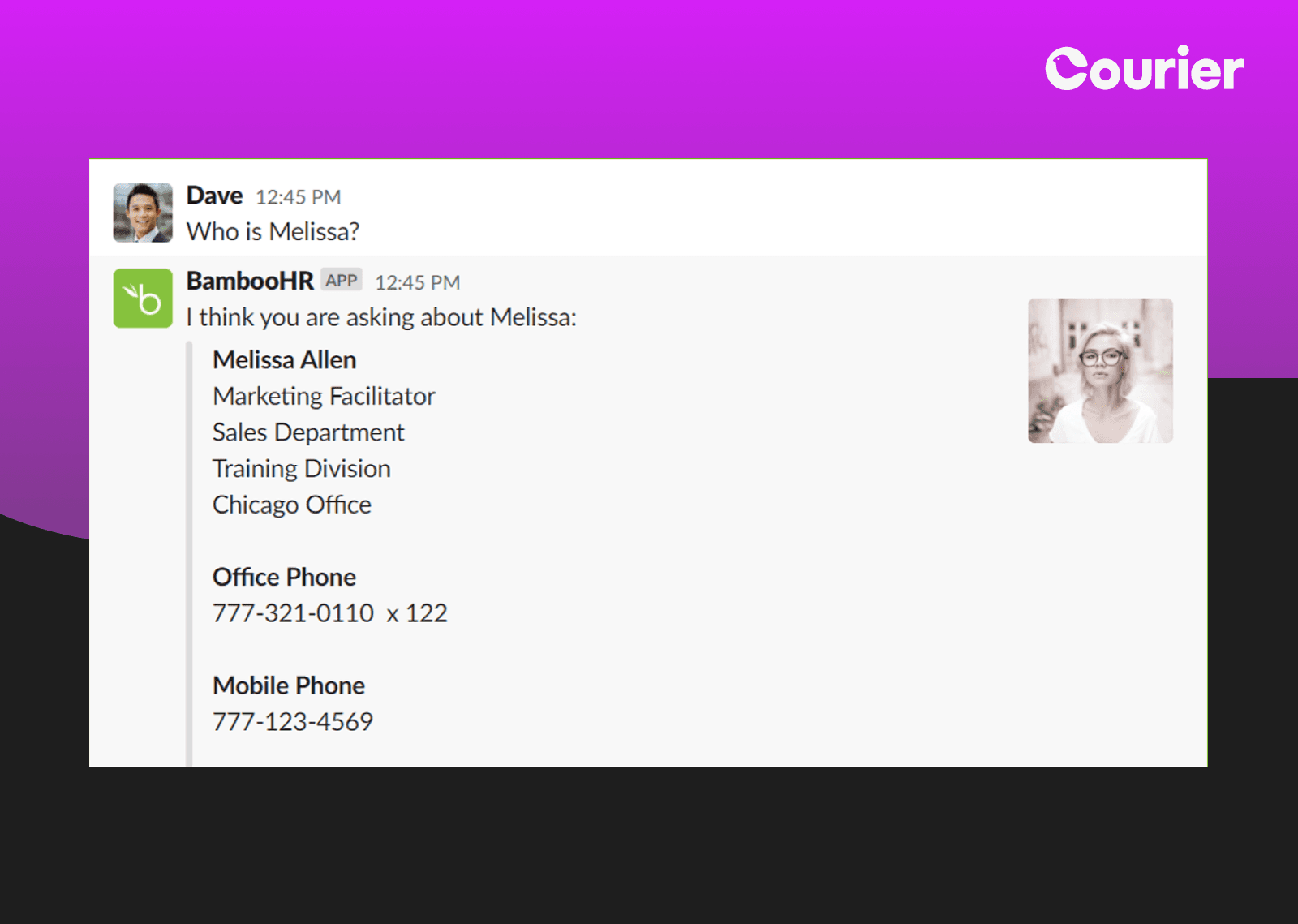
BambooHR's Slack integration showcases perfect conversational UI for HR platforms. When Dave asks "Who is Melissa?", the bot responds with comprehensive yet organized information: full name, title, department, division, office location, and both phone numbers. The profile photo humanizes the data while the structured format enables quick scanning.
Why it works: Context switching kills productivity. By bringing directory information directly into Slack, BambooHR eliminates the need to open separate systems. The natural language query ("Who is Melissa?") feels more intuitive than navigating traditional directories.
20. Google Calendar's Daily Digest
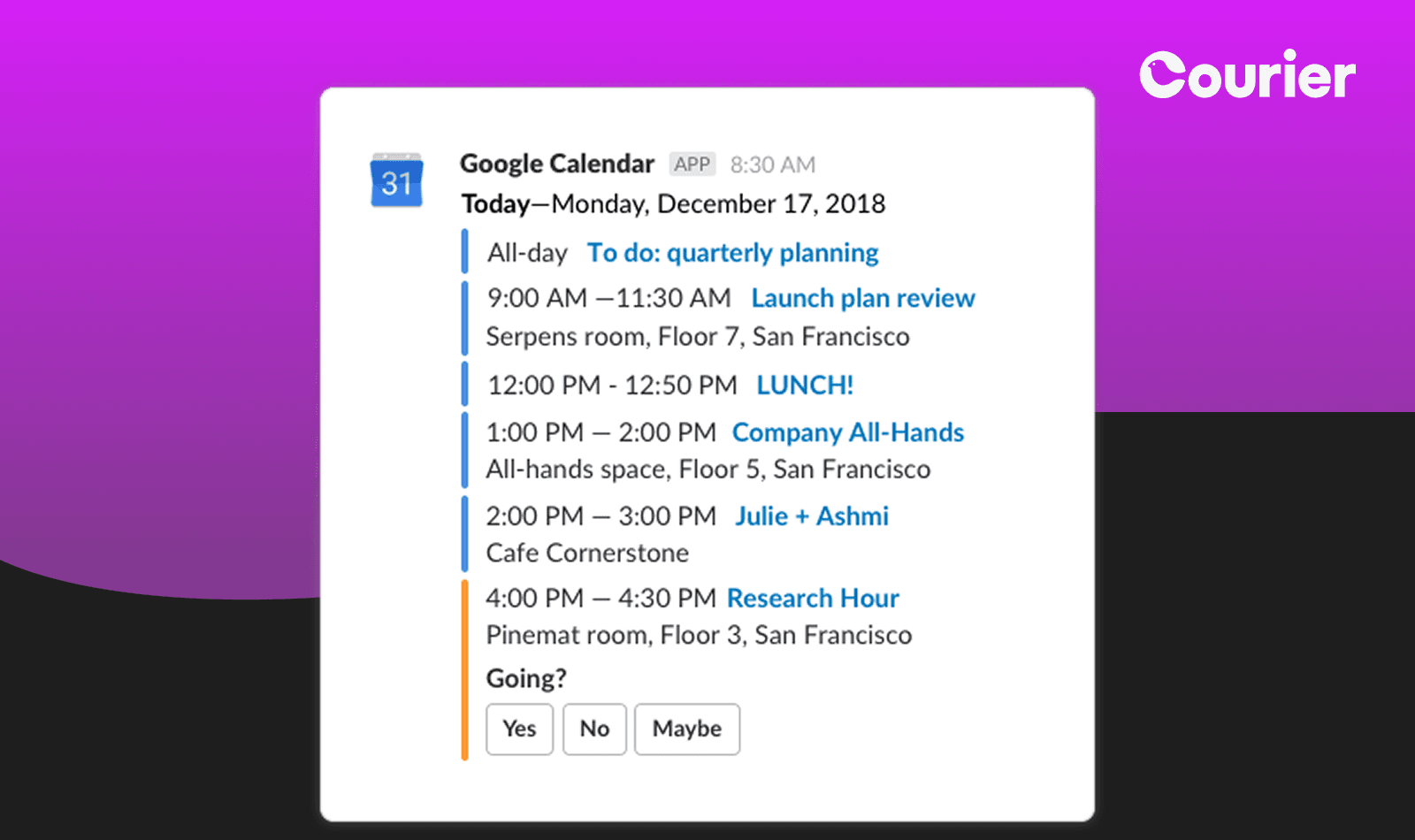
The Google Calendar integration shows "Launch plan review 1:30 PM-2:00 PM" with additional context and an expandable details option. This integration respects that Slack is a communication tool, not a calendar replacement, by showing just enough information to be useful without overwhelming the channel.
Why it works: Calendar notifications in Slack must balance completeness with brevity. Too much detail clutters channels; too little requires clicking through. This integration finds the sweet spot by showing what, when, and who while hiding additional details behind progressive disclosure.
Platform Implementation for In-App & Slack Notifications: Courier's Universal Inbox SDK provides drop-in components that inherit your application's design system while aggregating notifications from all channels. For Slack, bot framework integration enables natural language processing and contextual responses. Real-time sync with external systems (HRIS, calendars, project management) ensures data freshness. Smart categorization groups related notifications while respecting channel purposes. Preference inheritance allows company defaults while enabling individual customization. The system can even detect when users are actively in Slack versus away, routing urgent messages accordingly.
Building Your Notification Strategy
Great notifications don't happen by accident. They're the result of thoughtful design, intelligent routing, and continuous optimization. Here's how to implement these principles:
Start with user needs: Map notification triggers to actual user workflows. What information do they need, when do they need it, and where are they when they need it?
Design for channels: Each channel has unique constraints and opportunities. Email allows rich content, SMS demands brevity, push requires immediate value, and Slack thrives on context.
Implement intelligently: Modern platforms handle the complexity of multi-channel orchestration. Features like automatic failover, preference management, and delivery optimization ensure messages reach users effectively.
Measure and iterate: Track engagement across channels and use A/B testing to optimize timing, content, and routing. What works for one audience segment might not work for another.
The Future of B2B Notifications
As workplace communication continues to evolve, notifications will become even more intelligent and contextual. Machine learning will predict optimal delivery times, natural language processing will personalize content, and new channels will emerge to meet users where they work.
The examples we've explored show that great notifications combine utility with personality, respect with engagement, and clarity with context. Whether you're sending authentication codes or celebrating team achievements, the principles remain the same: deliver value, respect attention, and make every interaction count.
By implementing these patterns with modern notification infrastructure, B2B companies can transform routine communications into moments of engagement that drive real business results. The best notification is the one that helps users succeed, delivered exactly when and where they need it.
Ready to Build Better Notifications?
The examples we've explored represent just the beginning of what's possible with thoughtful notification design. Whether you're looking to improve user engagement, streamline workflows, or create memorable brand experiences, the right notification infrastructure makes all the difference.
Talk to an Engineer and discover how Courier can help you implement these patterns at scale—from multi-channel orchestration to intelligent routing and universal inbox integration.
Similar resources

Courier vs Customer.io: 2026 messaging platform comparison
Courier and Customer.io both send across email, push, SMS, and in-app, but they are not priced or built the same way. Courier bills by the send, puts journeys, experiments, broadcasts, an in-app inbox, preferences, and 50+ delivery providers on one platform, and exposes all of it through an API, a CLI, and an MCP server. Customer.io bills by the number of profiles in your database and fits a marketing team that needs deep behavioral segmentation. This comparison covers pricing, journeys, channels, in-app messaging, localization, and preferences, with every competitor figure linked to Customer.io's own pages.

Email preview tools compared: 6 that render on real devices
Most "email preview" features are simulations. These six open your email in the actual client and send back a screenshot. Here’s what each costs per preview, how much work sits between your template and the result, and which ones you can drive from code.
A developer's alternative to Intercom for product notifications
Intercom renamed itself Fin and agreed to be acquired by Salesforce, both around its AI support agent. If you're using it to send your product's notifications, it's fair to ask what the platform was actually built for. Its API answers the question: there is no push or SMS send endpoint, and the campaign builder has no API at all. Here's the architecture, the cost math, and how to migrate transactional and marketing sends.
© 2026 Courier. All rights reserved.