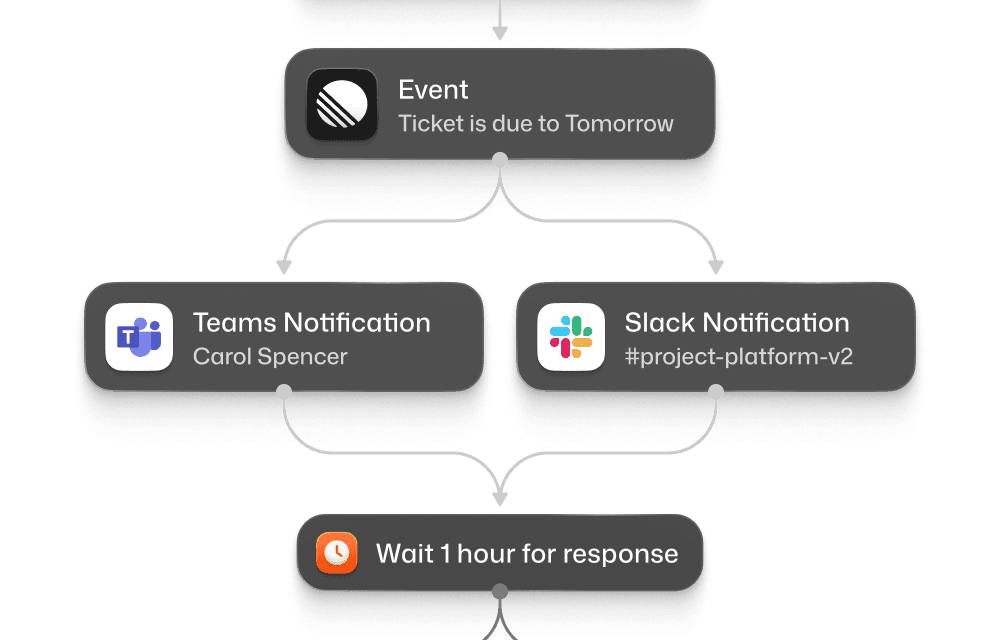
High-context notifications

Keep users focused by sending updates straight to Slack or Teams. No context switching required.

Tailored to users

Let users manage how they’re notified with opt-ins, quiet hours, and custom alert preferences.

Context-aware delivery

Deliver the right message in the right place. DM, channel, or email fallback. Routing is handled automatically from one platform.

PHI-compliant notifications with BAA, SOC 2, encryption, audit logs, and regional data residency.

Enterprise-ready notifications for Slack and Teams

Flexible authentication

Connect via OAuth for full workspace access or use incoming webhooks for specific channels. Manage tokens for multiple Slack and Teams workspaces through Courier tenants.

Connect via OAuth for full workspace access or use incoming webhooks for specific channels. Manage tokens for multiple Slack and Teams workspaces through Courier tenants.

Connect via OAuth for full workspace access or use incoming webhooks for specific channels. Manage tokens for multiple Slack and Teams workspaces through Courier tenants.

Threads and conversations

Reply directly to existing Slack threads or continue Teams conversations to keep discussions organized without creating new message chains.

Reply directly to existing Slack threads or continue Teams conversations to keep discussions organized without creating new message chains.

Reply directly to existing Slack threads or continue Teams conversations to keep discussions organized without creating new message chains.

Multi-workspace management

Connect unlimited Slack workspaces and Teams tenants in one place. Route customer notifications to their workspace, internal alerts to yours - all with isolated credentials.

Connect unlimited Slack workspaces and Teams tenants in one place. Route customer notifications to their workspace, internal alerts to yours - all with isolated credentials.

Connect unlimited Slack workspaces and Teams tenants in one place. Route customer notifications to their workspace, internal alerts to yours - all with isolated credentials.

Flexible user targeting

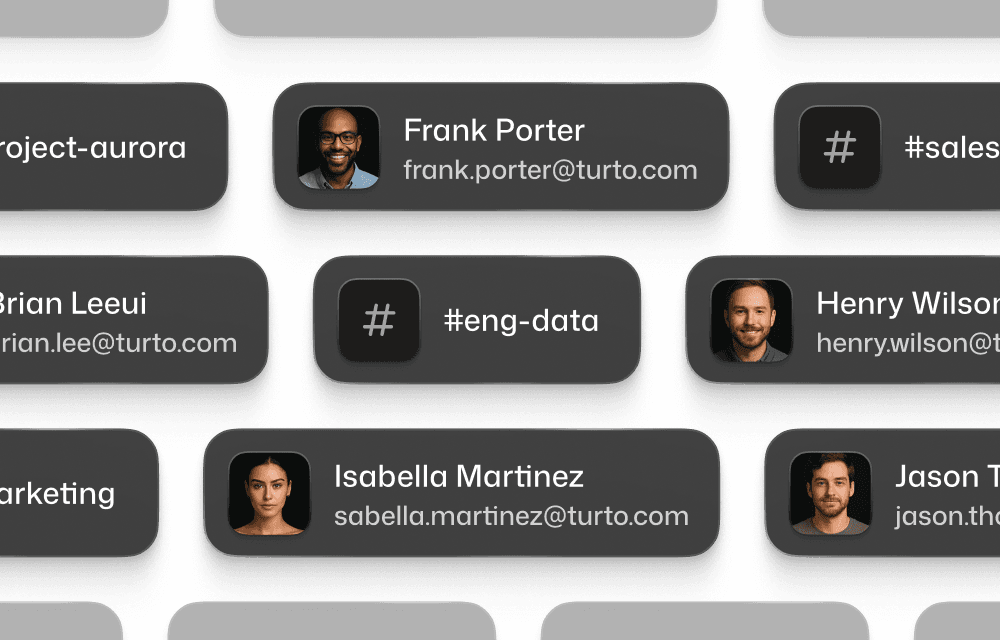
Route to channels, DMs, or users through unified profiles. Use emails, channel names, or platform IDs. Courier handles the resolution and routing.

Route to channels, DMs, or users through unified profiles. Use emails, channel names, or platform IDs. Courier handles the resolution and routing.

Route to channels, DMs, or users through unified profiles. Use emails, channel names, or platform IDs. Courier handles the resolution and routing.

Cut through the noise
with Slack & Teams

Cut through the noise with Slack & Teams

Cut through the noise with Slack & Teams

Send alerts that are always relevant, visible, and actionable.

Send alerts that are always relevant, visible, and actionable.

Perfect delivery
Perfect delivery

Send targeted messages that fit each workflow with trigger-based, personalized notifications.

Escalation rules
Escalation rules

Route urgent notifications with @mentions, priority channels, and multi-step escalation workflows.

Interactive workflows

Create interactive flows with buttons, forms, and updates directly inside Slack and Teams chat.

Multichannel coordination

Combine chat with email, SMS, in-app, or push so critical alerts are always delivered. 
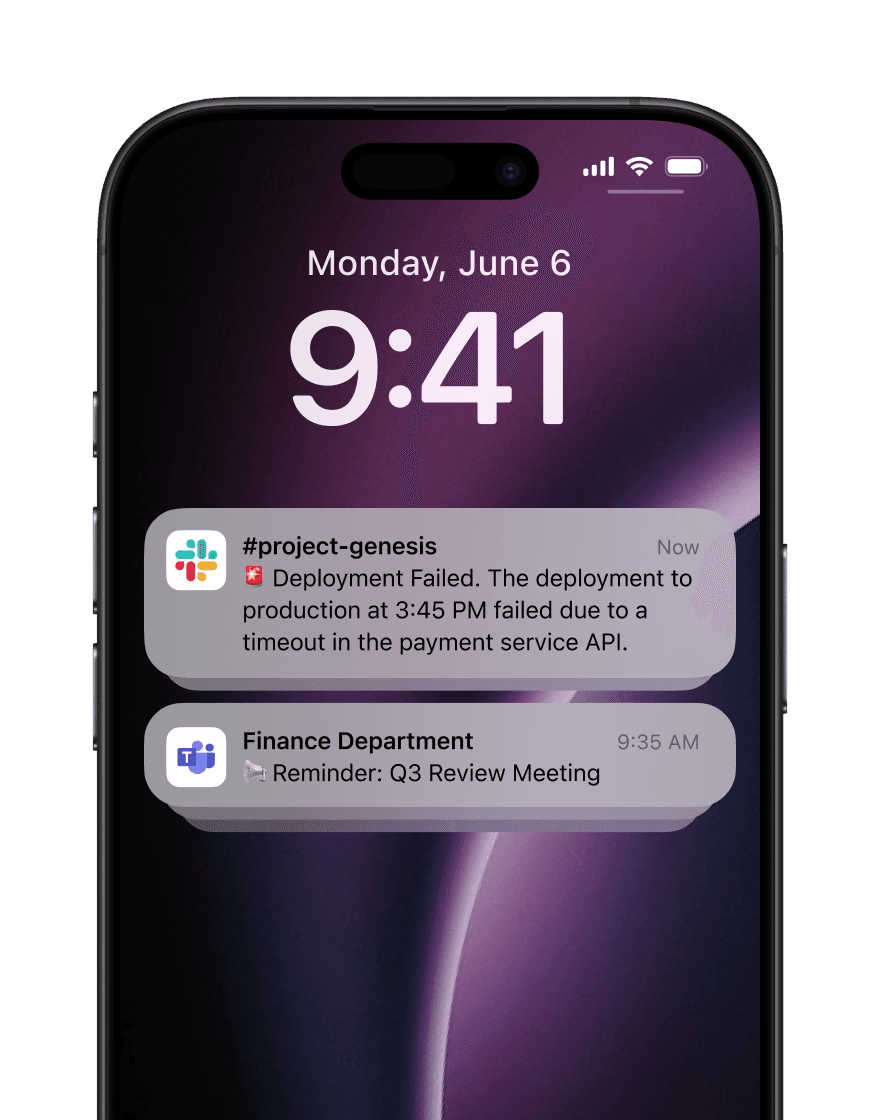
Slack and Teams on Easy Mode

Courier manages platform differences and delivers one consistent experience for your users and your developers.

One template

One template

One template

One template

Render messages in Slack and Teams using their native UI components from a single Courier template.

Workspace routing

Workspace routing

Workspace routing

Workspace routing

Manage multiple Slack workspaces and Teams tenants in one place with context-aware message targeting.

Engagement metrics

Engagement metrics

Engagement metrics

Handle message responses like click and forms on Slack using one webhook and unified logic.

#

Threading

Threading

Threading

Threading

Preserve thread history and context across Slack and Teams, even if users switch platforms mid-conversation.

Routing rules

Routing rules

Routing rules

Send alerts or updates to the best channel based on urgency, user activity, or preferences.

Multi-channel coordination

Multi-channel coordination

Multi-channel coordination

Automatically route messages across multiple channels for the right time, right channel for each user.


Courier has probably saved us more pain (and time!) than any other single platform that we use. The product is getting better all the time and the team is incredible!

Courier has probably saved us more pain (and time!) than any other single platform that we use. The product is getting better all the time and the team is incredible!

Courier has probably saved us more pain (and time!) than any other single platform that we use. The product is getting better all the time and the team is incredible!

Courier has probably saved us more pain (and time!) than any other single platform that we use. The product is getting better all the time and the team is incredible!

Neal Jean — CEO, Beacons

Neal Jean — CEO, Beacons

Neal Jean — CEO, Beacons

Frequently Asked Questions

How do I connect Courier to Slack and Microsoft Teams?

For Slack, you can connect via OAuth (recommended) or incoming webhooks. OAuth allows sending to any channel or user the app has access to, while webhooks are limited to specific channels. For Microsoft Teams, use incoming webhooks for channel messages or the Bot Framework for more advanced scenarios including direct messages and adaptive cards. Both integrations can be configured through Courier's Integrations page with step-by-step setup guides.

How do I connect Courier to Slack and Microsoft Teams?

For Slack, you can connect via OAuth (recommended) or incoming webhooks. OAuth allows sending to any channel or user the app has access to, while webhooks are limited to specific channels. For Microsoft Teams, use incoming webhooks for channel messages or the Bot Framework for more advanced scenarios including direct messages and adaptive cards. Both integrations can be configured through Courier's Integrations page with step-by-step setup guides.

How do I connect Courier to Slack and Microsoft Teams?

For Slack, you can connect via OAuth (recommended) or incoming webhooks. OAuth allows sending to any channel or user the app has access to, while webhooks are limited to specific channels. For Microsoft Teams, use incoming webhooks for channel messages or the Bot Framework for more advanced scenarios including direct messages and adaptive cards. Both integrations can be configured through Courier's Integrations page with step-by-step setup guides.

How do I connect Courier to Slack and Microsoft Teams?

For Slack, you can connect via OAuth (recommended) or incoming webhooks. OAuth allows sending to any channel or user the app has access to, while webhooks are limited to specific channels. For Microsoft Teams, use incoming webhooks for channel messages or the Bot Framework for more advanced scenarios including direct messages and adaptive cards. Both integrations can be configured through Courier's Integrations page with step-by-step setup guides.

How can I send rich, formatted messages with buttons and interactivity?

How can I send rich, formatted messages with buttons and interactivity?

How can I send rich, formatted messages with buttons and interactivity?

How can I send rich, formatted messages with buttons and interactivity?

How does message routing work between channels, DMs, and email fallbacks?

How does message routing work between channels, DMs, and email fallbacks?

How does message routing work between channels, DMs, and email fallbacks?

How does message routing work between channels, DMs, and email fallbacks?

Can I use dynamic channel selection and user mentions in messages?

Can I use dynamic channel selection and user mentions in messages?

Can I use dynamic channel selection and user mentions in messages?

Can I use dynamic channel selection and user mentions in messages?

How do I handle responses from interactive messages and buttons?

How do I handle responses from interactive messages and buttons?

How do I handle responses from interactive messages and buttons?

How do I handle responses from interactive messages and buttons?

Backed by

Backed by

Backed by

Backed by