Cross-Channel Notification State: Why Read Receipts Are Harder Than They Look
 Kyle SeylerFebruary 03, 2026
TLDR
Most notification systems treat each channel as separate. Email has state. Push has state. In-app has state. They don't share it. Users get the same notification marked "unread" in three places and have to dismiss it three times. The fix is deciding on a source of truth: either each channel owns its state (simple but frustrating), or a central system tracks state and channels read from it (harder but consistent). The goal isn't perfect sync. It's predictable sync that users can understand.
The state problem nobody talks about
User reads your email. Opens the app. The notification bell shows 1 unread. They tap it. It's the same notification they just read in email.
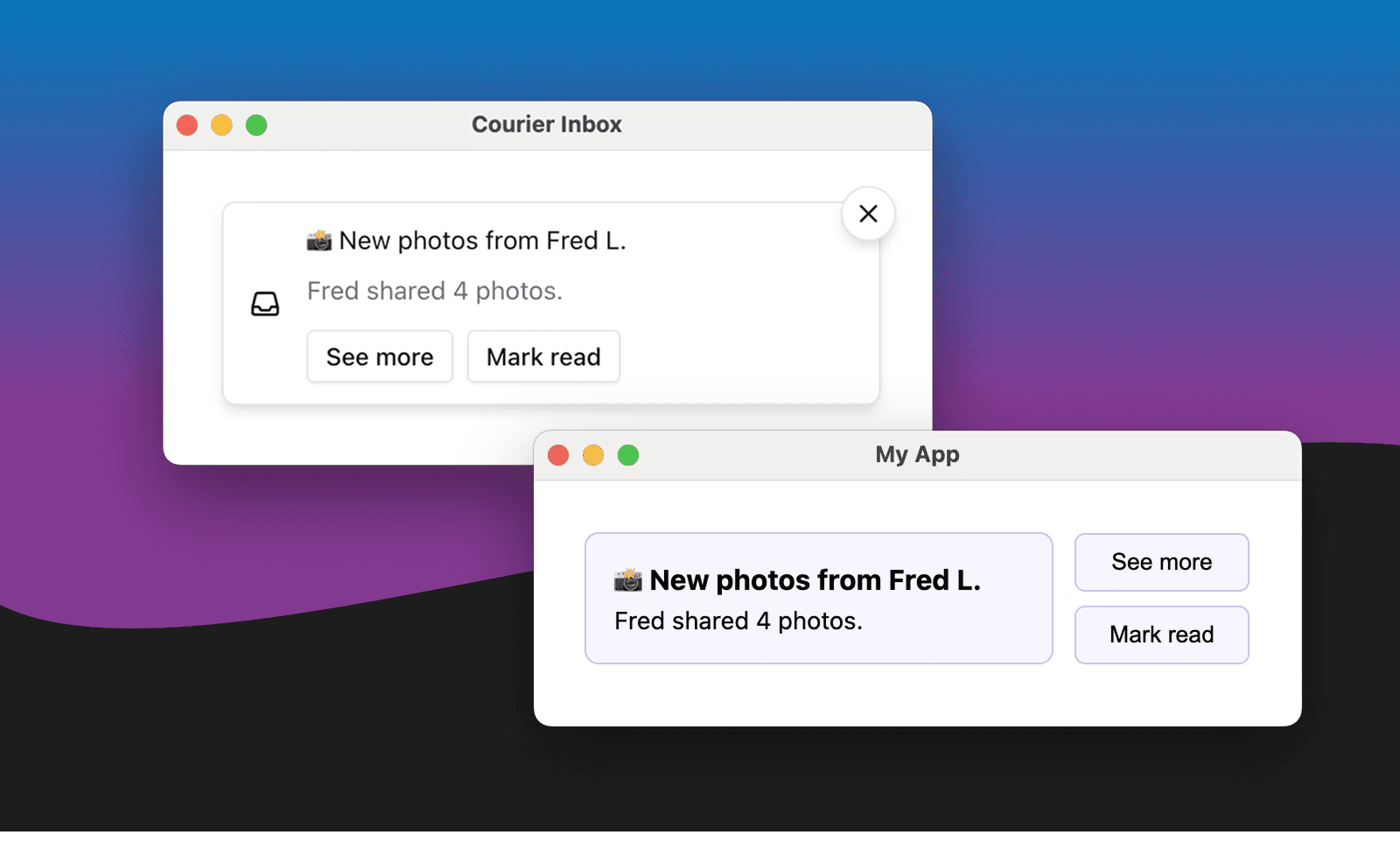
This happens constantly. Most products have this bug. Few realize it's a bug.
Why it happens:
Email System ────────────► Email state (read: yes)↓(no connection)↓Push System ─────────────► Push state (read: no)↓(no connection)↓In-App System ───────────► In-app state (read: no)
Each channel is its own system. Each system tracks its own state. When you send the same notification to multiple channels, each one creates its own record.
The user sees one notification. Your systems see three.
Why users care (more than you think)
State inconsistency creates small frustrations that compound:
Wasted attention. User dismisses the same thing multiple times. Each dismissal costs a tiny bit of trust.
Notification fatigue. That red badge showing "3 unread" when there's really 1 thing to see trains users to ignore badges.
Confusion. "Did I already deal with this?" Users lose confidence that your notifications mean anything.
Broken mental models. Users assume your product is one system. When notifications behave like three separate systems, the product feels janky.
For products where notifications are core to the experience (collaboration tools, marketplaces, communication platforms), state consistency directly impacts retention.
Three approaches to state management
Approach 1: Channel-first (each channel owns its state)
┌─────────────┐ ┌─────────────┐ ┌─────────────┐│ Email │ │ Push │ │ In-App ││ (state A) │ │ (state B) │ │ (state C) │└─────────────┘ └─────────────┘ └─────────────┘↑ ↑ ↑Separate Separate Separate
How it works: Each channel tracks state independently. Read email? Email is marked read. Push and in-app remain unread.
Pros:
- Simple to implement
- Each provider/integration handles its own state
- No central coordination required
Cons:
- Users mark the same notification read multiple times
- Badge counts are inaccurate
- No unified view of what users have seen
When to use it: Early-stage products where simplicity matters more than polish. Or when channels are genuinely independent (marketing email vs. transactional push, where users wouldn't expect them to sync).
Approach 2: Central-first (one system owns all state)
┌────────────────────┐│ Central State ││ (source of truth)│└────────────────────┘↑ ↑ ↑┌─────────┼────┼────┼─────────┐│ │ │ │ │┌────┴───┐ ┌───┴──┐ │ ┌──┴───┐ ┌───┴────┐│ Email │ │ Push │ │ │In-App│ │ SMS ││(reads) │ │(reads)│ │ │(reads)│ │(reads) │└────────┘ └──────┘ │ └──────┘ └────────┘
How it works: One central system tracks notification state. Channels query this system to know if something is read. When any channel marks something read, it updates the central state, and other channels reflect that.
Pros:
- Consistent state across all channels
- Accurate badge counts
- Unified analytics on what users have seen
Cons:
- Requires building or buying a central state system
- All channels must integrate with it
- Adds latency (channels must check central state)
- Sync failures can cause inconsistency
When to use it: Products where notifications are core to the experience. Collaboration tools, messaging platforms, anything where users interact with notifications frequently across multiple surfaces.
Approach 3: Event-first (state changes emit events, channels subscribe)
┌─────────┐ ┌─────────┐ ┌─────────┐│ Email │ │ Push │ │ In-App │└────┬────┘ └────┬────┘ └────┬────┘│ │ │▼ ▼ ▼┌─────────────────────────────────────┐│ Event Bus ││ (notification.read, etc.) │└─────────────────────────────────────┘│ │ │▼ ▼ ▼┌─────────┐ ┌─────────┐ ┌─────────┐│ Email │ │ Push │ │ In-App ││(updates)│ │(updates)│ │(updates)│└─────────┘ └─────────┘ └─────────┘
How it works: Every state change (read, dismissed, actioned) emits an event. Channels subscribe to relevant events and update their local state. Each channel has its own state, but they stay in sync through the event bus.
Pros:
- Most flexible architecture
- Channels can choose which events to react to
- Scales well with many channels
- Supports eventual consistency patterns
Cons:
- Most complex to implement
- Eventual consistency means temporary inconsistency
- Event ordering and replay handling required
- Debugging is harder
When to use it: Large-scale systems with many notification channels, high volume, and teams that can manage event-driven architecture.
What states need to sync?
"Read" isn't the only notification state. Before implementing sync, decide which states matter:
| State | Definition | Should It Sync? |
|---|---|---|
| Delivered | System confirmed delivery | Rarely (channel-specific) |
| Read/Seen | User viewed the notification | Usually yes |
| Clicked | User clicked a link/button | Sometimes |
| Dismissed | User explicitly closed it | Usually yes |
| Actioned | User took the intended action | Usually yes |
| Archived | User archived for later | Depends |
| Snoozed | User deferred until later | Usually yes |
The minimum viable sync: Most products start by syncing "read" state. If a user sees a notification anywhere, it should be marked as seen everywhere.
The trap: Trying to sync everything perfectly. Some states are inherently channel-specific (email open tracking is imprecise, push delivery confirmation varies by OS). Accept that some state will always be approximate.
Implementation patterns
Pattern 1: Read sync via notification ID
Every notification gets a unique ID that's consistent across channels.
Notification ID: ntf_abc123├── Email: sent to user@example.com├── Push: sent to device_xyz└── In-App: shown in notification center
When any channel marks ntf_abc123 as read, all channels check and update.
The challenge: Email providers don't always support custom IDs. You may need to map your internal ID to provider-specific identifiers.
Pattern 2: Webhook-based state updates
Channels send webhooks when state changes. A central handler processes them and updates other channels.
1. User opens email2. Email provider sends open webhook3. Handler receives: {notification_id: "abc123", event: "opened"}4. Handler updates central state5. Handler notifies in-app to update UI
The challenge: Email open tracking is unreliable (pixel blocking, preview panes). Don't depend on email opens for critical state logic.
Pattern 3: Client-side sync
When users interact with notifications in your app, the app updates both local state and server state. Server broadcasts changes to other clients.
// User marks notification readasync function markRead(notificationId) {// Update local state immediatelylocalState.markRead(notificationId);// Update server (which syncs to other channels)await api.notifications.markRead(notificationId);}
The challenge: Requires your app to be the coordination point. Works for in-app, harder for email/SMS.
What not to sync (and why)
Some state shouldn't sync across channels:
Delivery state: "Was this email delivered?" and "Was this push delivered?" are different questions with different answers. Don't conflate them.
Channel-specific interactions: If users can reply to a notification in Slack, that reply doesn't need to appear in email. The action was channel-specific.
Timing metadata: "Opened at 3pm" vs "Opened at 3:05pm" across channels. Syncing precise timing creates confusion. Sync the fact that it was opened, not the exact moment.
The "good enough" implementation
For most products, here's a practical approach:
Assign every notification a unique ID before sending to any channel.
Store notification state centrally with at least: created, sent_channels, read_at, actioned_at.
Update central state from in-app interactions (these are the most reliable signals).
Optionally update from email opens (treat as soft signal due to tracking limitations).
Don't depend on push delivery confirmation (varies too much by platform).
Expose state to all clients via API. When your app loads, fetch current state from the central source.
This gives you consistent unread counts and prevents users from seeing the same notification as "new" in multiple places, without requiring perfect real-time sync across all channels.
Testing state sync
State bugs are subtle. Test these scenarios:
| Scenario | Expected Behavior |
|---|---|
| User opens email, then opens app | In-app shows notification as read |
| User dismisses in-app, checks email | Email is still there (can't un-send email) |
| User clicks push, completes action | All channels show as actioned |
| User has app open on two devices | Both devices stay in sync |
| User marks all read on one channel | Other channels reflect this |
The edge cases matter. Test with slow networks, offline states, and race conditions (user interacts on two channels simultaneously).
When to invest in state sync
High priority if:
- Notifications are core to your product experience
- Users interact with notifications across multiple channels
- Badge counts matter for engagement
- You're seeing user complaints about redundant notifications
Lower priority if:
- Each channel serves a genuinely different purpose
- Notifications are low-frequency
- Users typically use only one channel
- You're early-stage and need to ship other things first
The question isn't whether state sync is valuable. It's whether it's more valuable than whatever else you could build with that engineering time.
The bottom line
Users don't think in channels. They think in messages. When they've seen something, they've seen it.
State management is boring infrastructure work that users never notice when it's done right. They only notice when it's wrong.
The goal isn't perfect sync. It's predictable behavior. If email read state doesn't sync to your app, that's fine as long as it's consistent. What users can't handle is inconsistency they don't understand.
Pick an approach that matches your product's complexity. Implement it consistently. Test the edge cases. And remember: the red badge that says "3 unread" when there's 1 new thing is a small lie that compounds into distrust.
This post is part of The Ping, a series about building notifications that don't get ignored.
Similar resources

HIPAA-compliant notifications: where PHI should live
A practical guide to HIPAA-compliant notifications across SMS, push, email, and an in-app inbox. One rule, applied to every channel and every place PHI gets stored, including the systems most teams forget are in scope.

How to get your logo in Gmail and Apple Mail
BIMI puts your logo next to your emails in Gmail and Apple Mail, but there is no upload form. It is earned by locking your domain down. Here is the whole project: what it costs, how long it takes, and the five ways it fails silently.

Email preview tools compared: 6 that render on real devices
Most "email preview" features are simulations. These six open your email in the actual client and send back a screenshot. Here’s what each costs per preview, how much work sits between your template and the result, and which ones you can drive from code.