Help Users Navigate In-App Notifications Faster with Tabs in Courier Inbox
 Mike MillerJanuary 08, 2026
In-app notifications are only useful if users can actually find what they’re looking for. As your product grows, one inbox list starts to break down—comments, mentions, and updates all end up mixed together. The result is noise, not signal.
That’s why we built Tabs for Courier Inbox.
Tabs let you organize Inbox messages into clear, focused views—so users can jump straight to the category that matters, and teams don’t have to build custom filtering UX or maintain multiple notification surfaces. You define the views, Courier Inbox handles the rest.
Tabs are a familiar pattern
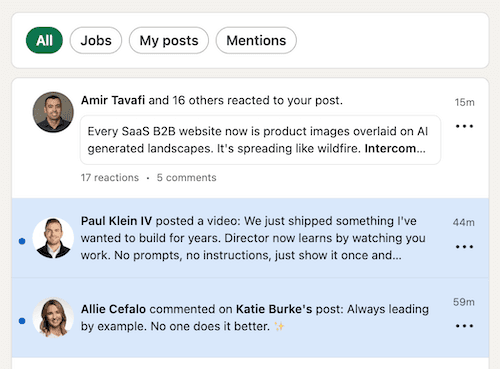
Tabs are a pattern users already know. When notifications start to pile up, tabs are the simplest way to break one stream into a few clear categories—without adding a new navigation layer or forcing users to hunt.
That’s the same idea behind Courier Inbox tabs: each tab is a different view of your Inbox, tuned to a specific type of message so users can get to the right notifications faster.
How tabs work in Courier Inbox
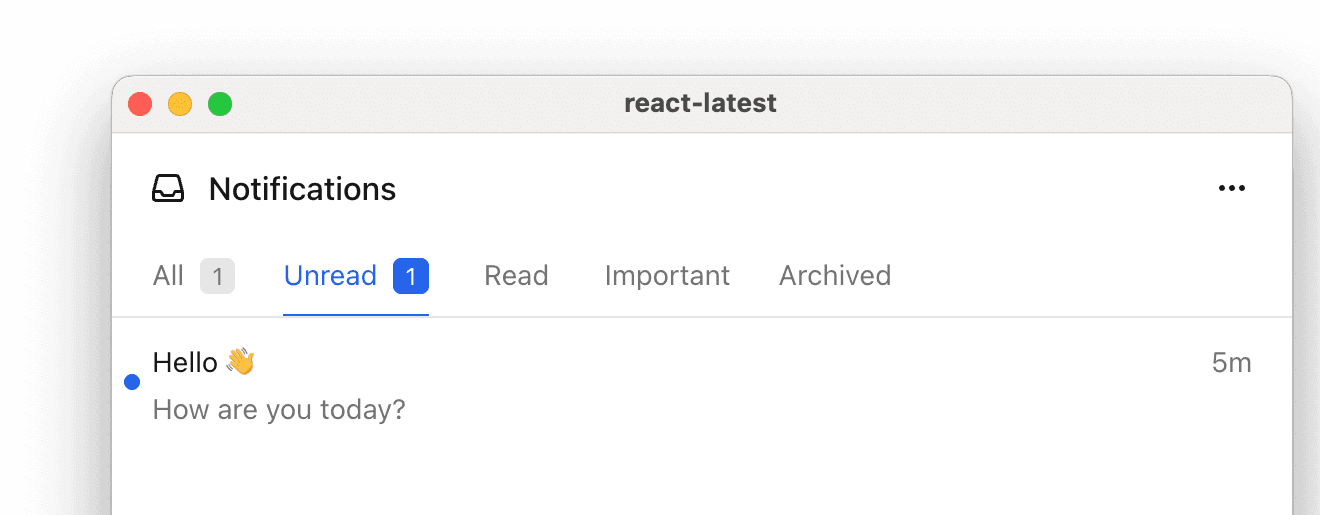
In Courier Inbox, a tab is a filtered view of messages. Instead of building your own “notifications categories” UI, you define tabs with a simple filter object—and Courier Inbox renders each tab as a focused inbox view.
All filtering happens at the tab level. Each tab can use one or more filters, including:
tagsto show specific notification typesstatusto filter by read/unreadarchivedto include archived notifications
Filters are composable, so you can create tabs like “Mentions”, “Comments”, or “Reactions”—and combine criteria when you need to (for example, “Unread Mentions”).
Code Example: How to setup Tabs
Here’s a minimal example that creates a single Inbox feed with tabs for different notification types, plus a tab that combines filters.
import { useEffect } from "react";import { CourierInbox, useCourier } from "@trycourier/courier-react";export default function App() {const courier = useCourier();useEffect(() => {courier.shared.signIn({userId: YOUR_USER_ID,jwt: YOUR_JWT, // generate on your backend});}, []);const feeds = [{feedId: "notifications",title: "Notifications",tabs: [{datasetId: "all",title: "All",filter: {},},{datasetId: "comments",title: "Comments",filter: { tags: ["comment"] },},{datasetId: "mentions",title: "Mentions",filter: { tags: ["mention"] },},{datasetId: "mentions-unread",title: "Unread Mentions",filter: { tags: ["mention"], status: "unread" },},{datasetId: "archived",title: "Archived",filter: { archived: true },},],},];return <CourierInbox feeds={feeds} />;}
Get started with Tabs
Tabs are a small feature with a big payoff: a cleaner Inbox, faster scanning, and less notification noise as your product grows. Start with a single feed and a few type-based tabs, then add more views as you learn what users reach for most. Because tabs are just filtered views of the same Inbox, you don’t need a new delivery pipeline or duplicate message streams—you’re simply organizing what’s already there.
Ready to try it? See our docs for Tabs for Courier Inbox.
Similar resources

Introducing Cross-Device Email Preview: see your email on real devices before you send
Cross-Device Email Preview renders your template on the real clients you pick, from Outlook on Windows to dark mode on iPhone, and returns a screenshot of each one. Pick from 96 clients across 21 apps without leaving Design Studio.

New settings page, easier to use, with new background colors
Courier settings has been redesigned. Workspace pages and developer pages are grouped separately, every page says what it's for, and the app now comes in light or dark with nine background colors.

Broadcasts: send one-time messages to your users, right from Courier
Broadcasts lets you send a one-time message to a group of your users, now or on a schedule, without leaving Courier.