Announcing Toasts for In-App Product Notifications
 Dana SilverOctober 16, 2025
Announcing Courier Toasts for Product Notifications
Great product notifications don’t just inform. They help users get things done. A well-timed toast can guide someone to approve a request, retry a failed action, finish a setup step, or jump straight to what needs their attention. Courier Toasts has been completely rebuilt from the ground up, bringing a faster, more flexible SDK for Web and React. It’s powered by the same message feed as your Inbox, giving you one source of truth, consistent state, and branded, actionable UI.
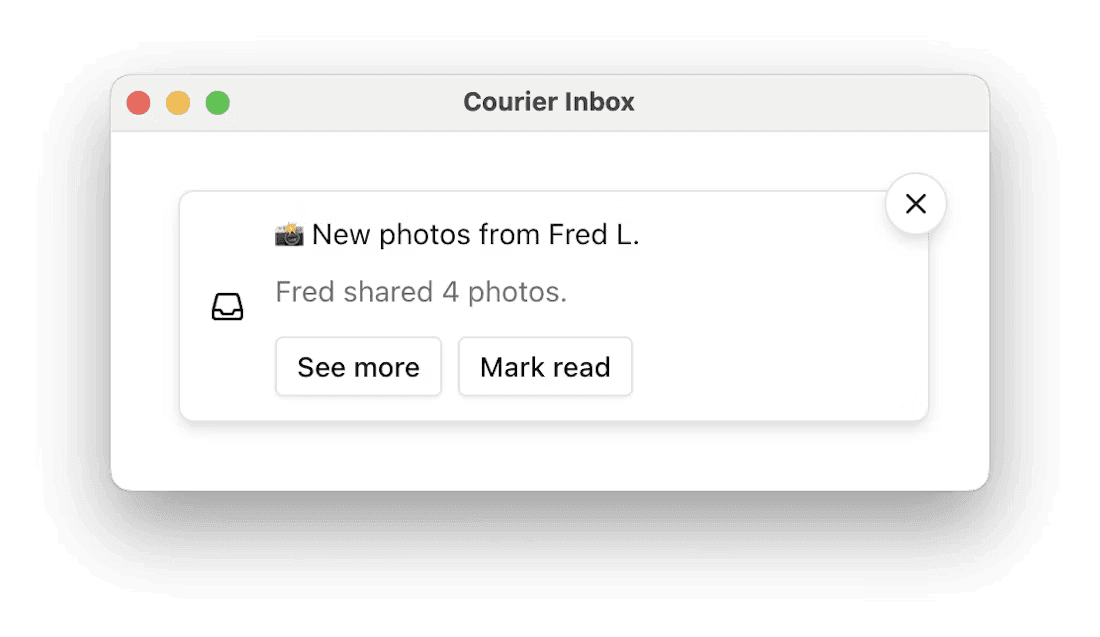
Toasts and In-App Notifications, powered by the same feed
Notifications shouldn’t live in two different worlds. With Courier, toasts and your in-app Inbox share the same real-time message feed and authentication, so they’re always in sync. When a message is delivered, both the toast and the Inbox reflect the same state. No custom sockets, no duplicate infrastructure, no drift.
Traditional toast systems are often bolted on. You wire a socket, show a message, and hope it stays consistent with whatever’s in your Inbox or backend. With Courier Toasts, it’s all one pipeline. You send a single notification, and Courier handles fanout to both the persistent Inbox and ephemeral toast surfaces automatically.
UX that feels right, out of the box
Once connected, toasts just work. Courier Toasts come with thoughtful defaults so you can ship polished notification interactions without reinventing them yourself.
🌀 Stacking built in
Toasts are managed as a stack, so multiple notifications display gracefully without overlap or layout hacks.⏱ Auto-dismiss with clear timing
Configure timeouts globally or per message. A subtle progress indicator lets users know when a toast will disappear. You can also keep important ones sticky with a dismiss button.🖱 Action-first design
Add one or more buttons per toast to let users act immediately: approve, retry, undo, or navigate to a relevant screen.🔄 Real-time updates
Toasts appear the moment messages are delivered through Courier’s infrastructure, keeping the UI responsive and in sync with Inbox.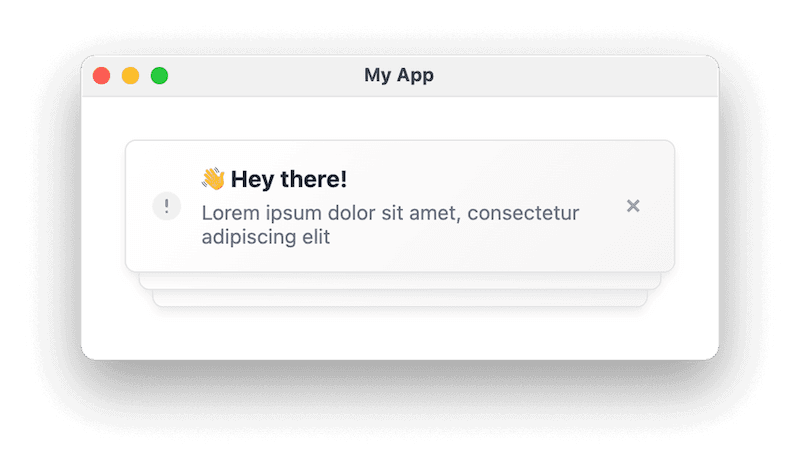
Built for customization, not compromise
And when you want to go further, Courier Toasts give you full control. Most toast libraries stop at basic styling. Courier lets you theme, render, and control behavior down to the per-message level, without losing the built-in UX polish.
🎨 Theme it your way
Start with light or dark mode, or bring your own tokens for colors, typography, spacing, and radius so toasts feel native to your product.🧱 Flexible rendering
Override just the content with a render function, or fully replace the toast item layout while preserving dismissal and stack behavior.⚡ Customizable message behavior
Set auto-dismiss, customize timeouts, and control dismiss button modes to match different use cases.📍 Layout control in React
Usestyleprops to position your toast stack exactly where you want it, with z-index and offset tweaks that integrate cleanly into your existing UI.
With Courier, you get an excellent default UX and the flexibility to make it your own.
Framework-agnostic and React-native
Courier Toasts are built on Web Components, which means they work with virtually any frontend stack. As long as your app can serve JavaScript modules, you can drop <courier-toast> into the page and get fully functional, real-time toasts.
<body><courier-toast auto-dismiss auto-dismiss-timeout-ms="4000"></courier-toast><script type="module">import { Courier } from "@trycourier/courier-ui-toast";Courier.shared.signIn({ userId, jwt });</script></body>
This approach makes it easy to add toasts to legacy codebases, non-React frameworks like Vue, Svelte, or Angular, or custom UI setups without adding another library or build step. The Web Component handles rendering, message syncing, and interactions on its own.
For React teams, we’ve added a first-class wrapper that exposes a familiar API through props, render functions, and lifecycle callbacks. This makes it easy to integrate Courier Toasts directly into your component tree:
<CourierToastautoDismiss={true}autoDismissTimeoutMs={4000}onToastItemClick={({ message }) => navigate(`/messages/${message.id}`)}/>
Whether you’re extending a mature app or starting fresh, Courier Toasts fit into your frontend rather than forcing you to adapt to theirs.
Ship real UX patterns fast
Courier Toasts make it easy to implement the kinds of notification interactions users expect without wiring up sockets, building stacking UIs, or managing timers manually. Because they’re powered by the same feed as Inbox and come with built-in UX behavior, you can focus on what the notification does, not how it’s displayed.
A few patterns that just work:
✅ Click to open
Take users straight to a relevant page or modal when they click the toast.↩ Undo and confirm flows
Show a toast after a destructive action with a short timer and an “Undo” button. No extra plumbing required.🚨 Persistent errors with actions
Keep important toasts visible until the user dismisses them, with action buttons to retry, fix, or get help.🔔 Progressive escalation
Start with a transient toast. If the user doesn’t act, follow up with a persistent Inbox notification, all from a single Courier send.
These patterns turn simple alerts into meaningful, actionable moments for users.
Get started with Toasts
New Courier Toasts is available today. Install the SDK, authenticate with your existing Courier setup, and start delivering real-time, in-app toasts in minutes:
With Courier, you don’t need to build and maintain toast infrastructure yourself. One message pipeline powers both your Inbox and toasts, so you can focus on creating meaningful, actionable notifications for your users.
Similar resources

Introducing Cross-Device Email Preview: see your email on real devices before you send
Cross-Device Email Preview renders your template on the real clients you pick, from Outlook on Windows to dark mode on iPhone, and returns a screenshot of each one. Pick from 96 clients across 21 apps without leaving Design Studio.

New settings page, easier to use, with new background colors
Courier settings has been redesigned. Workspace pages and developer pages are grouped separately, every page says what it's for, and the app now comes in light or dark with nine background colors.

Broadcasts: send one-time messages to your users, right from Courier
Broadcasts lets you send a one-time message to a group of your users, now or on a schedule, without leaving Courier.