Introducing React Toast and Inbox for Notifications That Don’t Suck
 Riley NapierAugust 31, 2021
We are excited to announce the availability of Courier’s newest provider, Courier Push! We have released Inbox and Toast, two open source React components that exemplify the potential future applications of this feature. With Toast, you can send your user a notification within your web application and Inbox allows you to create an embeddable notification repository so that your user can access all past in-app notifications.
Most importantly, Courier Push allows us the flexibility and customization to do app-to-user communication right. As software users ourselves, we are bombarded with messages constantly, which can...really suck. Yet, notifications are necessary to communicate with users. With Courier Toast and Inbox, developers can support custom notifications for their users’ specificities and communicate through multiple wide-ranging channels while maintaining a single in-app notifications repository. We are particularly excited about all the potential future applications of Courier Push in addition to Toast and Inbox and are looking forward to expanding its uses.
Here at Courier, we want to improve the integration experience for you, the developer, and the notification experience for your customers. We’ve done this with Courier Toast and Inbox.
Courier Toast and Inbox
What is Toast
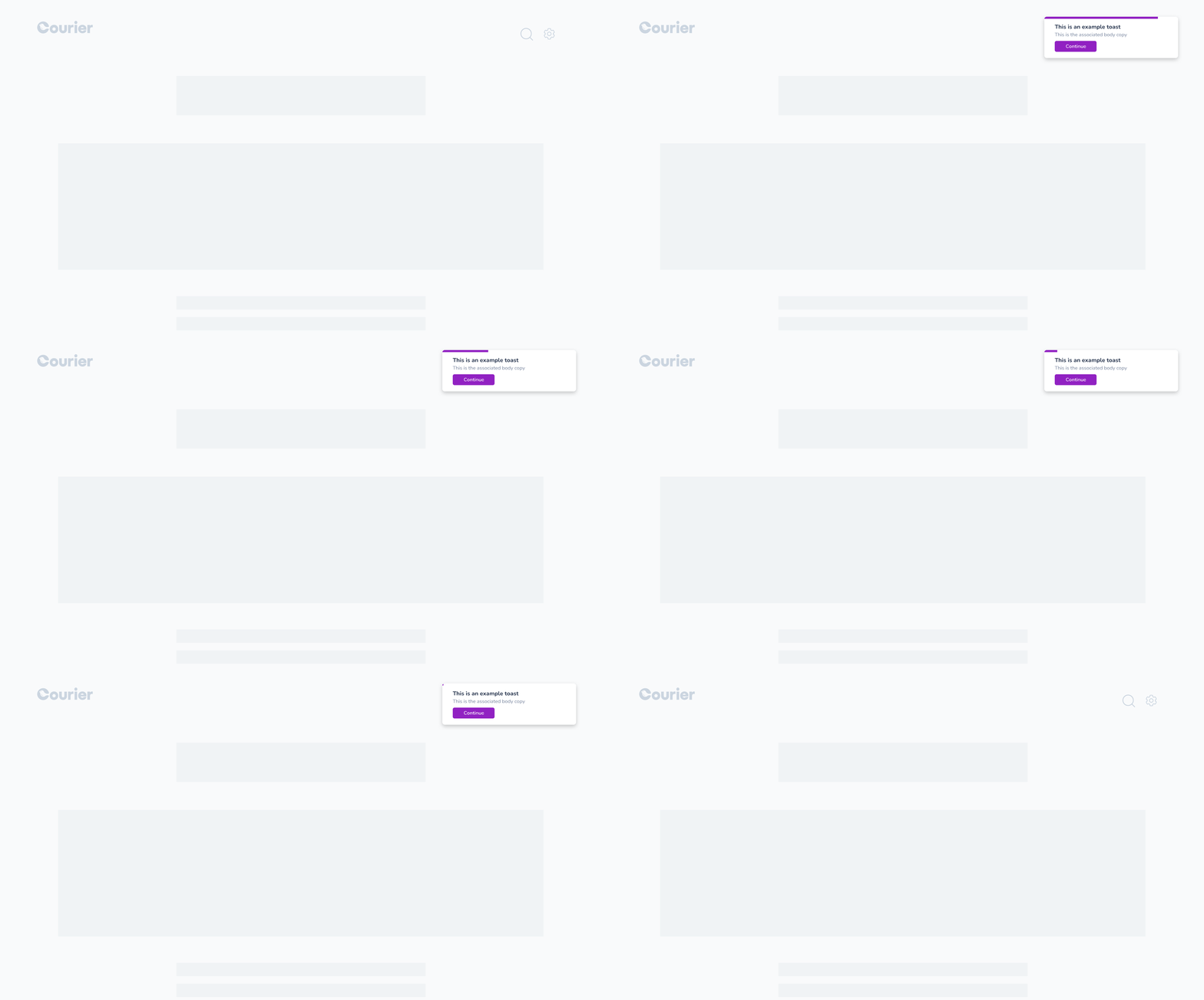
One of the major tenets of Courier’s product offerings is sending notifications. Receiving them and displaying them in your application is game changing. The ease of implementation makes your job as a developer simple and enables you to build real-time web applications that provide a better user experience for your customers. Your end-users can see customized notifications pop up in your web application through a modular system you can easily customize.
What is Inbox
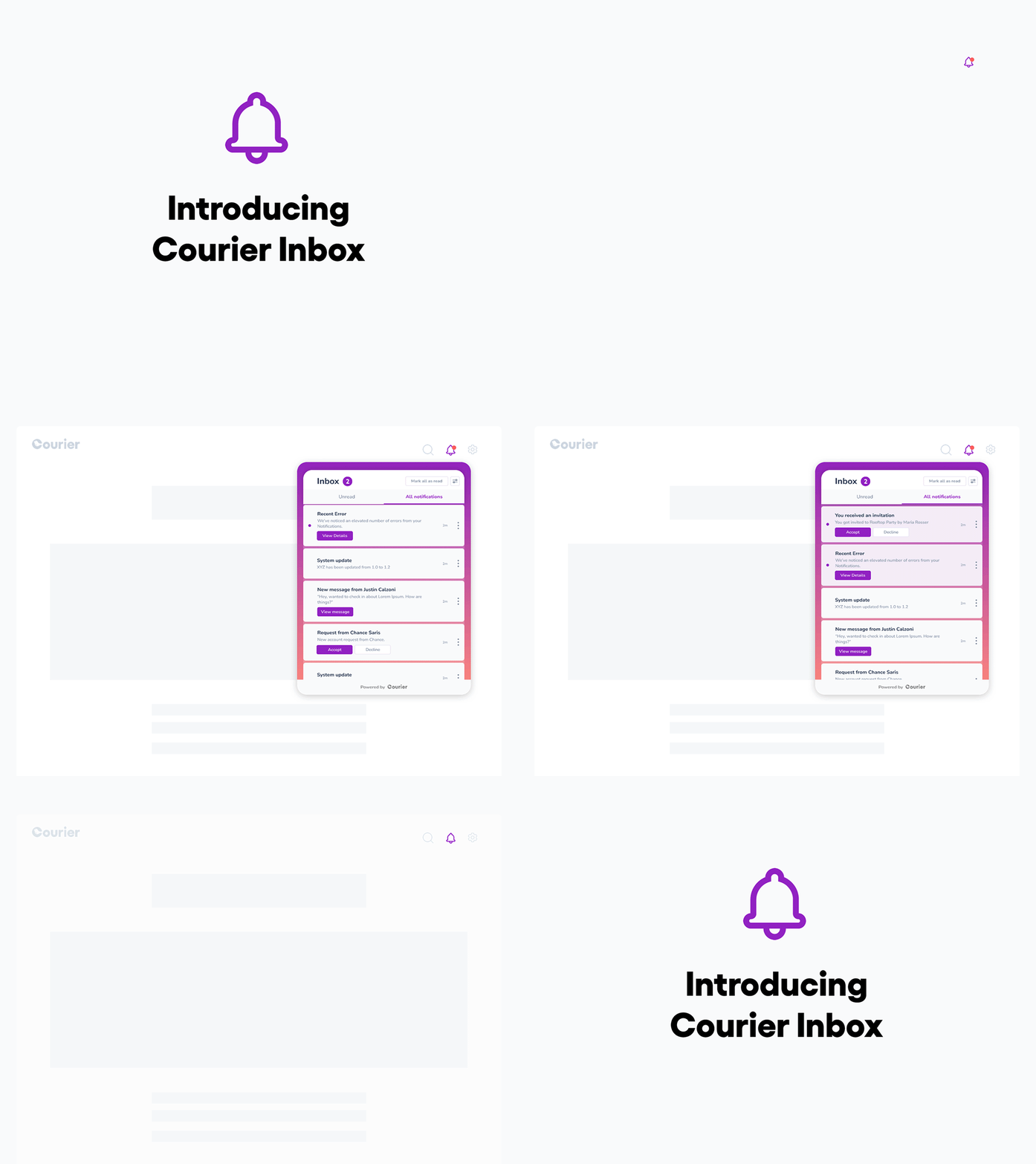
Alongside Toast messages is a customizable inbox, which is essentially a notification history. This takes the pressure off users to respond immediately, lessening the anxiety around the experience in general. Inside Inbox, a user can:
- Read their messages
- Mark messages as read or unread
- Delete messages
How to Integrate Toast and Inbox in a React App
Let’s walk through how you can integrate Courier Toast and Inbox React Components in a React app. Check out the Courier React Components repository on GitHub.
Step 1: Install CourierProvider
@trycourier/react-provider...to handle all of the authentication and integration with the backend.
yarn add @trycourier/react-provider or npm i @trycourier/react-providerStep 2: At the top level in your React tree, add something that resembles the following code. The Client Key can be found here and the User Id is the identifier for identifying your user. Note that it will be used later in the API call to courier.
import { CourierProvider } from "@trycourier/react-provider";
import { Toast } from "@trycourier/react-toast";

const MyApp = ({ children }) => {
  return (
    <CourierProvider clientKey={CLIENT_KEY} userId={USER_ID}>
      <Toast />
      {children}
    </CourierProvider>
  );
};
N/B: You can add Toast to the frontend anywhere as long as it’s a child of the CourierProvider.
Step 3: Inbox should be added in the application as a child of CourierProvider, but where you want the Bell icon to display. For this example, we will just put it right next to Toast.
yarn add @trycourier/react-inbox or npm i @trycourier/react-inboximport { CourierProvider } from "@trycourier/react-provider";
import { Toast } from "@trycourier/react-toast";
import { Inbox } from "@trycourier/react-inbox";
const MyApp = ({ children }) => {
return (
<CourierProvider clientKey={CLIENT_KEY} userId={USER_ID}>
<Toast />
<Inbox />
{children}
</CourierProvider>
);
};How to Customize Toast and Inbox
There are two ways to customize your Inbox and Toast. First you can use the studio to customize your application and the components will automatically update when the brand is published.
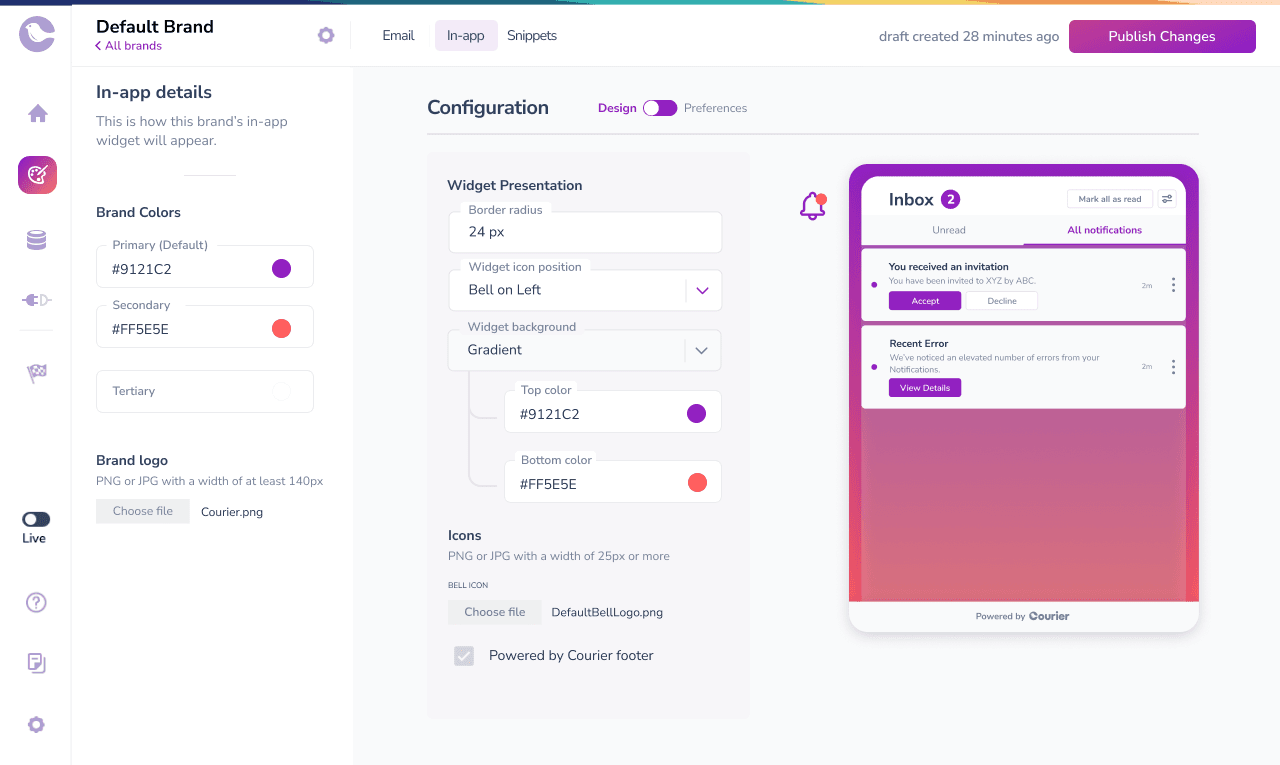
The second, you can pass properties right into each component. Each component supports a theme and also supports render properties. Here’s the code for props:
interface InboxProps = {
  //Icon Class Name
  className?: string;

  // Default Icon to use if no Icon is present in Message
  defaultIcon?: false | string;

  // Placement of the Bell relative to the Inbox
  placement?: "top" | "left" | "right" | "bottom";

  // Render Props for Custom Rendering
  renderTabs?: React.FunctionComponent<{
    currentTab?: ITab;
    tabs?: ITab[];
  }>;
  renderFooter?: React.FunctionComponent;
  renderHeader?: React.FunctionComponent;
  renderIcon?: React.FunctionComponent<{
    unreadMessageCount?: number;
  }>;
  renderMessage?: React.FunctionComponent<IMessage>;
  renderNoMessages?: React.FunctionComponent;

  // Tab Overrides
  tabs?: Array<ITab>;
  theme?: ThemeObject;

  // Inbox Title Override
  title?: string;
  trigger?: "click" | "hover";
}
Conclusion
Courier Push opens the doors to perfecting app-to-human communication with its flexibility and potential for customization. Communication is a two-way street that requires not only good messaging, but also a channel and style that works uniquely for a specific type of user using a specific app. With Toast and Inbox, developers can create an effective notifications system that reaches end users when they want, how they want, and the way they want. To learn more, check out the documentation.
We believe that providing contextual notifications from within your app is an opportunity to provide better, more intuitive, and more interesting user experiences. We also believe that if done right, these can take us a long way towards accomplishing our goal of making computer to human communication delightful. This is just the beginning of our investment in solving this problem, so please stay tuned for more.
Check out Inbox and Toast and let us know what you think! Your feedback helps us to continuously improve.
Similar resources

Clinical alert and notification systems: how escalation works
A clinical alert is easy to send and hard to close. This is how alerting works inside a hospital: where alerts come from, how routing by role and shift works, and how the acknowledge, timeout, escalate loop is actually built, including what happens when nobody answers.

How to send Slack notifications from your app
Slack is where your customers already work, which makes it a product surface rather than only an internal alerting channel. Posting an approval request or a status change into a customer's own Slack means working in workspaces you don't own, addressing people by email rather than Slack ID, and holding a separate credential for every customer.
How Product Teams Build, Test and Ship Multichannel Notifications in Design Studio
Product teams need to build, test, and ship notifications across multiple channels without filing an engineering ticket every time. Courier's Design Studio is the workspace for that: a template builder, visual channel routing, omnichannel testing, and publishing in one place. This post walks through the traditional template designer paradigm, how it splits effort across too many tools, and outlines a path for product and growth teams to ship transactional, product, and marketing notifications from a single workspace.