Stop (Only) Sending Password Reset Emails
 Shreya GuptaJuly 03, 2023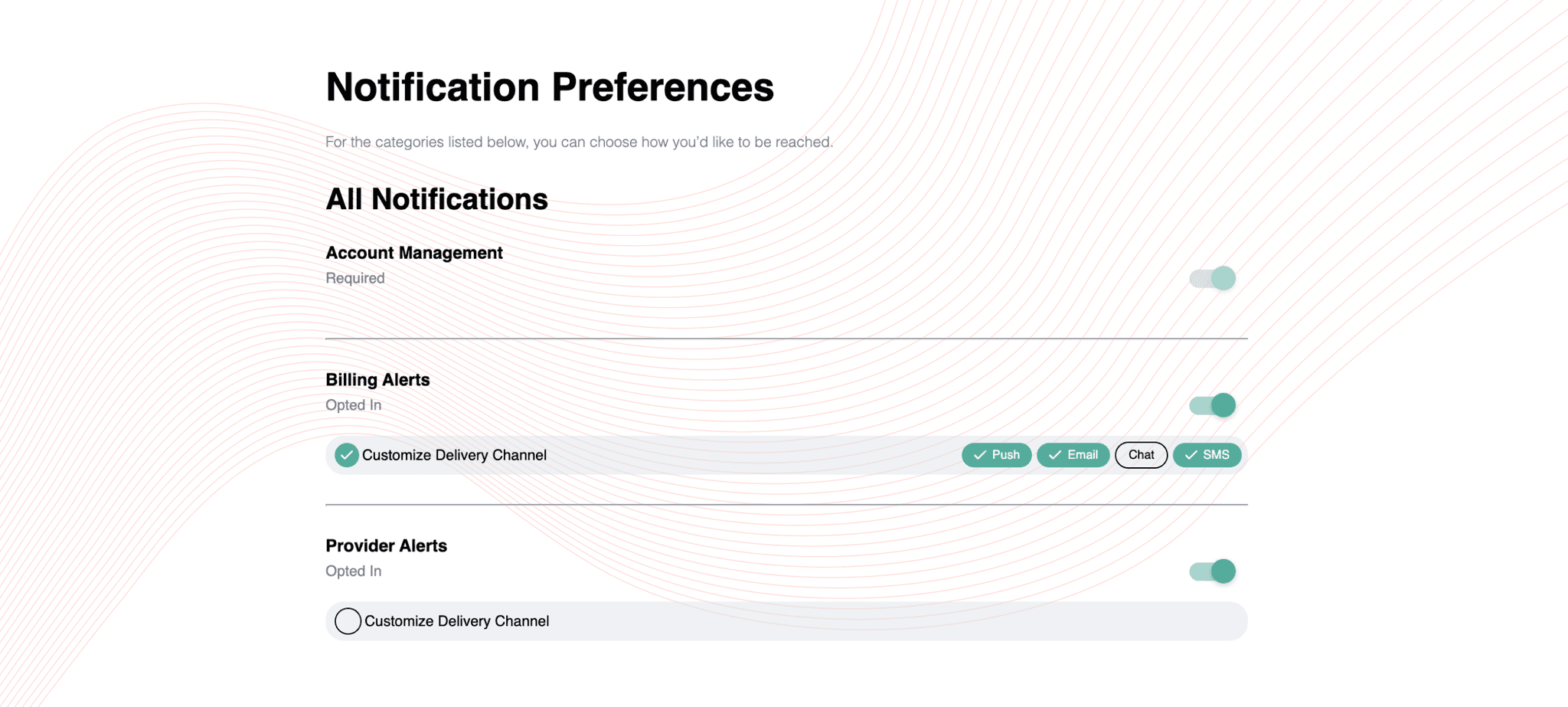
You’ve got to stop sending password reset emails. Everyone does it and it’s not cool anymore. Many of your users don’t want to log into their email or open the mail app just to get access to a code that they have to manually copy and paste into your app — it’s a waste of time. Most phones support autofilling codes sent via SMS, which might make SMS the preferred channel for these users. However, you also can’t assume that this is how everyone will behave. You need to let your user decide how they receive their notifications, which means giving them the option between SMS, email, or whatever other channel they prefer.
Generalizing user behavior can lead to unnecessary reduction in user engagement on your app, which will eventually lead to decreased user retention. Preferences matter, and they’re easy to set up. Let’s walk through two ways in which you can implement an amazing password reset notification experience for your users, by communicating with them via their preferred channels.
Skip the Steps
Here’s how you might be sending password reset emails today using the Courier SDK:
- Install the Courier SDK by running the following command:
pip install trycourier
- Add the following code and replace <API_KEY> with your Courier API key:
from trycourier import Courierclient = Courier(auth_token="<API_KEY>")resp = client.send_message(message={"to": {"email": "example@email.com",},"content": {"title": "Hi!","body": "You have requested to log in. Your access code is {{code}}. Use this link to reset your password: {{link}}.",},"data": {"link": "<insert_link_here>","code": "283hf2"}})print(resp['requestId'])
For best practices, make sure to use environment variables to store your API keys!
By adding your user’s phone_number and setting the routing.method to all, you can send via email and SMS. When this API call is made, your user will receive both an email and an SMS, and they can access the message from the most convenient option.
from trycourier import Courierclient = Courier(auth_token="<API_KEY>")resp = client.send_message(message={"to": {"email": "example@email.com","phone_number": "123-456-7890"},"content": {"title": "Hi!","body": "You have requested to log in. Your access code is {{code}}. Use this link to reset your password: {{link}}.",},"data": {"link": "<insert_link_here>","code": "283hf2"},"routing": {"method": "single","channels": ["email", "sms"],},})print(resp['requestId'])
To send password reset notifications via all channels, just replace the "single" with "all" in the routing object.
Let’s Build
Part 1: Set up a Preferences Center
With a Preferences Center, you can enable your users to share specifically how they want to receive their notifications. Courier is a notifications infrastructure that provides a customizable out-of-the-box Preferences Center.
- In Courier go to the Preferences Designer.
- Click on the + Topic button.
- Change the Subscription Topic Name to Account Management.
- Change the Default state of Account Management to required so that users cannot opt out of receiving notifications attached to this Topic
- Hit Save to save changes.
Part 2: Create a Notification
Notifications designed in Courier can be tagged with Subscription Topics that allow you to categorize them. Learn more >.
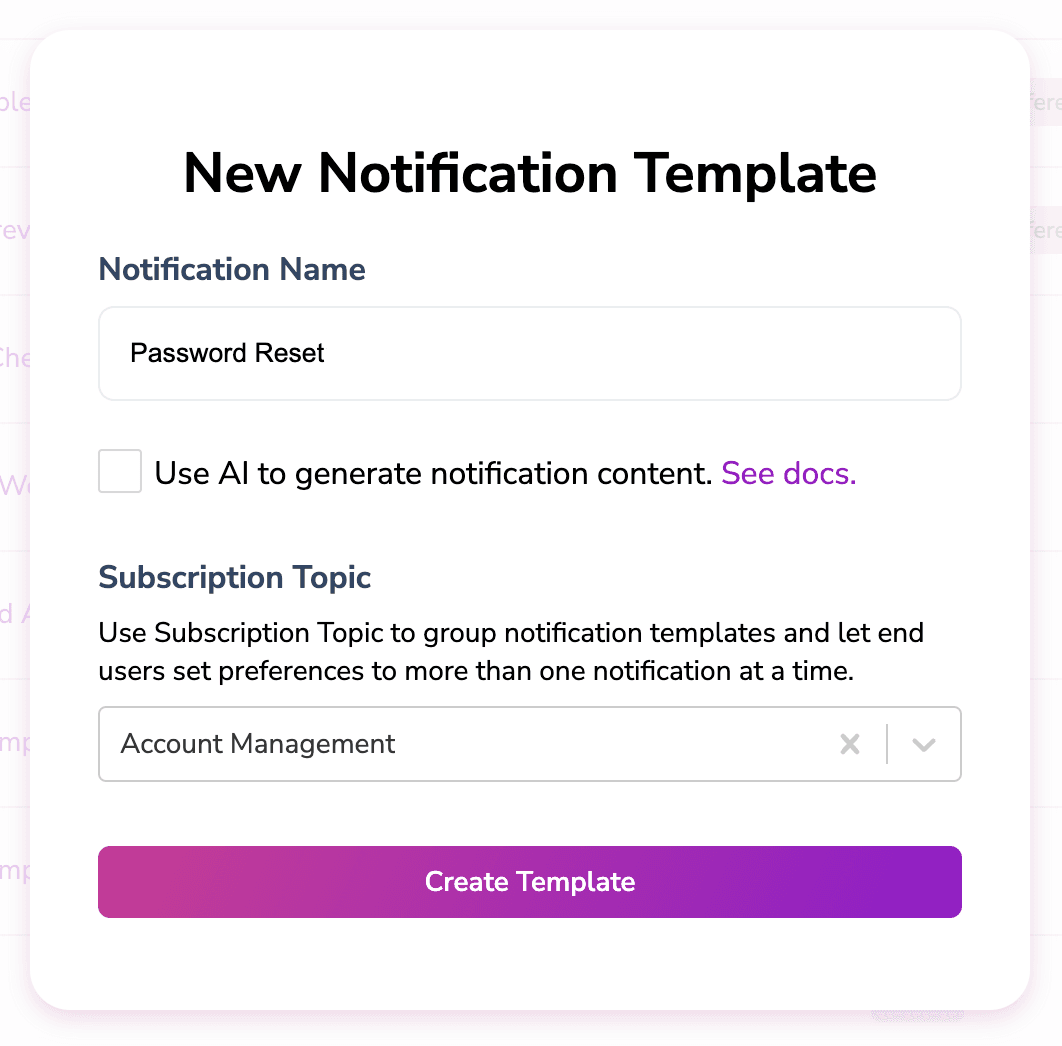
- Go to the Notification Designer.
- Click Create Template to create a new Notification Template.
- In the pop-up menu, add Password Reset in the title and attach the Account Management Subscription Topic to this Template.
- Click Create Template and add all the channels you can send the Password Reset message through (email, SMS, and any others your users can receive this message at).
- Customize your message for each channel.
- Add a link to the Preference Center
{$.urls.preferences}
- Publish your notification template.
Part 3: Send
The following code will make an API call to Courier to send the Notification Template we just created.
- Add the following code to your application.
- Copy your template ID from your Notification Template settings and paste it as the value for the
templateproperty. - Make sure to add all of the user’s profile information in the
toobject (learn more about what profile info you will need for each channel).
from trycourier import Courierclient = Courier(auth_token="<API_KEY>")resp = client.send_message(message={"to": {"email": "example@email.com","phone_number": "123-456-7890"},"template": "0ZP3AH34H945QHPNZ2S0NF7X1RNB","data": {"link": "<insert_link_here>","code": "283hf2"},"routing": {"method": "single","channels": ["email", "sms"],},})print(resp['requestId'])
This API call is very similar to the code in the first method we used to send. However, since the Notification Template is attached to a Subscription Topic, your app will now automatically respect your user’s preferences instead of sending messages on all channels.
Conclusion
Let’s rethink our approach to password reset notifications. The traditional method of sending password reset notifications via emails is no longer convenient or efficient for many users. By assuming that everyone will follow the same behavior pattern, you risk alienating a significant portion of your user base.
To provide an exceptional user experience, you must empower your users to choose how they receive their notifications. Whether it's through SMS, email, or any other preferred channel, offering this flexibility demonstrates that you value their time and preferences.
Similar resources
Build with AI: let your agent handle notifications end to end
Courier's Build with AI toolkit gives coding agents direct access to your notification infrastructure. Four integration points, one goal: let your agent send messages, debug deliveries, manage users, and follow notification best practices without context-switching. Works with Claude Code, Cursor, and any agent that can run shell commands or call MCP tools.

How to Use Claude Code on Mobile to Design, Test, and Ship Multichannel Notifications
A walkthrough of using Claude Code's mobile app with Courier's MCP server and CLI to design, test, and ship a multichannel product announcement from a phone. Covers the full workflow: drafting the content outline, creating notification templates using Courier's elemental format, building channel-specific variants for email, Slack, push, and SMS, customizing brand styling through the API, iterating on design with test sends, getting team approval, and publishing with custom routing rules. The whole thing took a couple hours, mostly cold start and design iterations.
Transactional, Product, and Marketing Notifications: What Are the Differences?
Understanding the difference between transactional, product, and marketing notifications is essential for developers building notification infrastructure. Transactional notifications confirm user actions and require no opt-in. Product notifications drive feature adoption through education. Marketing notifications promote sales and require explicit consent. This guide explains the legal requirements, best practices, and when to use each notification type to build compliant systems users trust.Retry