You’re Not GitHub. Toasts Are Probably Fine for Your App.
 Thomas SchiavoneDecember 11, 2025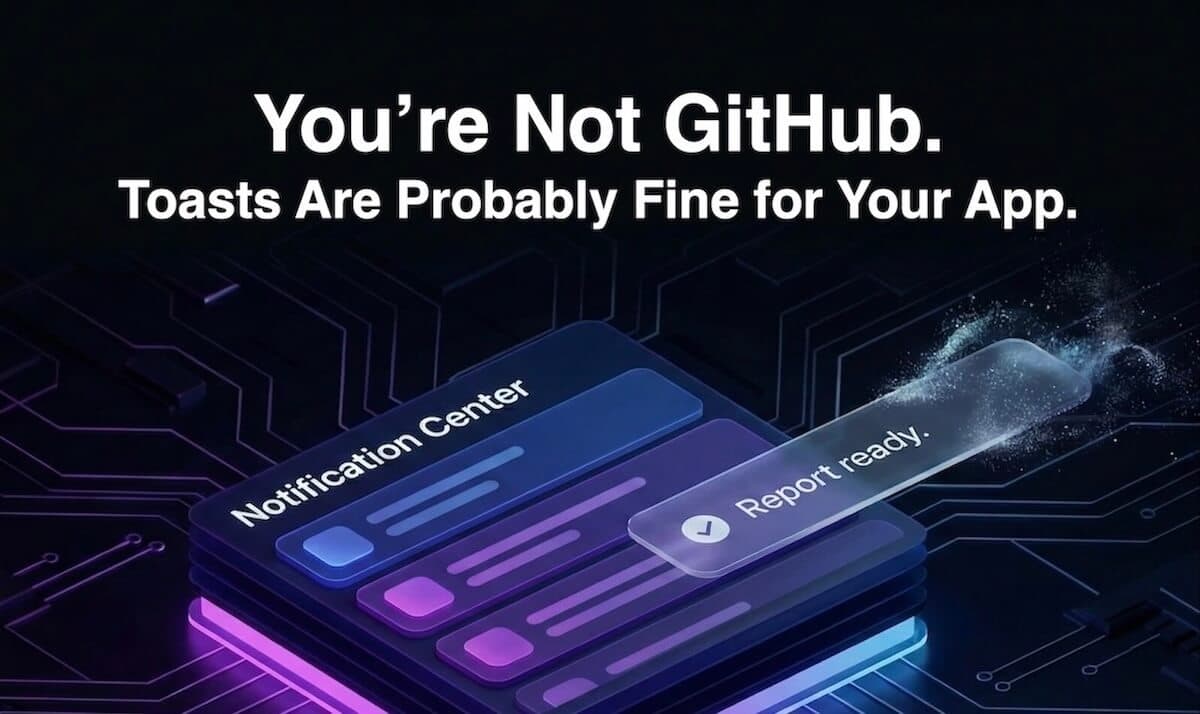
1. GitHub killed toasts. Should you?
Most products need a way to talk back to the user.
You click something, work happens somewhere else, and the UI needs to say, “Here’s what happened.”
Toasts grew out of that problem. Short messages that say “this worked”, “this failed”, or “this finished” without freezing the rest of the interface.
Recently, that pattern has been under a spotlight. GitHub removed toasts from its design system, explained the accessibility concerns, and a lot of people read that as a broader rule: if GitHub won’t use toasts, no one should.
That skips an important detail: GitHub is operating with a huge surface area, a lot of independent teams, and a very high accessibility bar. In that world, pulling a sharp, easy-to-misuse pattern out of the shared system is one way to reduce risk.
Most apps are not in that world.
Most teams still need a simple way to:
- Confirm when background work finishes
- Surface async events while the user is looking somewhere else
- Share “good to know” updates without dropping a modal on top of everything
For those cases, toasts are still on the table. The real issue is when a toast is the only place a message ever exists.
This article starts from a different assumption: toasts are fine, as long as they are not your source of truth. Important events should live in an in-app notification center, with toasts on top as a lightweight, optional hint rather than a single point of failure. That is the model behind Courier's Notification Center product.
2. What GitHub is actually right about
Before arguing for keeping toasts, it’s worth being clear about what GitHub got right.
Traditional web toasts have a few real problems:
They disappear on a timer.
Five seconds is fine for a short success message if you’re staring right at it. It’s not fine if you read slowly, use zoom, are on another monitor, or are just thinking about something else. When the message contains anything important, the timeout is a bug, not a feature.They sit in odd places in the DOM and focus order.
Most implementations mount a toast container at the top or bottom of the page, far away from the control that triggered it. Screen readers and keyboard users move through the document in order. Reaching a toast, reading it, and getting back to what you were doing can be awkward or impossible.They get used for everything.
Once a toast component exists, it becomes the default answer to “we should probably tell the user about this.” Errors, confirmations, onboarding hints, billing issues, all routed into the same little box in the corner.
At GitHub’s scale, those problems are amplified.
You have many teams, each shipping their own flows, all pulling from the same design system. If one team relies on a disappearing toast for something important, that isn’t a small mistake. It affects a lot of people.
Seen through that lens, their move is pretty straightforward: remove a sharp, hard-to-govern pattern from the shared toolkit and lean on simpler, more persistent patterns like inline feedback, banners, and dialogs.
The accessibility concerns are real. The misuse is real. The part that deserves more scrutiny is the conclusion that follows for everyone else.
3. You are not GitHub: when toasts still make sense
Given all of that, it’s tempting to put toasts in the “retired pattern” bucket and move on.
Reality is more boring. Most products don’t have GitHub’s scale, or their internal tooling, or their ability to rebuild every flow around custom inline states and banners. Most teams still reach for toasts because they solve real problems with very little code.
People often describe toasts as a tourniquet. They’re not the ideal long-term treatment, but they keep the product from bleeding out while you build something better.
In practice, toasts still do a few jobs very well:
Background completions
A long-running export finishes. A report is ready. A deployment completes. The user might be on a different part of the page when it happens. A small notification that says “this is done, here’s where to go” is useful.Low-stakes confirmations
“Copied to clipboard.”
“Draft saved.”
“Filters applied.”
These are not worth a modal or a banner. They just need a short acknowledgment.Async updates that are not critical
A secondary integration reconnects. A non-blocking sync finishes. Nice to know, not urgent.
For cases like these, removing toasts completely doesn’t magically produce a better pattern. It usually means more banners, more layout shifts, or no feedback at all.
The important distinction isn’t “GitHub is wrong” versus “GitHub is right.” The important distinction is context. GitHub chose to lower risk by banning a sharp tool in a very large system. Most apps can keep the tool, as long as they put tighter rules around where and how it’s used.
The next step is deciding what those rules should be, and where an in-app notification center changes the equation.
4. Toasts are not the problem. Treating them as “the truth” is.
Most of the pain around toasts comes from asking them to do a job they’re not built for.
A toast is good at one thing:
“Something just happened. You don’t need to stop what you’re doing, but you might care.”
It is not good at:
- Being the only place you can read an error
- Being the only place you can click “Undo”
- Being the only record that an event ever happened
That’s where accessibility and usability both fall apart. If a toast is the single source of truth, the timeout, placement, and timing suddenly matter a lot. Miss the message and you’re simply stuck.
The fix isn’t “no toasts.” The fix is to give messages a permanent home and treat toasts as a hint on top.
In a healthy setup:
The notification center is the source of truth.
A notification center inside your product holds the full story. What happened, when it happened, what the user can do next. In our case, that is Courier Inbox, an in app notification center your users can always come back to.Toasts are optional accents.
Short summaries that point at that truth.
“Usage report is ready. Download CSV.”
“Build #214 passed.”
“You were mentioned in Issue #123.”
If someone sees the toast, great. If they miss it, nothing breaks. They can always open the notification center and catch up.
Courier is built around this model. Events go into a central notification system and render in an in-app notification center. Toasts become a thin UI layer on top of that feed, not an ad hoc messaging system held together by timers.
Once that separation is in place, the conversation about toasts changes. The question is no longer “are toasts allowed,” it’s “which events deserve a quick heads up on top of the notification center item?”
5. What a “safe” toast looks like when you have a notification center
Once you have an in-app notification center, you can be much stricter about how you use toasts.
Simple mental model:
- Every important event goes into the notification center.
- Some of those events also trigger a toast.
Nothing is toast-only. That alone removes most of the risk.
5.1 When a toast is allowed
A toast is allowed when all of these are true:
- The event already lives in the notification center (or is clearly visible in the UI)
- It’s fine if the user never sees the toast
- It doesn’t require an immediate decision
Concrete examples:
Export finished
- Toast: “Usage report is ready. Download CSV.”
- Notification center: same event with a “Download CSV” action the user can get back to later.
Build succeeded
- Toast: “Build #214 passed.”
- Notification center: history of builds with status and links to logs.
You were mentioned
- Toast: “You were mentioned in Issue #123.”
- Notification center: notification with the issue, who mentioned you, and a link to open it.
The pattern is the same each time:
- If you see the toast, you can act on it immediately.
- If you miss it, you can do the exact same thing from the notification center.
No destructive actions. No billing failures as toast-only. No “you lost access” messages.
5.2 What the toast actually says
Because the notification center holds the details, the toast can stay very simple:
- One short line: “Build #214 passed.”
- One clear icon for state: success, info, warning
- Optional click target that opens the underlying thing (the export, the build, the issue)
All the context and explanation live where they should: in the notification and the UI it links to.
5.3 How the toast behaves
Since the toast is not the source of truth, timing is a convenience, not a cliff:
- Reasonable default duration, long enough to read
- Timer pauses on hover or focus
- Multiple toasts queue instead of stacking over content
If someone misses it, nothing breaks. They still have the notification center.
6. How this actually looks in real product flows
At this point the model is:
- Inline and banners for primary feedback
- Notification center as the source of truth
- Toasts as optional hints on top
Here’s what that looks like across a few common flows.
6.1 Long-running tasks
Example: a user kicks off an export.
What you do:
- Button changes to “Exporting…”
- Backend fires an event when the export is ready
- You write that event into the notification center
- You also show a toast
What the user sees:
- While it runs: button state makes it clear that something is happening
- When it finishes:
- Toast: “Usage report is ready. Download CSV.”
- Notification: “Usage report for March is ready,” with a link and timestamp
If the user clicks the toast, great.
If they miss it, they open notifications and click the same download action there.
No modals, no guessing, no dependency on a five-second timer.
6.2 Background errors
Example: a background sync job fails.
What you do:
- Backend sends a “sync failed” event with context
- You write it into the notification center
- You decide whether a toast is needed at all
Two versions:
If it’s noisy but not urgent:
- Notification only: “We couldn’t sync data from Source X. We’ll retry automatically.”
If it needs attention:
- Toast: “We couldn’t sync from Source X. See what to do next.”
- Notification: error details, retry button, link to docs
Again, the toast is a pointer, not the only place recovery lives.
6.3 Mentions and collaboration
Example: a teammate mentions you in a comment.
What you do:
- Comment service emits a “mention” event
- Notification center stores “You were mentioned in Issue #123”
- Client shows a toast if the user is online and active
What the user sees:
- Toast: “You were mentioned in Issue #123.” Clicking it opens the issue.
- Notification: same message, with who mentioned them and when
Users who like real-time nudges get them.
Users who miss it, or prefer to batch notifications, just check the center.
6.4 Multi-channel
Example: a deploy finishes and you also send an email or push notification.
What you do with Courier:
- Emit one “deploy finished” notification event
- Courier fans that out to email, push, and the in-app notification center
- If the user is in the app, you show a toast on top
The important part is that everything runs off the same event.
The message in the toast, the notification center, and the email all come from the same source, not three different one-off implementations.
This is where the “toasts are fine for you” story really lands.
You’re not betting your product on a transient UI pattern. You’re building around events and a notification center, then using toasts where they actually add value.
7. When you still should not use toasts
Even with a notification center, there are cases where a toast is the wrong tool.
Think of toasts as “nice to know.”
These cases are “you have to deal with this.”
7.1 Destructive actions
If something is gone, or about to be gone, it shouldn’t be introduced in a little bubble in the corner.
Examples:
- Deleting an account or project
- Revoking access for a team
- Dropping a database, repo, or environment
Patterns that fit better:
- Confirm in a dialog
- Reflect the change inline
- Record the event in the notification center for audit
A toast can echo “Project deleted” if you want, but it shouldn’t be the first or only place that shows up.
7.2 Security and billing
Security and billing problems need clear, persistent treatment.
Examples:
- Payment failed
- Card expired
- Suspicious login
- You lost access to a resource
Better patterns:
- Inline messaging near the thing that’s broken
- Page-level banner that stays until resolved
- Notification center item with details and actions
You can add a toast if it helps in the moment, but the primary surfaces should be obvious and durable.
7.3 Complex guidance
Anything that needs more than a sentence to explain doesn’t belong in a toast.
Examples:
- Multi-step onboarding issues
- Configuration mistakes across several screens
- Migration tasks that require several actions
Use:
- Setup flows or checklists
- Inline validation and help text
- Notifications that link to a “fix this” view
Here, toasts, if used at all, should read like a short nudge:
- “We found issues in your billing settings. Review now.”
- “Some destinations are misconfigured. Open setup.”
Then hand off to a screen that can actually explain what to do.
Rough rule:
If ignoring it is dangerous or expensive, don’t put the responsibility on a transient toast. Use the UI and the notification center as the primary surfaces, and treat toasts as a bonus, not a requirement.
8. If you already have toasts everywhere, what now?
Most teams are not starting from a blank slate.
You probably already have a toast component wired into half the product.
You don’t need a rewrite. You need a cleanup.
8.1 Audit what you have
Take a quick inventory:
- Where do toasts show up?
- What do they say?
- What breaks if the user never sees them?
You’ll usually find a mix of:
- “Saved” confirmations that do nothing
- Errors that really should be inline
- Critical messages that only ever live in a toast
Just seeing that list is useful.
8.2 Sort them into buckets
For each toast, make a call:
Delete it
- The UI already makes the change obvious
- Example: button text changes from “Save” to “Saved” and the toast repeats it
Promote it
- The message is important or blocking
- Move it to inline, banner, or dialog
- Keep a notification center item as a record
Pair it with the notification center
- Background work, async events, mentions, reports, long-running jobs
- Give the event a notification entry
- Keep the toast as the “right now” hint
Keep it lightweight
- Truly low-stakes stuff
- “Copied to clipboard”
- “Theme updated”
You don’t need perfect sorting. You just need to stop treating all messages as equal.
8.3 Add the notification center
Next step is giving those events a home.
If you are rolling your own, this is where you build a simple notification center and start writing events into it instead of only firing toasts.
If you are using Courier, most of this is already there:
- Emit structured events from your product to Courier
- Render them in an in app notification center using Courier Inbox
- Reuse that same data in your toast layer
Once that is in place:
- The “build passed” toast comes from the same event as the notification
- The “export ready” toast and the notification share the same link and metadata
- If the toast never shows up, the notification is still there
You have moved from “ad hoc toasts” to “event-driven notifications with optional toasts.”
8.4 Add some guardrails
Once the basics are in place, write down a few simple rules for new work:
- Every toast must answer:
“Where does this live permanently?” - No toast-only for errors, billing, or destructive actions
- If you can express it inline, do that first
- If multiple teams work on the product, document this in the design system
You don’t need a huge governance process. A short checklist is usually enough to keep new toasts from slipping back into “single source of truth” territory.
At that point, you have the shape you want:
- UI and banners for primary feedback
- Notification center for history and depth
- Toasts as a small, carefully used layer on top, not the backbone of your messaging.
9. So, should you keep toasts?
GitHub looked at toasts, looked at their scale and constraints, and decided the safest option was to get rid of them. That works for them.
Most products are in a different spot.
You still need quick feedback when something finishes, fails, or fires in the background. You still need a way to talk to users without freezing the UI every time. For that, toasts are not the villain. Using them as the only place a message ever lives is.
The model that holds up is simple:
- Use inline states and banners as your first choice.
- Give important events a home in a notification center.
- Use toasts as a thin, optional layer on top of that, not as your primary channel.
If you have that notification center in place, toasts stop being scary. Missing one is annoying at worst, never fatal. The real message, with context and actions, is always there in notifications.
You don’t have to copy GitHub’s decision to care about accessibility.
You just have to stop treating toasts like a system of record and start treating them like what they actually are: a small, fast, optional way to say “this just happened” on top of something more solid.
Frequently Asked Questions (FAQs)
1. What are toast notifications in web applications?
Toast notifications are small, temporary UI messages that appear over the interface to confirm something happened, such as “Saved”, “Copied to clipboard”, or “Report ready”. They usually auto-dismiss after a few seconds and do not block the user’s interaction with the page.
2. Why did GitHub remove toast notifications from its design system?
GitHub removed toast notifications because they are difficult to make consistently accessible at scale. Auto-dismiss timers, focus management issues for keyboard and screen reader users, and inconsistent usage across many teams led GitHub to favor more persistent patterns like inline states, banners, and dialogs instead of toasts.
3. Are toast notifications bad for accessibility?
Toast notifications are not automatically bad for accessibility, but they are easy to misuse. Accessibility problems arise when toasts:
- Auto-dismiss before users can read them
- Are the only place important information appears
- Live in DOM locations that are hard for screen readers and keyboard users to reach
Using toasts only for low-stakes updates and backing them with a notification center greatly reduces the accessibility risk.
4. When should I use toast notifications in my app?
Use toast notifications for non-blocking, low-risk updates, for example:
- Background tasks finishing (“Usage report is ready”)
- Simple confirmations (“Draft saved”, “Filters applied”)
- Activity that also exists elsewhere (“You were mentioned in Issue #123”)
If missing the toast would break the experience or hide critical information, it is not a good use case.
5. What should I use instead of toast notifications for critical messages?
For important or blocking messages, use more persistent, accessible patterns:
- Inline error messages near the form field or control
- Page or section banners for system-wide issues
- Modal dialogs for destructive actions, permissions, security, and billing
Then record the event in an in-app notification center so users can review it later.
6. What is an in-app notification center?
An in-app notification center is a feed of messages inside your product that shows what happened, when it happened, and what the user can do next. It acts as the source of truth for events like exports, errors, mentions, and alerts. A notification center makes it safe to use toast notifications as optional hints, because the full message always lives somewhere permanent.
7. How does a notification center make toast notifications safer?
A notification center makes toast notifications safer because important events are stored in a durable, reviewable place. The toast becomes a real-time hint, not the only channel. If the user misses or ignores the toast, they can still find the same message, context, and actions in the notification center later.
8. How does Courier Inbox help with toast notifications and in-app alerts?
Courier Inbox is Courier’s in-app notification center. Your app sends events to Courier, they appear in Courier Inbox as structured notifications, and your UI can optionally trigger toast notifications from the same data. This keeps toasts and the notification center in sync and prevents “toast-only” messages that disappear forever.
9. How do I migrate from toast-only notifications to a notification center model?
To migrate from toast-only notifications:
- Audit existing toasts and identify which ones carry important information.
- Move critical messages into inline errors, banners, or a notification center.
- Keep toasts only for low-stakes, non-blocking updates.
- Power toasts from the same events that feed your notification center, so every important toast has a permanent entry behind it.
Using a platform like Courier with Courier Inbox makes this easier, because events, in-app notifications, and toasts all share a single source of truth.
10. How can I make toast notifications more accessible?
To make toast notifications more accessible:
- Avoid using them as the only place critical information appears
- Ensure timing is generous and pause on hover or focus
- Keep messages short and clear
- Use semantic roles and ARIA attributes appropriately
- Back every important toast with a notification entry or visible UI state
Combined with a notification center, these steps help toast notifications work for more users without compromising on accessibility.
Similar resources
WhatsApp pricing changes on October 1, 2026
On October 1, 2026, two things become billable on the WhatsApp Business Platform: free-form replies inside the 24-hour customer service window, and utility templates sent in response to a customer. If your WhatsApp volume is conversations rather than campaigns, this is not a rate tweak. It adds a line to your invoice where there used to be a zero. Here is what changes, a worked example of the cost, and what to check.

Clinical alert and notification systems: how escalation works
A clinical alert is easy to send and hard to close. This is how alerting works inside a hospital: where alerts come from, how routing by role and shift works, and how the acknowledge, timeout, escalate loop is actually built, including what happens when nobody answers.

Courier vs Customer.io: 2026 messaging platform comparison
Courier and Customer.io both send across email, push, SMS, and in-app, but they are not priced or built the same way. Courier bills by the send, puts journeys, experiments, broadcasts, an in-app inbox, preferences, and 50+ delivery providers on one platform, and exposes all of it through an API, a CLI, and an MCP server. Customer.io bills by the number of profiles in your database and fits a marketing team that needs deep behavioral segmentation. This comparison covers pricing, journeys, channels, in-app messaging, localization, and preferences, with every competitor figure linked to Customer.io's own pages.